
1. تعارف
Thank you for choosing the Casio G-Shock PRG-100 watch. This manual provides essential information regarding the setup, operation, and maintenance of your new timepiece. The PRG-100 is a robust digital watch featuring a quartz movement, alarm functionality, and a durable resin band, designed for reliability and performance.
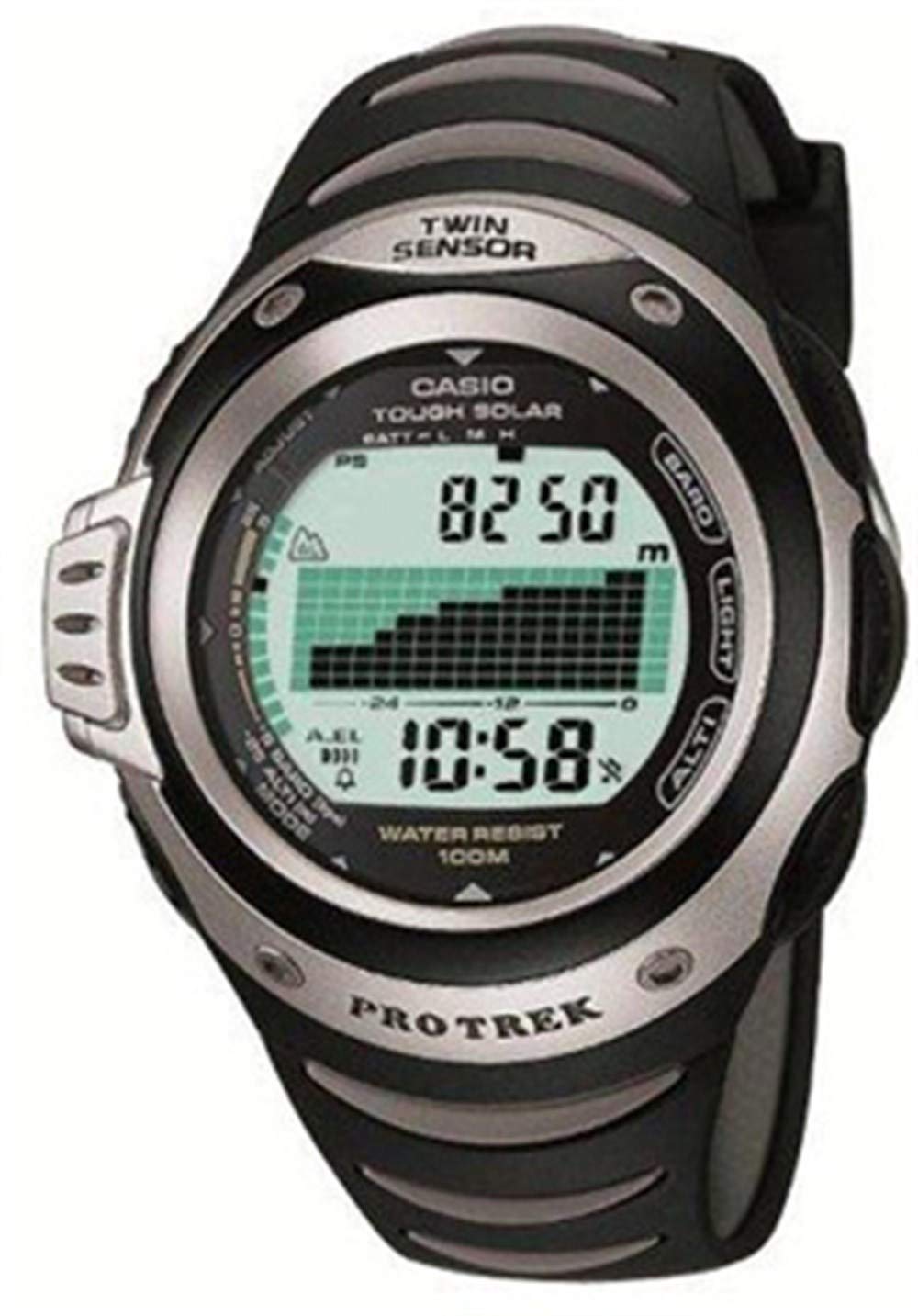
تصویر 1: سامنے والا view of the Casio G-Shock PRG-100 watch. This image shows the digital display and the overall design of the watch face.
2. سیٹ اپ
2.1 ابتدائی وقت اور تاریخ کی ترتیب
- دبائیں اور تھامیں۔ ایڈجسٹ کریں۔ بٹن (عام طور پر اوپر سے بائیں) جب تک کہ شہر کا کوڈ چمکنا شروع نہ کرے۔
- استعمال کریں۔ موڈ button (bottom-left) to cycle through the settings: City Code → DST (Daylight Saving Time) → 12/24-hour format → Seconds → Hour → Minute → Year → Month → Day.
- استعمال کریں۔ آگے (اوپر سے دائیں) اور معکوس (bottom-right) buttons to change the flashing value.
- تمام ترتیبات درست ہونے کے بعد، دبائیں ایڈجسٹ کریں۔ سیٹنگ موڈ سے باہر نکلنے کے لیے دوبارہ بٹن دبائیں۔
2.2 الارم سیٹنگ
- ٹائم کیپنگ موڈ سے، دبائیں۔ موڈ button until you reach the Alarm Mode (indicated by "AL" or an alarm icon).
- دبائیں اور تھامیں۔ ایڈجسٹ کریں۔ بٹن جب تک الارم کا وقت چمکنا شروع نہ ہو جائے۔
- استعمال کریں۔ موڈ گھنٹے اور منٹ کی ترتیبات کے درمیان منتخب کرنے کے لیے بٹن۔
- استعمال کریں۔ آگے اور معکوس مطلوبہ الارم کا وقت مقرر کرنے کے لیے بٹن۔
- دبائیں ایڈجسٹ کریں۔ تصدیق اور باہر نکلنے کے لیے بٹن۔
- الارم کو آن/آف کرنے کے لیے، دبائیں۔ آگے button while in Alarm Mode (without holding ADJUST).
3. آپریٹنگ
3.1 موڈ نیویگیشن
Your PRG-100 watch features several modes. Press the موڈ button (bottom-left) to cycle through them in the following order:
- Timekeeping Mode (current time and date)
- Alarm Mode (set and activate alarms)
- Stopwatch Mode (measure elapsed time)
- Timer Mode (countdown timer)
- World Time Mode (view time in different cities)
- Note: Specific modes may vary slightly based on the exact module. Refer to the full module manual for advanced features.
3.2 اسٹاپ واچ کا استعمال
- کا استعمال کرتے ہوئے اسٹاپ واچ موڈ پر جائیں۔ موڈ بٹن
- دبائیں آگے button (top-right) to start the stopwatch.
- دبائیں آگے اسٹاپ واچ کو روکنے کے لیے دوبارہ بٹن۔
- دبائیں معکوس button (bottom-right) to reset the stopwatch to zero.
3.3 بیک لائٹ فنکشن
کم روشنی والے حالات میں ڈسپلے کو روشن کرنے کے لیے، دبائیں۔ روشنی button (usually top-right or front-center). The backlight duration may be adjustable in settings.
4 دیکھ بھال
4.1 اپنی گھڑی کو صاف کرنا
گندگی اور نمی کو دور کرنے کے لیے نرم، خشک کپڑے سے گھڑی کو باقاعدگی سے صاف کریں۔ ضدی گندگی کے لیے، تھوڑا سا ڈیamp cloth with mild soap can be used, followed by thorough drying. Avoid using harsh chemicals or abrasive cleaners.
4.2 بیٹری کی دیکھ بھال
The PRG-100 is powered by a battery. When the display becomes dim or functions become unreliable, it may be time for a battery replacement. It is recommended to have the battery replaced by an authorized Casio service center to ensure proper sealing and water resistance.
4.3 پانی کی مزاحمت
Your G-Shock watch is designed with a high level of water resistance. However, avoid operating buttons while the watch is submerged in water. After exposure to saltwater, rinse the watch with fresh water and wipe it dry. Do not expose the watch to extreme temperature changes.
5 خرابیوں کا سراغ لگانا
- ڈسپلے خالی یا مدھم ہے: بیٹری کم یا ختم ہو سکتی ہے۔ بیٹری کی تبدیلی پر غور کریں۔
- وقت غلط ہے: سیکشن 2.1 میں بیان کردہ وقت اور تاریخ کی ترتیبات کو دوبارہ ایڈجسٹ کریں۔ یقینی بنائیں کہ شہر کا صحیح کوڈ اور DST سیٹنگ کا انتخاب کیا گیا ہے۔
- بٹن غیر جوابی ہیں: Ensure the watch is not in a locked mode (if applicable). If submerged, dry the watch thoroughly. If the issue persists, a service check may be required.
- الارم نہیں بجتا ہے: Check if the alarm is enabled in Alarm Mode (Section 2.2). Ensure the volume is not set to mute (if applicable).
If you encounter issues not covered here, please contact Casio customer support or an authorized service center.
6. وضاحتیں
| فیچر | تفصیل |
|---|---|
| برانڈ | کیسیو |
| ماڈل کا نام | PRG-100 |
| ماڈل نمبر | PRG-100 |
| ڈسپلے فارمیٹ | ڈیجیٹل |
| حرکت کی قسم | کوارٹز |
| خصوصی خصوصیات | الارم |
| طاقت کا منبع | بیٹری |
| انداز | پٹا ۔ |
| شکل | گول |
| بینڈ کا رنگ | سیاہ |
| بینڈ کا مواد | رال |
| کیس قطر | 41 ملی میٹر |
| ASIN | B000JS57EC |
| مینوفیکچرر پارٹ نمبر | PRG-100-1AVDR_WW |
7. وارنٹی اور سپورٹ
Your Casio G-Shock PRG-100 watch is covered by a manufacturer's warranty. For specific warranty terms and conditions, please refer to the warranty card included with your purchase or visit the official Casio webسائٹ
For further assistance, technical support, or service inquiries, please contact Casio customer service through their official website or an authorized service center in your region.