
1. تعارف
Thank you for choosing the LiteOn eSAU108-97 External Recording DVD Drive. This portable optical drive offers reliable DVD and CD reading and writing capabilities, powered conveniently via a single USB connection. It is designed for use with laptops and other compatible devices, providing a compact and efficient solution for your optical media needs.
Please read this manual thoroughly before using the device to ensure proper operation and to maximize its lifespan.
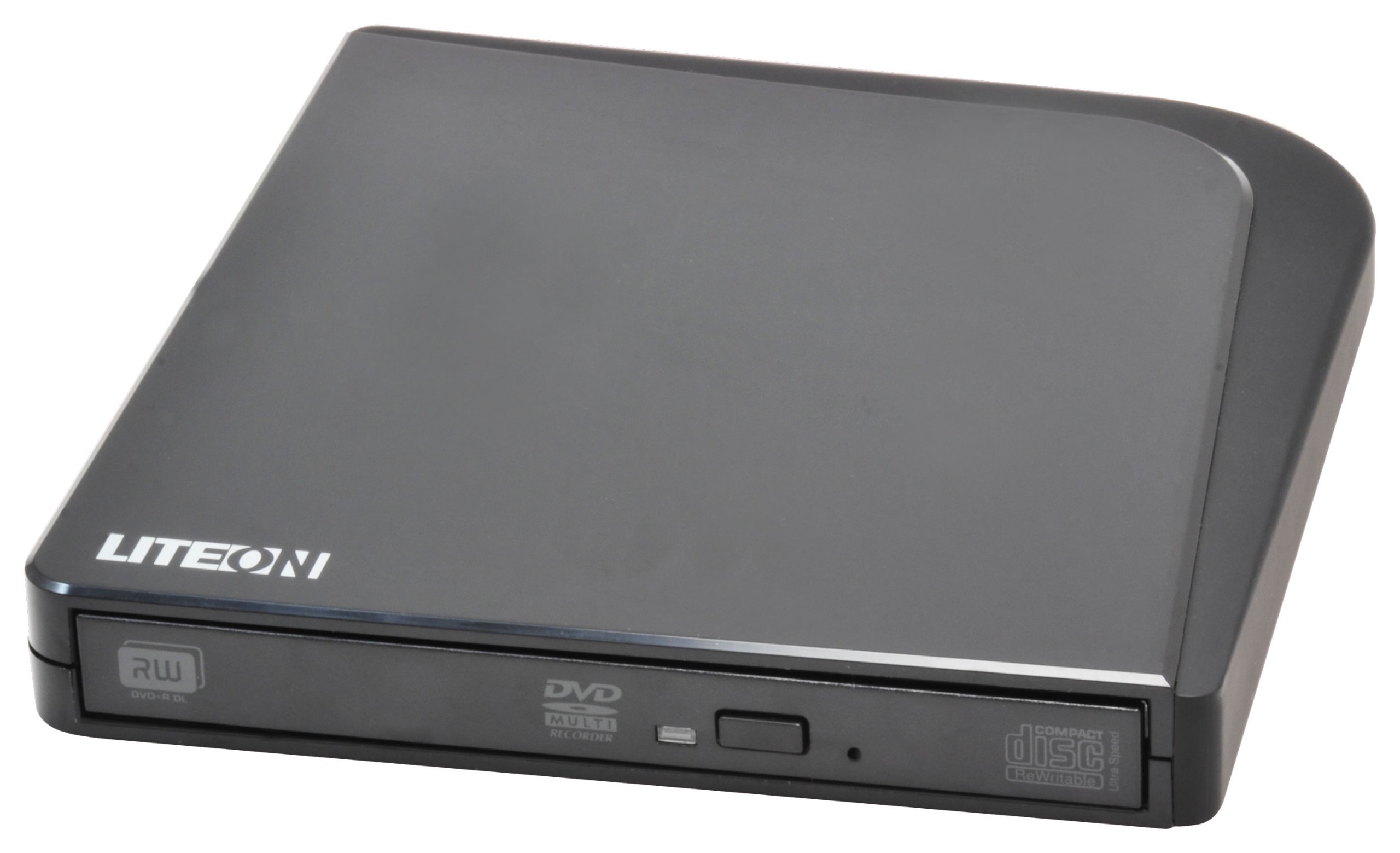
تصویر 1: LiteOn eSAU108-97 External Recording DVD Drive. This image displays the compact, black external DVD drive, highlighting its sleek design and the USB port for connectivity.
2. پیکیج کے مشمولات
براہ کرم پیکیج کے مواد کو احتیاط سے چیک کریں۔ اگر کوئی چیز غائب یا خراب ہو تو اپنے خوردہ فروش سے فوراً رابطہ کریں۔
- LiteOn eSAU108-97 External Recording DVD Drive
- USB Data/Power Cable
- کوئیک اسٹارٹ گائیڈ (یہ دستی)
3. سیٹ اپ
3.1 سسٹم کے تقاضے
- Operating System: Windows XP/Vista/7/8/10/11, macOS 10.x or later, Linux (kernel 2.6 or later)
- Available USB 2.0 or 3.0 port
- کم از کم 512MB RAM
- Minimum 10GB free hard disk space (for disc burning software and temporary files)
3.2 ڈرائیو کو جوڑنا
- Locate an available USB port on your laptop or computer.
- Connect the smaller end of the provided USB cable to the USB port on the LiteOn eSAU108-97 drive.
- Connect the larger end of the USB cable to the USB port on your computer.
- The drive is bus-powered, meaning it draws power directly from the USB port. No external power adapter is required.
- آپ کے آپریٹنگ سسٹم کو خود بخود ضروری ڈرائیوروں کا پتہ لگانا اور انسٹال کرنا چاہیے۔ اس عمل میں چند لمحے لگ سکتے ہیں۔
3.3 ڈرائیور کی تنصیب
The LiteOn eSAU108-97 is a plug-and-play device. Most modern operating systems will automatically install the required drivers upon connection. No manual driver installation is typically needed. If the drive is not recognized, try connecting it to a different USB port or restarting your computer.
4. ڈرائیو کو چلانا
4.1 Loading a Disc
- ڈسک ٹرے کو کھولنے کے لیے ڈرائیو کے سامنے والے ایجیکٹ بٹن کو دبائیں۔
- Carefully place a CD or DVD onto the tray with the label side facing up. Ensure the disc is centered on the spindle.
- آہستہ سے ڈسک ٹرے کو ڈرائیو میں واپس دھکیلیں جب تک کہ یہ بند نہ ہو جائے۔ ٹرے کو مجبور نہ کریں۔
4.2 Playing/Reading Discs
Once a disc is loaded, your operating system may automatically prompt you to choose an action (e.g., play a movie, open files). If not, navigate to 'My Computer' or 'This PC' (Windows) or 'Finder' (macOS), locate the optical drive icon, and double-click it to access the disc's contents.
4.3 Recording/Burning Discs
To record data, music, or video onto a blank CD-R/RW or DVD-R/RW disc, you will need compatible disc burning software (e.g., Windows Media Player, Nero, Roxio, or built-in macOS utilities). Follow the instructions provided with your chosen software to perform burning operations.
4.4 ڈسک نکالنا
- Software Eject: Right-click on the drive icon in 'My Computer'/'This PC' or 'Finder' and select 'Eject'.
- Manual Eject: Press the eject button on the front of the drive.
- ہنگامی اخراج: In case of power failure or if the eject button does not work, locate the small pinhole on the front of the drive. Insert a straightened paperclip into the pinhole and push gently until the tray partially opens. Then, pull the tray out manually.
5 دیکھ بھال
5.1 ڈرائیو کی صفائی
Keep the drive clean and free from dust. Use a soft, dry, lint-free cloth to wipe the exterior. Do not use liquid cleaners or abrasive materials. Avoid opening the drive casing, as this can damage internal components and void your warranty.
5.2 ڈسکس کی صفائی
Always handle discs by their edges. If a disc is dirty, gently wipe it from the center outwards with a soft, lint-free cloth. Do not use circular motions, as this can cause scratches. For stubborn smudges, use a specialized disc cleaning solution.
5.3 اسٹوریج
When not in use, store the drive in a cool, dry place, away from direct sunlight, extreme temperatures, and high humidity. Keep it protected from dust and physical impact.
6 خرابیوں کا سراغ لگانا
| مسئلہ | ممکنہ وجہ | حل |
|---|---|---|
| کمپیوٹر سے ڈرائیو کی شناخت نہیں ہوئی۔ | Loose USB connection, insufficient power, driver issue, faulty USB port. | Ensure USB cable is securely connected. Try a different USB port. Restart your computer. Check Device Manager (Windows) or System Information (macOS) for the drive. |
| Disc not reading/writing | Dirty or scratched disc, incorrect disc type, faulty disc, drive lens dirty, incompatible software. | Clean the disc. Try a different disc. Ensure the disc type is compatible (CD-R/RW, DVD-R/RW). Use appropriate burning software. |
| Disc tray not opening/closing | Obstruction, mechanical issue, power issue. | Check for obstructions. Ensure the drive is powered (connected via USB). Use the emergency eject hole if necessary. |
| سست کارکردگی | USB 1.1 port, background processes, fragmented hard drive. | Connect to a USB 2.0 or 3.0 port. Close unnecessary applications. Ensure your computer meets system requirements. |
7. وضاحتیں
- ماڈل: eSAU108-97
- انٹرفیس: USB 2.0 (USB 3.0 کے ساتھ ہم آہنگ)
- قسم: External Portable DVD Drive
- ہارڈ ویئر پلیٹ فارم: لیپ ٹاپ
- آئٹم کا وزن: تقریباً 1.2 پاؤنڈ (0.54 کلوگرام)
- پیکیج کے طول و عرض: 8.27 x 7.72 x 2.87 انچ (21 x 19.6 x 7.3 سینٹی میٹر)
- رنگ: سیاہ
- کیشے کا سائز: 2 MB
- طاقت: USB بس سے چلنے والی
- تائید شدہ ڈسک فارمیٹس: DVD-ROM, DVD-R, DVD-RW, DVD+R, DVD+RW, CD-ROM, CD-R, CD-RW
8. وارنٹی اور سپورٹ
LiteOn products are designed and manufactured to the highest quality standards. This product is covered by a limited warranty from the date of purchase. Please refer to the warranty card included in your package or visit the official LiteOn webتفصیلی وارنٹی شرائط و ضوابط کے لیے سائٹ۔
For technical support, troubleshooting assistance, or service inquiries, please visit the LiteOn support website or contact their customer service department. Contact information can typically be found on the official LiteOn webسائٹ یا آپ کی مصنوعات کی پیکیجنگ میں۔