
تعارف
The Vanco 281442 HDMI 4x2 Matrix Selector Switch is designed to connect up to four HDMI audio/video source devices to two independent HDMI displays. This device ensures high-quality, uncompressed digital video and surround sound audio transmission without signal loss. It supports 3D content when connected to compatible devices and high-definition resolutions up to 1080p. The switch is compliant with the DDWG standard for HDMI monitors and H.D.C.P. (High-Bandwidth Digital Content Protection).
اہم خصوصیات میں شامل ہیں:
- ویڈیو ampلائفائر بینڈوتھ: 2.25 جی بی پی ایس
- Input connector type: (4) HDMI (19 pin - type A) female
- Output connector type: (2) HDMI (19 pin - type A) female
- IR remote control port
- بجلی کی فراہمی: 5V DC
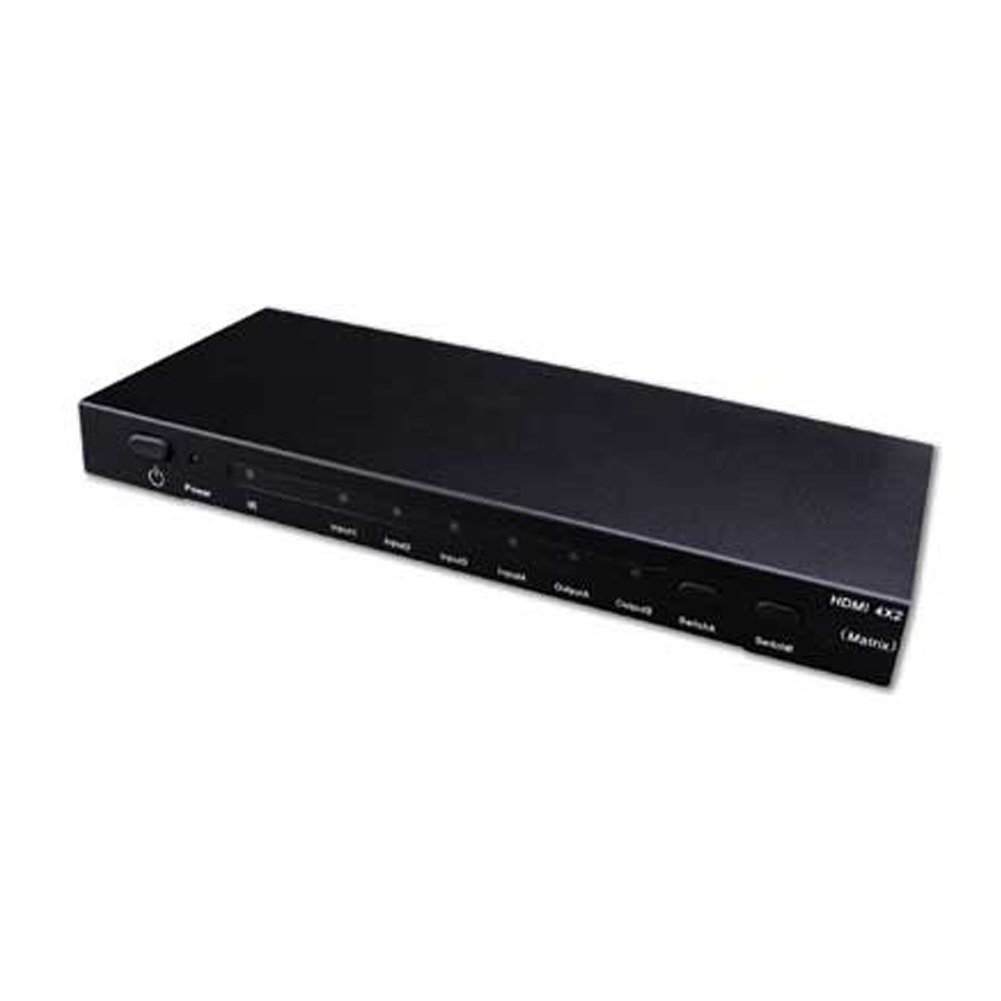
Image showing the Vanco 281442 HDMI 4x2 Matrix Selector Switch, a device designed to connect multiple HDMI sources to multiple HDMI displays.
سیٹ اپ کی ہدایات
- پاور آف ڈیوائسز: Ensure all HDMI source devices (e.g., Blu-ray player, game console, cable box) and HDMI display devices (e.g., TV, projector) are powered off before making connections.
- HDMI ذرائع کو مربوط کریں: Connect up to four HDMI source devices to the HDMI input ports (labeled INPUT 1-4) on the Vanco 281442 switch using high-quality HDMI cables.
- HDMI ڈسپلے کو مربوط کریں: Connect your two HDMI display devices to the HDMI output ports (labeled OUTPUT A and OUTPUT B) on the Vanco 281442 switch using high-quality HDMI cables.
- پاور اڈاپٹر کو جوڑیں: Plug the included 5V DC power adapter into the DC 5V port on the switch, then plug the adapter into a standard electrical outlet.
- ڈیوائس آن پاور: Power on your HDMI display devices first, then power on your HDMI source devices.
- کنکشن کی تصدیق کریں: The switch should automatically detect the connected devices. You can now proceed to the operation section to select your desired input and output combinations.
آپریٹنگ ہدایات
The Vanco 281442 HDMI 4x2 Matrix Selector Switch can be operated using the front panel push-buttons or the included IR remote control.
فرنٹ پینل کنٹرول:
- ان پٹ انتخاب: Use the 'INPUT' buttons (1, 2, 3, 4) to select which of the four HDMI sources is routed to the active output.
- آؤٹ پٹ سلیکشن: Use the 'OUTPUT A' and 'OUTPUT B' buttons to independently select which input is displayed on each respective output. For example, you can select Input 1 for Output A and Input 2 for Output B simultaneously.
ریموٹ کنٹرول آپریشن:
The included IR remote control provides the same functionality as the front panel buttons, allowing for convenient operation from a distance. Point the remote control towards the IR receiver window on the front panel of the switch.
- ان پٹ بٹن (1-4): Selects the corresponding HDMI input source.
- Output A/B Buttons: Assigns the currently selected input to Output A or Output B.
وضاحتیں
| ماڈل نمبر | 281442 |
| مصنوعات کے طول و عرض | 13 x 12 x 4 انچ |
| شے کا وزن | 2.5 پاؤنڈ |
| کارخانہ دار | وینکو |
| کنیکٹر کی قسم | HDMI |
| ہم آہنگ آلات | Monitor, Projector |
| کیبل کی قسم | HDMI |
| ویڈیو Ampزیادہ تر بینڈوڈتھ | 2.25 جی بی پی ایس |
| ان پٹ کنیکٹرز | (4) HDMI (19 pin - type A) female |
| آؤٹ پٹ رابط | (2) HDMI (19 pin - type A) female |
| بجلی کی فراہمی | 5V DC |
دیکھ بھال
To ensure the longevity and optimal performance of your Vanco 281442 HDMI 4x2 Matrix Selector Switch, follow these maintenance guidelines:
- صفائی: Use a soft, dry cloth to clean the exterior of the unit. Avoid using abrasive cleaners, solvents, or strong detergents, as these can damage the finish or internal components.
- وینٹیلیشن: اس بات کو یقینی بنائیں کہ یونٹ زیادہ گرم ہونے سے بچنے کے لیے ہوادار جگہ پر رکھا گیا ہے۔ وینٹیلیشن کے کسی بھی سوراخ کو مسدود نہ کریں۔
- کیبل مینجمنٹ: Avoid excessive bending or pulling of HDMI cables, which can damage the connectors or internal wiring.
- بجلی کی فراہمی: Use only the provided 5V DC power adapter. Using an incorrect power supply can damage the device.
- ذخیرہ: اگر آلہ کو طویل مدت کے لیے ذخیرہ کر رہے ہیں، تو اسے بجلی سے منقطع کریں اور اسے براہ راست سورج کی روشنی اور انتہائی درجہ حرارت سے دور کسی ٹھنڈی، خشک جگہ پر محفوظ کریں۔
خرابی کا سراغ لگانا
If you encounter issues with your Vanco 281442 HDMI 4x2 Matrix Selector Switch, refer to the following common troubleshooting steps:
- ڈسپلے پر کوئی سگنل نہیں:
- Ensure all HDMI cables are securely connected to both the source devices, the switch, and the display devices.
- Verify that the correct input source is selected on the matrix switch for the desired output.
- Check that the display device is set to the correct HDMI input.
- Try bypassing the switch by connecting an HDMI source directly to a display to confirm the source and display are working correctly.
- Power cycle all devices (source, switch, display) by unplugging them from power for a few seconds and then plugging them back in.
- ٹمٹماہٹ یا وقفے وقفے سے سگنل:
- Replace HDMI cables with higher quality or shorter cables, especially for longer runs or high-resolution signals.
- Ensure the power adapter is firmly connected and providing stable power to the switch.
- دوسرے الیکٹرانک آلات سے ممکنہ مداخلت کی جانچ کریں۔
- غلط ریزولوشن یا اسپیکٹ ریشو:
- Ensure your source device's output resolution is compatible with your display device.
- Some display devices may require manual adjustment of aspect ratio or scaling settings.
- If using HDMI extenders, ensure they are compatible and functioning correctly, as they can sometimes interfere with EDID communication.
- ریموٹ کنٹرول کام نہیں کر رہا:
- ریموٹ کنٹرول میں بیٹریاں چیک کریں اور اگر ضروری ہو تو انہیں تبدیل کریں۔
- Ensure there are no obstructions between the remote control and the IR receiver on the switch.
- Make sure you are within the effective range and angle of the IR receiver.
وارنٹی اور سپورٹ
Specific warranty information for the Vanco 281442 HDMI 4x2 Matrix Selector Switch is not provided within this manual. For detailed warranty terms, technical support, or service inquiries, please refer to the documentation included with your purchase or visit the official Vanco webسائٹ