
1. تعارف
This manual provides detailed instructions for the safe and correct installation, operation, and maintenance of your RICOO R02 Tilting TV Wall Mount. Please read all instructions carefully before beginning installation to ensure proper setup and to prevent damage or injury. Keep this manual for future reference.
2. حفاظتی معلومات
- وزن کی صلاحیت: زیادہ سے زیادہ بوجھ کی گنجائش 30 کلوگرام (66 پونڈ) سے زیادہ نہ ہو۔
- سکرین کا سائز: یہ ماؤنٹ 22 اور 37 انچ کے درمیان ٹی وی کے لیے ڈیزائن کیا گیا ہے۔
- دیوار کی قسم: The included dowels are suitable for concrete walls only. For other wall types (e.g., wood stud, brick, drywall), consult a professional or purchase appropriate mounting hardware.
- پیشہ ورانہ تنصیب: If you are unsure about the installation process, seek assistance from a qualified professional.
- اوزار: Ensure you have all necessary tools before starting installation.
- بچے: سیٹ اپ کے دوران بچوں کو انسٹالیشن ایریا سے دور رکھیں۔
- نقصان: Do not install if any parts are damaged. Contact customer support for replacement parts.
3. پیکیج کے مشمولات
تنصیب کے ساتھ آگے بڑھنے سے پہلے تصدیق کریں کہ تمام اجزاء موجود ہیں اور ان کو نقصان نہیں پہنچا ہے۔
- Pre-assembled TV bracket
- Dowels (for concrete walls only)
- Screws for screen attachment (various sizes)
- Wall screws and other mounting accessories

تصویر 3.1: Technical drawing showing the dimensions and movement capabilities of the R02 wall mount. All measurements are in millimeters.
4. وضاحتیں
| برانڈ | RICOO |
| ماڈل نمبر | R02 |
| ہم آہنگ سکرین کے سائز | 22 - 37 انچ (56 - 94 سینٹی میٹر) |
| زیادہ سے زیادہ لوڈ کی گنجائش | 30 کلوگرام (66 پونڈ) |
| VESA مطابقت | 75x75 ملی میٹر، 100x100 ملی میٹر، 200x100 ملی میٹر، 200x200 ملی میٹر |
| جھکاؤ کا زاویہ | +/- 15 ڈگری |
| کنڈا زاویہ | Up to 180 degrees (depending on screen width) |
| وال فاصلہ | 68 ملی میٹر - 450 ملی میٹر |
| مواد | مرکب سٹیل |
| رنگ | سیاہ |
| مصنوعات کے طول و عرض | 29 x 23 x 8 سینٹی میٹر |
| پروڈکٹ کا وزن | 2.88 کلوگرام |

تصویر 4.1: The RICOO R02 wall mount is designed to safely support televisions weighing up to 30 kg.
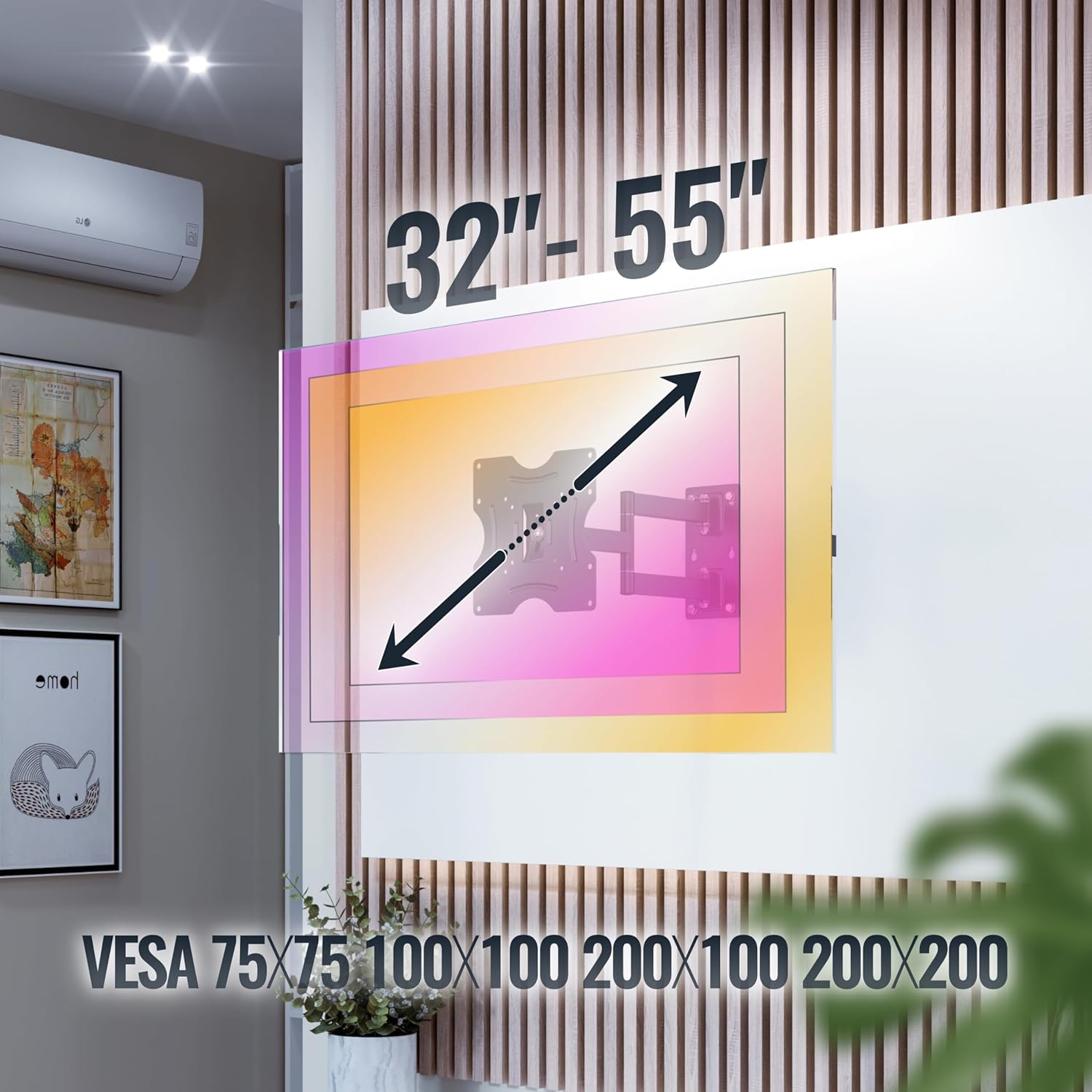
تصویر 4.2: This image illustrates the VESA compatibility (75x75, 100x100, 200x100, 200x200 mm) and the recommended screen size range for the mount. Please note that while the image shows 32"-55", the product is specified for 22"-37" TVs.
5. سیٹ اپ اور انسٹالیشن
Follow these steps carefully for a secure installation. It is recommended to have two people for installation.
- دیوار تیار کریں:
- Identify the desired mounting location on your wall. Ensure the wall can support the weight of the mount and your TV.
- Use a stud finder to locate wall studs if mounting on a wood stud wall. For concrete walls, ensure there are no hidden pipes or electrical wires.
- Mark the drilling points for the wall plate using the mount as a template.
- سوراخ ڈرل:
- Drill pilot holes at the marked locations. The drill bit size will depend on your wall type and the provided screws/dowels.
- Insert the appropriate wall anchors (dowels for concrete walls) into the drilled holes.
- وال پلیٹ منسلک کریں:
- Secure the wall plate of the mount to the wall using the provided wall screws. Ensure it is level and tightly fastened.
- TV میں TV بریکٹ منسلک کریں:
- اپنے ٹی وی کے چہرے کو احتیاط سے نرم، صاف سطح پر رکھیں۔
- اپنے TV کے پچھلے حصے میں VESA بڑھتے ہوئے سوراخوں کی شناخت کریں۔
- Select the correct size screws from the provided hardware that fit your TV's VESA holes.
- Attach the TV brackets to the back of your TV using these screws. Do not overtighten.
- ماؤنٹ ٹی وی ٹو وال پلیٹ:
- مدد کے ساتھ، احتیاط سے ٹی وی کو منسلک بریکٹ کے ساتھ اٹھائیں.
- ٹی وی بریکٹ کو وال پلیٹ پر لگائیں۔ یقینی بنائیں کہ ٹی وی محفوظ طریقے سے ماؤنٹ پر بیٹھا ہے۔
- Engage any safety locking mechanisms on the mount to prevent accidental dislodgement.
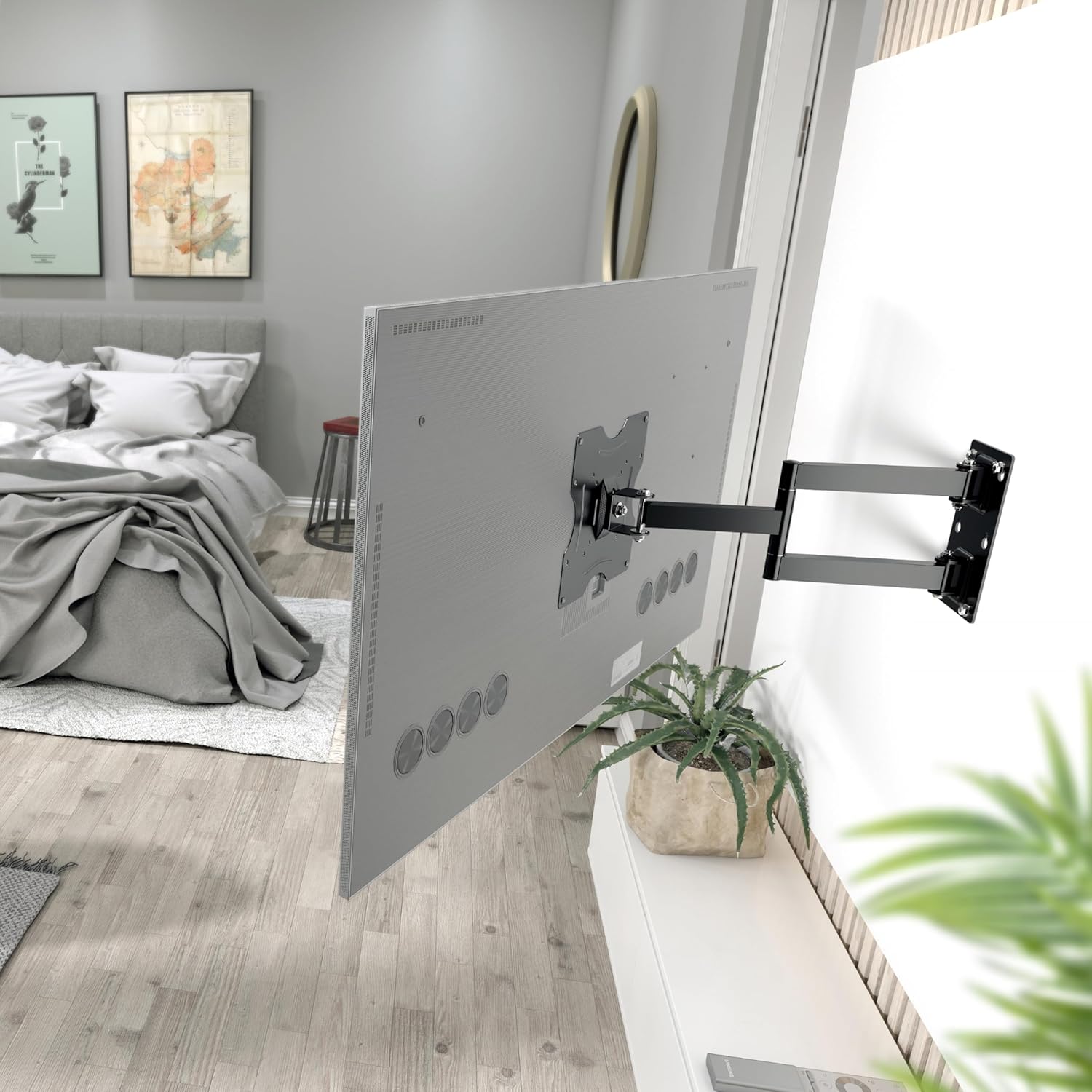
تصویر 5.1: The RICOO R02 wall mount securely installed, holding a television at an extended position from the wall.
6. آپریٹنگ ہدایات
The RICOO R02 mount offers flexible viewکے اختیارات:
- جھکاؤ: Gently push or pull the top or bottom of the TV to adjust the tilt angle up to +/- 15 degrees. This helps reduce glare and optimize viewing
- گھومنا: The mount allows for swiveling the TV up to 180 degrees horizontally. Carefully push the TV left or right to achieve the desired viewing angle. The maximum swivel range depends on the width of your TV and its distance from the wall.
- Extending/Retracting: The mount can extend the TV from the wall between 68 mm and 450 mm. Gently pull the TV forward or push it back towards the wall.

تصویر 6.1: Illustration of the mount's tilt range (+/- 15 degrees) and swivel range (up to 180 degrees), allowing for optimal viewمختلف عہدوں سے
7 دیکھ بھال
باقاعدگی سے دیکھ بھال آپ کے TV وال ماؤنٹ کی لمبی عمر اور محفوظ آپریشن کو یقینی بناتی ہے۔
- صفائی: نرم، خشک کپڑے سے پہاڑ کو صاف کریں۔ کھرچنے والے کلینر یا سالوینٹس سے پرہیز کریں۔
- سختی کی جانچ: وقتاً فوقتاً تمام پیچ اور بولٹ چیک کریں تاکہ یہ یقینی بنایا جا سکے کہ وہ سخت ہیں۔ اگر ضروری ہو تو دوبارہ سخت کریں، لیکن زیادہ سخت نہ کریں۔
- نقل و حرکت کی جانچ: Occasionally move the TV through its full range of motion (tilt, swivel, extend) to ensure smooth operation.
- نقصان کا معائنہ: Inspect the mount for any signs of wear, damage, or corrosion. If any issues are found, discontinue use and contact customer support.
8 خرابیوں کا سراغ لگانا
| مسئلہ | ممکنہ وجہ | حل |
|---|---|---|
| ٹی وی لیول نہیں ہے۔ | وال پلیٹ لیول انسٹال نہیں ہے۔ | Remove TV, adjust wall plate, and re-mount. Use a spirit level during installation. |
| پہاڑ ڈھیلا یا غیر مستحکم محسوس ہوتا ہے۔ | Screws are loose; incorrect wall anchors; wall material not strong enough. | Check and tighten all screws. Ensure correct wall anchors were used for your wall type. If the wall is insufficient, consult a professional. |
| Difficulty tilting or swiveling the TV. | Joints are too tight; TV is too close to the wall or other obstructions. | Check for adjustment screws on the mount's joints and loosen slightly if needed. Ensure sufficient clearance around the TV. |
| ٹی وی ماؤنٹ کے قابل نہیں ہے۔ | غلط VESA پیٹرن یا TV کا سائز/وزن۔ | Verify your TV's VESA pattern and weight against the mount's specifications (Section 4). Ensure your TV is within the 22-37 inch range and under 30 kg. |
9. وارنٹی اور سپورٹ
For warranty information or technical support, please contact RICOO customer service. Keep your purchase receipt as proof of purchase.
ڈویلپر: ENZ انجینئرنگ GmbH
GTIN: 04260201860186
For further assistance, please visit the official RICOO webسائٹ یا ان کے سپورٹ چینلز سے رابطہ کریں۔