
A4tech N-500F
A4Tech V-Track N-500F-1 Glossy Grey USB Mouse User Manual
Model: N-500F
تعارف
Thank you for choosing the A4Tech V-Track N-500F-1 Glossy Grey USB Mouse. This manual provides essential information for setting up, operating, and maintaining your new mouse. The contoured design ensures maximum comfort and support during extended use, and the sturdy scroll wheel with a rubberized surface prevents slippage for precise control.
سیٹ اپ
Follow these steps to set up your A4Tech V-Track N-500F-1 mouse:
- ماؤس کو جوڑیں: اپنے کمپیوٹر پر دستیاب USB پورٹ تلاش کریں۔ USB پورٹ میں ماؤس کے USB کنیکٹر کو مضبوطی سے داخل کریں۔
- ڈرائیور کی تنصیب: Your operating system (Windows XP, Windows 7, Linux, etc.) should automatically detect and install the necessary drivers for the mouse. No additional software installation is typically required for basic functionality.
- فعالیت کی تصدیق کریں: Once connected, move the mouse to check if the cursor responds on your screen. Test the left and right click buttons, and the scroll wheel.
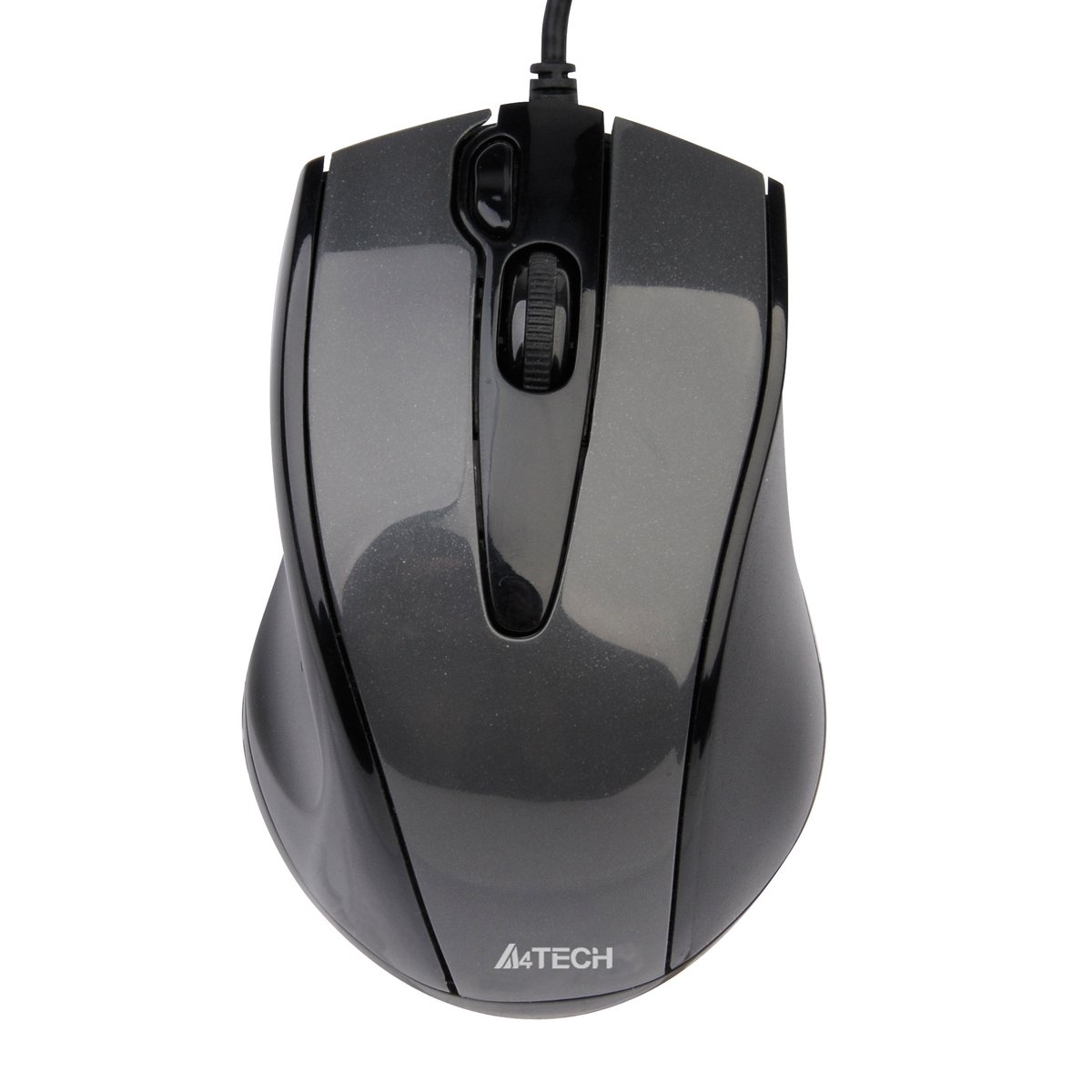
This image displays the A4Tech V-Track N-500F-1 mouse from a top-down perspective. It features a glossy grey finish, a central scroll wheel, and standard left and right click buttons. A USB cable extends from the front of the mouse.
آپ کا ماؤس آپریٹنگ
The A4Tech V-Track N-500F-1 mouse is designed for intuitive use with standard computer functions.
- بائیں کلک: آئٹمز کو منتخب کرنے، کھولنے کے لیے بائیں بٹن کا استعمال کریں۔ files، اور لنکس کو چالو کرنا۔
- دائیں کلک کریں: Use the right button to access context menus, offering additional options for selected items.
- اسکرول وہیل: Roll the wheel up or down to navigate through documents and web pages. The scroll wheel can also be pressed down for a middle-click function, often used for opening links in new tabs or auto-scrolling.
- اضافی بٹن: This mouse features an additional button, typically located near the scroll wheel or on the side. This button can often be customized through your operating system's mouse settings or A4Tech's proprietary software (if available) to perform various functions, such as screen capture, quick access to applications, or specific commands. Refer to your computer's settings for customization options.
دیکھ بھال اور دیکھ بھال
اپنے ماؤس کی لمبی عمر اور بہترین کارکردگی کو یقینی بنانے کے لیے، دیکھ بھال کے ان رہنما خطوط پر عمل کریں:
- صفائی: ماؤس کی سطح کو صاف کرنے کے لیے نرم، خشک کپڑا استعمال کریں۔ ضدی گندگی کے لیے، قدرے ڈیampur کپڑا جس میں پانی یا ہلکا، غیر کھرچنے والا کلینر۔ سخت کیمیکلز یا کھرچنے والے مواد کے استعمال سے پرہیز کریں۔
- سینسر کی صفائی: Occasionally, dust or debris may accumulate around the optical sensor on the underside of the mouse. Use a cotton swab or compressed air to gently clean the sensor area.
- مائعات سے پرہیز کریں: Do not immerse the mouse in water or expose it to excessive moisture.
- ذخیرہ: جب استعمال میں نہ ہو تو ماؤس کو انتہائی درجہ حرارت سے دور صاف اور خشک ماحول میں محفوظ کریں۔
خرابی کا سراغ لگانا
If you encounter issues with your A4Tech V-Track N-500F-1 mouse, refer to the table below for common problems and solutions:
| مسئلہ | ممکنہ وجہ | حل |
|---|---|---|
| ماؤس کرسر حرکت نہیں کرتا۔ | Loose USB connection, faulty USB port, dirty sensor. | Ensure USB cable is securely plugged in. Try a different USB port. Clean the optical sensor. Restart your computer. |
| Buttons or scroll wheel are unresponsive. | Software conflict, debris under buttons. | Restart your computer. Check for any conflicting software. Gently clean around the buttons. |
| کرسر کی حرکت بے ترتیب یا تیز ہے۔ | گندا سینسر، غیر موزوں ماؤس پیڈ سطح۔ | آپٹیکل سینسر کو صاف کریں۔ صاف، یکساں ماؤس پیڈ یا سطح کا استعمال کریں۔ |
| Mouse is not detected by the computer. | Driver issue, hardware malfunction. | Try connecting to another computer to rule out mouse malfunction. Check Device Manager for driver status. |
تکنیکی وضاحتیں
Below are the technical specifications for the A4Tech V-Track N-500F-1 mouse:
| فیچر | تفصیل |
|---|---|
| برانڈ | A4tech |
| ماڈل | N-500F |
| کنیکٹوٹی ٹیکنالوجی | یو ایس بی |
| ہارڈ ویئر انٹرفیس | USB 2.0 |
| بٹنوں کی تعداد | 4 |
| ہاتھ کی واقفیت | ٹھیک ہے۔ |
| رنگ | گرے |
| ہم آہنگ OS | لینکس، ونڈوز ایکس پی، ونڈوز 7 |
| مصنوعات کے طول و عرض | 23.01 x 5.99 x 8.99 سینٹی میٹر |
| شے کا وزن | 158.76 گرام |
| پاور ماخذ کی قسم | کورڈڈ الیکٹرک |
وارنٹی اور سپورٹ
A4Tech products are manufactured to high-quality standards. For information regarding warranty coverage, technical support, or service, please refer to the warranty card included with your product or visit the official A4Tech webسائٹ وارنٹی دعووں کے لیے خریداری کے ثبوت کے طور پر اپنی خریداری کی رسید رکھیں۔