
InFocus IN126
InFocus IN126 DLP پروجیکٹر صارف دستی
Model: IN126 | Brand: InFocus
1. پروڈکٹ ختمview
The InFocus IN126 is a DLP projector designed for various projection needs, offering high brightness and a clear image. This manual provides essential information for the proper setup, operation, and maintenance of your projector.
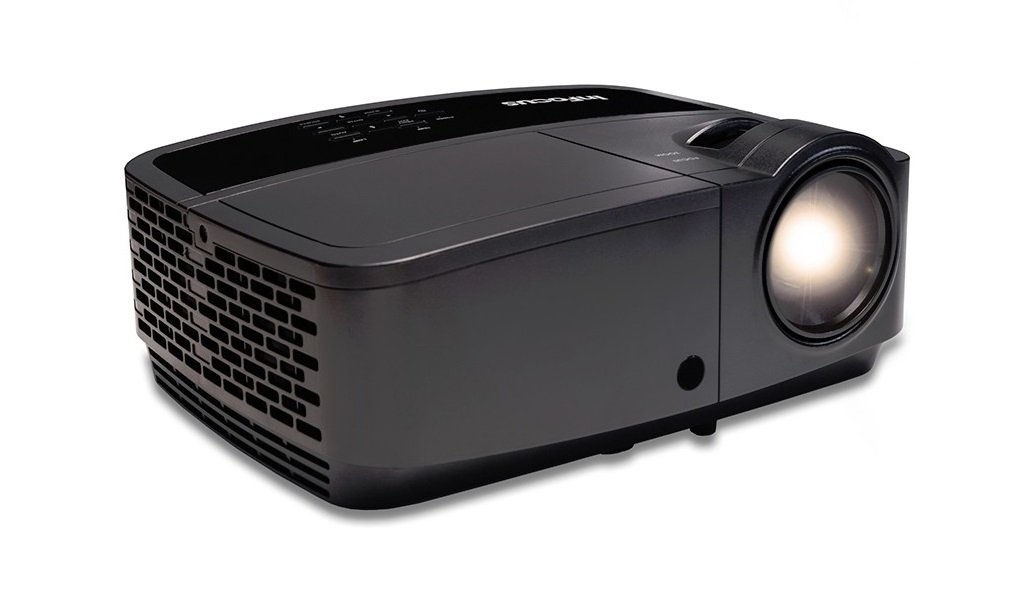
تصویر 1.1: سامنے view of the InFocus IN126 DLP Projector.
اہم خصوصیات:
- High brightness of up to 3200 lumens for clear images in various lighting conditions.
- High 3000:1 contrast ratio for sharp detail.
- Compact and portable design, weighing approximately 4.8 lbs. (2.17 kg).
- 3D-Ready capability for immersive viewتجربات.
- HDMI connectivity for versatile input options.
2. سیٹ اپ اور انسٹالیشن
2.1 پیک کھولنا
Carefully remove the projector and all accessories from the packaging. Verify that all components are present according to the packing list.
2.2 پروجیکٹر کی جگہ کا تعین
Place the projector on a stable, flat surface or mount it securely. Ensure adequate ventilation around the projector to prevent overheating. Position the projector at an appropriate distance from the screen to achieve the desired image size.
2.3 کنیکٹنگ ڈیوائسز
Connect your video source (e.g., laptop, gaming console) to the projector using an HDMI cable. Ensure the cable is securely plugged into both the source device and the projector's HDMI input port.

Image 2.1: An InFocus projector set up for a business presentation, demonstrating typical usage.
2.4 پاور آن/آف۔
- پاور آن کرنے کے لیے: Connect the power cord to the projector and a power outlet. Press the power button on the projector or remote control. The power indicator light will illuminate.
- پاور آف کرنا: Press the power button twice. The projector will enter a cooling cycle before completely shutting down. Do not unplug the projector during the cooling cycle.
2.5 تصویری ایڈجسٹمنٹ
- فوکس: فوکس رِنگ کو عینک پر گھمائیں جب تک کہ تصویر تیز اور واضح نہ ہو۔
- کلیدی پتھر کی اصلاح: Use the keystone adjustment feature (usually found in the projector's menu or via dedicated buttons) to correct trapezoidal image distortion if the projector is not perfectly perpendicular to the screen.
3. پروجیکٹر چلانا
3.1 ان پٹ ماخذ کا انتخاب
Press the 'Source' or 'Input' button on the remote control or projector control panel to cycle through available input sources (e.g., HDMI, VGA). Select the input corresponding to your connected device.
3.2 مینو نیویگیشن
Use the arrow buttons on the remote or control panel to navigate the on-screen display (OSD) menu. Press 'Enter' or 'OK' to confirm selections and 'Menu' or 'Exit' to go back or close the menu.
3.3 تصویر کی ایڈجسٹمنٹ
OSD مینو کے اندر، آپ تصویر کی مختلف ترتیبات کو ایڈجسٹ کر سکتے ہیں:
- چمک: تصویر کی مجموعی روشنی یا تاریکی کو ایڈجسٹ کرتا ہے۔
- تضاد: تصویر کے ہلکے اور تاریک حصوں کے درمیان فرق کو کنٹرول کرتا ہے۔
- رنگ: رنگوں کی شدت کو ایڈجسٹ کرتا ہے۔
- پہلو تناسب: Selects the display format (e.g., 4:3, 16:9).
3.4 آڈیو سیٹنگز
If your projector has built-in speakers or is connected to an external audio system, you can adjust the volume and other audio settings through the OSD menu.
3.5 3D Operation
The IN126 projector is 3D-Ready. To view 3D content, you will need compatible 3D glasses, a 3D-enabled source device, and 3D content. Refer to your 3D glasses and source device manuals for specific instructions on enabling 3D mode.
4 دیکھ بھال
4.1 لینز کی صفائی
پروجیکٹر کے لینس کو آہستہ سے صاف کرنے کے لیے خاص طور پر آپٹیکل لینز کے لیے ڈیزائن کیا گیا نرم، لنٹ سے پاک کپڑا استعمال کریں۔ کھرچنے والے کلینر یا ضرورت سے زیادہ طاقت استعمال کرنے سے گریز کریں، جو عینک کو کھرچ سکتا ہے۔
4.2 پروجیکٹر کی صفائی Casing
Wipe the projector's exterior casinجی ایک نرم کے ساتھ، ڈیamp کپڑا سخت کیمیکل یا سالوینٹس استعمال نہ کریں۔
4.3 ایئر فلٹر کی بحالی
Regularly check and clean the air filter to ensure proper airflow and prevent overheating. Refer to the full product manual for instructions on locating and cleaning or replacing the air filter.
4.4 ایلamp متبادل
پروجیکٹر ایل۔amp has an estimated operating life of up to 20,000 hours. When the lamp reaches the end of its life, a warning message may appear, or the image brightness may significantly decrease. Refer to the full product manual for detailed instructions on safe lamp replacement. Always use genuine InFocus replacement lamps.
5 خرابیوں کا سراغ لگانا
This section addresses common issues you might encounter with your InFocus IN126 projector.
5.1 اسکرین پر کوئی تصویر نہیں۔
- Ensure the projector is powered on and the power indicator light is solid.
- چیک کریں کہ تمام کیبل کنکشن (HDMI، پاور) محفوظ ہیں۔
- تصدیق کریں کہ پروجیکٹر پر صحیح ان پٹ سورس کا انتخاب کیا گیا ہے۔
- Confirm the source device (laptop, etc.) is powered on and outputting a signal.
5.2 تصویر مسخ شدہ یا دھندلی ہے۔
- لینس پر فوکس کی انگوٹھی کو ایڈجسٹ کریں۔
- Use keystone correction to fix trapezoidal distortion.
- Ensure the projector is placed on a stable surface and is not vibrating.
- Check the resolution settings of your source device; ensure it is compatible with the projector's native resolution (1280 x 720).
5.3 کوئی آواز نہیں۔
- پروجیکٹر اور سورس ڈیوائس دونوں پر والیوم میں اضافہ کریں۔
- اگر بیرونی اسپیکر استعمال کر رہے ہیں، تو یقینی بنائیں کہ وہ مناسب طریقے سے جڑے ہوئے ہیں اور آن ہیں۔
- Check audio settings in the projector's OSD menu.
5.4 Projector Overheating
- Ensure there is sufficient space around the projector for ventilation.
- Clean the air filter to remove any dust buildup.
- وینٹیلیشن کے سوراخوں کو مسدود نہ کریں۔
6. وضاحتیں
The following table outlines the key technical specifications for the InFocus IN126 DLP Projector:
| فیچر | تفصیلات |
|---|---|
| برانڈ | InFocus |
| ماڈل کا نام | IN126 DLP |
| ڈسپلے کی قسم | ڈی ایل پی |
| مقامی قرارداد | 1280 x 720 |
| زیادہ سے زیادہ ڈسپلے ریزولوشن | 1920 x 1080 |
| چمک | 3200 lumens (ANSI) |
| کنٹراسٹ ریشو | 3000:1 |
| لائٹ سورس آپریٹنگ لائف | 20000 گھنٹے |
| Lamp واٹtage | 230 واٹ |
| کنیکٹوٹی ٹیکنالوجی | HDMI |
| خصوصی خصوصیت | 3D- تیار |
| فارم فیکٹر | پورٹیبل |
| چڑھنے کی قسم | ٹیبلٹاپ ماؤنٹ |
| شے کا وزن | 4.85 پاؤنڈ (2.2 کلوگرام) |
| بیرونی ٹیسٹنگ سرٹیفیکیشن | UL, c-UL, FCC, CE |
7. وارنٹی کی معلومات
The InFocus IN126 DLP Projector comes with a limited manufacturer's warranty. For specific details regarding warranty coverage, duration, and terms, please refer to the warranty card included with your product or visit the official InFocus webسائٹ وارنٹی کے دعووں کے لیے اپنی خریداری کا ثبوت رکھیں۔
8. کسٹمر سپورٹ
For further assistance, technical support, or to inquire about replacement parts, please visit the official InFocus support website or contact their customer service department. Contact information can typically be found on the InFocus website or in the documentation included with your projector.
Ask a question about this manual
Ask about setup, troubleshooting, compatibility, parts, safety, or missing instructions. Manuals+ will review the question and use this page’s manual context to help answer it.