
1. تعارف
The ZIPRO Boost Gold stationary exercise bike is designed to provide perfect conditions for an effective home workout. This ergometer bike allows you to enthusiastically work towards your fitness goals. Its magnetic resistance system enables precise adjustment of workout intensity, helping you track and achieve satisfying progress.
2. حفاظتی معلومات
- ورزش کا کوئی بھی پروگرام شروع کرنے سے پہلے معالج سے مشورہ کریں۔
- استعمال کے دوران بچوں اور پالتو جانوروں کو آلات سے دور رکھیں۔
- Place the exercise bike on a flat, stable surface with adequate clearance around it.
- مناسب ورزشی لباس اور جوتے پہنیں۔
- زیادہ سے زیادہ صارف کا وزن 120 کلوگرام سے زیادہ نہ ہو۔
- Inspect the bike for loose or worn parts before each use.
- اگر آپ بیہوش، چکر آتے ہیں یا درد محسوس کرتے ہیں تو فوری طور پر ورزش کرنا بند کریں۔
3. پیکیج کے مشمولات
براہ کرم چیک کریں کہ اسمبلی سے پہلے تمام اجزاء موجود ہیں:
- مین فریم اسمبلی
- ہینڈل بار پوسٹ اور ہینڈل بار
- سیٹ پوسٹ اور سیٹ
- پیڈل (بائیں اور دائیں)
- سامنے اور پیچھے استحکام
- Digital Computer Console
- پانی کی بوتل رکھنے والا
- Assembly Hardware Kit (bolts, washers, nuts, tools)
- صارف دستی
4. سیٹ اپ اور اسمبلی
Follow these general steps for assembly. Refer to the included assembly diagram for detailed instructions.
- سٹیبلائزر منسلک کریں: فراہم کردہ بولٹ اور واشرز کا استعمال کرتے ہوئے سامنے اور پیچھے کے سٹیبلائزرز کو مرکزی فریم میں محفوظ کریں۔ یقینی بنائیں کہ وہ استحکام کے لئے مضبوطی سے سخت ہیں۔
- پیڈل انسٹال کریں: Attach the left and right pedals to the crank arms. Note that the left pedal is reverse-threaded. Tighten securely.
- ماؤنٹ سیٹ پوسٹ اور سیٹ: Insert the seat post into the main frame and secure it at the desired height. Attach the seat to the seat post and adjust its position.
- ہینڈل بار پوسٹ اور ہینڈل بار انسٹال کریں: ہینڈل بار پوسٹ کو مین فریم میں داخل کریں۔ ہینڈل بار کو پوسٹ کے ساتھ منسلک کریں اور انہیں محفوظ کریں۔
- Connect Computer Console: Connect the sensor wires from the main frame and handlebars to the back of the computer console. Mount the console onto the handlebar post.
- Attach Water Bottle Holder: Secure the water bottle holder to the designated spot on the main frame.
- فائنل چیک: Ensure all bolts and nuts are tightened and the bike is stable before first use.

The Zipro Boost Gold Exercise Bike, showcasing its sleek black and gold design, adjustable seat, handlebars, and integrated water bottle holder.

This image illustrates the compact dimensions of the Zipro Boost Gold Exercise Bike, measuring 107 cm in length, 47 cm in width, and 141 cm in height, making it suitable for home use.
5. آپریٹنگ ہدایات
5.1 مزاحمت کو ایڈجسٹ کرنا
The Zipro Boost Gold features an 8-step magnetic resistance system. To adjust the resistance, turn the knob located on the main frame below the handlebars. Turn clockwise to increase resistance and counter-clockwise to decrease it. Levels 1-3 are for easy workouts, 4-6 for medium intensity, and 7-8 for hard, challenging sessions.

Detail of the magnetic resistance adjustment knob, offering 8 distinct levels from 1-3 (easy), 4-6 (medium), to 7-8 (hard), allowing users to customize their workout intensity.
5.2 سیٹ اور ہینڈل بار کو ایڈجسٹ کرنا
For optimal comfort and effective training, adjust the seat height, horizontal position, and handlebar angle to fit your body. Loosen the adjustment knobs, set to your preferred position, and tighten securely.
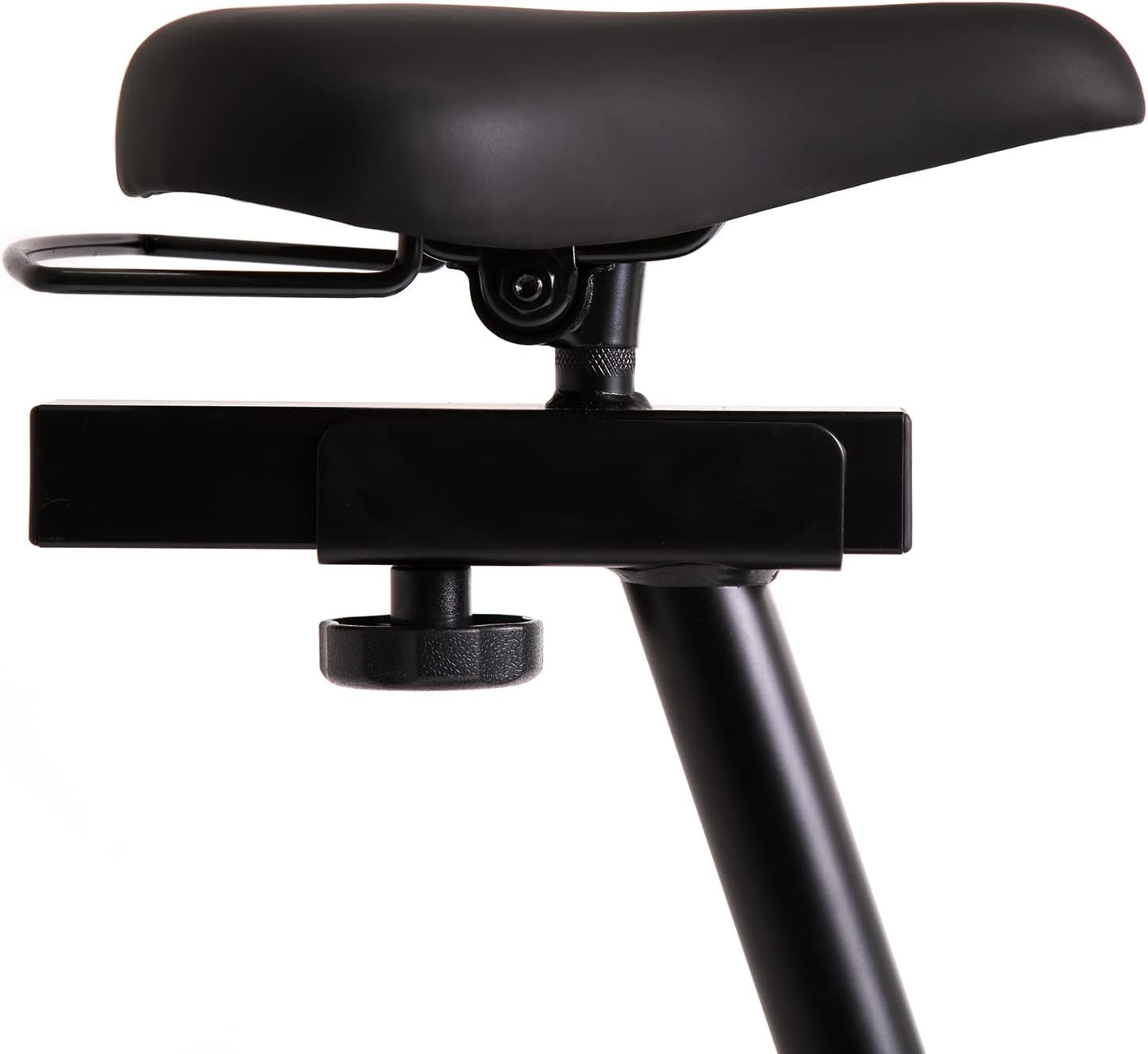
This image highlights the robust adjustment mechanism for the seat, allowing for precise positioning to optimize comfort and biomechanics during exercise.
5.3 Using the Computer Console
The modern computer console tracks your workout data. It typically displays:
- وقت: آپ کی ورزش کا دورانیہ۔
- تقویم: تخمینی کیلوریز جل گئیں۔
- رفتار: Your current speed.
- پلس: Your heart rate (measured via handlebar sensors).
Use the 'MODE' button to cycle through display functions, 'RESET' to clear data, and 'SET' for specific settings if available.

The modern computer display provides essential workout data, including elapsed time, calories burned, current speed, and pulse rate, to help track progress.
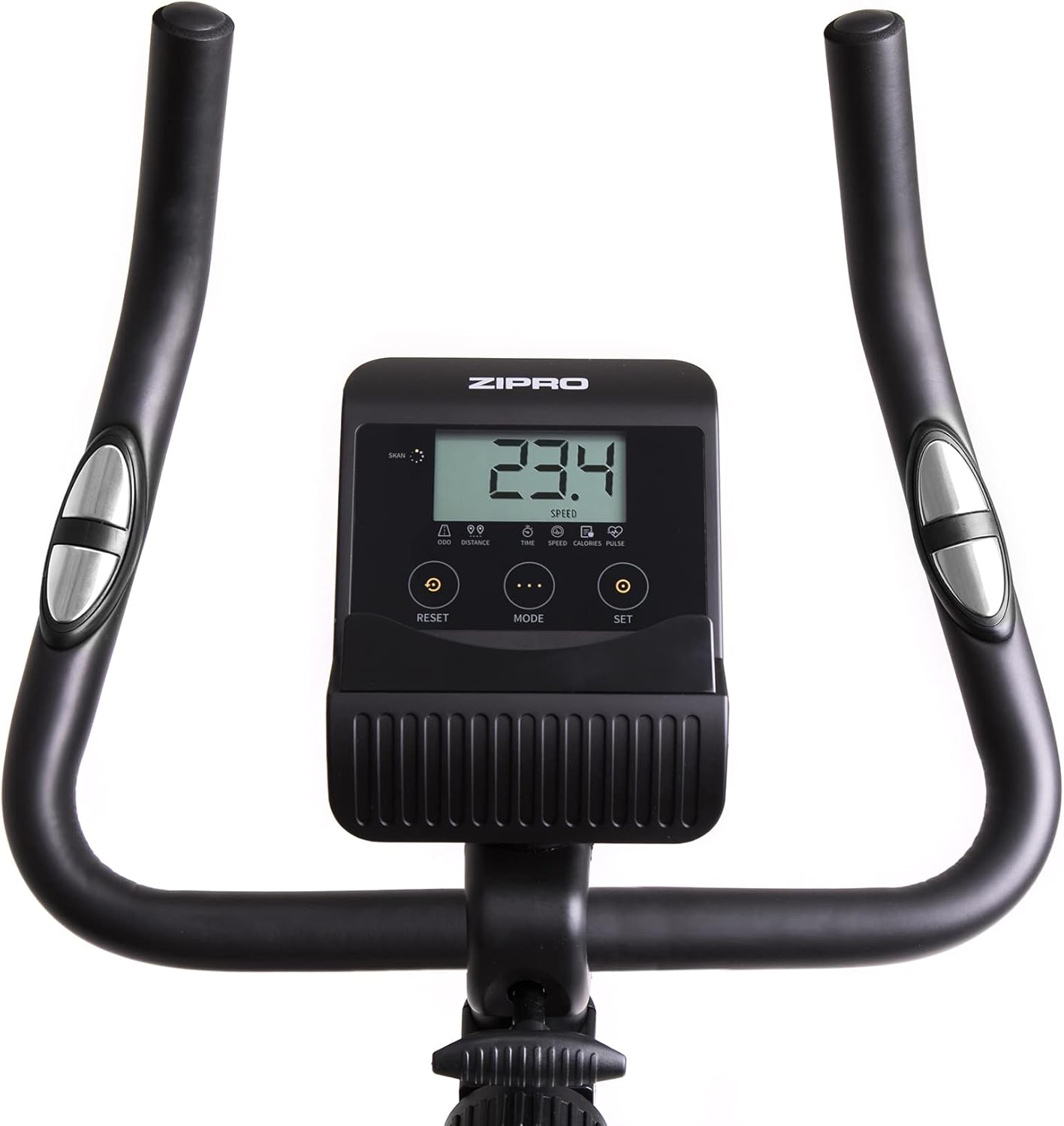
A closer look at the exercise bike's computer, displaying various metrics and featuring intuitive buttons for 'RESET', 'MODE', and 'SET' to navigate and control workout data.
5.4 Smartphone/Tablet Holder
The integrated holder allows you to place your smartphone or tablet for entertainment or to follow fitness apps during your workout.

A convenient stand for mobile devices is integrated into the handlebars, enabling users to enjoy their favorite digital content, such as music or videos, while exercising.
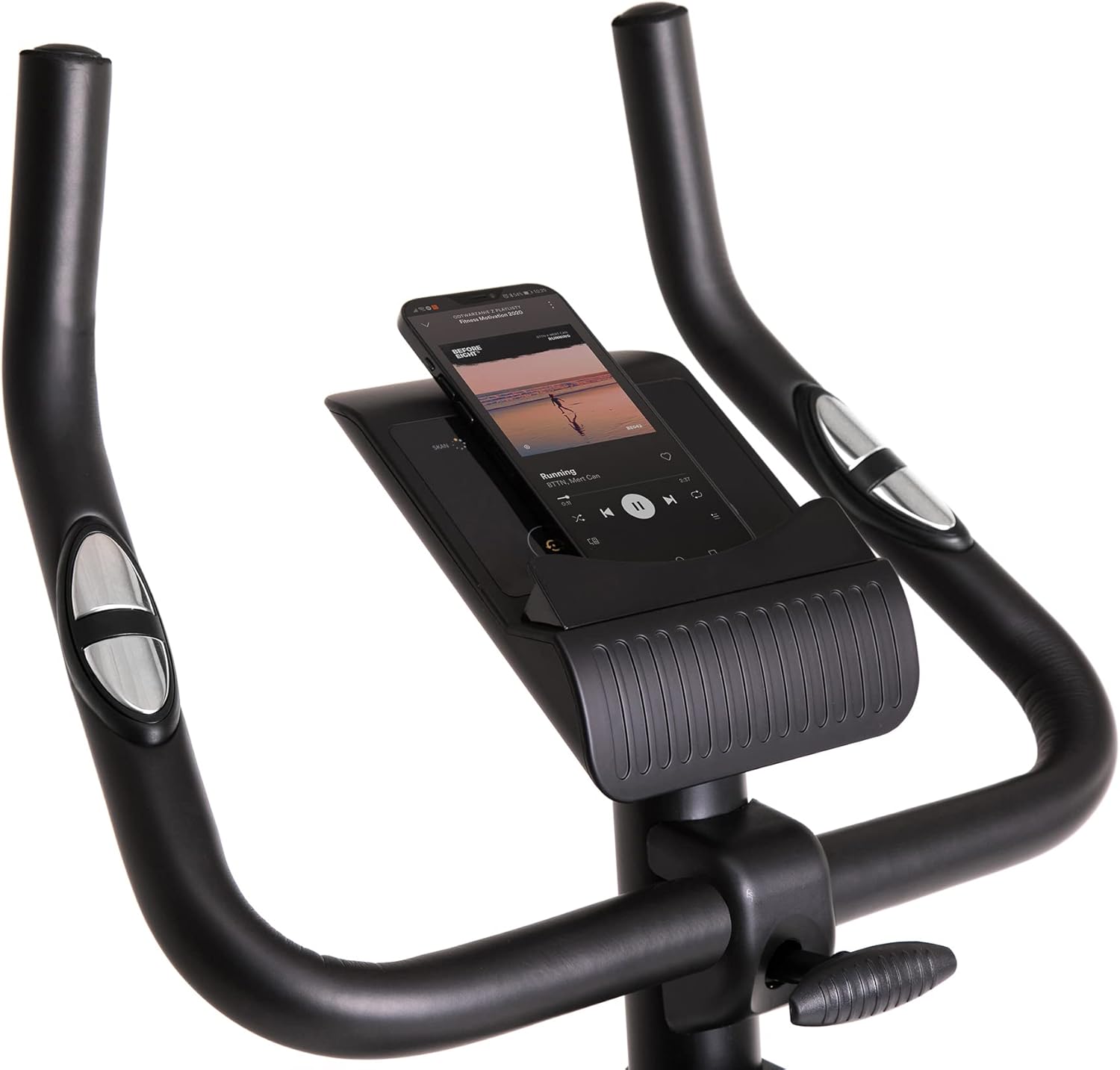
Demonstrates a smartphone securely placed in the integrated holder, ready for entertainment or fitness app use during a workout session.
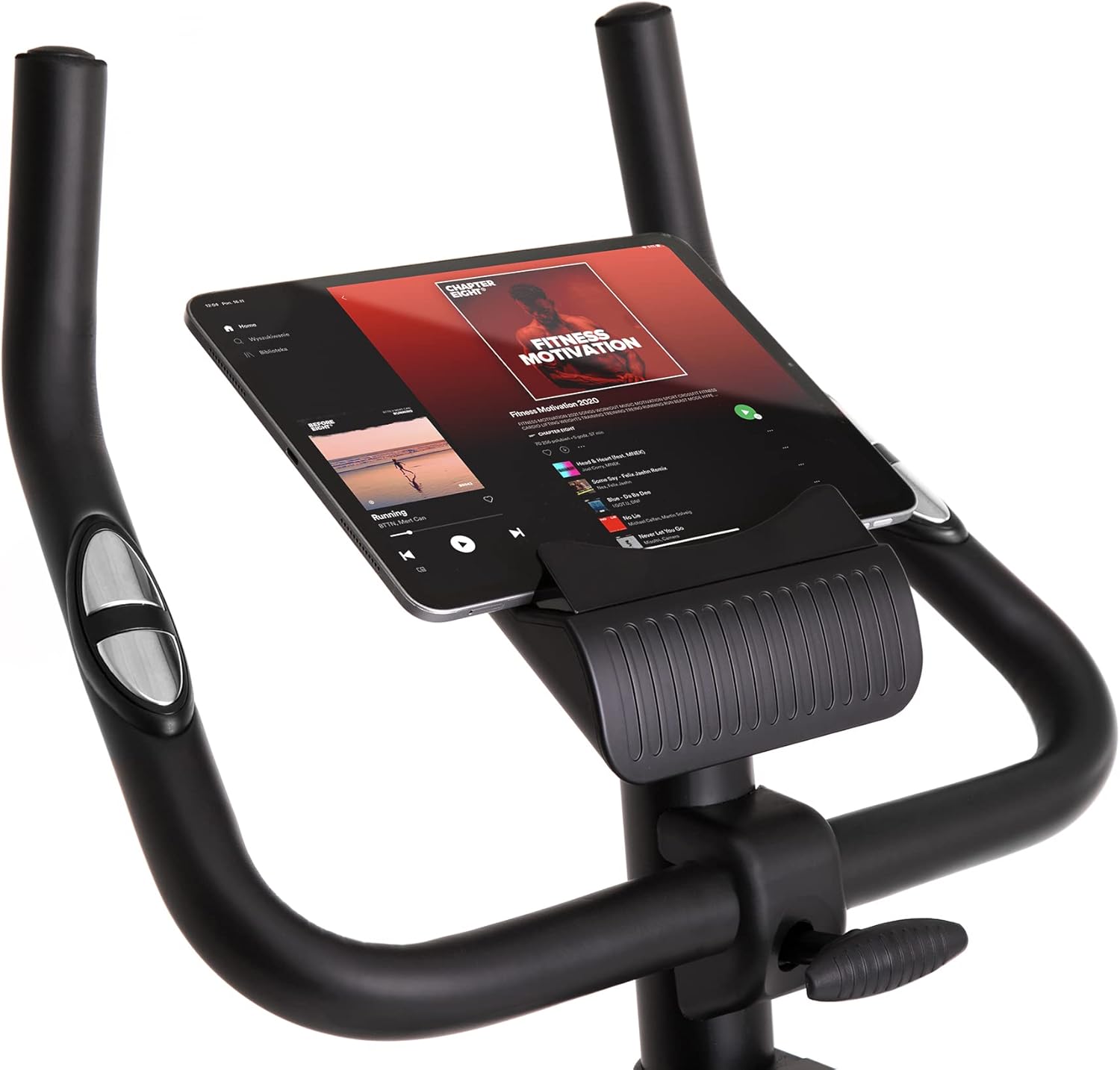
Shows a larger tablet device fitting comfortably in the holder, providing a wider screen for viewing media or following guided workouts.
6 دیکھ بھال
- صفائی: اشتہار کے ساتھ موٹر سائیکل کو صاف کریں۔amp پسینے اور دھول کو دور کرنے کے لیے ہر استعمال کے بعد کپڑا۔ کھرچنے والے کلینر کا استعمال نہ کریں۔
- چکنا: Periodically check and lubricate moving parts as recommended in the full manual (if applicable).
- معائنہ: سختی اور پہننے کے لیے تمام بولٹ، گری دار میوے، اور حرکت پذیر حصوں کا باقاعدگی سے معائنہ کریں۔ کسی بھی ڈھیلے بندھن کو سخت کریں۔
- ذخیرہ: Store the bike in a dry, cool place away from direct sunlight and extreme temperatures. Use the transport wheels for easy relocation.
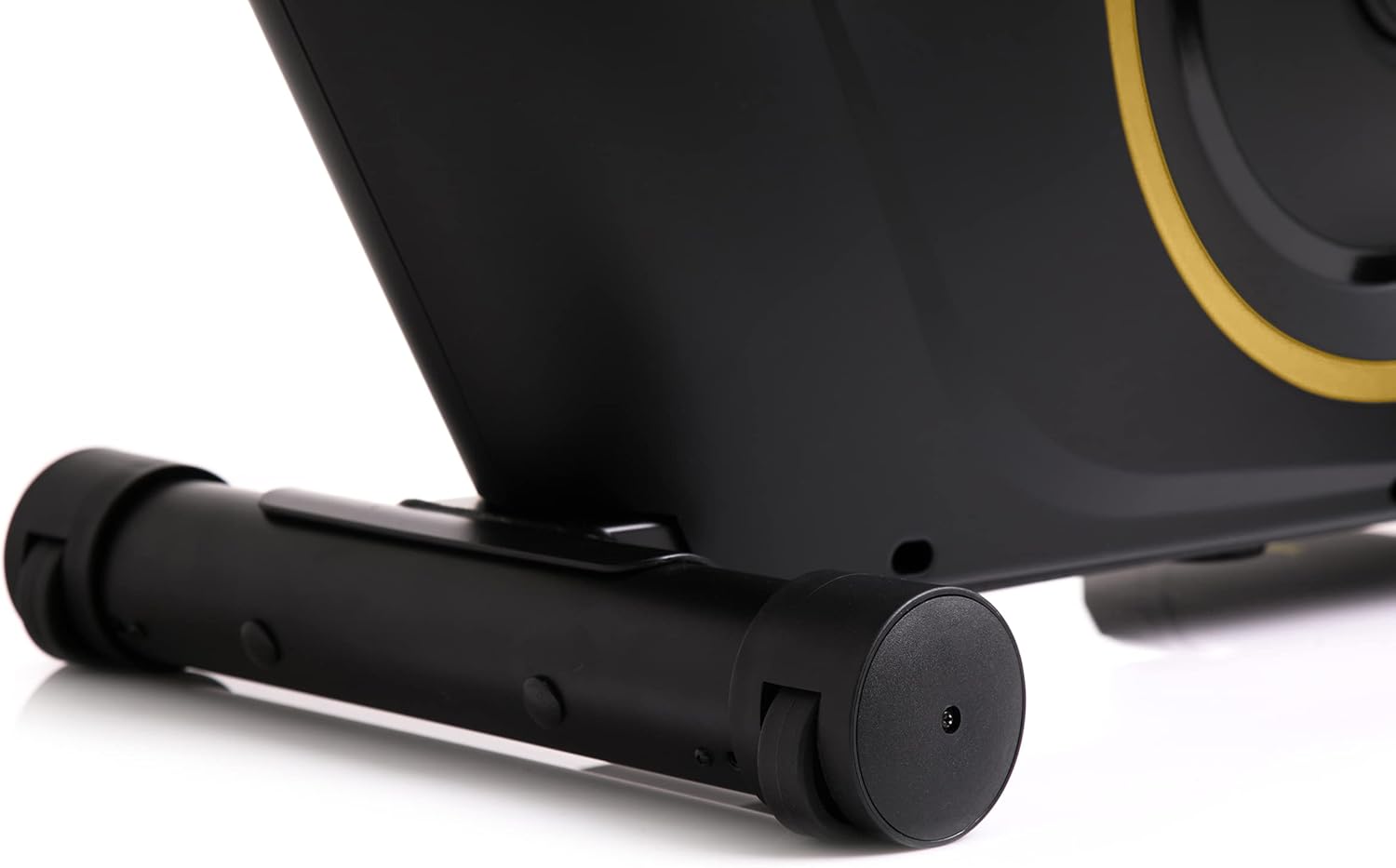
The front stabilizer features integrated transport wheels, making it easy to move the exercise bike around your home for convenient storage or placement.

A practical water bottle holder is positioned on the main frame, ensuring hydration is always within reach during your workout.
7 خرابیوں کا سراغ لگانا
| مسئلہ | ممکنہ وجہ | حل |
|---|---|---|
| Computer display not working | Loose cable connection, dead batteries | Check all cable connections. Replace batteries in the computer console. |
| آپریشن کے دوران غیر معمولی شور | Loose parts, friction | Check all bolts and nuts for tightness. Ensure no parts are rubbing against each other. |
| موٹر سائیکل غیر مستحکم محسوس کرتا ہے۔ | Uneven surface, loose stabilizers | Place the bike on a flat, level surface. Tighten bolts on front and rear stabilizers. |
| مزاحمت تبدیل نہیں ہوتی | مزاحمتی میکانزم کا مسئلہ | یقینی بنائیں کہ مزاحمتی نوب آزادانہ طور پر مڑ رہا ہے۔ اگر مسئلہ برقرار رہتا ہے تو کسٹمر سپورٹ سے رابطہ کریں۔ |
8. وضاحتیں
| فیچر | تفصیل |
|---|---|
| ماڈل رنگین | سیاہ/سونا |
| انداز | Boost Gold |
| ڈرائیو سسٹم | بیلٹ |
| اہم مواد | پلاسٹک، دھات، پولیتھیلین |
| طاقت کا منبع | بیٹری سے چلنے والا |
| زیادہ سے زیادہ وزن کی صلاحیت | 120 کلوگرام |
| کارخانہ دار | Morele.net Sp. z oo |
| آئٹم ماڈل نمبر | 5944584 |
| پروڈکٹ کے طول و عرض (L x W x H) | 107 x 47 x 141 سینٹی میٹر |
| شے کا وزن | 23 کلوگرام |
| مزاحمت کا طریقہ کار | مقناطیسی |
| تجویز کردہ استعمال | Home, Gym, Studio, Indoor |
9۔ پروڈکٹ ویڈیو
This video provides a general presentation of the ZIPRO product range, showcasing various fitness equipment designed for home use. While not specific to the Boost Gold model, it highlights the brand's commitment to quality and home fitness solutions.
10. وارنٹی اور سپورٹ
For warranty information and customer support, please refer to the documentation included with your purchase or visit the official ZIPRO webسائٹ کسی بھی وارنٹی دعووں کے لیے اپنی خریداری کا ثبوت رکھیں۔