
1. پروڈکٹ ختمview
The TP-Link TL-WA750RE is a 150Mbps Universal Wireless Range Extender designed to expand the coverage of an existing wireless network. It eliminates Wi-Fi dead zones by boosting the wireless signal to previously unreachable or hard-to-wire areas. Its compact, wall-mounted design allows for flexible deployment and easy relocation within your home or office.
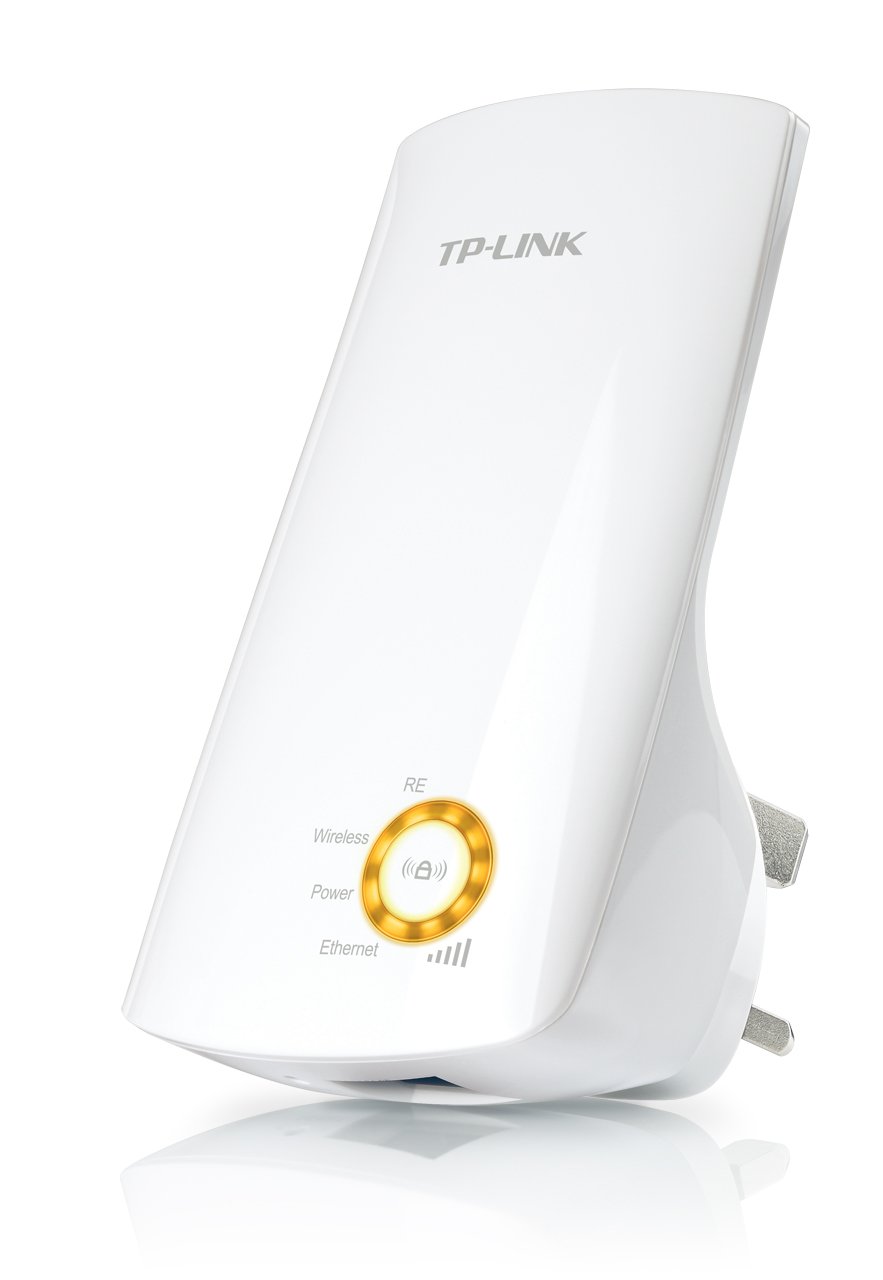
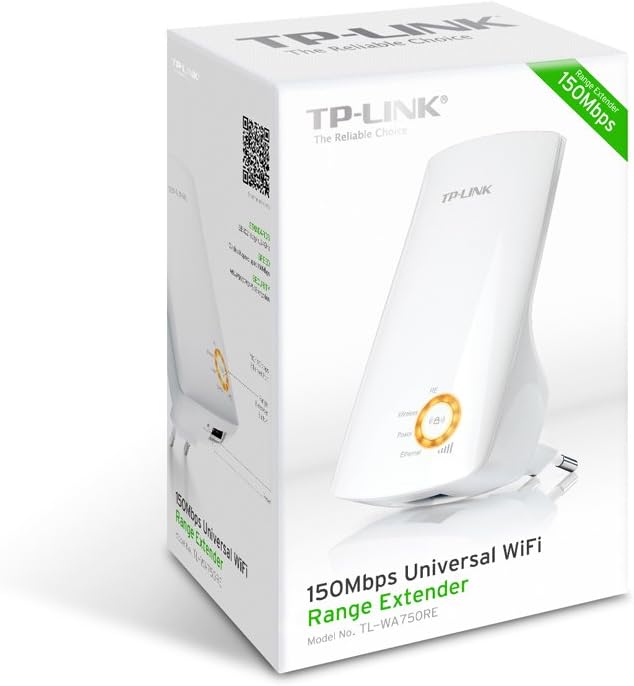
تصویر 1: TP-Link TL-WA750RE Universal Wireless Range Extender. This image shows the device in its retail packaging, highlighting its compact design and wall-plug form factor.
2. کلیدی خصوصیات
- رینج ایکسٹینڈر موڈ: Boosts wireless signal to eliminate Wi-Fi dead zones and extend network coverage.
- کومپیکٹ ڈیزائن: Small size and wall-mounted design for easy deployment and flexible movement.
- WPS بٹن: Allows for instant setup and secure connection with compatible routers.
- سمارٹ سگنل اشارے: Helps users find the optimal location for placing the range extender for best performance.
- عالمگیر مطابقت: Works seamlessly with all 802.11n/g/b wireless devices.
3. پیکیج کے مشمولات
مصنوعات کے پیکیج میں عام طور پر درج ذیل اشیاء شامل ہوتی ہیں:
- TP-Link TL-WA750RE 150Mbps Universal Wireless Range Extender
- ہدایت نامہ
4. سیٹ اپ گائیڈ
4.1 WPS بٹن کا استعمال کرتے ہوئے فوری سیٹ اپ
- پلگ ان: Plug the TL-WA750RE into an electrical outlet near your wireless router.
- راؤٹر پر WPS کو چالو کریں: Press the WPS button on your main wireless router. Refer to your router's manual for the exact location and procedure.
- ایکسٹینڈر پر WPS کو چالو کریں: Within two minutes, press the WPS button on the TL-WA750RE. The Signal LED on the extender should begin to flash.
- کنکشن کا انتظار کریں: The Signal LED will turn solid blue or green when a successful connection is established.
- ایکسٹینڈر کو منتقل کریں: Unplug the extender and move it to a location between your router and the Wi-Fi dead zone. Ensure the Signal LED indicates a strong connection (e.g., solid blue or green) in the new location.
4.2. Manual Setup via Web براؤزر
- پلگ ان: Plug the TL-WA750RE into an electrical outlet near your computer.
- ایکسٹینڈر سے جڑیں: Connect your computer to the extender's Wi-Fi network (e.g., "TP-LINK_Extender_XXXXXX"). No password is required initially.
- رسائی Web انٹرفیس: کھولنا a web براؤزر اور ٹائپ کریں۔ http://tplinkrepeater.net or the extender's default IP address (usually 192.168.0.254) into the address bar.
- لاگ ان: Enter "admin" for both the username and password when prompted.
- آن اسکرین ہدایات پر عمل کریں: Use the Quick Setup wizard to select your main Wi-Fi network and enter its password.
- ایکسٹینڈر کو منتقل کریں: Once configured, unplug the extender and move it to an optimal location between your router and the desired coverage area.
تصویر 2: طرف view of the TL-WA750RE. This image illustrates the physical layout of the device, including the WPS button and Ethernet port, which are crucial for setup and operation.
5. رینج ایکسٹینڈر کو چلانا
Once the TL-WA750RE is successfully set up, it will automatically extend your existing Wi-Fi network. Devices within the extended range can connect to the network name created by the extender (e.g., "YourNetworkName_EXT").
5.1 اسمارٹ سگنل انڈیکیٹر
The Smart Signal Indicator LEDs on the front of the device provide real-time feedback on the signal strength received from your main router. This helps you determine the best placement for the extender:
- ٹھوس نیلا/سبز: Excellent signal strength.
- ٹھوس سرخ: Weak signal strength. Consider relocating the extender closer to your router.
- بند: No connection to the main router.
5.2 ایتھرنیٹ پورٹ کا استعمال
The TL-WA750RE includes an Ethernet port. This port can be used to connect a wired device, such as a desktop computer, gaming console, or smart TV, to your wireless network, providing a stable wired connection in the extended Wi-Fi area.
6 دیکھ بھال
- صفائی: آلے کو صاف کرنے کے لیے نرم، خشک کپڑا استعمال کریں۔ مائع یا ایروسول کلینر استعمال نہ کریں۔
- جگہ کا تعین: Avoid placing the extender in direct sunlight, near heat sources, or in areas with high humidity.
- فرم ویئر اپ ڈیٹس: وقتاً فوقتاً TP-Link اہلکار کو چیک کریں۔ webبہترین کارکردگی اور سیکورٹی کو یقینی بنانے کے لیے فرم ویئر اپ ڈیٹس کے لیے سائٹ۔
- پاور سائیکل: If the device experiences issues, try unplugging it from the power outlet for 10 seconds and then plugging it back in.
7 خرابیوں کا سراغ لگانا
- Q1: What should I do if I cannot access the extender's web انتظامی صفحہ؟
- A1: Ensure your computer is connected to the extender's network. Verify that http://tplinkrepeater.net is correctly typed in the browser. If issues persist, try using the extender's IP address (e.g., 192.168.0.254) or reset the extender to factory defaults.
- Q2: My extended network has poor signal or frequent disconnections.
- A2: Check the Smart Signal Indicator on the extender. If it's red or off, the extender is too far from your main router. Relocate the extender to a position where the indicator shows a strong signal (solid blue/green). Ensure there are no major obstructions between the router and the extender.
- Q3: How do I reset the extender to factory default settings?
- A3: With the extender powered on, use a pin to press and hold the Reset button (usually a small hole) for approximately 5-10 seconds until all LEDs flash briefly. The extender will then restart with factory default settings.
8. وضاحتیں
| برانڈ | ٹی پی لنک |
| ماڈل نمبر | TL-WA750RE۔ |
| وائرلیس معیار | 802.11b/g/n |
| ڈیٹا کی منتقلی کی شرح | 150 ایم بی پی ایس |
| تعدد | 2.4 GHz |
| خصوصی خصوصیات | Smart Signal Indicator, WPS Button |
| کنیکٹر کی قسم | RJ45 (ایتھرنیٹ پورٹ) |
| شے کا وزن | 0.4 پاؤنڈز |
| رنگ | سفید |
9. وارنٹی اور سپورٹ
9.1. وارنٹی کی معلومات
This TP-Link TL-WA750RE device comes with a 2 سال کی وارنٹی خریداری کی تاریخ سے. وارنٹی کے دعووں کے لیے براہ کرم اپنی خریداری کا ثبوت اپنے پاس رکھیں۔ وارنٹی عام استعمال کے تحت مواد اور کاریگری میں نقائص کا احاطہ کرتی ہے۔
9.2. تکنیکی معاونت
For technical assistance, troubleshooting, or further inquiries, please visit the official TP-Link support website or contact their customer service. You can find detailed support resources, FAQs, and contact information at www.tp-link.com/support.