
1. تعارف
This manual provides essential information for the proper setup, operation, and maintenance of your Sony SLV-FT5 VHS Video Cassette Recorder (VCR). Please read these instructions thoroughly before using the unit to ensure optimal performance and safety.
2. حفاظتی معلومات
آگ، برقی جھٹکا، اور چوٹ کے خطرے کو کم کرنے کے لیے اس پروڈکٹ کا استعمال کرتے وقت ہمیشہ بنیادی حفاظتی احتیاطی تدابیر پر عمل کریں۔
- یونٹ کو بارش یا نمی سے بے نقاب نہ کریں۔
- کابینہ نہ کھولیں۔ صرف اہل اہلکاروں کو سروسنگ کا حوالہ دیں۔
- مناسب وینٹیلیشن کو یقینی بنائیں؛ وینٹیلیشن کے سوراخوں کو مسدود نہ کریں۔
- صرف اس یونٹ کے لیے مخصوص پاور سپلائی استعمال کریں۔
- یونٹ کو گرمی کے ذرائع اور براہ راست سورج کی روشنی سے دور رکھیں۔
3. سیٹ اپ
3.1 پیک کھولنا
Carefully remove the VCR and all accessories from the packaging. Verify that all components are present: the SLV-FT5 VCR unit, remote control, and necessary connection cables (e.g., RCA audio/video cables).
3.2 ٹیلی ویژن سے جڑنا
To connect the VCR to your television, use the provided RCA audio/video cables. Match the colored plugs to the corresponding colored jacks on both the VCR and your TV (Yellow for Video, White for Left Audio, Red for Right Audio).

تصویر 1: Rear panel of the Sony SLV-FT5 VCR. This image displays the various input and output ports, including RCA jacks for audio and video, and the power input. The product label with model number SLV-FT5 and power specifications (100V 18W 50/60Hz) is also visible.
3.3 پاور کنکشن
Plug the VCR's power cord into a standard electrical outlet (AC 100V, 50/60Hz). Ensure the power outlet is easily accessible.
3.4 ریموٹ کنٹرول سیٹ اپ
Open the battery compartment on the back of the remote control and insert two AA batteries, observing the correct polarity (+/-). Close the compartment securely.

تصویر 2: The Sony RMT-V219 remote control, designed for the SLV-FT5 VCR. This image also shows the included RCA audio/video cables, which are typically used for connecting the VCR to a television.
4. Operating the VCR
4.1 پاور آن/آف۔
دبائیں پاور button on the VCR's front panel or the remote control to turn the unit on or off.
4.2 Loading and Unloading a VHS Tape
- لوڈ ہو رہا ہے: Insert a VHS cassette into the tape slot on the front of the VCR with the tape window facing forward. The VCR will automatically pull the tape in.
- ان لوڈنگ: دبائیں EJECT button on the VCR or remote control. The tape will be ejected.
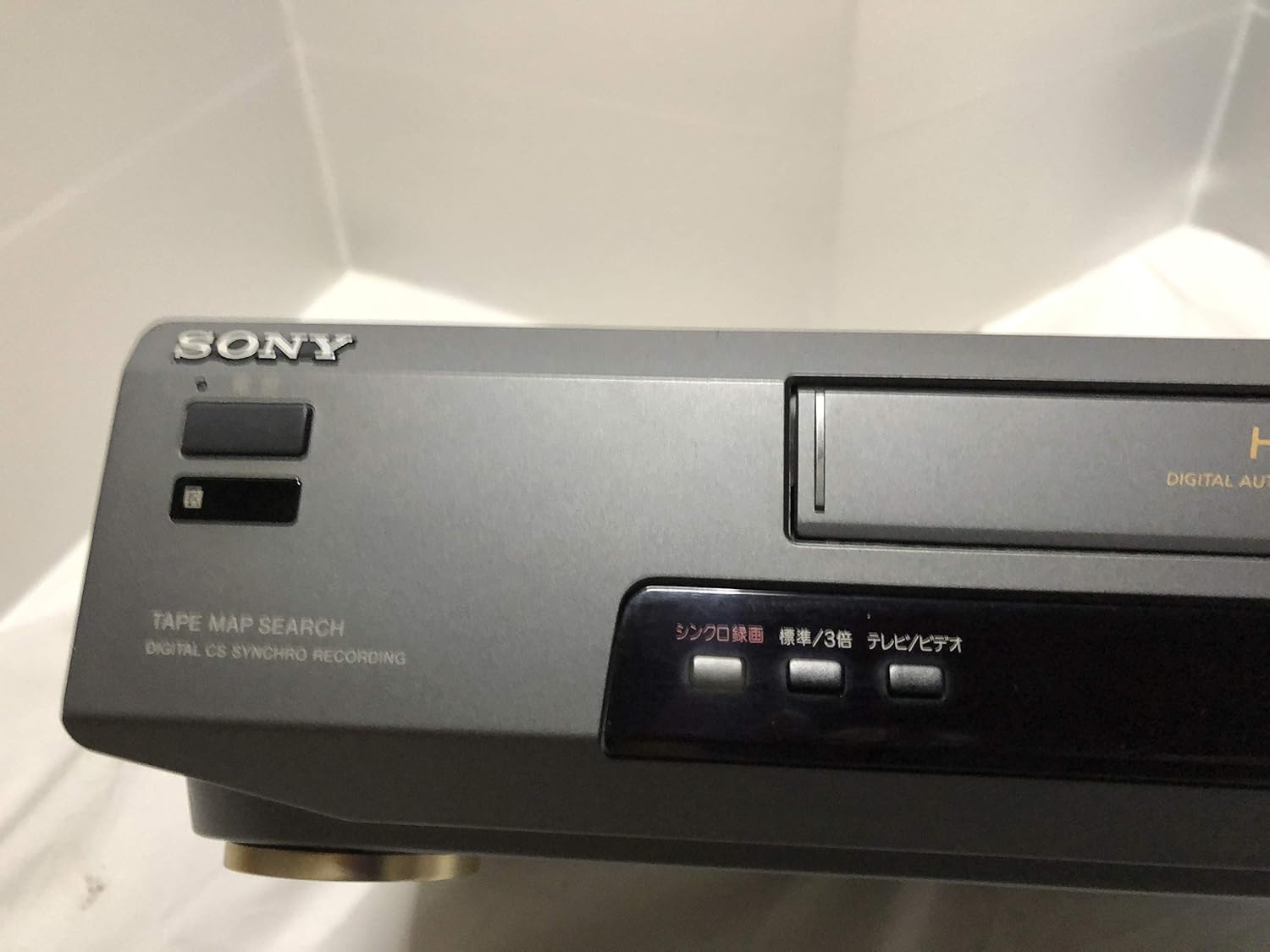
تصویر 3: Front left section of the Sony SLV-FT5 VCR. This view highlights the tape loading slot and the 'TAPE MAP SEARCH' feature, which assists in navigating recorded content on a tape.
4.3 پلے بیک
After loading a tape, press the کھیلیں button (►) on the VCR or remote control to begin playback. Use the روکیں۔ (∥), سٹاپ (■), ریوائنڈ کریں۔ (◀◀), and فاسٹ فارورڈ (►►) buttons to control playback.

تصویر 4: Front right section of the Sony SLV-FT5 VCR. This image displays the main playback controls (Play, Stop, Rewind, Fast Forward, Pause) and additional buttons for 'Quick Timer' and 'Tracking' adjustments.
4.4 ریکارڈنگ
To record, ensure a blank or recordable tape is inserted. Select the desired input source (e.g., TV channel). Press the آر ای سی (●) button on the VCR or remote control. Press سٹاپ (■) to end recording.
4.5 Tracking Adjustment
If the picture quality during playback is poor (e.g., horizontal lines or noise), use the ٹریکنگ buttons on the front panel or remote control to fine-tune the tape's alignment with the VCR's heads.
5 دیکھ بھال
5.1 یونٹ کی صفائی
Wipe the exterior of the VCR with a soft, dry cloth. For stubborn stains, use a cloth lightly dampened with a mild detergent solution, then wipe dry. Do not use abrasive cleaners or solvents.
5.2 سر کی صفائی
Over time, VCR heads can accumulate dirt, leading to poor picture and sound quality. Use a commercially available dry-type VHS head cleaning cassette according to its instructions. Avoid wet-type cleaners as they can damage the heads.
5.3 اسٹوریج
When not in use for extended periods, disconnect the VCR from the power outlet. Store the unit in a cool, dry place, away from dust and direct sunlight.
6 خرابیوں کا سراغ لگانا
If you encounter issues with your VCR, refer to the following common problems and solutions before seeking professional service.
| مسئلہ | ممکنہ وجہ | حل |
|---|---|---|
| کوئی طاقت نہیں۔ | بجلی کی تار منقطع پاور آؤٹ لیٹ کا مسئلہ | بجلی کی ہڈی کا کنکشن چیک کریں؛ ایک مختلف دکان کی کوشش کریں. |
| کوئی تصویر/آواز نہیں۔ | Incorrect TV input; loose A/V cables | Select correct TV input (e.g., Video 1, AV); ensure A/V cables are securely connected. |
| Poor picture quality (snowy, lines) | Dirty VCR heads; tracking issue; old/damaged tape | Clean VCR heads; adjust tracking; try a different tape. |
| ٹیپ نہیں نکلے گی۔ | Power issue; mechanical malfunction | Ensure power is on; try pressing EJECT multiple times. If issue persists, seek service. |
| ریموٹ کنٹرول کام نہیں کر رہا ہے۔ | Dead batteries; obstructed sensor | Replace batteries; ensure no obstacles between remote and VCR sensor. |
7. وضاحتیں
| فیچر | تفصیلات |
|---|---|
| برانڈ | سونی |
| ماڈل نمبر | SLV-FT5 |
| میڈیا کی قسم | وی ایچ ایس |
| قرارداد | 720 x 480 پکسلز |
| پروڈکٹ کا وزن | 4160 گرام |
| آڈیو آؤٹ پٹ وضع | سٹیریو |
| سپورٹ شدہ آڈیو فارمیٹس | Monaural, Stereo |
| ویڈیو انکوڈنگ | اینالاگ |
| ہم آہنگ آلات | ٹیلی ویژن |
| ان پٹ ویڈیو مطابقت | این ٹی ایس سی |
| بجلی کے تقاضے | 100V, 18W, 50/60Hz |
8. وارنٹی اور سپورٹ
For warranty information and customer support, please refer to the documentation included with your purchase or visit the official Sony webسائٹ وارنٹی کے دعووں کے لیے اپنی خریداری کا ثبوت رکھیں۔