
تعارف
The Ikan iLED-MS Micro Spot On-Camera Light is a compact, lightweight, and daylight-balanced LED lighting solution designed for on-camera use or as a versatile accent light. Its integrated lens system provides a focused 30-degree beam, making it suitable for various lighting applications. This manual provides essential information for the proper setup, operation, and maintenance of your iLED-MS Micro Spot light.
اہم خصوصیات:
- ہلکا پھلکا ایرگونومک ڈیزائن: Easy to handle and mount.
- 30-ڈگری بیم اینگل: Provides a focused and directional light output.
- ڈیم ایبل آؤٹ پٹ: Adjustable brightness from 10% to 100%.
- اندرونی ریچارج ایبل بیٹری: Offers 90 to 120 minutes of operation.
- مائیکرو USB چارجنگ: Convenient recharging via a standard 5V micro-USB cable.
- ورسٹائل ماؤنٹنگ: Features a shoe mount and a 1/4-20 thread receiver.
سیٹ اپ
1. بیٹری چارج کرنا
Before initial use, fully charge the internal lithium-ion battery. Connect the provided micro-USB cable to the micro-USB port on the light and plug the other end into a 5V USB power source (e.g., computer, USB wall adapter). The charge indicator light will illuminate during charging and turn off when fully charged. A full charge typically takes approximately 2 hours.

Figure 1: Micro-USB charging port and power button.
2. روشنی بڑھتے ہوئے
The iLED-MS offers two primary mounting options:
- Camera Shoe Mount: Slide the integrated shoe mount onto your camera's hot shoe or cold shoe accessory mount. Tighten the locking wheel to secure the light in place.
- 1/4-20 Thread: For alternative mounting, the shoe mount features a 1/4-20 thread receiver at its base. This allows you to attach the light to various camera arms, light stands, or other accessories with a 1/4-20 screw.
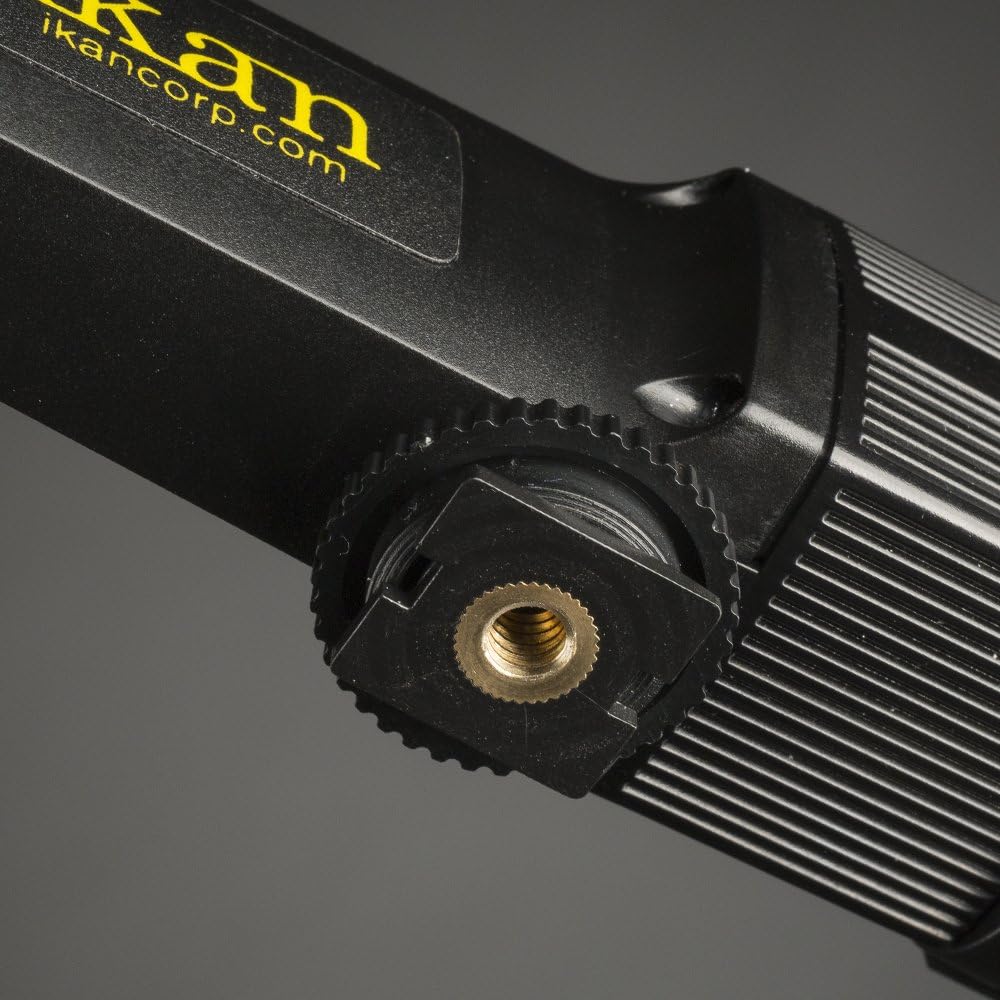
Figure 2: Shoe mount with 1/4-20 thread receiver.
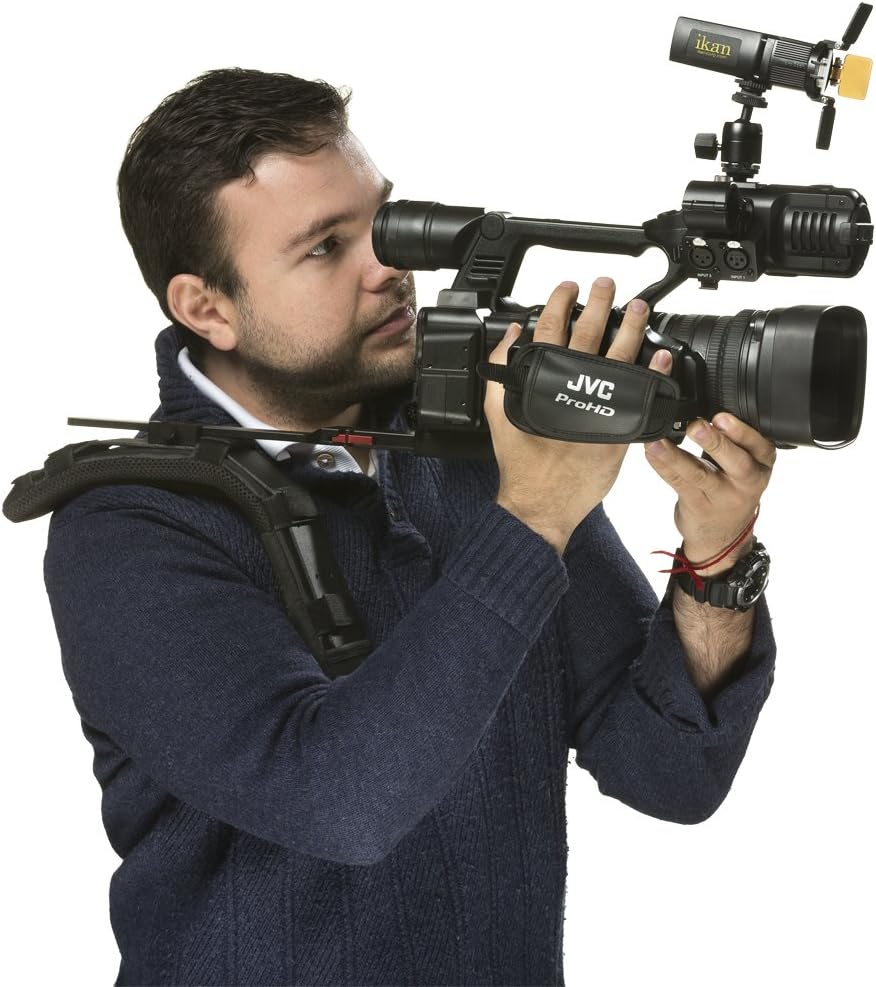
Figure 3: Ikan iLED-MS Micro Spot light mounted on a camera.
آپریٹنگ ہدایات
1. پاور آن/آف
Locate the discrete on/off switch on the side of the light. Slide the switch to the 'On' position to power on the light and to the 'Off' position to power it off.
2. Adjusting Brightness (Dimming)
The iLED-MS features an integrated thumb wheel on the side for dimming. Rotate the thumb wheel to adjust the light output from 10% to 100% brightness.
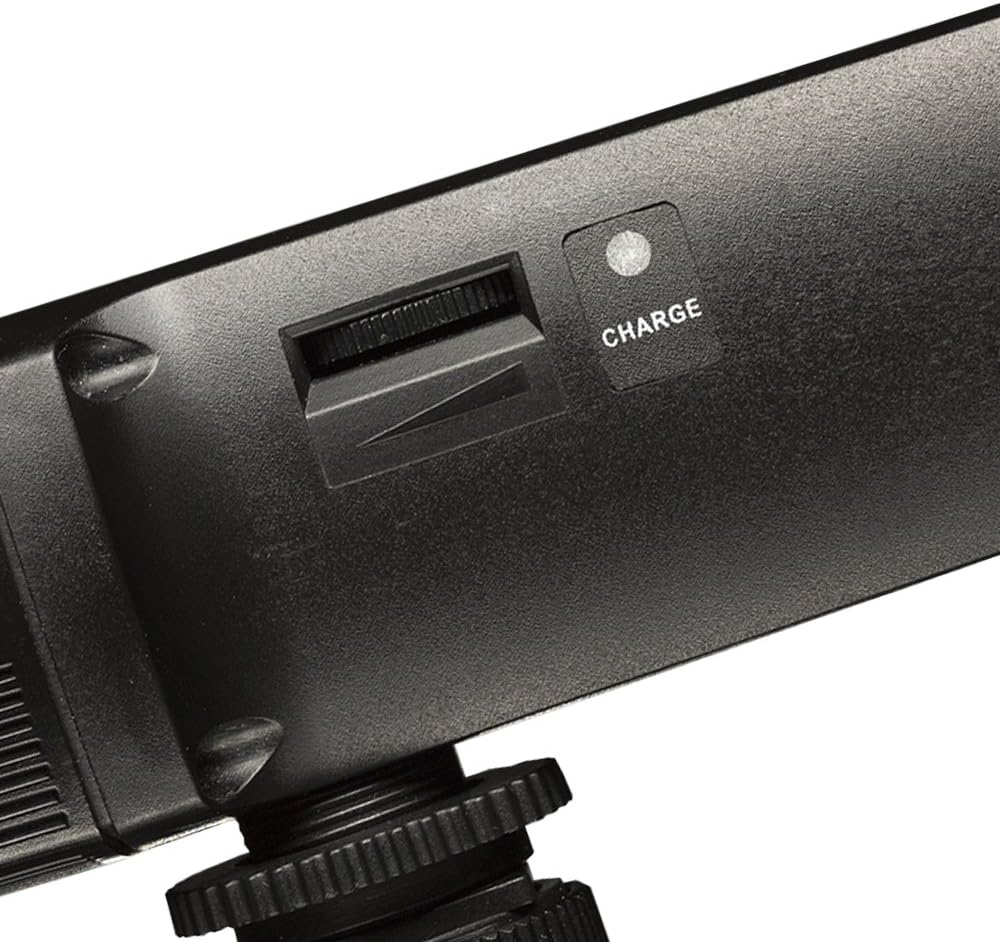
Figure 4: Dimming thumb wheel and charge indicator.
3. Using Barn Doors and Filters
The iLED-MS comes equipped with barn doors and includes a diffuser and a warm filter. These accessories can be used to shape the light, soften its output, or adjust its color temperature.
- گودام کے دروازے: Adjust the four individual barn door leaves to control the spread and direction of the light beam.
- ڈفیوزر: Insert the diffuser panel into the accessory slots to soften the light and reduce harsh shadows.
- Warm Filter: Insert the warm filter into the accessory slots to change the color temperature of the light, providing a warmer tone.

شکل 5: سامنے view with barn doors and filters.
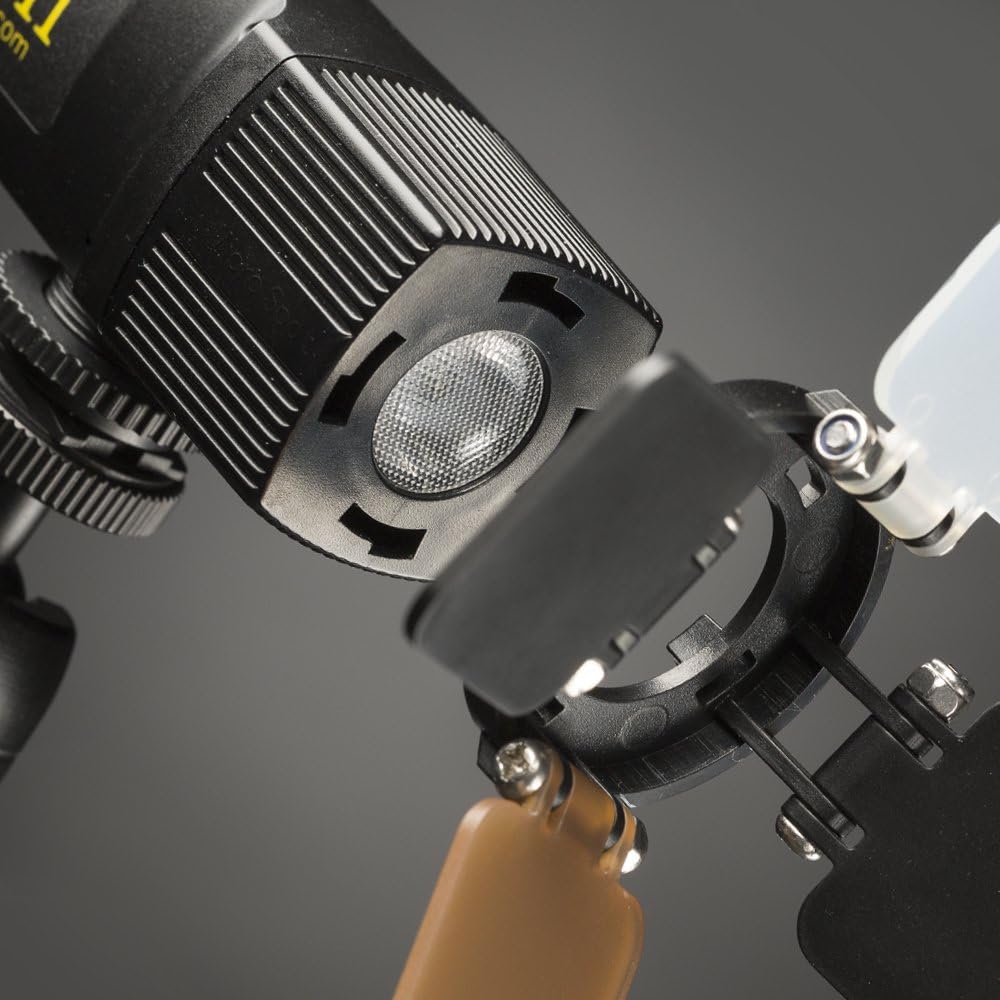
Figure 6: LED emitter and accessory slots.
4. پروڈکٹ ختمview ویڈیو
ایک بصری اوور کے لیےview of the Ikan iLED-MS Micro Spot light and its features, please watch the official product video below.
Video 1: Official Ikan iLED-MS Micro Spot Product Overview. This video demonstrates the physical features and basic operation of the light.
دیکھ بھال
1. صفائی
روشنی کو صاف کرنے کے لیے، نرم، خشک کپڑا استعمال کریں۔ ضدی گندگی کے لیے، تھوڑا سا ڈیamp cloth can be used, followed by immediate drying. Do not use harsh chemicals or abrasive cleaners, as these can damage the finish or internal components.
2. بیٹری کی دیکھ بھال
To prolong battery life, avoid fully discharging the battery frequently. Recharge the light regularly, especially if it has not been used for an extended period. Store the light in a cool, dry place when not in use.
خرابی کا سراغ لگانا
- لائٹ آن نہیں ہوتی:
- Ensure the battery is charged. Connect the light to a USB power source.
- Verify the on/off switch is in the 'On' position.
- Light does not dim:
- Check that the thumb wheel is being rotated correctly.
- Ensure the light is powered on.
- لائٹ چارج نہیں ہوتی:
- Confirm the micro-USB cable is securely connected to both the light and the power source.
- Try a different micro-USB cable or power source to rule out faulty accessories.
- یقینی بنائیں کہ پاور سورس 5V آؤٹ پٹ فراہم کر رہا ہے۔
- Light output is inconsistent or flickers:
- Recharge the battery fully. Low battery can sometimes cause inconsistent performance.
- اگر مسئلہ برقرار رہتا ہے تو کسٹمر سپورٹ سے رابطہ کریں۔
وضاحتیں
| فیچر | تفصیلات |
|---|---|
| ماڈل نمبر | iLED-MS |
| مصنوعات کے طول و عرض | 5 x 5 x 5 انچ |
| شے کا وزن | 4 اونس |
| شہتیر کا زاویہ | 30 ڈگری |
| ڈیمنگ رینج۔ | 10% - 100% |
| بیٹری کی قسم | اندرونی لتیم آئن |
| بیٹری کی زندگی | 90 - 120 minutes (approx. 2 hours) |
| چارجنگ انٹرفیس | مائیکرو USB (5V) |
| بڑھتے ہوئے اختیارات | Shoe Mount, 1/4-20 Thread |
| کارخانہ دار | اکان |
وارنٹی کی معلومات
Ikan products are designed for reliability and performance. For specific warranty terms and conditions applicable to your iLED-MS Micro Spot On-Camera Light, please refer to the warranty card included with your purchase or visit the official Ikan webسائٹ کسی بھی وارنٹی دعووں کے لیے اپنی خریداری کا ثبوت رکھیں۔
کسٹمر سپورٹ
If you have any questions, require technical assistance, or need to report an issue with your Ikan iLED-MS Micro Spot On-Camera Light, please contact Ikan customer support. Contact information can typically be found on the official Ikan webسائٹ یا مصنوعات کی پیکیجنگ پر۔
Webسائٹ: www.ikancorp.com