
1. تعارف
The WISE TIGER AX200NGW Wireless Card is an advanced Wi-Fi 6 (802.11AX) module designed to provide high-speed wireless connectivity and Bluetooth 5.1 capabilities. This internal WiFi adapter offers significantly improved data rates and capacity compared to previous Wi-Fi standards, ensuring a fast and smooth experience for demanding applications like HD video streaming and online gaming. It is engineered for low latency and reliable connections, making it an ideal upgrade for compatible systems.

Image: The WISE TIGER AX200NGW Wireless Card shown alongside its compact retail packaging.
2. مصنوعات کی خصوصیات
- Wi-Fi 6 (802.11AX) Standard: Supports the latest Wi-Fi 6 standard, delivering up to 2.4Gbps throughput on the 5GHz band and 574Mbps on the 2.4GHz band. This provides nearly 3X higher peak data rates and 4X capacity compared to 802.11ac.
- پسماندہ مطابقت: Fully compatible with older Wi-Fi standards including IEEE 802.11ac/a/b/g/n, ensuring seamless integration with existing network equipment.
- بلوٹوتھ 5.1: Features the newest Bluetooth 5.1 technology, offering 4X the range and double the data transfer speed over Bluetooth 4.2. This enhances connectivity for Bluetooth devices and provides improved data broadcasting.
- Low Latency and Reliability: Designed for reduced latency and highly reliable connections, optimizing performance for real-time applications.
- محفوظ کنکشن: Supports WPA/WPA2/WPA3 security protocols for enhanced network security.
- بجلی کی کارکردگی: Offers approximately 40% power saving compared to previous generations.
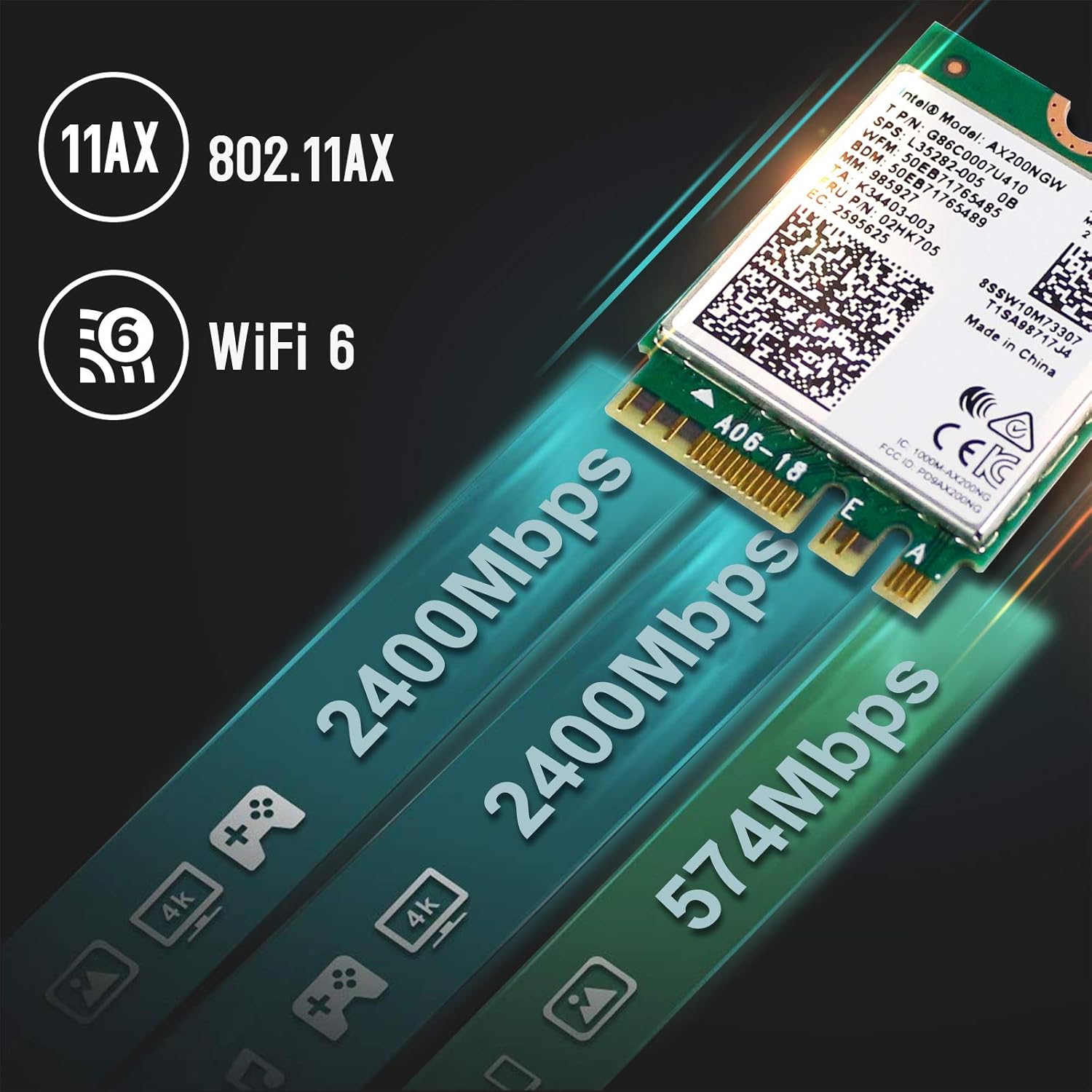
Image: Visual representation of the high-speed data transfer capabilities of the AX200NGW card, highlighting 2400Mbps and 574Mbps speeds.
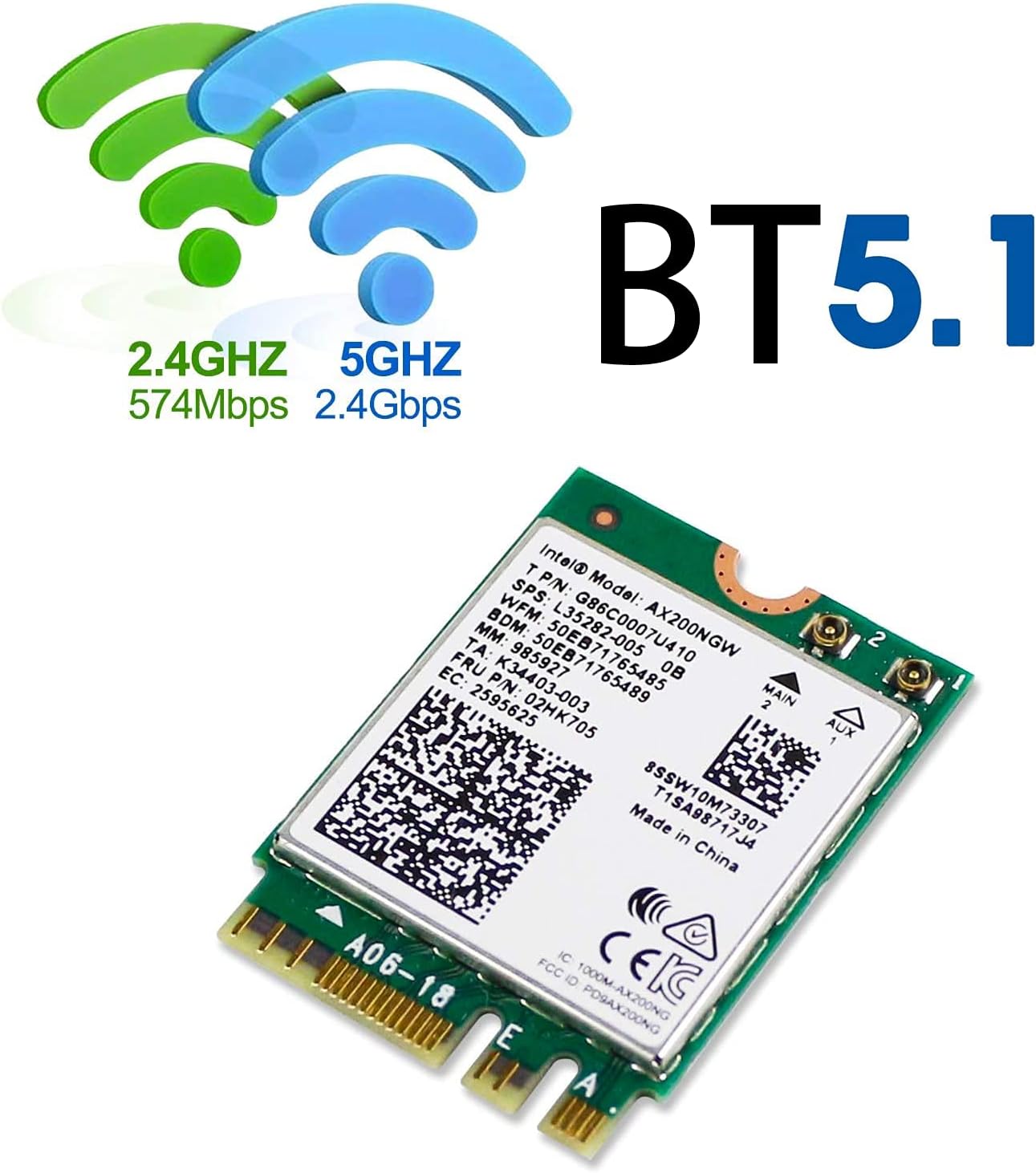
Image: Depiction of Wi-Fi signals (2.4GHz and 5GHz) and the prominent Bluetooth 5.1 logo, indicating dual functionality.
3. وضاحتیں
| وصف | تفصیل |
|---|---|
| معیاری | 802.11 b/g/n/ac/ax |
| Dual Band Performance | 2.4Gbps (5GHz) + 574Mbps (2.4GHz), 160MHz |
| بلوٹوتھ ورژن | بلوٹوتھ 5.1 |
| سیکیورٹی پروٹوکولز | WPA/WPA2/WPA3 |
| اینٹینا انٹرفیس | IPEX4 (Antenna not included) |
| سپورٹڈ سسٹمز | Windows 10 64-bit only |
| انٹرفیس | M.2 2230 (Key A or E) |
| مصنوعات کے طول و عرض | 1.18 x 0.87 x 0.09 انچ (30 x 22 x 2.3 ملی میٹر) |
| شے کا وزن | 1.76 اونس (50 گرام) |
| ماڈل نمبر | 4018522 |
| یو پی سی | 700161315172 |

Image: The physical dimensions of the AX200NGW card, illustrating its compact size relative to a 25-cent coin.
4. باکس میں کیا ہے۔
مصنوعات کی پیکیجنگ کھولنے پر، آپ کو درج ذیل اشیاء ملنی چاہئیں:
- Intel AX200 Wi-Fi Card
- Driver CD (Note: Latest drivers should be downloaded online for best performance)
5. مطابقت کے تقاضے
To ensure proper functionality, the WISE TIGER AX200NGW Wireless Card has specific system requirements:
- آپریٹنگ سسٹم: Exclusively supports Windows 10 64-bit. This module is not compatible with other operating systems.
- انٹرفیس: Requires an M.2 slot (Key A or Key E) on your laptop or desktop motherboard. It is not compatible with M.2 Key M, Key B, or Mini PCIe slots, which are typically used for SSDs or other components.
- پروسیسر: Designed for use with Intel-based systems.
- عدم مطابقت: Do not use this module on motherboards that contain an Intel 9560 CNVi part, as this can lead to conflicts or malfunction.
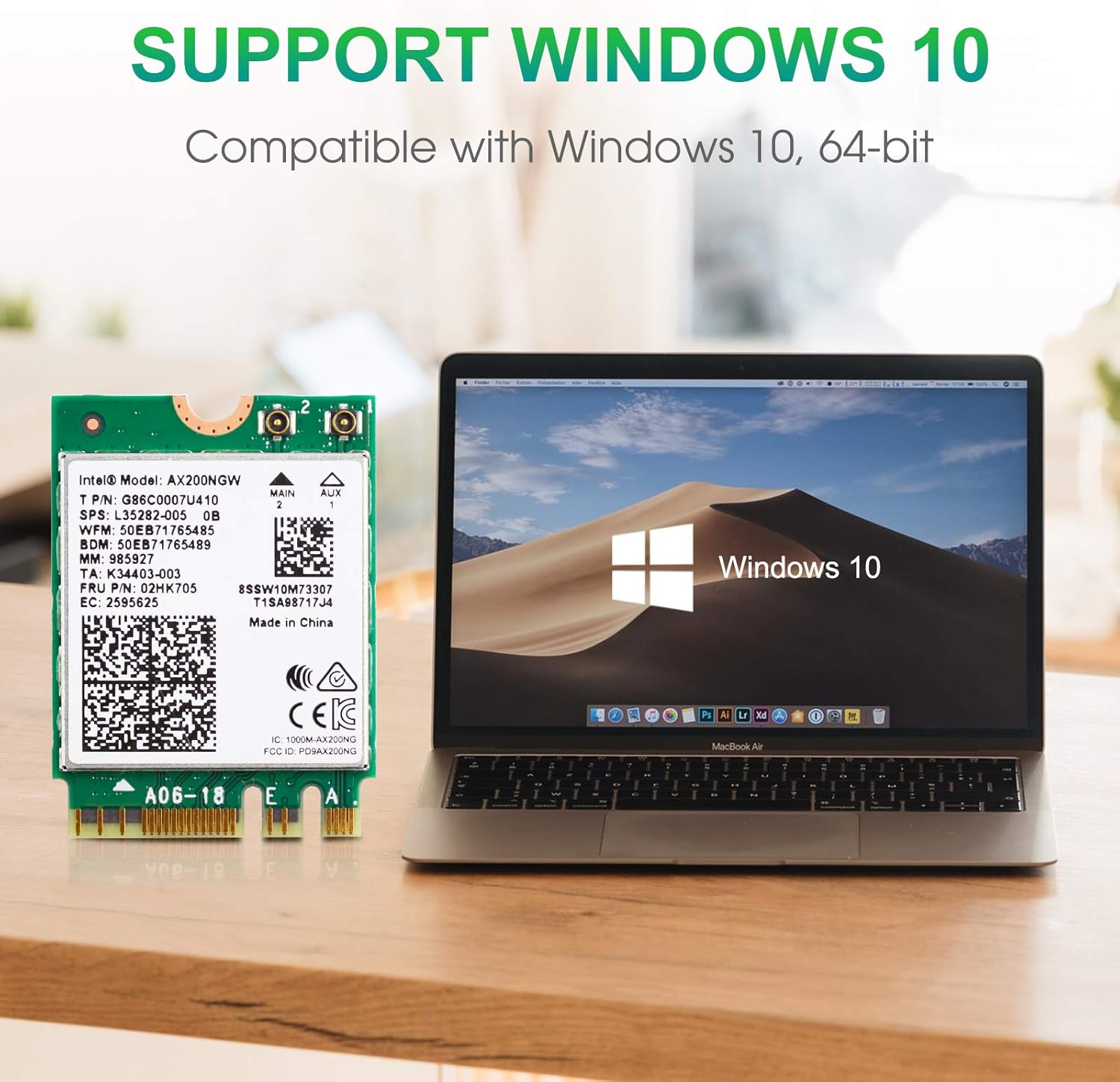
Image: The AX200NGW card positioned next to a laptop screen showing the Windows 10 operating system, emphasizing compatibility.

Image: A clear visual guide indicating the correct M.2 Key A and Key E slots for installation, and explicitly showing incompatible Key M and Mini PCIe slots.
6. انسٹالیشن گائیڈ
Follow these steps carefully to install the WISE TIGER AX200NGW Wireless Card into your compatible system:
- اپنا سسٹم تیار کریں: Before beginning, power off your computer completely and disconnect it from the power source. For laptops, remove the battery if possible.
- M.2 سلاٹ تک رسائی حاصل کریں: Open your laptop or desktop case to locate the M.2 slot. This may involve removing the back panel of a laptop or the side panel of a desktop. Refer to your computer's service manual for specific instructions on accessing internal components. The M.2 slot should be labeled with a "WiFi" logo or similar indicator.
- Insert the Wireless Card: Gently align the notch on the AX200NGW card with the key in the M.2 slot (Key A or Key E). Insert the card at a slight angle until it is fully seated.
- کارڈ کو محفوظ کریں: Once inserted, push the card down until it lies flat. Secure it with the small screw provided with your computer or the wireless card.
- انٹینا کو جوڑیں (اگر قابل اطلاق ہو): If your system uses external antennas, carefully connect the IPEX4 antenna cables to the corresponding connectors on the AX200NGW card (Main and Aux). Ensure a secure connection.
- Reassemble Your System: Carefully reassemble your computer, ensuring all panels are securely closed and screws are tightened.
Warning: Handle the card by its edges to avoid touching the gold connectors or components. Static electricity can damage electronic components. Consider using an anti-static wrist strap.
7. Operating Instructions (Driver Installation)
After physical installation, drivers must be installed for the wireless card to function correctly:
- ابتدائی بوٹ: Power on your computer. Windows 10 may automatically detect the new hardware and attempt to install generic drivers.
- ڈرائیورز ڈاؤن لوڈ کریں: For optimal performance and full functionality (including Bluetooth 5.1), it is highly recommended to download the latest drivers directly from the WISE TIGER official webسائٹ تلاش کریں۔ "Intel AX200NGW" drivers.
- Install Wi-Fi Driver: Locate the downloaded Wi-Fi driver file (e.g., "WiFi_21.10.1_Driver64_Win10.exe" or similar). Double-click the executable file اور انسٹالیشن مکمل کرنے کے لیے اسکرین پر دی گئی ہدایات پر عمل کریں۔
- بلوٹوتھ ڈرائیور انسٹال کریں: If you intend to use Bluetooth functionality, download the corresponding Bluetooth driver (e.g., "BT_21.10.1_64_Win10.exe" or similar) from the WISE TIGER website. Double-click the executable file اور اسے انسٹال کرنے کے لیے اسکرین پر دی گئی ہدایات پر عمل کریں۔
- کمپیوٹر کو دوبارہ شروع کریں: After installing both drivers, restart your computer to ensure all changes take effect.
- نیٹ ورک سے جڑیں: Once restarted, you should be able to see available Wi-Fi networks and connect to them. Bluetooth devices can also be paired through Windows settings.
8 خرابیوں کا سراغ لگانا
If you encounter issues with your WISE TIGER AX200NGW Wireless Card, consider the following troubleshooting steps:
- No Wi-Fi or Bluetooth Functionality After Installation:
- Ensure the card is correctly seated in the M.2 slot and securely fastened.
- Verify that you have installed the correct Wi-Fi and Bluetooth drivers for Windows 10 64-bit from the WISE TIGER webسائٹ
- Check Device Manager in Windows to see if the device is recognized and if there are any error codes. Reinstall drivers if necessary.
- Weak Wi-Fi Signal or Frequent Disconnections:
- Ensure that any internal antenna cables are securely connected to the card's IPEX4 ports.
- Check for physical obstructions between your computer and the Wi-Fi router.
- اپنے راؤٹر کے فرم ویئر کو تازہ ترین ورژن میں اپ ڈیٹ کریں۔
- Consider the distance and number of walls between your device and the router.
- بلوٹوتھ آلات جوڑا نہیں بن رہے ہیں:
- Ensure the Bluetooth driver is correctly installed.
- Verify that Bluetooth is enabled in Windows settings.
- بلوٹوتھ ڈیوائس کو ہٹائیں اور دوبارہ جوڑیں۔
- Check if the Bluetooth device is in pairing mode.
- System Instability or Blue Screens:
- Confirm that your system is Intel-based and running Windows 10 64-bit.
- Ensure your motherboard does not contain an Intel 9560 CNVi part, as this card is incompatible with such configurations.
- Uninstall and reinstall the drivers. If issues persist, consult your computer manufacturer's support.
9. وارنٹی اور سپورٹ
For any questions, technical assistance, or warranty inquiries regarding your WISE TIGER AX200NGW Wireless Card, please contact WISE TIGER customer support directly.
ای میل سپورٹ: sales@wise-tiger.com
Please provide your product model number (AX200NGW / 4018522) and a detailed description of your issue when contacting support to facilitate a quicker resolution.