
1. تعارف
This manual provides detailed instructions for the setup, operation, and maintenance of your Zmodo Mini WiFi 720p HD Wireless Indoor Home Video Security Camera. Please read this manual thoroughly before using the device to ensure proper functionality and safety. This camera is designed for indoor surveillance, offering 720p HD video, two-way audio, and remote access capabilities.
2. پروڈکٹ ختمview
Familiarize yourself with the components of your Zmodo Mini WiFi Camera.

تصویر 2.1: Zmodo Mini WiFi Camera mounted on a wall, showing its compact design and lens. This image illustrates the camera's appearance and typical indoor placement.

تصویر 2.2: Zmodo Mini WiFi Camera held in a person's hand, demonstrating its small and portable size. This helps visualize the camera's dimensions.
تصویر 2.3: Zmodo Mini WiFi Camera displayed with its power adapter and a quick guide. This shows the main items included in the product package.
2.1 پیکیج کے مشمولات
- Zmodo Mini WiFi Camera
- پاور اڈاپٹر
- کوئیک اسٹارٹ گائیڈ
3. سیٹ اپ ہدایات
3.1 ایپ ڈاؤن لوڈ کریں۔
کنٹرول کرنے اور view your camera, download the MeShare app. تلاش کریں۔ "MeShare" in the Apple App Store (for iOS 6 and up) or Google Play Store (for Android 2.3 and up).
3.2 پاور آن
- Connect the power adapter to the camera's power input port.
- پاور اڈاپٹر کو معیاری الیکٹریکل آؤٹ لیٹ میں لگائیں۔
- Wait for the camera's indicator light to show a specific status (refer to the app for light status meanings during setup).
3.3 Network Connection (SmartLink)
The camera uses 2.4GHz Wi-Fi for connectivity. It is not compatible with 5GHz networks.
- Open the MeShare app and create an account or log in.
- نیا آلہ شامل کرنے کے لیے درون ایپ ہدایات پر عمل کریں۔
- Select the SmartLink setup option. The app will guide you through connecting the camera to your home Wi-Fi network.
- Ensure your mobile device is connected to the 2.4GHz Wi-Fi network you intend to connect the camera to during setup.
4. آپریٹنگ ہدایات
4.1 لائیو View اور ریموٹ رسائی
Access your camera's live 720p HD video feed from anywhere using the MeShare app on your Android, iPhone, or iPad device. You can also access it via a web براؤزر پر user.meshare.com/user/login.

تصویر 4.1: A laptop, tablet, and smartphone simultaneously displaying live video feeds from Zmodo cameras. This illustrates the multi-device remote access capability.
4.2 دو طرفہ آڈیو
The camera features two-way audio, allowing you to listen to the environment around the camera and speak through its built-in speaker using the MeShare app.
4.3 حرکت کا پتہ لگانا
The camera is equipped with a motion sensor that can detect movement. You can configure motion alerts within the MeShare app to receive notifications when motion is detected.

تصویر 4.2: A smartphone screen showing a Zmodo alert for motion detected, with video clips available for review. This demonstrates the motion alert feature.
4.4 نائٹ ویژن
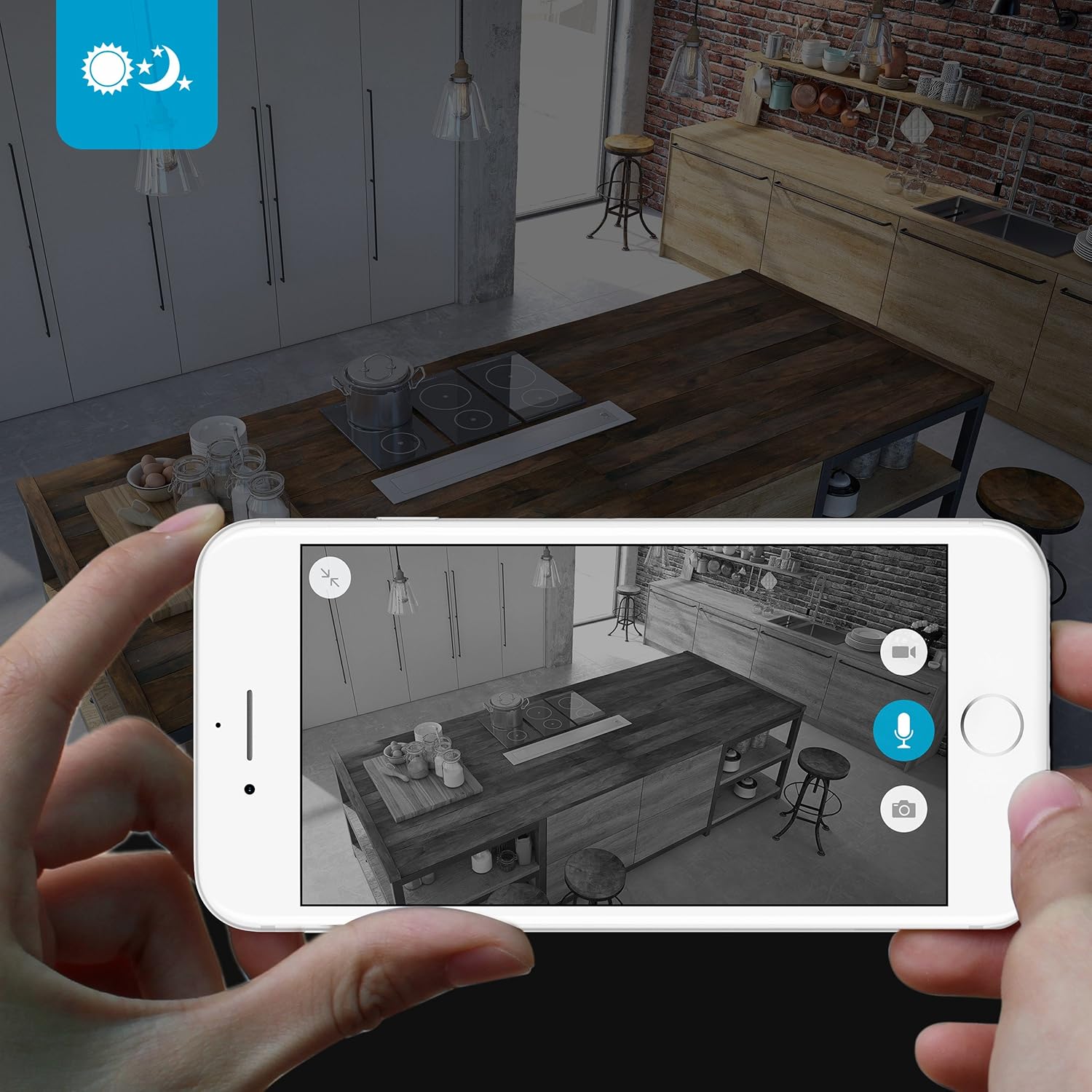
The camera provides clear surveillance even in low-light conditions with its night vision capabilities, offering a range of up to 30 feet. It automatically switches between color day mode and black & white night mode using infrared light.

تصویر 4.3: A smartphone screen showing a black and white night vision view from the Zmodo camera in a kitchen setting. This illustrates the camera's low-light performance.
4.5 وائڈ اینگل View
The camera features a 115° wide-angle lens, allowing for a broad view of your indoor space.

تصویر 4.4: A smartphone screen showing a wide-angle view from the Zmodo camera in a bedroom, capturing a broad area. This highlights the 115-degree field of view.
5 دیکھ بھال
5.1 کیمرے کی صفائی
- صاف کرنے سے پہلے یقینی بنائیں کہ کیمرہ بند ہے۔
- Use a soft, dry cloth to gently wipe the camera body.
- For the lens, use a lens cleaning cloth specifically designed for optics to avoid scratches.
- Do not use liquid cleaners or aerosol sprays directly on the camera.
5.2 ماحولیاتی تحفظات
- یہ کیمرہ صرف اندرونی استعمال کے لیے ڈیزائن کیا گیا ہے۔
- کیمرے کو براہ راست سورج کی روشنی میں یا گرمی کے ذرائع کے قریب رکھنے سے گریز کریں۔
- Keep the camera away from moisture and extreme temperatures.
6 خرابیوں کا سراغ لگانا
6.1 عام مسائل اور حل
- کیمرہ وائی فائی سے منسلک نہیں ہے: Ensure your Wi-Fi network is 2.4GHz. Verify your Wi-Fi password. Try restarting your router and the camera.
- ویڈیو کا ناقص معیار: اپنے انٹرنیٹ کنکشن کی رفتار چیک کریں۔ یقینی بنائیں کہ کیمرے کا لینس صاف اور رکاوٹوں سے پاک ہے۔
- کوئی آڈیو یا مسخ شدہ آڈیو نہیں: Verify microphone and speaker settings in the MeShare app. Ensure there are no physical obstructions blocking the microphone or speaker.
- Motion alerts not working: Check motion detection settings in the MeShare app. Ensure notifications are enabled for the app on your mobile device.
- کیمرہ آف لائن: Check if the camera is powered on. Verify your Wi-Fi network is active and stable. Try restarting the camera.
7. وضاحتیں
| فیچر | تفصیل |
|---|---|
| ماڈل نمبر | WAUBMAKGCUVDD |
| ویڈیو کیپچر ریزولوشن | 720p HD |
| کنیکٹوٹی ٹیکنالوجی | وائرلیس (Wi-Fi 2.4GHz) |
| دو طرفہ آڈیو | جی ہاں |
| وائڈ اینگل | 115° |
| نائٹ ویژن رینج۔ | Up to 30 Feet (Infrared) |
| موشن سینسر | ہاں (صرف موشن الرٹ کی قسم) |
| طاقت کا منبع | AC/DC (5 Volts, 5 Watts) |
| انڈور / آؤٹ ڈور استعمال | انڈور |
| طول و عرض (L x W x H) | 7 x 2.1 x 4.5 انچ |
| شے کا وزن | 12 اونس |
| ہم آہنگ آلات | Video Monitor (Android, iPhone, iPad) |
8. وارنٹی اور سپورٹ
For warranty information or technical support, please refer to the official Zmodo website or contact Zmodo customer service directly. Keep your purchase receipt for warranty claims.
مزید مدد کے لیے، ملاحظہ کریں۔ Zmodo Store on Amazon.