
1. تعارف
Thank you for choosing the Baseus Bluetooth Selfie Stick with Tripod. This versatile device combines an extendable selfie stick with a stable tripod and a detachable Bluetooth remote control, allowing you to capture photos and videos with ease. Please read this manual carefully before use to ensure proper operation and to maximize your product experience.
2. پروڈکٹ ختمview
The Baseus Selfie Stick with Tripod is designed for portability and functionality. It features a compact, foldable design that extends to 810mm, a 360-degree rotatable phone holder, and a removable Bluetooth remote for convenient shooting.
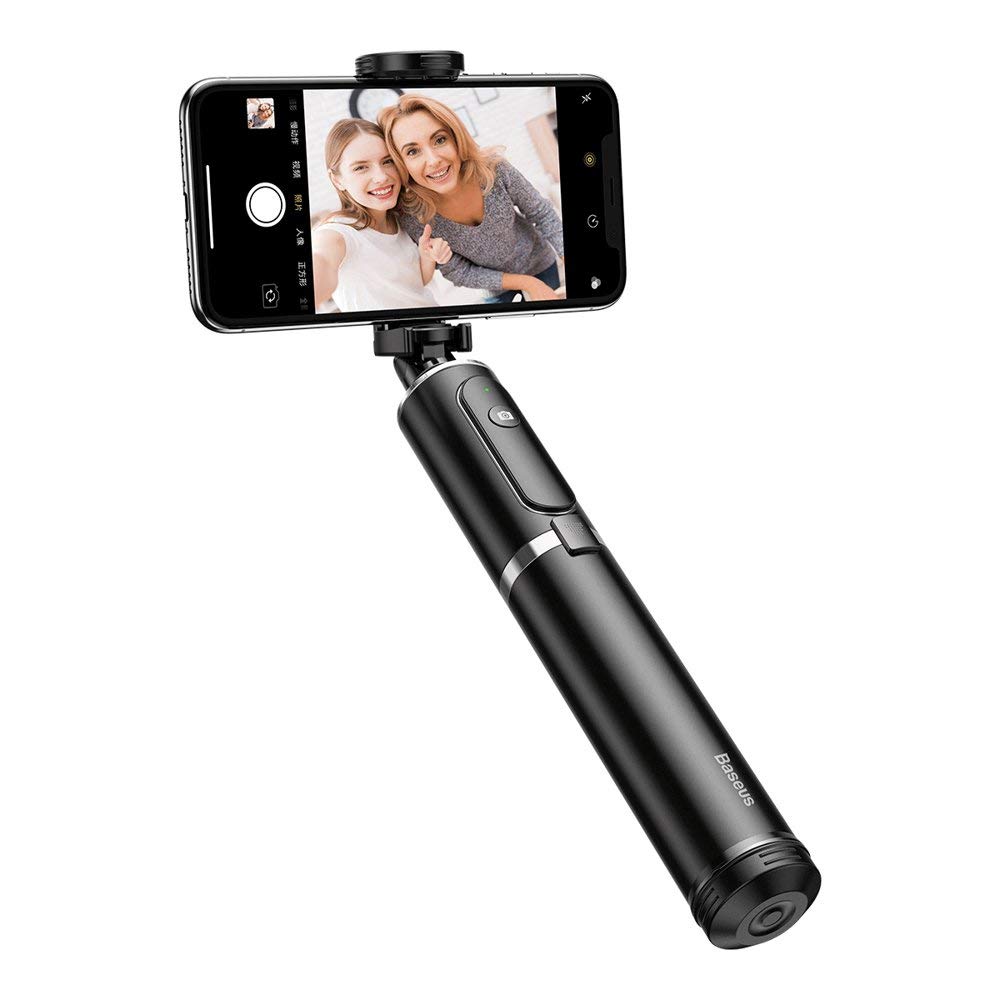
تصویر 2.1: The Baseus Selfie Stick fully extended with a smartphone in tripod mode.

تصویر 2.2: The selfie stick in its compact, folded form, highlighting the remote control.
3. حفاظتی معلومات
- طویل عرصے تک آلہ کو انتہائی درجہ حرارت یا براہ راست سورج کی روشنی کے سامنے نہ رکھیں۔
- آلے کو پانی اور دیگر مائعات سے دور رکھیں۔
- ڈیوائس کو الگ کرنے یا اس میں ترمیم کرنے کی کوشش نہ کریں۔
- Ensure your smartphone is securely mounted before extending the stick or using the tripod.
- بچوں کی پہنچ سے دور رکھیں۔
4. پیکیج کے مشمولات
تصدیق کریں کہ تمام اشیاء آپ کے پیکیج میں موجود ہیں:
- Baseus Bluetooth Selfie Stick with Tripod (Black/Gray)
- ڈی ٹیچ ایبل بلوٹوتھ ریموٹ کنٹرول
5. سیٹ اپ
5.1 Unfolding and Extending the Selfie Stick
- Gently pull the top part of the stick upwards to unfold it from its compact state.
- Extend the telescopic rod segments to your desired length. The stick can extend up to 810mm.
5.2 اپنا اسمارٹ فون منسلک کرنا
- فون cl کھولیں۔amp at the top of the stick.
- اپنے اسمارٹ فون کو احتیاط سے cl میں رکھیںamp, ensuring it is held securely. The clamp supports phones up to 6.5 inches.
- Adjust the phone holder's angle and rotation (360 degrees) as needed.

تصویر 5.1: Smartphone mounted horizontally in the clamp.

تصویر 5.2: Smartphone mounted vertically in the clamp.
5.3 Bluetooth Pairing for Remote Control
- Remove the remote control from its slot on the selfie stick.
- Press and hold the button on the remote control until the indicator light starts flashing, indicating it is in pairing mode.
- اپنے اسمارٹ فون پر، بلوٹوتھ سیٹنگز پر جائیں اور دستیاب آلات تلاش کریں۔
- Select "Baseus Selfie" or a similar name from the list to pair.
- ایک بار جوڑا بننے کے بعد، ریموٹ پر اشارے کی روشنی چمکنا بند کر دے گی اور ٹھوس رہے گی یا بند ہو جائے گی۔
6. آپریٹنگ ہدایات
6.1 سیلفی اسٹک کے طور پر استعمال کرنا
Hold the handle firmly and extend the stick to your desired length. Use the Bluetooth remote control to take photos or start/stop video recording.

تصویر 6.1: Using the selfie stick in handheld mode.

تصویر 6.2: Example of a user taking a selfie with the stick.
6.2 تپائی کے طور پر استعمال کرنا
- While the stick is folded or partially extended, gently push the bottom part to deploy the tripod legs.
- تپائی کو فلیٹ، مستحکم سطح پر رکھیں۔
- Adjust the stick's height and phone holder's angle for optimal shooting.
- Use the remote control to capture photos or videos from a distance.

تصویر 6.3: Close-up of the tripod legs.
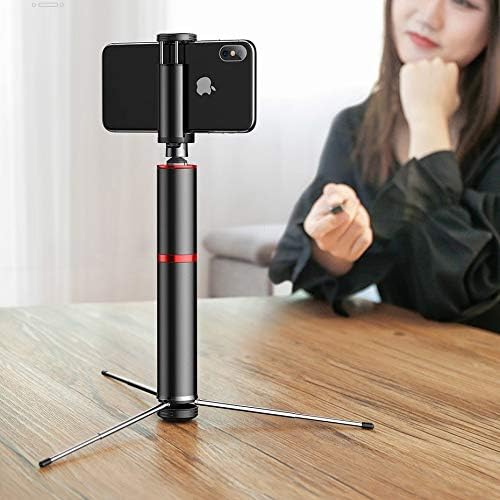
تصویر 6.4: Selfie stick used as a tripod on a table.

تصویر 6.5: Tripod setup with the remote control nearby.
7 دیکھ بھال
- صفائی: آلے کو نرم، خشک کپڑے سے صاف کریں۔ سخت کیمیکل یا کھرچنے والے کلینر کا استعمال نہ کریں۔
- ذخیرہ: When not in use, fold the selfie stick to its compact size and store it in a cool, dry place away from direct sunlight.
- بیٹری: The remote control uses a small button cell battery. Replace it when the remote's performance degrades.
8 خرابیوں کا سراغ لگانا
8.1 ریموٹ کنٹرول جوڑا نہیں بن رہا ہے۔
- Ensure the remote control is charged or has a fresh battery.
- یقینی بنائیں کہ آپ کے اسمارٹ فون پر بلوٹوتھ فعال ہے۔
- Restart both your smartphone and the remote control (by removing and reinserting the battery if possible, or turning it off and on).
- اپنے فون پر پچھلے بلوٹوتھ کنکشنز کو صاف کریں اور دوبارہ جوڑا بنانے کی کوشش کریں۔
8.2 Selfie Stick Instability
- Ensure all telescopic segments are fully extended and locked into place (if applicable).
- When using as a tripod, ensure the legs are fully deployed and placed on a flat, stable surface.
- Verify that your smartphone is securely clampایڈ اور متوازن.
9. وضاحتیں
| ماڈل نمبر | SUDYZP-D1S |
| برانڈ | بیسیس |
| ہم آہنگ آلات | Mobile Phones (up to 6.5 inches) |
| پروڈکٹ کا وزن | 0.3 کلوگرام |
| زیادہ سے زیادہ توسیع کی لمبائی | 810 ملی میٹر |
| خصوصیات | Bluetooth Remote Control, Tripod Function, 360-Degree Rotatable Phone Holder |
| رنگ | Black - Gray |
10. وارنٹی اور سپورٹ
This product comes with a manufacturer's warranty. For detailed warranty information, please refer to the warranty card included in your product packaging or visit the official Baseus webسائٹ
For technical support, troubleshooting assistance, or any other inquiries, please contact Baseus customer service through their official channels. You can often find support contact information on the Baseus webسائٹ یا مصنوعات کی پیکیجنگ پر۔
آن لائن مدد: www.baseus.com