
Intermec PB51B33004100
انٹرمیک PB51 موبائل رسید پرنٹر صارف دستی
Model: PB51B33004100
تعارف
The Intermec PB51 is a rugged, 4-inch direct thermal mobile receipt printer designed for demanding field service, route accounting, and point-of-service applications. It offers fast, reliable printing performance to enhance productivity for mobile workers.
This manual provides essential information for the proper setup, operation, maintenance, and troubleshooting of your PB51 printer.
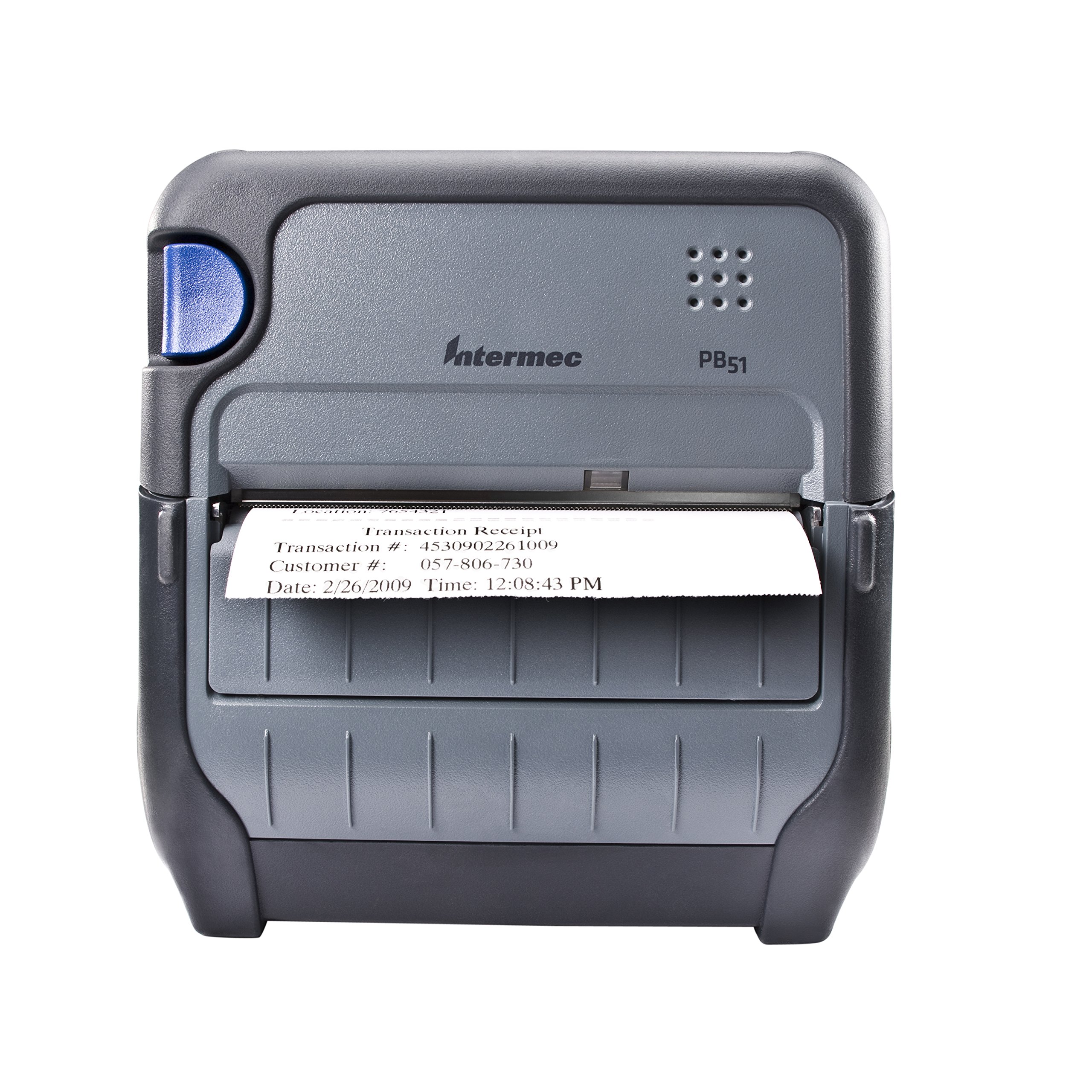
شکل 1: سامنے view of the Intermec PB51 mobile receipt printer. A receipt is partially ejected from the front slot, displaying "Transaction Receipt", "Transaction #: 4530902261009", "Customer #: 057-806-730", and "Date: 2/26/2009 Time: 12:08:43 PM". The printer features a dark gray casing with a blue button on the left side and the "Intermec PB51" logo on the top panel.
سیٹ اپ
1 پیک کھولنا اور معائنہ
- پیکیجنگ سے پرنٹر اور تمام لوازمات کو احتیاط سے ہٹا دیں۔
- تصدیق کریں کہ پیکنگ سلپ میں درج تمام اجزاء موجود ہیں۔
- Inspect the printer for any visible damage. If damage is found, contact your supplier immediately.
2. بیٹری کی تنصیب اور چارجنگ
- یقینی بنائیں کہ پرنٹر بند ہے۔
- پرنٹر پر بیٹری کا ٹوکری تلاش کریں۔
- Insert the battery, ensuring proper alignment with the contacts.
- بیٹری کے ڈبے کو محفوظ طریقے سے بند کریں۔
- Connect the AC adapter to the printer and a power outlet. The battery indicator light will show charging status. Allow the battery to fully charge before first use.
3. Loading Thermal Paper
- کاغذ کے ٹوکری کا احاطہ کھولیں۔
- Insert the thermal paper roll with the print-side facing the print head.
- Pull a small amount of paper out past the print mechanism.
- Close the paper compartment cover firmly until it latches.
- The printer's paper sensors will detect the paper, minimizing lost transactions.
4. Connectivity Setup (Bluetooth / USB / Serial)
- بلوٹوتھ: Turn on the printer and enable Bluetooth on your host device (e.g., smartphone, tablet, or computer). تلاش کریں۔ available devices and select the PB51. Pair using the default PIN (refer to the printer's display or documentation for the specific PIN).
- USB: Connect the printer to your host device using a standard USB cable. Install the necessary printer drivers on your host device if prompted.
- سیریل: Connect the printer to your host device using a serial cable. Configure the serial port settings (baud rate, data bits, parity, stop bits) on both the printer and the host device to match.
آپریٹنگ ہدایات
1. پر / آف پاور
- پاور آن کرنے کے لیے، ڈسپلے کے روشن ہونے تک پاور بٹن کو دبائے رکھیں۔
- To power off, press and hold the power button until the display indicates shutdown, then release.
2. ایک رسید پرنٹ کرنا
- Ensure the printer is powered on and connected to your host device.
- Open the application on your host device that generates receipts or invoices.
- Initiate the print command from your application. The PB51 is designed for 20-30% faster time-to-receipt printing.
- The printer will automatically feed and print the receipt.
- Tear off the receipt along the serrated edge.
3. LCD ڈسپلے کا استعمال کرتے ہوئے
The standard LCD display provides important information about the printer's status, battery level, connectivity, and error messages. Use the navigation buttons (if present) to scroll through menu options and settings.
دیکھ بھال
1. پرنٹ ہیڈ کو صاف کرنا
- Power off the printer and disconnect it from any power source.
- کاغذ کی ٹوکری کھولیں۔
- Gently wipe the print head surface with a lint-free cloth dampisopropyl الکحل کے ساتھ ختم.
- کور کو بند کرنے اور پرنٹر پر پاور کرنے سے پہلے پرنٹ ہیڈ کو مکمل طور پر خشک ہونے دیں۔
- Perform this cleaning regularly, especially if print quality degrades.
2. بیٹری کی دیکھ بھال
- بیٹری کی زندگی کو زیادہ سے زیادہ کرنے کے لیے، بار بار بیٹری کو مکمل طور پر خارج کرنے سے گریز کریں۔
- پرنٹر اور بیٹری کو ٹھنڈی، خشک جگہ پر ذخیرہ کریں جب طویل مدت تک استعمال نہ ہو۔
- Use only genuine Intermec replacement batteries.
3 عمومی صفائی
پرنٹر کے بیرونی حصے کو نرم سے صاف کریں، ڈیamp cloth. Do not use harsh chemicals or abrasive cleaners. Ensure no liquid enters the printer's openings.
خرابی کا سراغ لگانا
| مسئلہ | ممکنہ وجہ | حل |
|---|---|---|
| پرنٹر آن نہیں ہو رہا ہے۔ | Low or dead battery; faulty power adapter; loose battery connection. | Charge the battery; check power adapter connection; re-seat the battery. |
| کوئی پرنٹ آؤٹ پٹ نہیں۔ | No paper; paper loaded incorrectly; connectivity issue; print head dirty. | Load paper correctly; check Bluetooth/USB/Serial connection; clean print head. |
| ناقص پرنٹ کوالٹی | Dirty print head; incorrect paper type; low battery. | Clean print head; ensure thermal paper is used; charge battery. |
| رابطے کے مسائل | Incorrect pairing; driver issues; out of range. | Re-pair Bluetooth; reinstall drivers; move closer to host device. |
If the problem persists after attempting these solutions, please contact Intermec customer support.
وضاحتیں
| فیچر | تفصیل |
|---|---|
| ماڈل کا نام | PB51B33004100 |
| پرنٹنگ ٹیکنالوجی | ڈائریکٹ تھرمل |
| پرنٹر آؤٹ پٹ | مونوکروم |
| زیادہ سے زیادہ میڈیا سائز | 4 انچ |
| کنیکٹوٹی ٹیکنالوجی | USB, Serial, Bluetooth |
| شے کا وزن | 42 Ounces (approx. 2.63 lbs) |
| پیکیج کے طول و عرض | 10.2 x 10 x 5 انچ |
| کنٹرولر کی قسم | اینڈرائیڈ (موازنہ) |
| کارخانہ دار | انٹرمیک |
وارنٹی اور سپورٹ
Specific warranty information for the Intermec PB51 printer is not available in this document. Please refer to the warranty card included with your product or visit the official Intermec (now Honeywell) webتفصیلی وارنٹی شرائط و ضوابط کے لیے سائٹ۔
For technical support, service, or to purchase accessories, please contact your authorized Intermec/Honeywell dealer or visit their official support portal.
Ask a question about this manual
Ask about setup, troubleshooting, compatibility, parts, safety, or missing instructions. Manuals+ will review the question and use this page’s manual context to help answer it.