
YI YYS.2016
YI 2pc Smart Home Camera (Model YYS.2016) User Manual
Your guide to setting up and operating your YI Smart Home Camera system.
1. تعارف
The YI 2pc Smart Home Camera system provides 1080p Full HD indoor security surveillance. Designed for ease of use, these cameras offer features such as enhanced night vision, two-way audio, and advanced AI detection capabilities for monitoring your home, pets, or children. This manual will guide you through the installation, operation, and maintenance of your cameras.
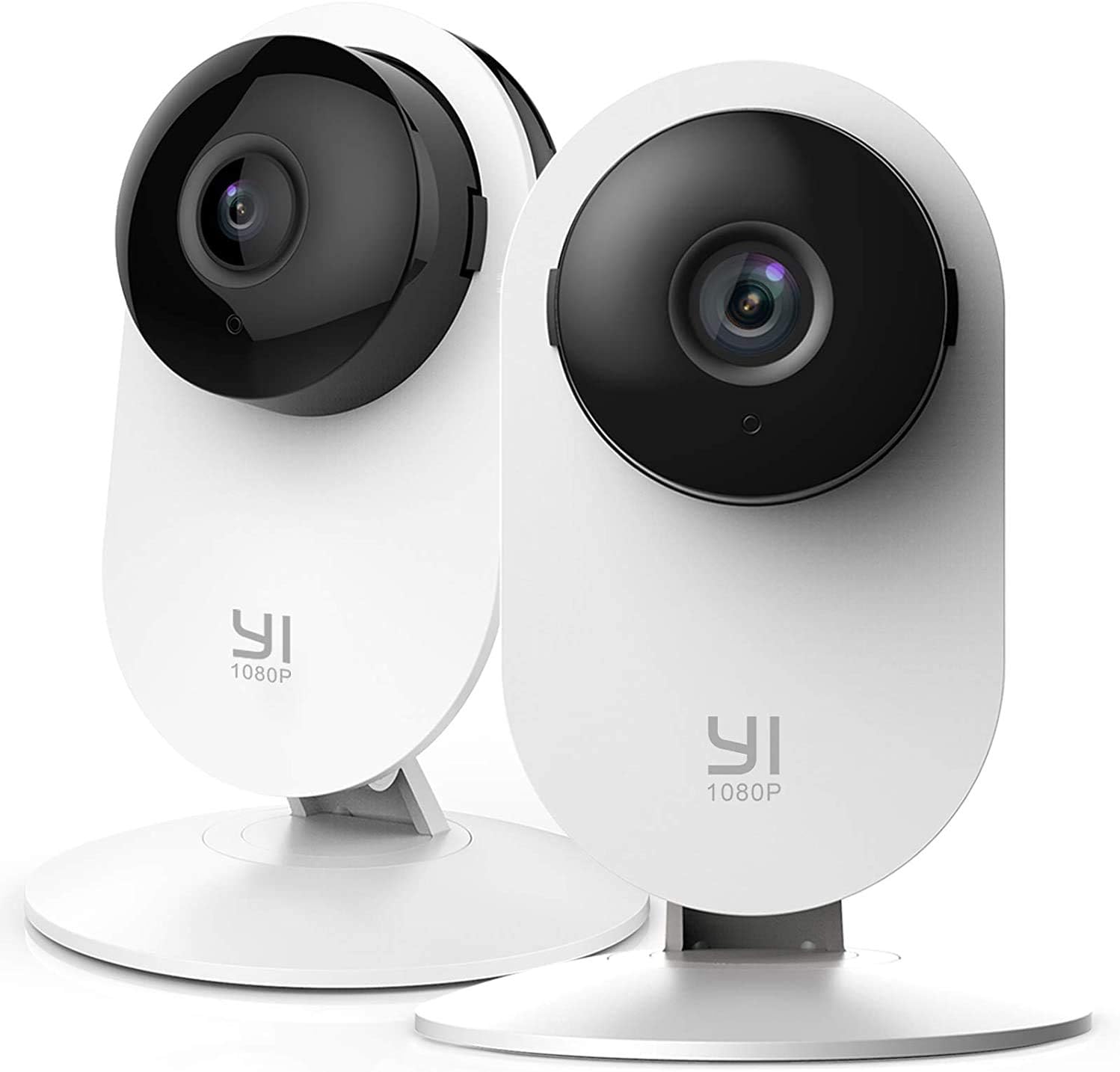
Image 1.1: YI 2pc Smart Home Camera units.
2. پیکیج کے مشمولات
براہ کرم تصدیق کریں کہ تمام اشیاء آپ کے پیکیج میں موجود ہیں:
- 2 x YI Smart Home Camera (Model YYS.2016)
- 2 ایکس پاور اڈاپٹر
- 2 ایکس USB کیبل
- 2 x وال ماؤنٹ بیس
- بڑھتے ہوئے پیچ
- صارف دستی (یہ دستاویز)
3. سیٹ اپ گائیڈ
3.1. کیمرہ آن کرنا
- USB کیبل کو کیمرے کے پاور پورٹ سے جوڑیں۔
- USB کیبل کے دوسرے سرے کو پاور اڈاپٹر میں لگائیں۔
- Insert the power adapter into a standard electrical outlet. The camera will power on and begin its startup sequence.
3.2. Downloading the YI Home App
The YI Home App is required for camera setup and operation. Download it from your device's app store (iOS or Android).
- تلاش کریں۔ "YI Home" in the App Store or Google Play Store.
- Install the app and create an account or log in if you already have one.
3.3. Pairing the Camera with the App
- Open the YI Home App and tap the '+' icon to add a new device.
- فہرست سے اپنے کیمرے کا ماڈل منتخب کریں۔
- کیمرے کو اپنے 2.4GHz Wi-Fi نیٹ ورک سے منسلک کرنے کے لیے اسکرین پر دی گئی ہدایات پر عمل کریں۔ نوٹ: 5GHz Wi-Fi networks are not supported.
- The app will generate a QR code. Hold your camera approximately 4-8 inches (10-20 cm) in front of your phone screen so the camera can scan the QR code.
- Once the camera successfully scans the code, it will confirm the connection.
3.4. کیمرہ لگانا
The camera can be placed on a flat surface or mounted to a wall or ceiling using the provided base and screws.
- ٹیبل ٹاپ پلیسمنٹ: بس کیمرے کو ایک مستحکم، ہموار سطح پر رکھیں۔
- دیوار چڑھانا: Secure the wall mount base to your desired location using the screws. Attach the camera to the base. Ensure the camera is positioned to cover the desired area.
4. اپنے کیمرہ کو آپریٹ کرنا
4.1. لائیو View اور ریکارڈنگ
Access live video streams from your camera anytime, anywhere through the YI Home App. The camera records in 1080p Full HD at 15 frames per second with a 112° wide-angle lens and F/2.0 aperture.
4.2. دو طرفہ آڈیو
The integrated microphone and speaker allow for two-way communication. Use this feature to speak to family members, pets, or deter intruders directly through the app.
4.3. Enhanced Night Vision
The camera features 8 individual 940nm infrared LEDs for clear night vision up to 9 meters (approximately 30 feet) in low-light conditions. The infrared (IR) function activates automatically when ambient light is insufficient.

Image 4.1: Enhanced Night Vision capability for clear viewاندھیرے میں
4.4. Smart AI Detections
The YI Smart Home Camera utilizes advanced AI to distinguish between different types of motion, reducing false alarms.
- انسانی کھوج: Identifies human figures, sending alerts only when a person is detected.
- گاڑی کا پتہ لگانا: Recognizes vehicles in the camera's field of view.
- Animal Detection: Distinguishes pets and other animals.
- بچے کے رونے کا پتہ لگانا: Specifically alerts you when a baby's cry is detected, ideal for nursery monitoring.
- Barking Detection: Notifies you of dog barking sounds.

Image 4.2: Person, Vehicle, and Animal Detection features.
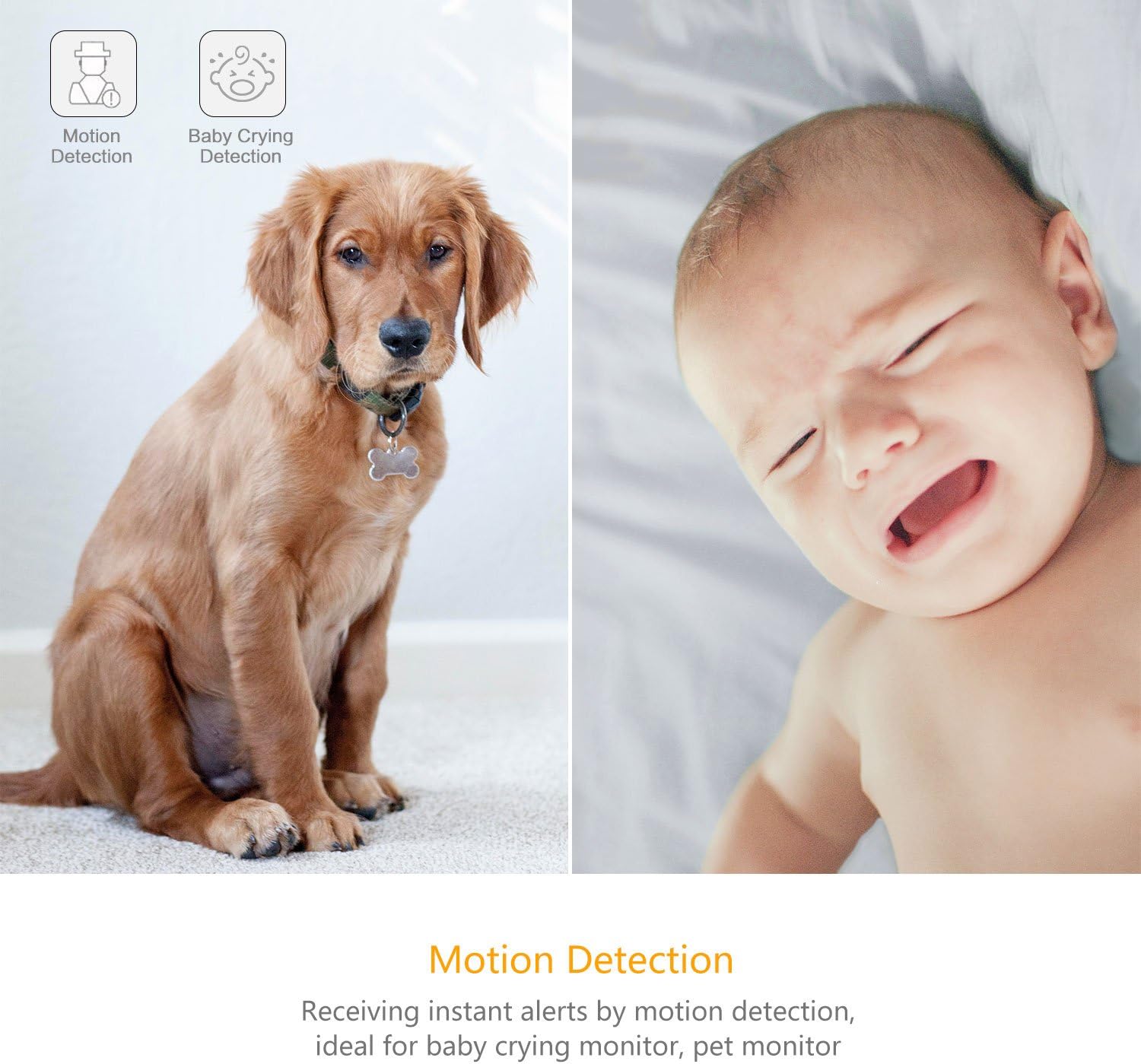
Image 4.3: Motion Detection and Baby Crying Detection.
4.5. ذخیرہ کرنے کے اختیارات
- YI Cloud Service: Securely store your recorded footage in the cloud. This prevents data loss from physical damage to an SD card and offers advanced compression and data protection. (Subscription may be required for full features).
- Local Storage (MicroSD Card): The camera supports MicroSD cards from 4GB up to 64GB for local video storage. Insert the card into the designated slot on the camera.

Image 4.4: YI Cloud service for secure storage.
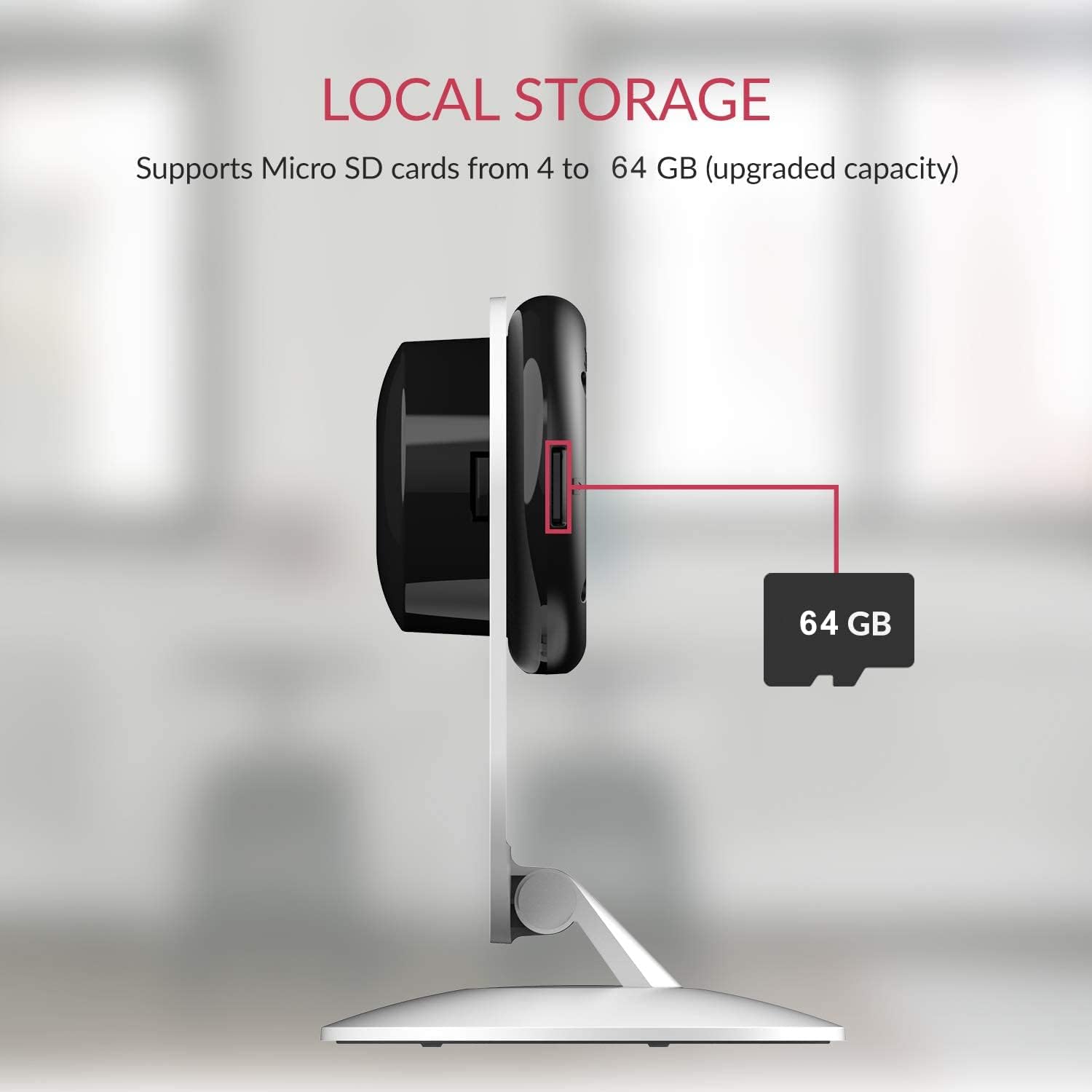
Image 4.5: Local storage via MicroSD card.
4.6. Activity Zones
کیمرے کے اندر مخصوص علاقوں کو اپنی مرضی کے مطابق بنائیں view to monitor for activity. This allows you to focus on critical zones and receive alerts only when motion is detected in those areas.
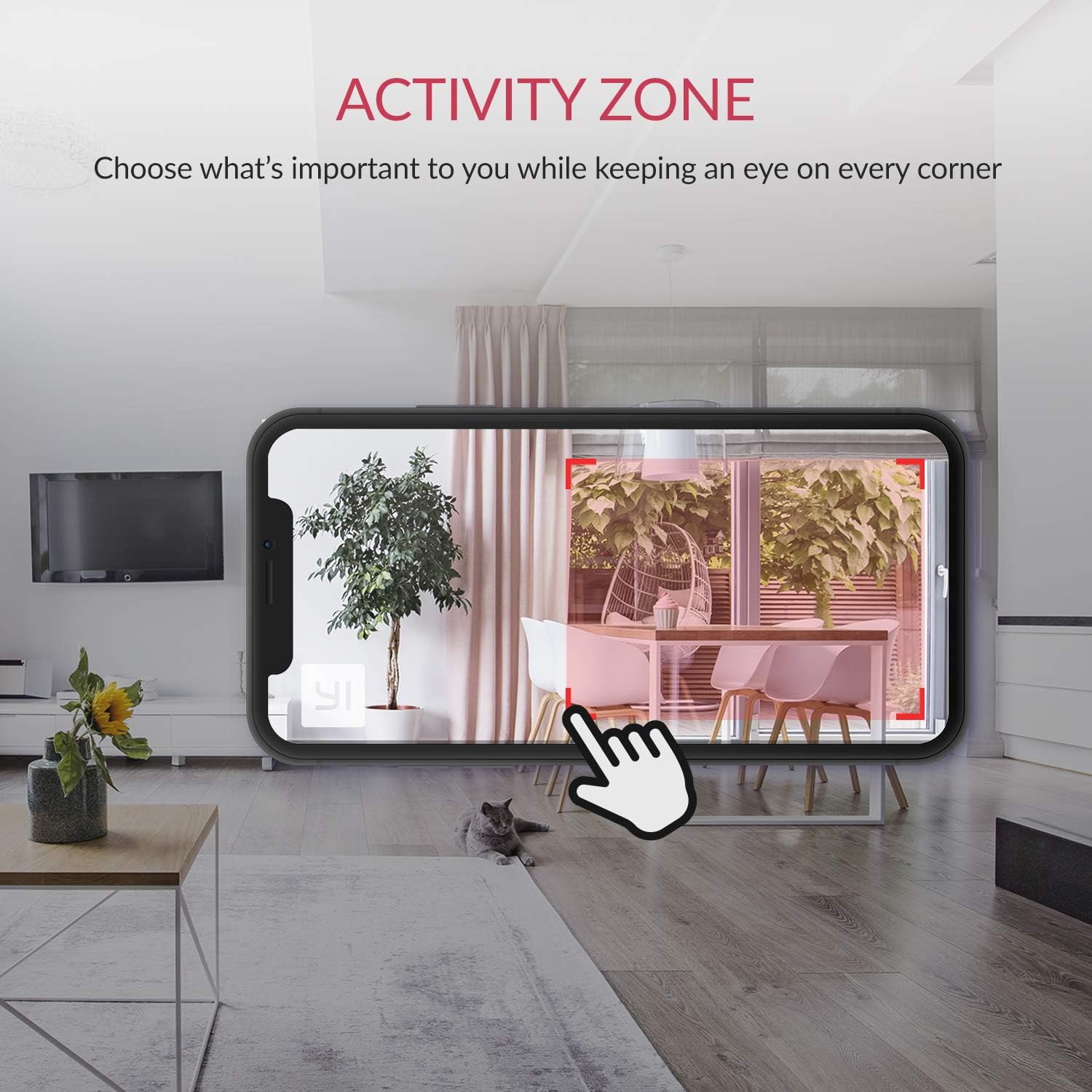
Image 4.6: Setting up Activity Zones in the YI Home App.
4.7. Home/Away Modes
Configure your camera's behavior based on whether you are home or away. This feature allows you to customize alert settings and recording preferences for different scenarios.

Image 4.7: Home and Away Modes in the YI Home App.
4.8. سمارٹ ہوم انٹیگریشن
The YI Smart Home Camera is compatible with Amazon Alexa and Google Assistant. You can use voice commands to view ہم آہنگ سمارٹ ڈسپلے پر لائیو فیڈز۔
- Exampلی کمانڈ (الیکسا): "Alexa, show me the baby room."

Image 4.8: Integration with Amazon Alexa.
5 دیکھ بھال
5.1. صفائی
To maintain optimal performance, periodically clean the camera lens and body. Use a soft, dry cloth. Avoid abrasive cleaners or solvents that could damage the camera's surface or lens.
5.2. فرم ویئر اپڈیٹس
Ensure your camera's firmware is always up to date. The YI Home App will notify you of available updates. Firmware updates often include performance improvements, new features, and security enhancements.
5.3 ماحولیاتی حالات
The YI Smart Home Camera is designed for indoor use. Avoid exposing it to extreme temperatures, high humidity, or direct water contact. The camera's operating temperature range is typically 0°C to 40°C (32°F to 104°F).
6 خرابیوں کا سراغ لگانا
| مسئلہ | ممکنہ حل |
|---|---|
| کیمرہ Wi-Fi سے منسلک نہیں ہے۔ |
|
| ناقص ویڈیو کا معیار |
|
| نائٹ ویژن کام نہیں کرتا |
|
| غلط حرکت کے انتباہات |
|
| کوئی آڈیو یا خراب آڈیو کوالٹی نہیں۔ |
|
7. وضاحتیں
| فیچر | تفصیل |
|---|---|
| ماڈل نمبر | YYS.2016 |
| ویڈیو کیپچر ریزولوشن | 1080p فل ایچ ڈی |
| فریم ریٹ | 15 ایف پی ایس |
| لینس ایپرچر | F/2.0 |
| Viewآئی اینگل | 112° وائڈ اینگل |
| نائٹ ویژن | 8 x 940nm Infrared LEDs (up to 9m) |
| کنیکٹوٹی ٹیکنالوجی | Wi-Fi (صرف 2.4GHz) |
| اسٹوریج کے اختیارات | YI Cloud, MicroSD Card (4GB-64GB) |
| آڈیو | دو طرفہ آڈیو |
| اے آئی کا پتہ لگانا | Human, Vehicle, Animal, Baby Crying, Barking Detection |
| اسمارٹ ہوم مطابقت | ایمیزون الیکسا، گوگل اسسٹنٹ |
| طاقت کا منبع | کورڈڈ الیکٹرک (2.5 واٹ) |
| چڑھنے کی قسم | وال ماؤنٹ، ٹیبلٹاپ |
| مصنوعات کے طول و عرض | 4.3 x 5.9 x 4.3 انچ |
| شے کا وزن | 9.6 اونس |
| انڈور / آؤٹ ڈور استعمال | انڈور |
8. وارنٹی اور سپورٹ
For detailed warranty information, please refer to the warranty card included with your product or visit the official YI Technology website. For technical support, frequently asked questions, or to contact customer service, please visit the YI Technology support page online.
No relevant product videos were found for embedding based on the provided data.
Ask a question about this manual
Ask about setup, troubleshooting, compatibility, parts, safety, or missing instructions. Manuals+ will review the question and use this page’s manual context to help answer it.