
تعارف
This manual provides essential information for the safe and efficient operation, installation, and maintenance of the Allen-Bradley PowerFlex 70 Variable Frequency Drive (VFD), model 20AC015A0AYNANNN. Please read this manual thoroughly before attempting to install, operate, or service the drive. Retain this manual for future reference.
The PowerFlex 70 VFD is designed to control the speed and torque of AC induction motors, offering precise control and energy efficiency in various industrial applications. This specific model is rated for 7.5 kW at 400V.
حفاظتی معلومات
انتباہ: یہ سامان اعلی حجم پر مشتمل ہے۔tage. Only qualified personnel should install, operate, or maintain this device. Failure to observe safety precautions can result in severe injury or death.
- Always disconnect power before working on the drive or motor.
- Wait for capacitors to discharge completely before touching any components.
- ڈرائیو اور موٹر کی مناسب بنیاد کو یقینی بنائیں۔
- تمام مقامی اور قومی الیکٹریکل کوڈز پر عمل کریں۔
- Do not operate the drive with covers removed.
سیٹ اپ اور انسٹالیشن
Proper installation is crucial for the reliable operation of the PowerFlex 70 VFD. Refer to the detailed wiring diagrams provided with the product for specific connections.
چڑھنا
Mount the drive vertically on a flat, stable surface. Ensure adequate clearance for cooling airflow. Avoid mounting in direct sunlight or areas with excessive vibration, dust, or corrosive gases.

شکل 1: سامنے سے دائیں طرف view of the Allen-Bradley PowerFlex 70 VFD, showing the main casinجی اور وینٹیلیشن گرلز۔
وائرنگ
- پاور ان پٹ: Connect the incoming AC power to the L1, L2, L3 terminals. Ensure the voltage matches the drive's rating (400V).
- موٹر آؤٹ پٹ: Connect the motor leads to the T1, T2, T3 terminals.
- گراؤنڈنگ: Connect the protective earth ground to the designated ground terminal.
- کنٹرول وائرنگ: Connect control signals (e.g., start/stop, speed reference) to the appropriate control terminals. Refer to the wiring diagram for specific terminal assignments.
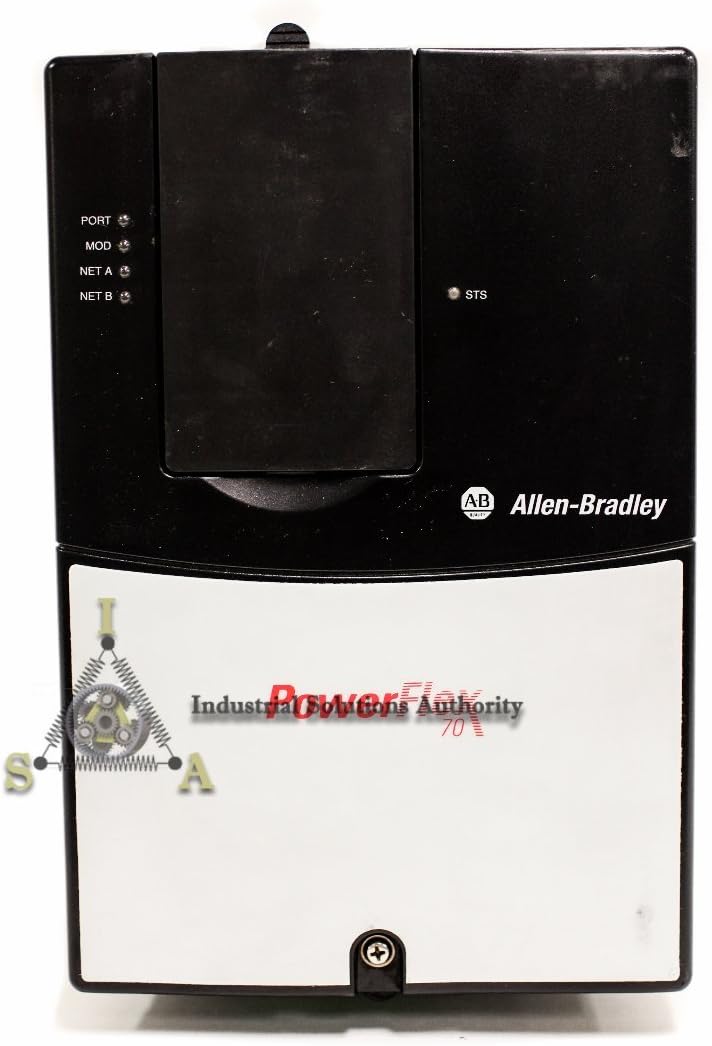
شکل 2: سامنے view of the PowerFlex 70 VFD, highlighting the control panel area with status indicators (PORT, MOD, NET A, NET B, STS).
آپریٹنگ ہدایات
After successful installation and wiring, the drive is ready for initial power-up and configuration.
ابتدائی پاور اپ
- تصدیق کریں کہ تمام وائرنگ کنکشن محفوظ اور درست ہیں۔
- Apply main power to the VFD.
- Observe the drive's display and status indicators. The drive should power on and display a ready state or a default parameter.
پیرامیٹر کنفیگریشن
The PowerFlex 70 VFD requires configuration of various parameters to match the motor and application requirements. Common parameters include:
- Motor Nameplate Data (Voltage, Current, Frequency, RPM, Power)
- Acceleration/Deceleration Times
- Minimum/Maximum Frequencies
- Control Mode (V/Hz, Sensorless Vector, etc.)
- Input/Output Terminal Assignments
Refer to the comprehensive programming manual for a complete list of parameters and their functions. Parameters can typically be set via the drive's keypad or through communication software.
موٹر شروع کرنا اور روکنا
- شروع کریں: Initiate a run command via the keypad, digital input, or communication network.
- رفتار کنٹرول: Adjust the motor speed using the speed reference input (e.g., analog input, potentiometer, or network command).
- رک: Issue a stop command via the keypad, digital input, or communication network. The drive will decelerate the motor according to the programmed deceleration time.
دیکھ بھال
Regular maintenance ensures the longevity and optimal performance of your PowerFlex 70 VFD.
- صفائی: Periodically clean the drive's heat sinks and ventilation openings to prevent dust buildup, which can impede cooling. Use compressed air or a soft brush. Ensure power is disconnected before cleaning.
- رابطے: Check all electrical connections for tightness. Loose connections can cause overheating and intermittent operation.
- ماحولیاتی جانچ: یقینی بنائیں کہ آپریٹنگ ماحول مخصوص درجہ حرارت اور نمی کی حدود کے اندر رہے۔
- Capacitor Inspection: For drives in service for several years, consider having qualified personnel inspect the DC bus capacitors for signs of degradation.

شکل 3: اوپر سے نیچے view of the PowerFlex 70 VFD, showing the top surface and part of the cooling fins.
خرابی کا سراغ لگانا
This section provides guidance for common issues. For detailed fault codes and advanced diagnostics, refer to the drive's programming manual.
| Symptom/Fault Code | ممکنہ وجہ | اصلاحی اقدام |
|---|---|---|
| ڈرائیو آن نہیں ہے۔ | کوئی ان پٹ پاور نہیں؛ اڑا ہوا فیوز؛ غلط وائرنگ | Check input power supply; Inspect fuses; Verify wiring connections. |
| موٹر نہیں چلتی | No run command; Incorrect parameter settings; Motor fault | Verify run command signal; Check motor parameters; Inspect motor for damage. |
| اوورکرنٹ غلطی | Motor overload; Short circuit; Rapid acceleration | Reduce load; Check motor and cables for shorts; Increase acceleration time. |
| اوور وول۔tagای غلطی | ہائی ان پٹ والیومtage; Rapid deceleration; Regenerative load | ان پٹ والیوم چیک کریں۔tage; Increase deceleration time; Consider a dynamic braking resistor. |
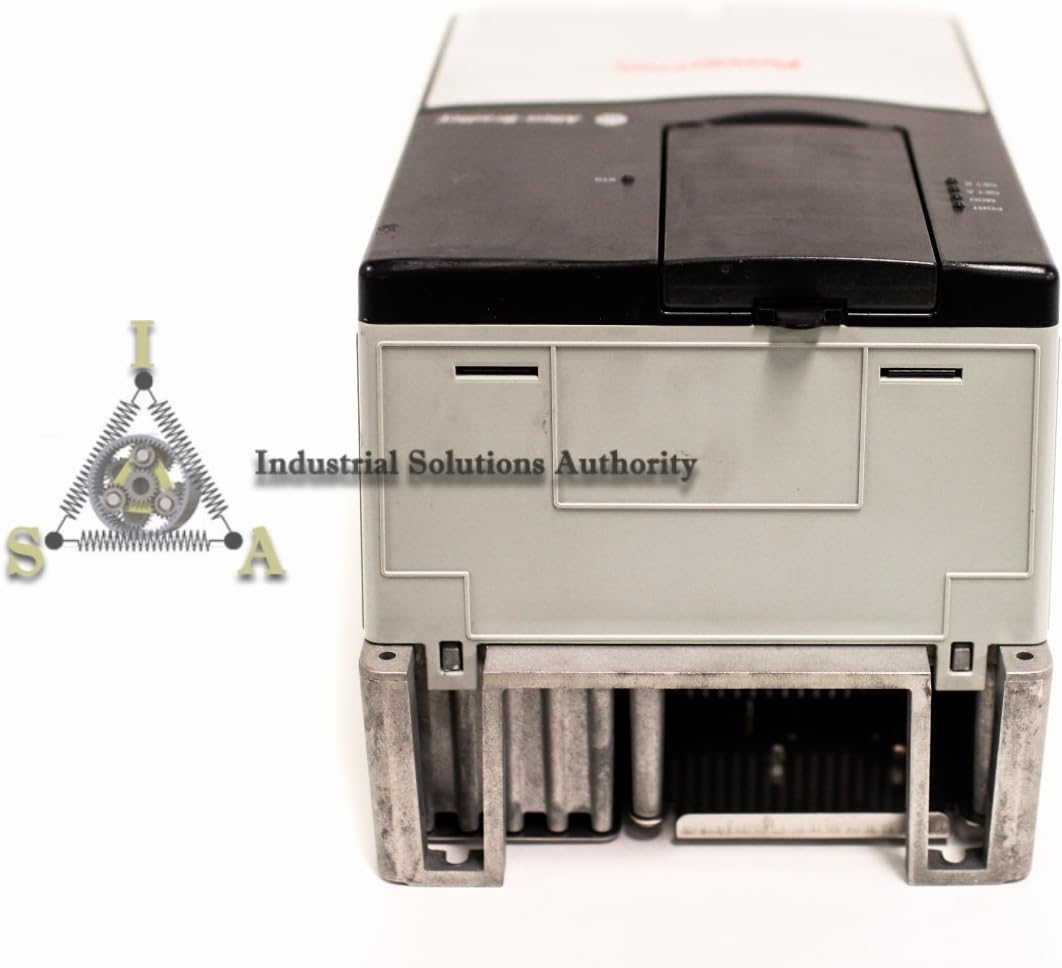
شکل 4: نیچے view of the PowerFlex 70 VFD, showing the base and mounting points, indicating its robust construction.
وضاحتیں
Key technical specifications for the Allen-Bradley PowerFlex 70 VFD, model 20AC015A0AYNANNN:
- ماڈل نمبر: 20AC015A0AYNANNN
- مینوفیکچرر: ایلن بریڈلی
- پاور ریٹنگ: 7.5 کلو واٹ
- ان پٹ جلدtage: 400V AC
- مصنوعات کے طول و عرض: 16 x 16 x 16 انچ (تقریبا)
- ASIN: B01FKCM8CU
- تاریخ پہلی دستیابی: 12 مئی 2016
وارنٹی اور سپورٹ
For warranty information, please refer to the documentation provided at the time of purchase or contact your authorized Allen-Bradley distributor. Technical support can be obtained through official Allen-Bradley channels or your product supplier.
For additional resources, including detailed programming manuals and software, visit the official راک ویل آٹومیشن webسائٹ (parent company of Allen-Bradley).