
1. تعارف
This manual provides essential instructions for the proper setup, operation, and maintenance of your YI YAS.1616.INT 4K Action Camera Kit. Please read this manual thoroughly before using the product to ensure optimal performance and safety. Keep this manual for future reference.
2. پروڈکٹ ختمview
2.1 کٹ کے مشمولات
The YI YAS.1616.INT 4K Action Camera Kit includes the following components:
- YI 4K Action Camera
- YI Monopod
- بلوٹوت ریموٹ
- ریچارج ایبل بیٹری
- USB کیبل
- ہدایت نامہ

Image 2.1: Contents of the YI 4K Action Camera Kit.
2.2 کیمرے کی خصوصیات
The YI 4K Action Camera is designed for high-quality video and photo capture, featuring:
- 4K/30fps Video Recording: Captures video at 60mbps, offering 4 times the quality of standard 1080p.
- Advanced Imaging Hardware: Equipped with an Amarelle A9SE75 chip, Sony IMX377 image sensor, and 7-layer optical glass lenses with an F2.8 large aperture for enhanced light intake.
- 2.19" LCD Touchscreen: A 640 x 360 high-resolution display with Gorilla Glass Retina for easy previewing, shooting, and scratch resistance.
- لمبی بیٹری کی زندگی: A 1400mAh 4.4V lithium-ion battery provides up to 120 minutes of 4K/30fps video recording on a single charge.
- موثر کولنگ سسٹم: Prevents overheating during extended recording sessions.
- کنیکٹوٹی: Built-in Wi-Fi for smartphone app control and Bluetooth for remote control.
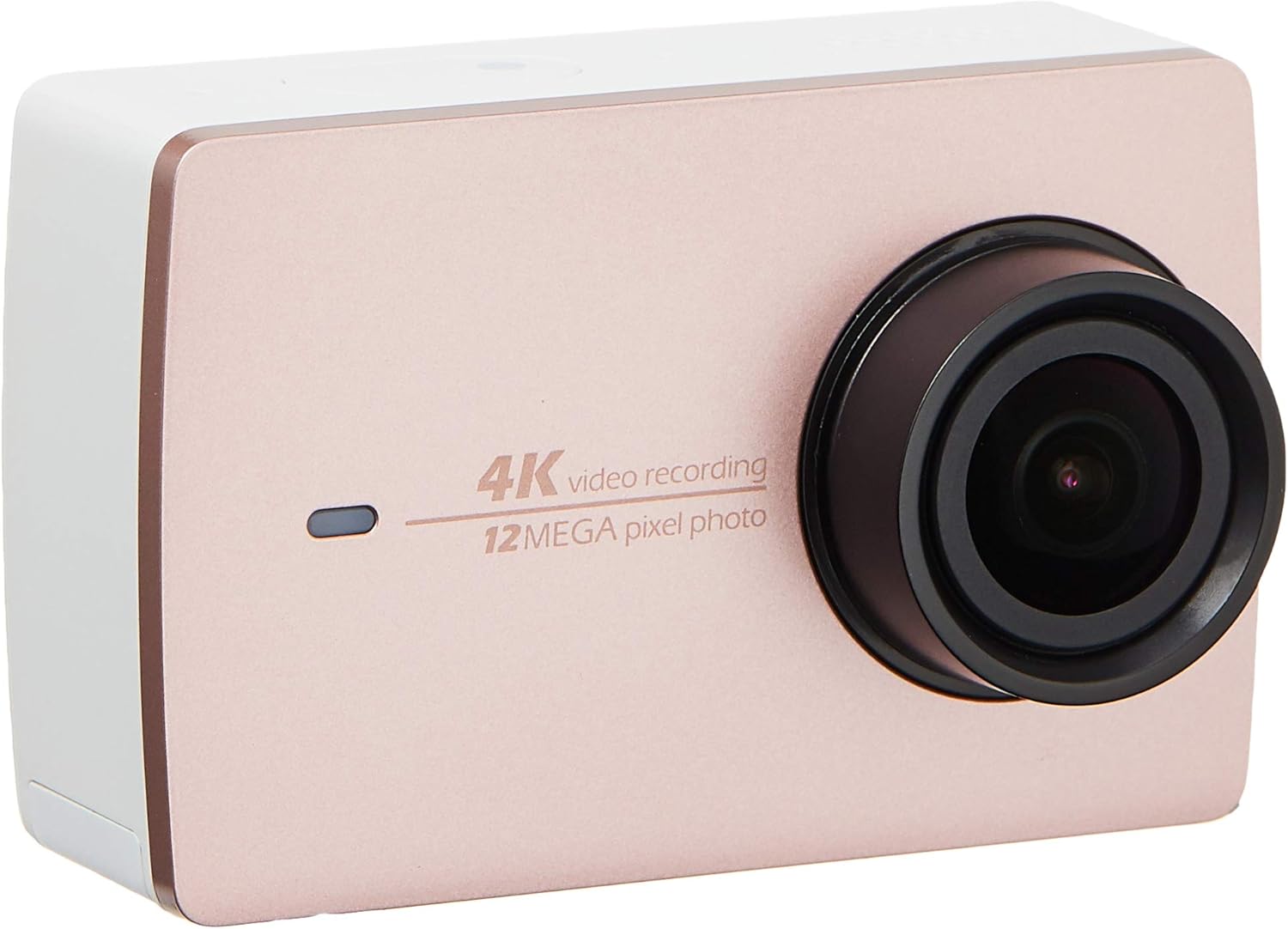
تصویر 2.2: سامنے view of the YI 4K Action Camera.
3. سیٹ اپ
3.1 بیٹری کی تنصیب اور چارجنگ
- کیمرہ پر بیٹری کا ٹوکری تلاش کریں۔
- Insert the 1400mAh lithium-ion battery, ensuring correct polarity.
- بیٹری کے ڈبے کو محفوظ طریقے سے بند کریں۔
- Connect the camera to a power source using the provided USB cable for charging. The charging indicator will illuminate.
3.2 میموری کارڈ کی تنصیب
The YI 4K Action Camera supports SDHC and SmartMedia flash memory types.
- میموری کارڈ سلاٹ کور کھولیں۔
- Insert a compatible memory card (not included) into the slot with the contacts facing the correct direction. Push until it clicks into place.
- میموری کارڈ سلاٹ کور بند کریں۔
3.3 پاور آن/آف۔
- پاور آن کرنے کے لیے: پاور بٹن کو دبائے رکھیں جب تک کہ اسکرین روشن نہ ہوجائے۔
- پاور آف کرنا: Press and hold the Power button until the camera shuts down.
3.4 Connecting the Bluetooth Remote
The included Bluetooth remote allows for convenient control of the camera.
- یقینی بنائیں کہ کیمرہ آن ہے۔
- Activate Bluetooth pairing mode on the camera via the settings menu.
- Follow the remote's instructions to enter pairing mode.
- Once paired, the remote can be used to switch between video and photo modes and trigger recording/capture.

Image 3.1: The YI Monopod, included in the kit.
4. کیمرہ چلانا
4.1 ٹچ اسکرین نیویگیشن
The 2.19" LCD touchscreen provides intuitive control:
- سوائپ: Navigate through different modes (Video, Photo, Time-lapse, etc.) and settings.
- تھپتھپائیں: Select options, adjust settings, or start/stop recording.
- پریview: View آپ کا پکڑا ہوا footage and photos directly on the screen.
4.2 ویڈیو ریکارڈنگ
- Select the Video mode on the touchscreen.
- Adjust video resolution (e.g., 4K/30fps) and other settings as desired.
- Press the Shutter button or tap the record icon on the screen to start recording.
- Press the Shutter button or tap the record icon again to stop recording.
4.3 تصویر کیپچر
- Select the Photo mode on the touchscreen.
- Adjust photo settings such as resolution, exposure, and white balance.
- Press the Shutter button or tap the capture icon on the screen to take a photo.
4.4 وائی فائی کنیکٹیویٹی اور ایپ کا استعمال
The camera's built-in Wi-Fi allows connection to a smartphone app for remote control, live preview, and content management.
- Download the official YI Action Camera app from your device's app store.
- Enable Wi-Fi on the camera via the settings menu.
- Connect your smartphone to the camera's Wi-Fi network (SSID and password displayed on camera screen).
- Open the YI Action Camera app to control the camera, view footage، اور منتقلی files.
5 دیکھ بھال
5.1 صفائی
- Use a soft, lint-free cloth to clean the camera body and touchscreen.
- لینس کے لیے، ایک مخصوص لینس صاف کرنے والا کپڑا اور محلول استعمال کریں۔ کھرچنے والے مواد سے پرہیز کریں۔
- یقینی بنائیں کہ تمام بندرگاہیں دھول اور ملبے سے پاک ہیں۔
5.2 اسٹوریج
- کیمرے کو ٹھنڈی، خشک جگہ پر براہ راست سورج کی روشنی اور انتہائی درجہ حرارت سے دور رکھیں۔
- Remove the battery if storing for extended periods to prevent leakage.
5.3 فرم ویئر اپڈیٹس
Periodically check the official YI website or the YI Action Camera app for available firmware updates. Keeping your camera's firmware updated ensures optimal performance and access to new features.
6 خرابیوں کا سراغ لگانا
6.1 عام مسائل اور حل
- کیمرہ آن نہیں ہو رہا ہے: یقینی بنائیں کہ بیٹری پوری طرح سے چارج ہے اور صحیح طریقے سے ڈالی گئی ہے۔
- ریکارڈنگ غیر متوقع طور پر رک جاتی ہے: Check if the memory card has sufficient space or if it's a high-speed card suitable for 4K recording. Ensure the battery is not depleted.
- ٹچ اسکرین غیر جوابدہ: Try restarting the camera. If the issue persists, ensure the screen is clean and dry.
- Bluetooth remote not connecting: Ensure both the camera and remote are in pairing mode and within range. Check the remote's battery.
- وائی فائی کنکشن کے مسائل: Verify the camera's Wi-Fi is enabled and your smartphone is connected to the correct network. Try restarting both devices.
For further assistance, refer to the official YI support resources.
7. وضاحتیں
| کارخانہ دار | YI |
| ماڈل نمبر | 90010 |
| مصنوعات کے طول و عرض | 6.6 x 3 x 4.3 سینٹی میٹر |
| وزن | 96.39 گرام |
| فوٹو سینسر ٹیکنالوجی | CMOS |
| ویڈیو کیپچر ریزولوشن | 4K |
| زیادہ سے زیادہ فوکل لینتھ | 1 |
| زیادہ سے زیادہ یپرچر | 2.8 ملی میٹر |
| فلیش میموری کی قسم | SDHC, SmartMedia |
| ویڈیو کیپچر فارمیٹ | MP4 |
| تائید شدہ آڈیو فارمیٹ | AAC، MP3 |
| اسکرین کا سائز | 2.19 انچ |
| کنیکٹوٹی ٹیکنالوجی | وائی فائی |

Image 7.1: YI 4K Action Camera with monopod, illustrating approximate dimensions.
8. وارنٹی اور سپورٹ
8.1 وارنٹی کی معلومات
یہ پروڈکٹ ایک کے ساتھ آتا ہے۔ 1 سال کی مقامی (سنگاپور) وارنٹی. وارنٹی کے دعووں کے لیے براہ کرم اپنی خریداری کا ثبوت اپنے پاس رکھیں۔ وارنٹی عام استعمال کے حالات میں مینوفیکچرنگ کے نقائص کا احاطہ کرتی ہے۔
8.2 کسٹمر سپورٹ
For technical support, service, or warranty inquiries, please visit the official YI Technology website or contact their authorized service centers in Singapore. Contact information can typically be found on the product packaging or the official webسائٹ