
تعارف
The HyperGear Rave Wireless Stereo Speaker delivers high-fidelity sound with an interactive multi-colored LED light show. It features Bluetooth connectivity, a built-in speakerphone, and an FM radio, making it suitable for various audio needs.
پیکیج کے مشمولات
- Rave Wireless Speaker
- 3.5mm Stereo Auxiliary Cable
- مائیکرو USB چارجنگ کیبل
- صارف دستی (یہ دستاویز)

پروڈکٹ ختمview
اپنے آپ کو اسپیکر کے کنٹرول اور بندرگاہوں سے واقف کرو۔

کنٹرول بٹن
- پاور بٹن: اسپیکر کو آن یا آف کرنے کے لیے دبائیں اور تھامیں۔
- موڈ بٹن (M): Press to switch between Bluetooth, FM Radio, and AUX modes.
- Play/Pause Button (►/∕): Press to play or pause audio. In call mode, press to answer/end calls.
- Volume Down / Previous Track (-/◀◀): والیوم کو کم کرنے کے لیے دبائیں۔ پچھلے ٹریک پر جانے کے لیے دبائے رکھیں۔
- Volume Up / Next Track (+/►►): حجم بڑھانے کے لیے دبائیں۔ اگلے ٹریک پر جانے کے لیے دبائے رکھیں۔
- Light Mode Button (*): Press to cycle through different LED light patterns or turn off the light show.
بندرگاہیں
- مائیکرو USB چارجنگ پورٹ: اسپیکر کی اندرونی بیٹری کو چارج کرنے کے لیے۔
- 3.5mm AUX ان پٹ: For connecting external audio devices via the auxiliary cable.
سیٹ اپ
اسپیکر کو چارج کرنا
Before first use, fully charge the speaker. Connect the Micro USB charging cable to the speaker's charging port and the other end to a USB power adapter (not included) or a computer's USB port. The charging indicator light will illuminate during charging and turn off when fully charged. A full charge takes approximately 3-4 hours and provides up to 8 hours of playback.
پاورنگ آن/آف
دبائیں اور تھامیں۔ پاور بٹن for approximately 3 seconds to turn the speaker on or off. A voice prompt will indicate the power status.
آپریٹنگ ہدایات
بلوٹوت جوڑی بنانا
- یقینی بنائیں کہ اسپیکر آن اور بلوٹوتھ موڈ میں ہے۔ اگر نہیں، تو دبائیں موڈ بٹن (M) until you hear the Bluetooth pairing prompt. The LED indicator will flash, indicating it is ready to pair.
- اپنے موبائل ڈیوائس پر، بلوٹوتھ کو فعال کریں اور دستیاب آلات تلاش کریں۔
- Select "HyperGear Rave" from the list of devices.
- Once paired, the speaker will emit a confirmation tone, and the LED indicator will stop flashing.

میوزک چل رہا ہے۔
بلوٹوت موڈ
After successful pairing, you can play music from your connected device. Use the speaker's چلائیں/روکیں۔, حجم اپ/اگلا ٹریک۔، اور حجم کم/پچھلا ٹریک buttons to control playback, or control directly from your device.
وکس وضع
Connect one end of the 3.5mm auxiliary cable to the speaker's AUX input and the other end to the audio output of your external device. Press the موڈ بٹن (M) to switch to AUX mode. Audio will play directly from your connected device.
ہینڈز فری کالنگ
When connected via Bluetooth, the speaker can be used as a speakerphone. When a call comes in, the music will pause. Press the پلے/پاز بٹن to answer an incoming call. Press it again to end the call. Press and hold the پلے/پاز بٹن آنے والی کال کو مسترد کرنا۔
ایف ایم ریڈیو آپریشن
دبائیں موڈ بٹن (M) to switch to FM Radio mode. The speaker will automatically scan and save available stations. Use the حجم اپ/اگلا ٹریک۔ اور حجم کم/پچھلا ٹریک buttons to navigate between saved stations. Press and hold these buttons to fine-tune the frequency.
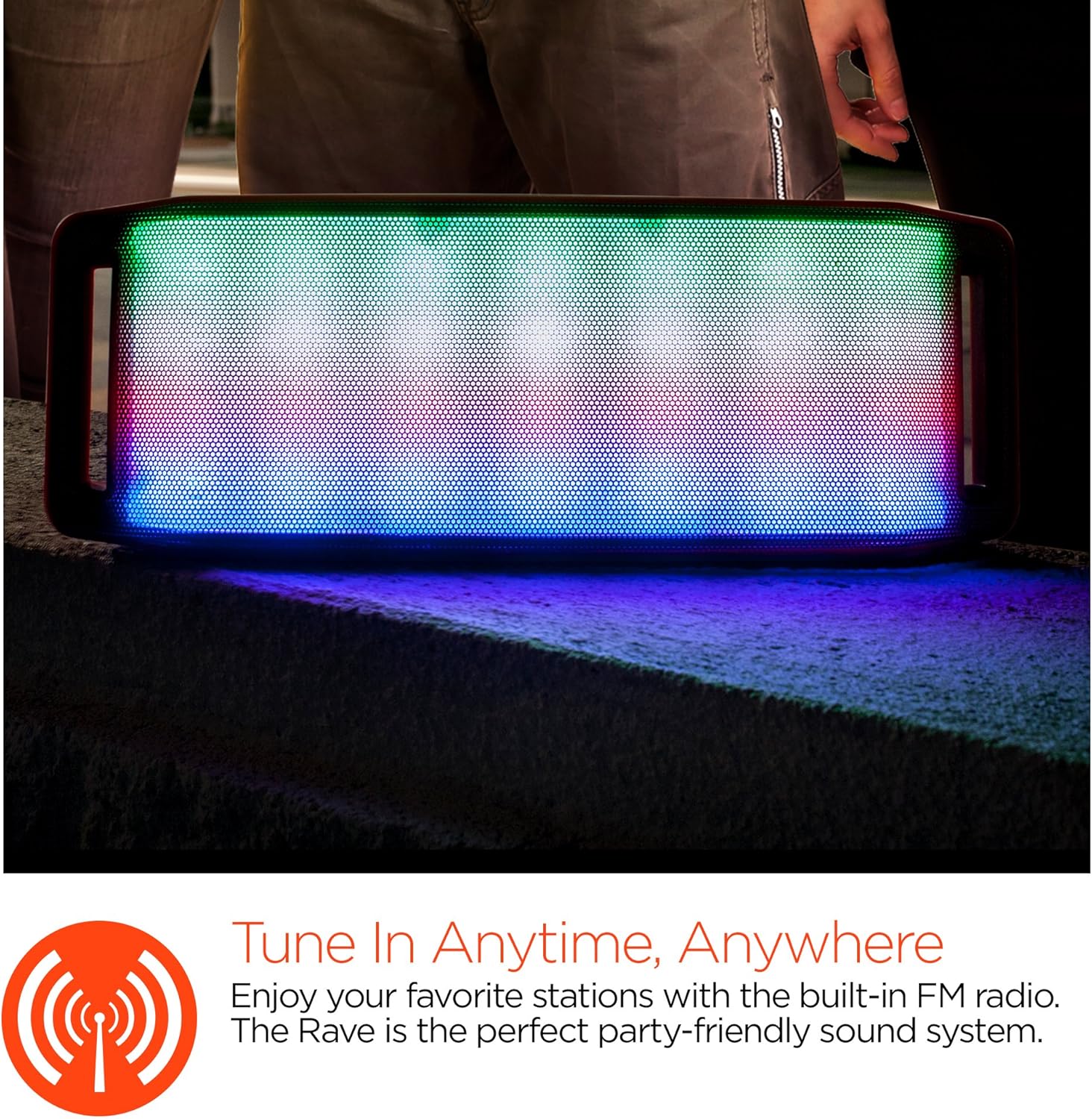
ایل ای ڈی لائٹ شو
The speaker features an interactive multi-colored LED light show. Press the Light Mode Button (*) to cycle through different light patterns or to turn the light show off.

دیکھ بھال
صفائی
Wipe the speaker with a soft, dry cloth. Do not use abrasive cleaners or solvents. Avoid exposing the speaker to excessive moisture.
ذخیرہ
اسپیکر کو ٹھنڈی، خشک جگہ پر براہ راست سورج کی روشنی اور انتہائی درجہ حرارت سے دور رکھیں۔ اگر لمبے عرصے کے لیے ذخیرہ کر رہے ہیں، تو بیٹری کو وقتاً فوقتاً چارج کریں تاکہ اس کی عمر برقرار رہے۔
بیٹری کی دیکھ بھال
To prolong battery life, avoid fully discharging the speaker frequently. Charge the speaker regularly, even if not in use, to prevent deep discharge.
خرابی کا سراغ لگانا
| مسئلہ | ممکنہ وجہ | حل |
|---|---|---|
| سپیکر آن نہیں ہوتا۔ | بیٹری ختم ہو گئی ہے۔ | مائیکرو USB کیبل کا استعمال کرتے ہوئے اسپیکر کو چارج کریں۔ |
| بلوٹوتھ کے ذریعے جوڑا نہیں بنایا جا سکتا۔ | اسپیکر جوڑا بنانے کے موڈ میں نہیں ہے۔ بلوٹوتھ ڈیوائس پر آف ہے۔ آلہ بہت دور ہے. | Ensure speaker is in Bluetooth pairing mode (flashing LED). Turn on Bluetooth on your device. Move device closer to speaker (within 10 meters). |
| کوئی آواز نہیں۔ | Volume is too low; incorrect mode selected; device not playing. | Increase volume on both speaker and connected device. Ensure correct mode (Bluetooth/AUX/FM) is selected. Verify audio is playing on the source device. |
| صوتی مسخ | حجم بہت زیادہ کم بیٹری؛ مداخلت | حجم کو کم کریں۔ اسپیکر کو چارج کریں۔ اسپیکر کو دیگر الیکٹرانک آلات سے دور رکھیں۔ |
| ایف ایم ریڈیو کا استقبال ناقص ہے۔ | کمزور سگنل؛ ماحولیاتی مداخلت | Relocate the speaker to an area with better reception. Extend the charging cable (if connected) as it can act as an antenna. |
وضاحتیں
| فیچر | تفصیل |
|---|---|
| ماڈل نمبر | 13604 |
| بلوٹوتھ ورژن | 3.0 ± EDR |
| اسپیکر آؤٹ پٹ پاور | 2 x 5W (کل 10W) |
| سگنل ٹو شور کا تناسب (S/N) | 80dB |
| بیٹری کی صلاحیت | 1500mAh |
| کھیلنے کا وقت | 8 گھنٹے تک |
| بلوٹوتھ رینج | 33 فٹ / 10 میٹر تک |
| کنیکٹوٹی ٹیکنالوجی | بلوٹوتھ، وائرلیس |
| آڈیو آؤٹ پٹ وضع | سٹیریو |
| کنٹرول کا طریقہ | چھوئے۔ |
| وزن | 2.25 پاؤنڈز |
| خصوصی خصوصیات | Bass Boost, Display, Multi-colored LED Light Show, Built-in Speakerphone, FM Radio |
وارنٹی اور سپورٹ
For warranty information or technical support, please refer to the contact details provided on the product packaging or visit the official HYPERGEAR webسائٹ خریداری کے ثبوت کے طور پر اپنی خریداری کی رسید اپنے پاس رکھیں۔