
1. پروڈکٹ ختمview
The Vimtag CP1 is a wireless IP video monitoring surveillance security camera designed for remote home or business monitoring. It features high-definition video, pan/tilt functionality, two-way audio, and night vision capabilities.
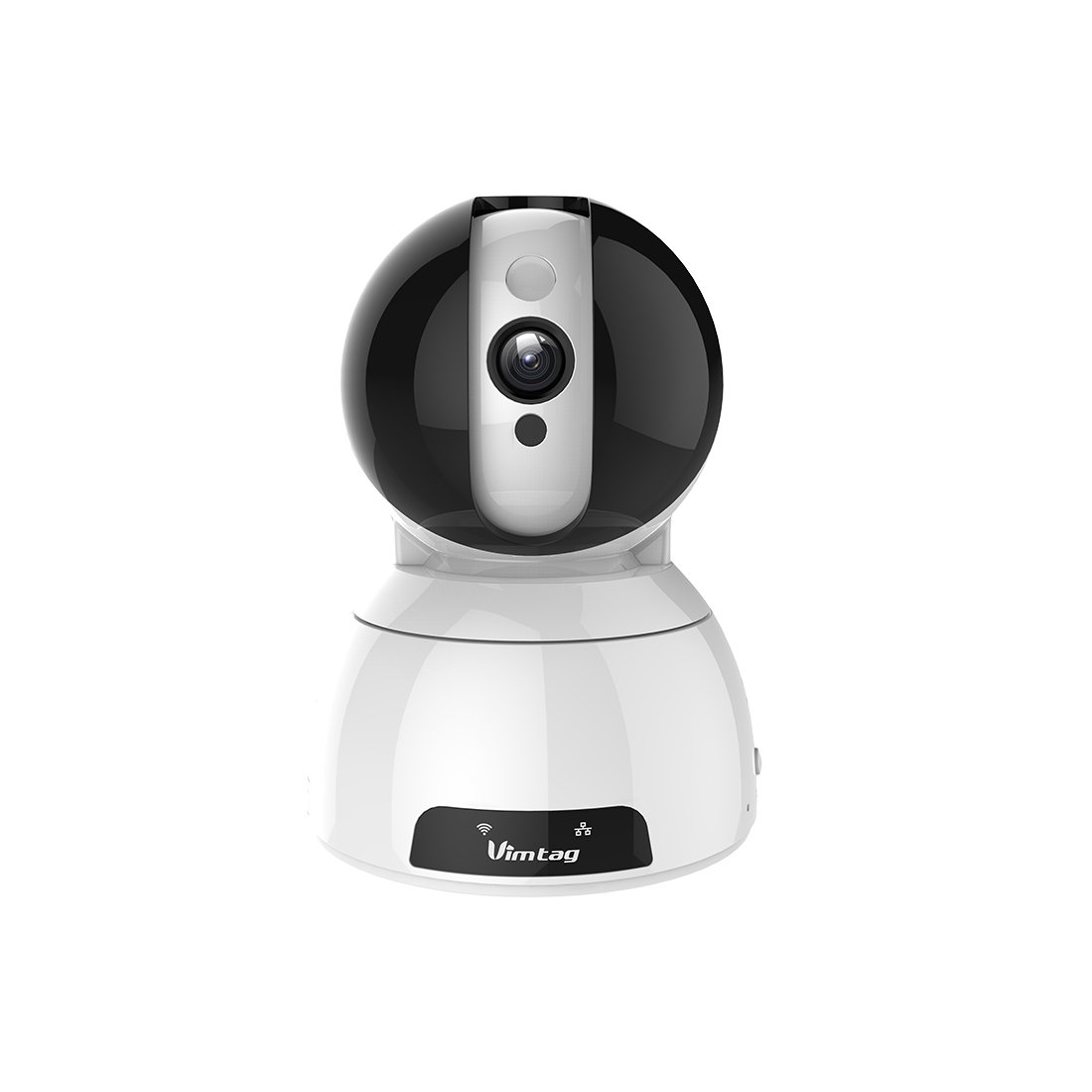
Figure 1: Vimtag CP1 Camera Front View
اہم خصوصیات:
- HD Video Quality: 1280 x 720p at 25 frames per second for clear monitoring.
- پین اور جھکاؤ کی فعالیت: 350-degree horizontal rotation and 100-degree vertical tilt to cover a wide area.
- دو طرفہ آڈیو: مواصلات کے لیے بلٹ ان مائکروفون اور اسپیکر۔
- نائٹ ویژن: Infrared LEDs provide clear visibility up to 10 meters in low-light conditions.
- حرکت کا پتہ لگانا: Alerts with snapshots and video clips upon detecting movement.
- مقامی اور کلاؤڈ اسٹوریج: Supports Micro SD cards up to 64GB and optional cloud storage.
- آسان سیٹ اپ: Quick Wi-Fi setup via the Vimtag موبائل ایپلی کیشن.

Figure 2: Vimtag CP1 Key Features
2. سیٹ اپ گائیڈ
2.1 پیکیج کے مشمولات
شروع کرنے سے پہلے، یقینی بنائیں کہ تمام اشیاء پیکیج میں موجود ہیں:
- 1 x Vimtag CP1 کیمرہ
- 1 x Camera Rack
- 1 ایکس پاور کیبل
- 1 ایکس ایتھرنیٹ کیبل
- 1 ایکس یوزر مینوئل (یہ دستاویز)
2.2 سیٹ اپ کے ابتدائی مراحل
- پاور آن: Connect the power cable to the camera and plug it into a power outlet. The camera will initiate its startup sequence.
- ایپ ڈاؤن لوڈ کریں: Download the free Vimtag app from your smartphone's app store (iOS App Store or Google Play Store).
- اکاؤنٹ رجسٹریشن: Open the Vimtag app and register for a new account or log in if you already have one.
- کیمرہ شامل کریں: Follow the in-app instructions to add your new CP1 camera. This typically involves scanning a QR code on the camera or entering its device ID.
- وائی فائی کنفیگریشن: Configure the camera to connect to your Wi-Fi network using the app. Ensure your Wi-Fi network is 2.4GHz, as 5GHz networks may not be supported.
- ماؤنٹنگ (اختیاری): Use the included camera rack to mount the camera on a wall or ceiling if desired.
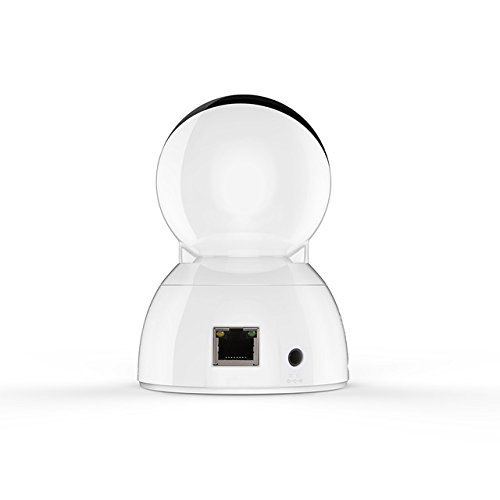
Figure 3: Vimtag CP1 Back View بندرگاہوں کے ساتھ
For detailed visual guidance, refer to the video tutorials available on the official Vimtag حمایت webسائٹ
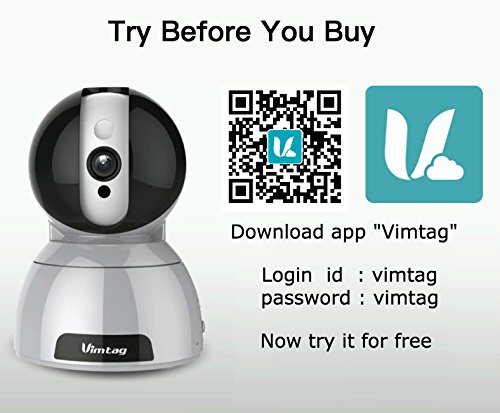
Figure 4: Vimtag App Download and Demo Information
Vim ڈاؤن لوڈ کریں۔tag سے ایپ vimtag.com/download/.
3. آپریٹنگ ہدایات
3.1 لائیو View اور پین/جھکاؤ کنٹرول
Once the camera is connected, open the Vimtag app to access the live video feed. Use the on-screen controls to pan the camera horizontally (350 degrees) and tilt it vertically (100 degrees) to adjust the viewING زاویہ

شکل 5: ایپ کے ذریعے پین اور ٹِلٹ کنٹرول
3.2 دو طرفہ آڈیو
The camera supports two-way audio. Tap the microphone icon in the app to speak through the camera's speaker, and listen to audio from the camera's built-in microphone.
3.3 نائٹ ویژن
The CP1 camera automatically switches to night vision mode in low-light conditions, providing clear black and white video up to 10 meters using its infrared LEDs.
3.4 حرکت کا پتہ لگانا اور الرٹس
Configure motion detection settings within the Vimtag app. You can set sensitivity levels and define specific areas for detection. When motion is detected, the camera can send instant notifications to your smartphone, including snapshots or short video clips.
3.5 ویڈیو ریکارڈنگ اور اسٹوریج
The camera supports two primary storage methods:
- مائیکرو ایسڈی کارڈ: Insert a Micro SD card (up to 64GB, not included) into the camera's designated slot for local recording. Recordings can be accessed and managed through the app.
- کلاؤڈ اسٹوریج: Optional cloud storage services are available through Vimtag for remote backup and access to recorded footage.
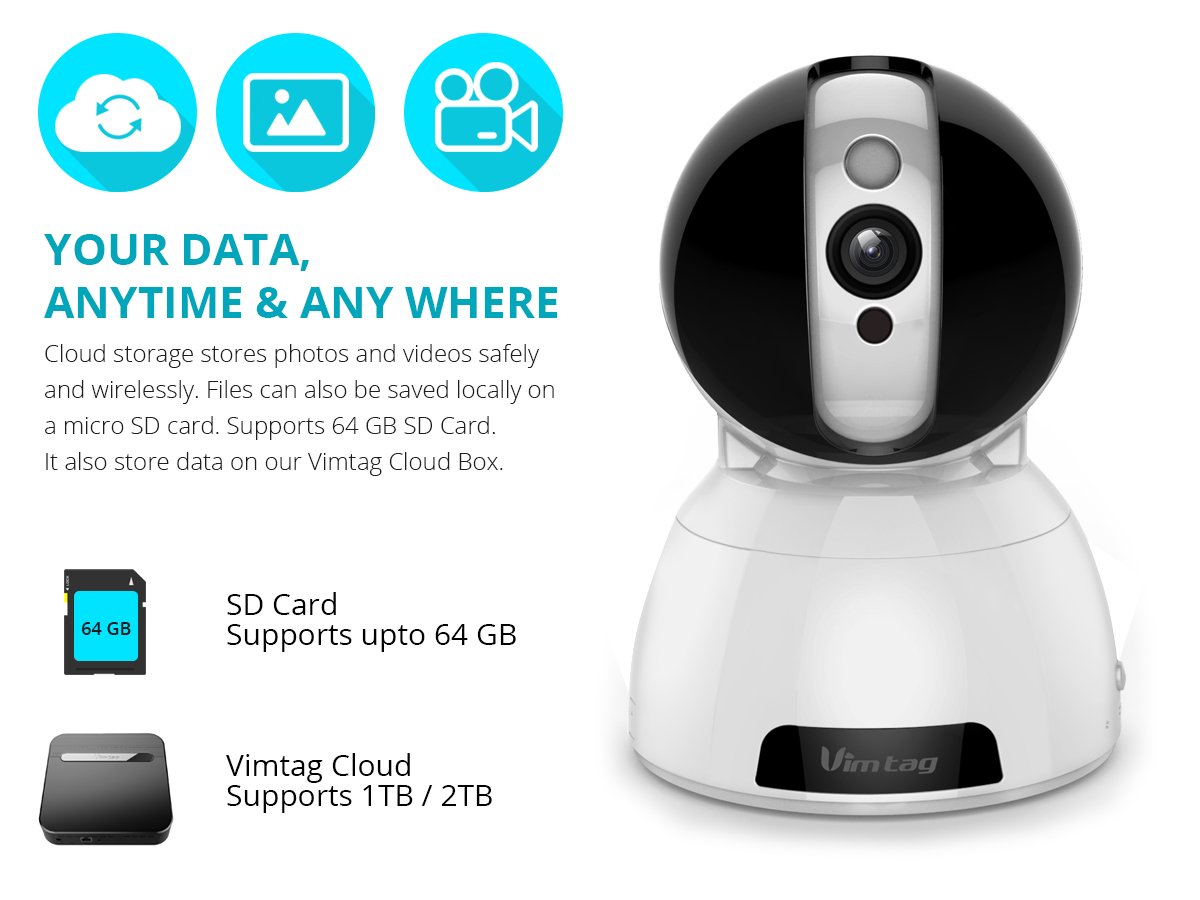
Figure 6: Storage Options for Vimtag CP1
4 دیکھ بھال
4.1 صفائی
To maintain optimal performance, periodically clean the camera's lens and exterior. Use a soft, dry cloth. Avoid abrasive cleaners or solvents that could damage the camera's finish or lens coating.
4.2 فرم ویئر اپڈیٹس
ویمtag may release firmware updates to improve camera performance, add features, or enhance security. Check the Vimtag app regularly for available updates and follow the in-app instructions to install them. Ensure the camera remains powered during the update process.
4.3 ماحولیاتی تحفظات
The Vimtag CP1 camera is designed for indoor use. Avoid exposing it to extreme temperatures, direct sunlight, high humidity, or water, as it is not water-resistant.
5 خرابیوں کا سراغ لگانا
This section addresses common issues you might encounter with your Vimtag CP1 camera.
5.1 کیمرہ Wi-Fi سے منسلک نہیں ہے۔
- Wi-Fi بینڈ چیک کریں: یقینی بنائیں کہ آپ کا Wi-Fi نیٹ ورک 2.4GHz ہے۔ ہوسکتا ہے کہ کیمرہ 5GHz نیٹ ورکس کو سپورٹ نہ کرے۔
- سگنل کی طاقت: Place the camera closer to your Wi-Fi router to ensure a strong signal.
- درست پاس ورڈ: Double-check that you are entering the correct Wi-Fi password in the app.
- کیمرہ ری سیٹ کریں: Locate the reset button on the camera (often a small pinhole) and press it for 5-10 seconds until the camera resets. Then, attempt the setup process again.
- راؤٹر کی ترتیبات: Verify that your router's firewall or security settings are not blocking the camera's connection.
5.2 خراب ویڈیو کوالٹی
- نیٹ ورک بینڈوتھ: Ensure your internet connection has sufficient upload speed for streaming HD video.
- ایپ کی ترتیبات: Check the video quality settings within the Vimtag app; you might be able to adjust it.
- لینس کی صفائی: کیمرہ لینس کو نرم، خشک کپڑے سے صاف کریں۔
5.3 دو طرفہ آڈیو مسائل
- حجم کی سطحیں: Check the volume settings on your smartphone and within the Vimtag ایپ
- مائیکروفون/سپیکر کی رکاوٹ: اس بات کو یقینی بنائیں کہ کیمرے کا مائیکروفون اور اسپیکر رکاوٹ نہیں ہیں۔
- نیٹ ورک میں تاخیر: High network latency can affect audio quality and introduce delays.
5.4 حرکت کا پتہ لگانا کام نہیں کر رہا ہے۔
- خصوصیت کو فعال کریں: Verify that motion detection is enabled in the Vimtag ایپ کی ترتیبات۔
- حساسیت: Adjust the motion detection sensitivity. If it's too low, it might miss events.
- پتہ لگانے والے زون: Ensure the areas you want to monitor are correctly configured as detection zones.
6. تکنیکی تفصیلات
| ماڈل کا نام | ویمtag CP1 |
| آئٹم ماڈل نمبر | 6970167642228 |
| ویڈیو کیپچر ریزولوشن | 720p (1280 x 720 پکسلز) |
| فریم ریٹ | 25 فریم فی سیکنڈ |
| پین/جھکاؤ کی حد | 350 degrees (Pan) x 100 degrees (Tilt) |
| ڈیجیٹل زوم۔ | 4x |
| نائٹ ویژن کا فاصلہ | 10 میٹر تک (اورکت) |
| اسٹوریج کے اختیارات | مائیکرو ایس ڈی (64 جی بی تک)، کلاؤڈ اسٹوریج |
| کنیکٹوٹی | Wireless (Wi-Fi IEEE802.12b/g/n) |
| طاقت کا منبع | AC Power Adapter (7 Watts) |
| طول و عرض (L x W x H) | 40 x 30 x 40 ملی میٹر |
| شے کا وزن | 450 گرام |
| انڈور / آؤٹ ڈور استعمال | انڈور |
| پانی کی مزاحمت کی سطح | پانی مزاحم نہیں |
| کنٹرول کا طریقہ | App (Android, iOS), Voice |
7. وارنٹی اور سپورٹ
7.1 پروڈکٹ وارنٹی
The Vimtag CP1 camera comes with a 6 ماہ کی متبادل وارنٹی. This warranty covers manufacturing defects and malfunctions under normal use. Please retain your proof of purchase for warranty claims.
7.2 کسٹمر سپورٹ
For any queries, technical assistance, or warranty claims, please contact Vimtag customer support. Support is available via telephone, chat, Skype, and email. Refer to the official Vimtag webتازہ ترین رابطے کی معلومات کے لیے سائٹ۔
Step-by-step setup instructions and video tutorials are also available on the Vimtag support portal to assist you with installation and operation.