
1. تعارف
This manual provides essential information for the safe and efficient operation of your ECTIVE CSI 15 Pure Sine Wave Inverter. Please read these instructions carefully before installation and use. Keep this manual for future reference.
2. حفاظتی ہدایات
انتباہ: Failure to follow these safety instructions may result in electric shock, fire, serious injury, or death. Always consult a qualified electrician for installation if you are unsure.
- Ensure proper ventilation around the inverter. Do not cover the fans.
- Do not insert objects or body parts into the device.
- انورٹر کو پانی، نمی اور آتش گیر مواد سے دور رکھیں۔
- Connect the inverter only to a 12V DC power source.
- Ensure all connections are tight and correctly polarized.
- انورٹر کو کھولنے یا اس میں ترمیم کرنے کی کوشش نہ کریں۔ اندر کوئی صارف کے قابل خدمت حصے نہیں ہیں۔
- Disconnect the power source before performing any maintenance or cleaning.

تصویر: پیچھے view of the ECTIVE CSI 15 inverter, highlighting the cooling fans and important safety warnings regarding fan obstruction and foreign objects.
3. پروڈکٹ ختمview
The ECTIVE CSI 15 is a 1500W pure sine wave inverter designed to convert 12V DC power to 230V AC power. It features an integrated battery charger, Network Priority Switching (NVS), and Uninterruptible Power Supply (UPS) functionality.
3.1 کلیدی خصوصیات
- Pure Sine Wave Output: Suitable for all 220V/230V appliances.
- High Power Output: 1500W continuous, 2250W for 10 seconds, 3000W for 2 seconds.
- Integrated IUoU Charger: Compatible with AGM, wet, gel, and lithium batteries.
- NVS (Network Priority Switching) / UPS Function: Provides emergency power.
- Comprehensive Protection: Soft start, over/under voltagای، اوورلوڈ تحفظ۔
3.2 اجزاء

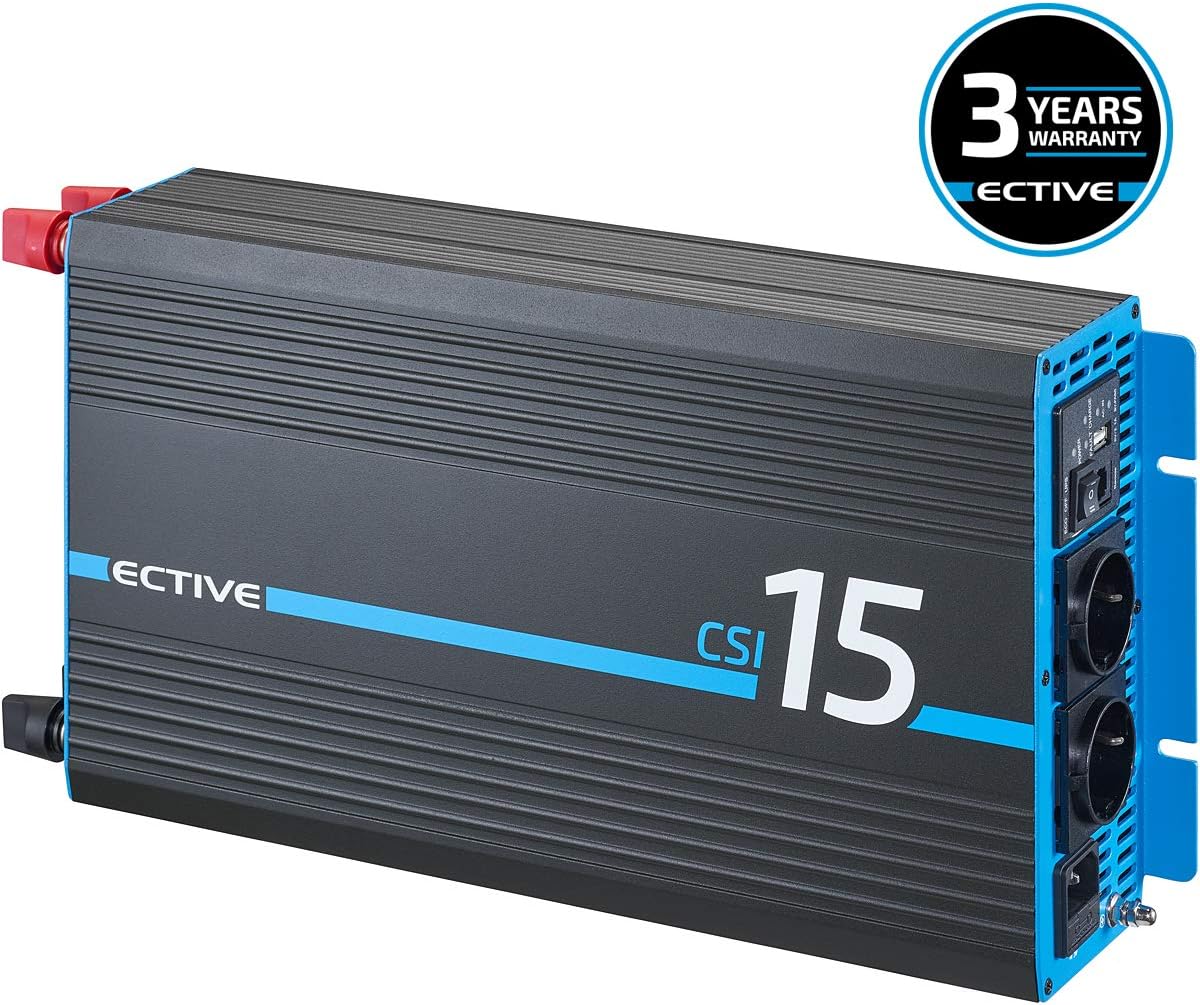
تصویر: سامنے کا زاویہ view of the ECTIVE CSI 15 Pure Sine Wave Inverter, showcasing اس کا ڈیزائن اور برانڈنگ۔
تصویر: اوپر view of the ECTIVE CSI 15 inverter, showing the heat dissipation fins.

تصویر: تفصیلی view of the front panel, showing the AC outlets, power switch, remote port, USB port, and indicator lights for power, fault, and charge status.

تصویر: The ECTIVE CSI 15 inverter shown with its included 0.95m power cable and the user manual.
3.3 پروڈکٹ ویڈیو اوورview
ویڈیو: ایک مختصر اوورview of a similar voltage converter, demonstrating its physical appearance and connections. Note: This video is for illustrative purposes and may not show the exact ECTIVE CSI 15 model.
4. سیٹ اپ اور انسٹالیشن
آپ کے انورٹر کے محفوظ اور موثر آپریشن کے لیے مناسب تنصیب بہت ضروری ہے۔ ان اقدامات پر احتیاط سے عمل کریں۔
- ایک مقام کا انتخاب کریں: Select a dry, well-ventilated area away from direct sunlight, heat sources, and flammable materials. Ensure sufficient clearance around the inverter for airflow, especially around the cooling fans.
- چڑھنا: Securely mount the inverter to a stable surface using appropriate fasteners.
- DC Input Connection (Battery):
- Connect the positive (+) terminal of the inverter (red) to the positive (+) terminal of your 12V battery.
- Connect the negative (-) terminal of the inverter (black) to the negative (-) terminal of your 12V battery.
- Use heavy-gauge cables suitable for the inverter's power rating to minimize voltage چھوڑیں اور حفاظت کو یقینی بنائیں۔
- یقینی بنائیں کہ کنکشن سخت اور محفوظ ہیں۔
- AC Output Connection (Appliances): Plug your 230V AC appliances into the AC outlets on the front panel of the inverter. Ensure the total power consumption does not exceed the inverter's continuous power rating.
- AC Input Connection (Grid/Shore Power for Charger/UPS): If using the integrated battery charger or UPS function, connect the inverter's AC input to a 230V AC grid or shore power source using the provided power cable.

تصویر: ایک سابقample of connecting the positive battery cable to the inverter, demonstrating the secure connection process.

تصویر: A schematic diagram showing how the ECTIVE CSI inverter connects to a power source (generator/grid), a battery, and supplies power to 230V consumers, illustrating the DC to AC conversion and charging capabilities.
5. آپریٹنگ ہدایات
This section details how to operate your ECTIVE CSI 15 inverter.
5.1 پاور آن/آف۔
- To turn on the inverter, press the power switch on the front panel to the "ON" position. The power indicator light will illuminate.
- To turn off the inverter, press the power switch to the "OFF" position.
5.2 Inverter Mode (DC to AC Conversion)
When the inverter is powered on and not connected to an external AC source (or NVS is not active), it will convert 12V DC battery power to 230V AC for your appliances.
5.3 Battery Charger Mode
If the inverter's AC input is connected to a 230V AC grid/shore power source, the integrated IUoU charger will automatically begin charging the connected 12V battery. The charge indicator light will show the charging status.
5.4 NVS (Network Priority Switching) / UPS Function
The NVS function allows the inverter to prioritize external AC power (grid/shore power) over battery power. When external AC power is available, it will pass through to your appliances and simultaneously charge the battery. If the external AC power fails, the inverter will automatically switch to battery power, providing an uninterruptible power supply (UPS) to your connected devices.
- Ensure the AC input is connected to the grid/shore power.
- The inverter will automatically manage power flow.
- In case of grid power loss, the inverter will seamlessly switch to battery power.
5.5 ریموٹ کنٹرول (اختیاری)
An optional RC3 remote control (sold separately) can be connected to the remote port on the front panel. This allows for remote operation and monitoring of power parameters.
6 دیکھ بھال
باقاعدگی سے دیکھ بھال آپ کے انورٹر کی لمبی عمر اور بہترین کارکردگی کو یقینی بناتی ہے۔
- صفائی: Periodically clean the exterior of the inverter with a dry, soft cloth. Ensure the cooling vents and fans are free from dust and debris. Do not use liquid cleaners.
- رابطے: Regularly check all DC and AC connections to ensure they are tight and free from corrosion. Loose connections can cause overheating and damage.
- بیٹری کی صحت: Monitor your battery's health and charge level. Ensure the battery is suitable for use with the inverter's charging profile.
- وینٹیلیشن: Always ensure adequate ventilation around the inverter. Do not block the air inlets or outlets.
7 خرابیوں کا سراغ لگانا
If you encounter issues with your inverter, refer to the following common problems and solutions.
| مسئلہ | ممکنہ وجہ | حل |
|---|---|---|
| کوئی AC آؤٹ پٹ نہیں ہے۔ | Inverter off, low battery voltage, overload, fault condition. | Check power switch, charge battery, reduce load, check fault indicator. |
| اوورلوڈ وارننگ | Connected appliances exceed inverter's capacity. | بوجھ کم کرنے کے لیے کچھ آلات منقطع کریں۔ |
| کم بیٹری کی وارننگ | بیٹری جلدtage بہت کم ہے۔ | بیٹری کو فوراً چارج کریں۔ |
| انورٹر بند ہو جاتا ہے۔ | Overload, overheating, low/high battery voltage. | Reduce load, ensure ventilation, check battery voltage. |
| Fans running constantly/loudly | High internal temperature, normal operation under load. | Ensure adequate ventilation. This can be normal under heavy load. |
If the problem persists after attempting these solutions, please contact ECTIVE customer support.
8. وضاحتیں
Technical specifications for the ECTIVE CSI 15 Pure Sine Wave Inverter.
| فیچر | تفصیل |
|---|---|
| ماڈل | CSI 15۔ |
| مسلسل طاقت | 1500W |
| Peak Power (10s) | 2250W |
| Peak Power (2s) | 3000W |
| ان پٹ جلدtage | 12V DC |
| آؤٹ پٹ والیمtage | 230V AC |
| آؤٹ پٹ ویوفارم | خالص سائن لہر |
| انٹیگریٹڈ چارجر | IUoU (for AGM, wet, gel, lithium) |
| افعال | Inverter, Battery Charger, NVS, UPS |
| طول و عرض (L x W x H) | 44 x 22 x 9.5 سینٹی میٹر |
| وزن | 5 کلوگرام |
| رنگ | سیاہ |

تصویر: Dimensional drawing of the ECTIVE CSI series inverter, indicating its length, width, and height.

تصویر: A comparison table outlining different ECTIVE inverter series and their respective features, including wave type, power, and protection mechanisms.
9. وارنٹی اور سپورٹ
ECTIVE offers a three-year manufacturer's warranty on its inverters. The specific warranty terms and conditions can be found in the detailed manual (PDF) available in the product information section where you purchased the product.
For technical support or warranty claims, please refer to the contact information provided with your purchase or on the official ECTIVE webسائٹ
تصویر: The ECTIVE CSI 15 inverter prominently displaying a "3 Years Warranty" badge, indicating the manufacturer's guarantee.