
1. تعارف
This manual provides essential instructions for the safe and efficient operation of your Candy X-Range CMXG 30DS Microwave with Grill. Please read this manual thoroughly before using the appliance and keep it for future reference. This microwave features a 30-liter capacity, digital controls, 5 power levels, and 40 automatic programs, including a grill function and smart connectivity via the simply-Fi app.
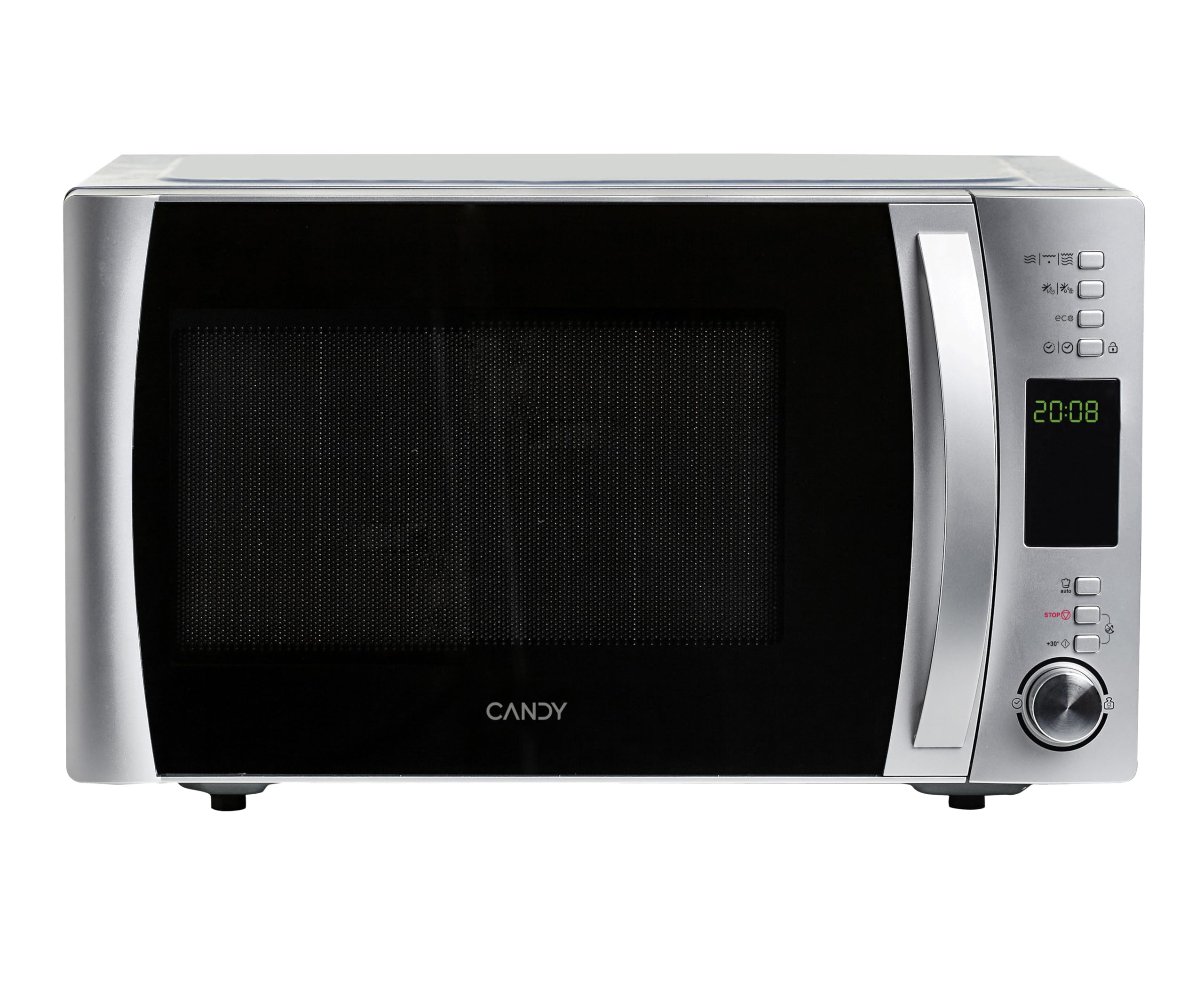
سامنے والا view of the Candy X-Range CMXG 30DS Microwave with Grill.
2. حفاظتی معلومات
آگ، برقی جھٹکا، افراد کو چوٹ لگنے، یا ضرورت سے زیادہ مائیکرو ویو توانائی کی نمائش کے خطرے کو کم کرنے کے لیے برقی آلات استعمال کرتے وقت ہمیشہ بنیادی حفاظتی احتیاطی تدابیر پر عمل کریں۔
- تمام ہدایات پڑھیں: Before operating the appliance, read all instructions in this manual.
- مناسب بنیاد: Ensure the appliance is properly grounded according to local electrical codes.
- Do not operate if damaged: Never operate the microwave if it has a damaged cord or plug, if it is not working properly, or if it has been dropped or damaged.
- Avoid heating sealed containers: Liquids or other foods must not be heated in sealed containers as they are liable to explode.
- Child supervision: جب آلات بچوں کے ذریعہ یا اس کے قریب استعمال کیے جاتے ہیں تو قریبی نگرانی ضروری ہے۔
- Microwave-safe utensils: صرف مائیکرو ویو اوون کے لیے موزوں برتن استعمال کریں۔
- Do not overcook food: Overcooking food can lead to fire.
- باقاعدگی سے صفائی: Clean the microwave regularly and remove any food deposits. Failure to maintain the oven in a clean condition could lead to deterioration of the surface that could adversely affect the life of the appliance and possibly result in a hazardous situation.
3. سیٹ اپ اور انسٹالیشن
3.1 پیک کھولنا
Carefully remove all packaging materials from the microwave oven and its accessories. Check the oven for any damage, such as dents or a misaligned door. Do not install if the oven is damaged.
3.2 جگہ کا تعین
Place the microwave oven on a stable, level surface that can support its weight and the heaviest food likely to be cooked in it. Ensure adequate ventilation by leaving a minimum of 10 cm (4 inches) clearance at the rear, 20 cm (8 inches) at the top, and 5 cm (2 inches) on each side. Do not block any ventilation openings.
3.3 ٹرنٹیبل اسمبلی
Place the turntable support ring in the center of the microwave cavity. Position the glass turntable plate securely on top of the support ring. Ensure it rotates freely.
Interior of the microwave with the turntable and grill rack.
3.4 پاور کنکشن
Plug the power cord into a standard, grounded electrical outlet. Ensure the voltage آلات پر درجہ بندی کے لیبل سے میل کھاتا ہے۔
4. آپریٹنگ ہدایات
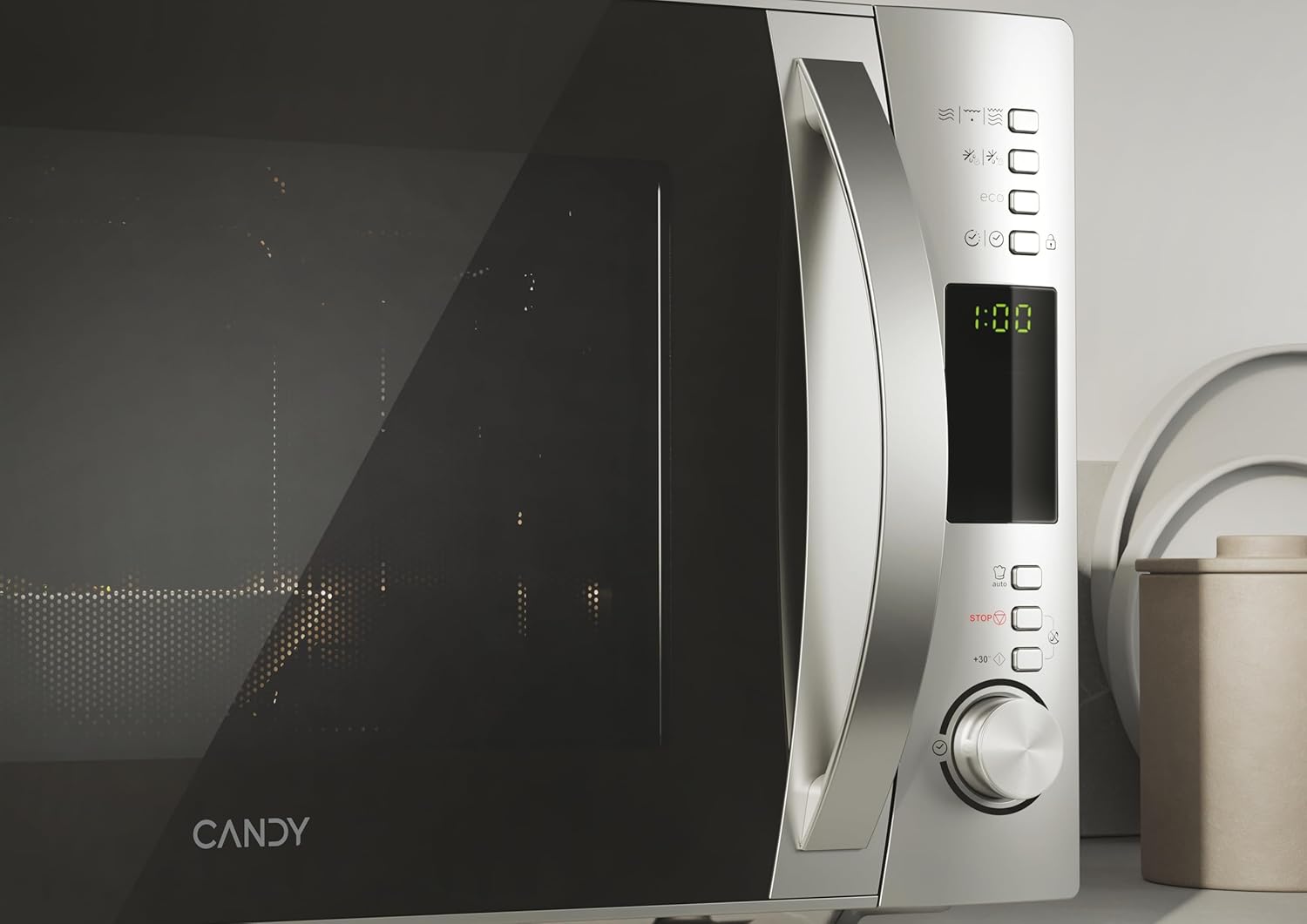
Your Candy X-Range CMXG 30DS microwave offers various cooking functions. Familiarize yourself with the control panel for optimal use.

Digital control panel with various function buttons and a rotary knob.
4.1 بنیادی مائیکرو ویو کوکنگ
- ٹرن ٹیبل پر کھانے کو مائکروویو سے محفوظ کنٹینر میں رکھیں۔
- دروازے کو محفوظ طریقے سے بند کریں۔
- Select the desired power level (5 levels available) using the appropriate button or rotary knob.
- Set the cooking time using the rotary knob or time buttons.
- کھانا پکانا شروع کرنے کے لیے اسٹارٹ بٹن دبائیں۔
4.2 گرل فنکشن
گرل فنکشن بھوری اور کرکرا کھانے کے لیے مثالی ہے۔
- Place food on the grill rack provided, then place the rack on the turntable.
- گرل فنکشن کو منتخب کریں۔
- مطلوبہ گرلنگ کا وقت مقرر کریں۔
- اسٹارٹ دبائیں۔
4.3 امتزاج کھانا پکانا
Combine microwave and grill cooking for faster results with a crispy finish.
- کھانا کسی مناسب برتن میں رکھیں۔
- Select a Combination mode (e.g., Microwave + Grill).
- Set the total cooking time.
- اسٹارٹ دبائیں۔
4.4 ڈیفروسٹ فنکشن
Defrost food efficiently by weight or time.
- وزن کے لحاظ سے ڈیفروسٹ: Select the defrost by weight function, input the food's weight, and the oven will automatically calculate the defrosting time.
- وقت کے لحاظ سے ڈیفروسٹ: Select the defrost by time function and manually set the desired defrosting duration.
4.5 خودکار پروگرام
The microwave includes 40 pre-set automatic programs for various food types, including a dedicated baby & healthy menu. Simply select the desired program, and the oven will set the optimal cooking time and power level.
4.6 ایکسپریس کھانا پکانا
For quick heating, use the Express Cooking function. Press the corresponding button to start cooking immediately for a short duration (e.g., 30 seconds) at full power. Pressing it repeatedly adds more time.
4.7 ٹائمر فنکشن
The microwave can also be used as a standalone kitchen timer. Set the desired time, and it will count down without activating the microwave function.
4.8 چائلڈ لاک۔
Activate the Child Lock to prevent accidental operation by children. Refer to the control panel instructions for activating and deactivating this feature.
4.9 simply-Fi App Connectivity
Connect your microwave to the simply-Fi app on your smartphone for access to cooking tips, tricks, recipes, and food information.

A user interacting with the simply-Fi app on a smartphone, demonstrating smart control over the microwave.
4.10 Eco Function
The Eco function allows you to turn off the digital display when the microwave is not in use, contributing to energy saving.
Official Product Video: Candy Microwave with Grill and Cook in App
This video demonstrates the features of the Candy microwave with grill and its integration with the Cook in App, showcasing various functionalities and smart controls.
5 دیکھ بھال
باقاعدگی سے صفائی اور دیکھ بھال آپ کے مائکروویو اوون کی لمبی عمر اور بہترین کارکردگی کو یقینی بنائے گی۔
- داخلہ کی صفائی: ہر استعمال کے بعد، اندرونی گہا کو اشتہار سے صاف کریں۔amp cloth and mild detergent. For stubborn stains, a microwave-safe cleaner can be used. Ensure the interior is dry before closing the door.
- بیرونی صفائی: بیرونی سطحوں کو نرم سے صاف کریں۔amp cloth. Do not use abrasive cleaners or harsh chemicals, as these can damage the stainless steel finish.
- Turntable and Support Ring: شیشے کی ٹرن ٹیبل اور اس کی سپورٹ کی انگوٹی کو صفائی کے لیے ہٹایا جا سکتا ہے۔ انہیں گرم، صابن والے پانی یا ڈش واشر میں دھوئے۔ انہیں تندور میں واپس رکھنے سے پہلے یقینی بنائیں کہ وہ مکمل طور پر خشک ہیں۔
- دروازے کی مہریں: آپریشن کے دوران مناسب مہر کو یقینی بنانے کے لیے دروازے کی مہروں کو صاف رکھیں۔
6 خرابیوں کا سراغ لگانا
اگر آپ کو اپنے مائیکرو ویو کے ساتھ کوئی مسئلہ درپیش ہے، تو درج ذیل عام مسائل اور حل دیکھیں:
| مسئلہ | ممکنہ وجہ | حل |
|---|---|---|
| Microwave not starting | Power cord unplugged; Door not closed properly; Blown fuse/tripped circuit breaker | Check power plug; Ensure door is fully closed; Check household fuse/circuit breaker |
| کھانا گرم نہیں کرنا | Incorrect power level or cooking time set; Non-microwave-safe dish used | Adjust power and time; Use microwave-safe cookware |
| ٹرنٹیبل گھومنے والا نہیں۔ | Turntable not correctly placed; Obstruction under turntable | Ensure turntable is seated correctly on the support ring; Remove any obstructions |
| آپریشن کے دوران غیر معمولی شور | Food container touching cavity walls; Turntable not properly seated | Ensure proper clearance; Re-seat turntable |
| ڈیجیٹل ڈسپلے کام نہیں کر رہا ہے۔ | Power issue; Eco function activated | Check power supply; Deactivate Eco function if enabled |
اگر ان حلوں کو آزمانے کے بعد بھی مسئلہ برقرار رہتا ہے، تو براہ کرم کسٹمر سپورٹ سے رابطہ کریں۔
7. وضاحتیں
- برانڈ: کینڈی
- ماڈل کا نام: Candy X-Range CMXG 30DS
- ماڈل نمبر: CMXG30DS
- صلاحیت: 30 لیٹر
- مائکروویو پاور: 900 واٹ
- پاور لیولز: 5
- کنٹرول کی قسم: Digital, Buttons
- ٹرنٹیبل قطر: 31.5 سینٹی میٹر
- مواد: Stainless Steel (Interior and Exterior)
- طول و عرض (گہرائی x چوڑائی x اونچائی): 43.5 سینٹی میٹر x 52 سینٹی میٹر x 32.6 سینٹی میٹر
- وزن: 16.1 کلوگرام
- پروگرام: 40 خودکار پروگرام
- خصوصی خصوصیات: Control Panel Lock, Automatic Cooking, Defrost, Eco Mode, Programmable, Timer Function, simply-Fi App Connectivity.
8. وارنٹی اور سپورٹ
8.1 وارنٹی کی معلومات
This Candy X-Range CMXG 30DS microwave oven comes with a 3 سال کی وارنٹی from the date of purchase. Please retain your proof of purchase for warranty claims. The warranty covers manufacturing defects and malfunctions under normal household use.
8.2 کسٹمر سپورٹ
For technical assistance, spare parts, or any questions regarding your appliance, please contact Candy customer service or your retailer. Refer to the contact information provided in your purchase documentation or on the official Candy webسائٹ


