خریداری کے لیے آپ کا شکریہasing the MUSE M-1600 SBT Soundbar. This manual provides important information regarding the installation, operation, and maintenance of your new soundbar. Please read it thoroughly before use and retain it for future reference.
The M-1600 SBT is designed to enhance your audio experience with its powerful 60W output, versatile connectivity options including Bluetooth, USB, AUX-in, RCA, and Optical inputs, and an integrated PLL FM radio.
2. حفاظتی ہدایات
طاقت کا منبع: بجلی کی فراہمی والیوم کو یقینی بنائیںtage matches the rating label on the soundbar.
وینٹیلیشن: Do not block any ventilation openings. Maintain adequate space around the unit for proper airflow.
پانی اور نمی: Do not expose the soundbar to rain, moisture, or dripping/splashing liquids. Do not place objects filled with liquids, such as vases, on the apparatus.
حرارت کے ذرائع: یونٹ کو گرمی کے ذرائع سے دور رکھیں جیسے ریڈی ایٹرز، ہیٹ رجسٹر، چولہے، یا دیگر آلات (بشمول amplifiers) جو گرمی پیدا کرتی ہے۔
صفائی: صرف خشک کپڑے سے صاف کریں۔ مائع کلینر یا ایروسول کلینر استعمال نہ کریں۔
سروسنگ: اس پروڈکٹ کو خود پیش کرنے کی کوشش نہ کریں۔ تمام سروسز کو اہل سروس اہلکاروں کے حوالے کریں۔
جگہ کا تعین: Place the soundbar on a stable, flat surface. Avoid placing it in direct sunlight or near strong magnetic fields.
3. پیکیج کے مشمولات
Carefully unpack your soundbar and ensure all items are present and in good condition. If any items are missing or damaged, contact your retailer immediately.
MUSE M-1600 SBT Soundbar
ریموٹ کنٹرول
آرسیی کیبل
صارف دستی
Power Adapter (not explicitly listed but implied for a wired device)
4. پروڈکٹ ختمview
Familiarize yourself with the main components and controls of your M-1600 SBT Soundbar.
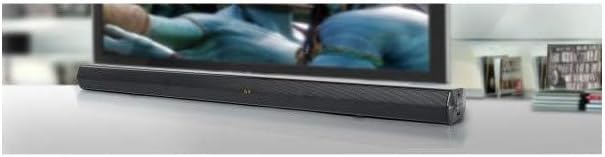
تصویر 1: سامنے والا view of the Muse M-1600 SBT Soundbar, showcasing its sleek design and central display. The soundbar is positioned in front of a television.
فرنٹ پینل
ڈسپلے: Shows current input mode, volume level, and radio frequency.
کنٹرول بٹن: (Located on the right side) Power, Volume Up/Down, Input Source, Play/Pause.
پیچھے کا پینل (کنکشنز)
تصویر 2: پیچھے view of the Muse M-1600 SBT Soundbar, highlighting the various input ports for external devices.
ڈی سی ان: پاور ان پٹ پورٹ۔
آپٹیکل میں: For connecting devices via optical cable.
RCA IN (L/R): آر سی اے کیبلز کے ذریعے آلات کو جوڑنے کے لیے۔
AX IN: 3.5mm jack for connecting portable audio devices.
USB پورٹ: آڈیو چلانے کے لیے files USB ڈرائیو سے۔
ریموٹ کنٹرول
The included remote control allows for convenient operation of all soundbar functions from a distance. Ensure batteries are correctly inserted (not included).
5. سیٹ اپ
5.1 جگہ کا تعین
Place the soundbar on a stable, flat surface, preferably directly in front of your television or monitor. Ensure there are no obstructions in front of the soundbar to allow for optimal sound projection.
5.2 پاور کنکشن
Connect the power adapter to the DC IN port on the rear of the soundbar.
پاور اڈاپٹر کے دوسرے سرے کو وال آؤٹ لیٹ میں لگائیں۔
5.3 آڈیو ذرائع سے جڑنا
Choose one of the following methods to connect your soundbar to an audio source (e.g., TV, DVD player, smartphone).
آپٹیکل کنکشن: For high-quality digital audio. Connect an optical cable (not supplied) from your TV's Optical Out port to the soundbar's OPTICAL IN port.
RCA کنکشن: Connect the supplied RCA cable to the RCA OUT ports (red for right, white for left) on your TV and to the corresponding RCA IN ports on the soundbar.
AUX کنکشن: Use a 3.5mm audio cable (not supplied) to connect the headphone jack or AUX Out port of your device to the soundbar's AUX IN port.
بلوٹوت کنکشن: Refer to section 6.3 for Bluetooth pairing instructions.
6. آپریٹنگ ہدایات
6.1 پاور آن/آف
دبائیں پاور یونٹ کو آن یا آف کرنے کے لیے ساؤنڈ بار یا ریموٹ کنٹرول پر بٹن۔
6.2 والیوم کنٹرول
استعمال کریں۔ VOL+ اور والیوم- buttons on the soundbar or remote control to adjust the volume level. The current volume will be displayed on the soundbar's screen.
6.3 ان پٹ ماخذ کا انتخاب
دبائیں ان پٹ button on the soundbar or remote control repeatedly to cycle through the available input sources: Bluetooth (BT), USB, AUX, RCA, OPTICAL, and FM Radio.
6.4 ایف ایم ریڈیو آپریشن
ان پٹ سورس کو اس پر سوئچ کریں۔ ایف ایم ریڈیو.
دبائیں اور تھامیں۔ چلائیں/روکیں۔ button on the remote control to initiate an automatic scan for FM stations. The soundbar will scan and save up to 30 preset stations.
استعمال کریں۔ پچھلا/اگلا buttons on the remote to navigate through the saved preset stations.
7. کنیکٹیویٹی
7.1 بلوٹوتھ جوڑی
Switch the soundbar's input source to بلوٹوتھ (BT) mode. The display will show "BT" and start flashing, indicating it's in pairing mode.
اپنے بلوٹوتھ فعال ڈیوائس (اسمارٹ فون، ٹیبلیٹ وغیرہ) پر، بلوٹوتھ کو فعال کریں اور دستیاب آلات تلاش کریں۔
Select "M-1600 SBT" from the list of devices.
Once paired, the "BT" indicator on the soundbar's display will stop flashing and remain solid. You can now play audio from your device through the soundbar.
7.2 USB پلے بیک
Insert a USB flash drive (formatted to FAT32) containing compatible audio files (e.g., MP3) into the USB port on the soundbar.
ان پٹ سورس کو اس پر سوئچ کریں۔ یو ایس بی موڈ
The soundbar will automatically begin playing the audio files. Use the remote control for playback functions (Play/Pause, Next/Previous Track).
8 دیکھ بھال
8.1 صفائی
Wipe the exterior of the soundbar with a soft, dry, lint-free cloth. Do not use abrasive cleaners, waxes, or solvents as they may damage the finish.
8.2 اسٹوریج
If you plan to store the soundbar for an extended period, disconnect it from the power outlet and store it in a cool, dry place, away from direct sunlight and extreme temperatures.
9 خرابیوں کا سراغ لگانا
If you encounter any issues with your soundbar, refer to the following table for common problems and solutions.
مسئلہ
ممکنہ وجہ
حل
کوئی طاقت نہیں۔
پاور کیبل منسلک نہیں ہے؛ پاور آؤٹ لیٹ فعال نہیں ہے۔
یقینی بنائیں کہ پاور کیبل محفوظ طریقے سے منسلک ہے۔ چیک کریں کہ آیا پاور آؤٹ لیٹ کام کر رہا ہے۔
Soundbar not in pairing mode; Device Bluetooth off; Device too far
Ensure soundbar is in BT pairing mode. Enable Bluetooth on your device. Move device closer to soundbar.
ریموٹ کنٹرول کام نہیں کر رہا ہے۔
Batteries depleted; Obstruction between remote and soundbar; Incorrect angle
Replace remote control batteries. Remove any obstructions. Point remote directly at the soundbar's sensor.
ناقص ایف ایم ریڈیو کا استقبال
کمزور سگنل؛ مداخلت
Adjust the position of the soundbar. Avoid placing near other electronic devices that may cause interference.
10. وضاحتیں
ماڈل کا نام
M-1600 SBT
برانڈ
MUSE
آؤٹ پٹ پاور
60 واٹ
کنیکٹوٹی ٹیکنالوجی
Bluetooth, Wired & Wireless
اسپیکر کنیکٹیویٹی
بلوٹوتھ، آپٹیکل، آر سی اے، یو ایس بی
وائرلیس کمیونیکیشن ٹیکنالوجی
بلوٹوتھ
آڈیو آؤٹ پٹ وضع
سٹیریو
سراؤنڈ ساؤنڈ چینل کنفیگریشن
2.0
کنٹرول کا طریقہ
ریموٹ کنٹرول
طاقت کا منبع
وائرڈ
USB پورٹس کی تعداد
1
طول و عرض (L x W x H)
88.5 x 5.9 x 82.5 سینٹی میٹر (34.8 x 2.3 x 32.5 انچ)
شے کا وزن
1.8 کلوگرام (3.97 پونڈ)
رنگ
سیاہ
خصوصی خصوصیات
Remote control, PLL FM Radio with 30 presets
ہم آہنگ آلات
Game console, MP3 player, Laptop, Smartphone, Tablet, Television
11. وارنٹی اور سپورٹ
11.1 وارنٹی کی معلومات
This product is covered by a legal manufacturer's warranty. Please refer to the warranty card included in your package or contact your retailer for specific terms and conditions regarding the warranty period and coverage in your region.
11.2 کسٹمر سپورٹ
For technical assistance, troubleshooting beyond this manual, or service inquiries, please contact your local retailer or the MUSE customer support service. Contact details can typically be found on the manufacturer's webسائٹ یا مصنوعات کی پیکیجنگ پر۔
Ask a question about this manual
Ask about setup, troubleshooting, compatibility, parts, safety, or missing instructions. Manuals+ will review the question and use this page’s manual context to help answer it.