
تعارف
The SteelSeries Apex 100 Gaming Keyboard is designed for optimal gaming performance, featuring Quick Tension Switches for fast reaction times, tactile feedback, and quiet operation. It includes blue LED backlighting, advanced anti-ghosting, and is built with splash resistance for durability.
سیٹ اپ
1. کی بورڈ کو جوڑنا
Connect the keyboard's USB-A cable to an available USB port on your computer. The keyboard is plug-and-play, and your operating system should automatically detect and install the necessary drivers.

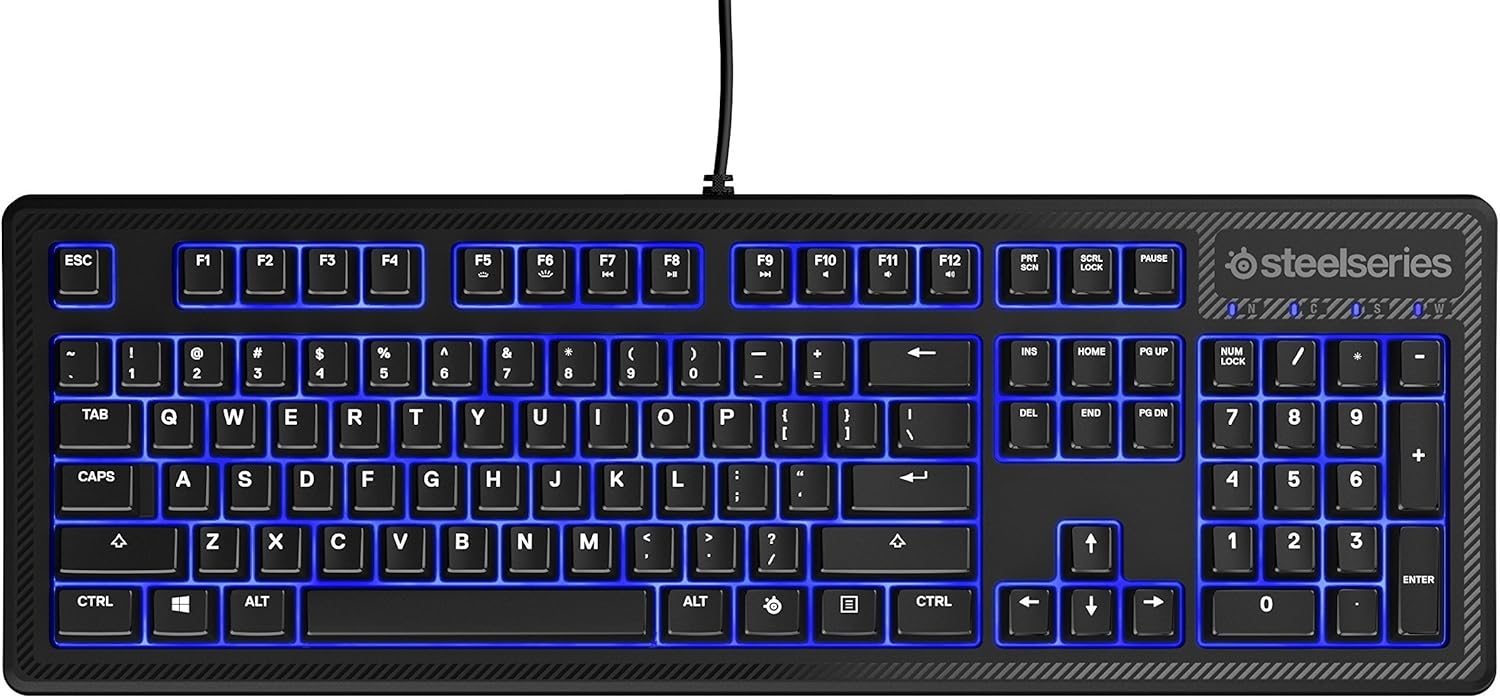
تصویر: اوپر view of the SteelSeries Apex 100 Gaming Keyboard, showing the full QWERTY layout with blue LED backlighting and the attached USB cable.
2. سافٹ ویئر کی تنصیب (اختیاری)
For advanced customization, including macro programming and backlighting adjustments, download and install the SteelSeries Engine 3 software from the official SteelSeries webسائٹ (اسٹیلسیریز / اینجائن)۔ انسٹالیشن کے لیے آن اسکرین ہدایات پر عمل کریں۔
کی بورڈ کو آپریٹ کرنا
کلیدی خصوصیات
- Quick Tension Switches: Designed to mimic mechanical switches, providing a tactile feel and fast actuation.
- بلیو ایل ای ڈی بیک لائٹنگ: Offers brilliant ground effects backlighting. Intensity can be adjusted via SteelSeries Engine 3.
- Advanced Anti-Ghosting: Ensures all key presses are registered accurately during intense gaming sessions.
- میڈیا کنٹرولز: Integrated media control functions are accessible via function keys (F7-F12) in combination with the Fn key.
تصویر: سائیڈ view of the SteelSeries Apex 100 Gaming Keyboard, highlighting its ergonomic design and keycap profile.
Customization with SteelSeries Engine 3
The SteelSeries Engine 3 software allows you to:
- میکرو بنائیں اور کسی بھی کلید کو تفویض کریں۔
- Adjust the intensity of the blue LED backlighting.
- Configure polling rates and other performance settings.
دیکھ بھال
صفائی
To clean your keyboard, disconnect it from your computer. Use a soft, dry cloth to wipe down the keys and chassis. For stubborn dirt, a slightly damp cloth with mild soap can be used, ensuring no liquid enters the key switches or internal components. The keyboard is splash resistant, but not waterproof; avoid submerging it or exposing it to excessive liquids.
پائیداری
The Apex 100 keyboard features a guaranteed 20-million click lifespan for its switches, ensuring long-term reliability under heavy use.

تصویر: نیچے view of the SteelSeries Apex 100 Gaming Keyboard, showing the drainage channels and adjustable feet.
خرابی کا سراغ لگانا
کی بورڈ جواب نہیں دے رہا ہے۔
- یقینی بنائیں کہ USB کیبل کی بورڈ اور کمپیوٹر دونوں سے محفوظ طریقے سے جڑی ہوئی ہے۔
- کی بورڈ کو کسی دوسرے USB پورٹ سے جوڑنے کی کوشش کریں۔
- اپنے کمپیوٹر کو دوبارہ شروع کریں۔
- اگر USB ہب استعمال کر رہے ہیں، تو براہ راست کمپیوٹر سے جڑنے کی کوشش کریں۔
Backlighting Issues
- Check the backlighting settings within the SteelSeries Engine 3 software.
- Ensure the keyboard's brightness level is not set to minimum.
کیز رجسٹر نہیں ہو رہی ہیں۔
- کسی بھی ملبے کو ہٹانے کے لیے متاثرہ چابیاں کے ارد گرد صاف کریں۔
- If the issue persists, consider reinstalling the SteelSeries Engine 3 software or updating your USB drivers.
For further assistance, please refer to the SteelSeries support webسائٹ
وضاحتیں
| فیچر | تفصیل |
|---|---|
| برانڈ | اسٹیل سیریز |
| ماڈل کا نام | اپیکس 100 |
| ماڈل نمبر | 64435 |
| کنیکٹوٹی ٹیکنالوجی | USB-A |
| کی بورڈ کی تفصیل | گیمنگ |
| تجویز کردہ استعمال | گیمنگ |
| خصوصی خصوصیت | بیک لِٹ |
| رنگ | نیلا |
| کی بورڈ بیک لائٹنگ کلر سپورٹ | سنگل رنگ (نیلے) |
| انداز | Whisper Quiet – Tactile & Silent |
| مصنوعات کے طول و عرض | 18.21"L x 6.13"W x 1.58"H |
| طاقت کا منبع | یو ایس بی |
| سوئچ کی قسم | Tactile (Quick Tension Switches) |
| کی بورڈ لے آؤٹ | QWERTY |
| بٹن کی مقدار | 104 |
| ہم آہنگ آپریٹنگ سسٹم فیملی | ونڈوز |
| چابیاں کی تعداد | 100 |
| انکلوژر میٹریل | پلاسٹک |
| شے کا وزن | 2.42 پاؤنڈز |
| یو پی سی | 813682020101 |
وارنٹی کی معلومات
According to product information, this item comes with کوءی ضمانت نہیں. کوءی جواز نہیں. Please check with your retailer for their return or exchange policies.
حمایت
For additional support, driver downloads, or frequently asked questions, please visit the official SteelSeries support webسائٹ: