
1. تعارف
The HyperX Cloud Pro Gaming Headset is engineered for serious console and PC gamers, offering superior comfort and audio performance. Featuring a durable aluminum frame, memory foam ear cushions, and 53mm drivers, this headset delivers crystal clear highs, mids, and lows. The convenient in-line audio control provides easy access to volume adjustments and microphone muting, ensuring an immersive gaming experience.
2. پیکیج کے مشمولات
- HyperX Cloud Pro Gaming Headset
- ڈی ٹیچ ایبل شور کو منسوخ کرنے والا مائیکروفون
- In-line Audio Control Box
- PC Extension Cable (2M) with Stereo and Mic Plugs
- لے جانے والی تھیلی

Image: All components included with the HyperX Cloud Pro Gaming Headset.
3. پروڈکٹ ختمview
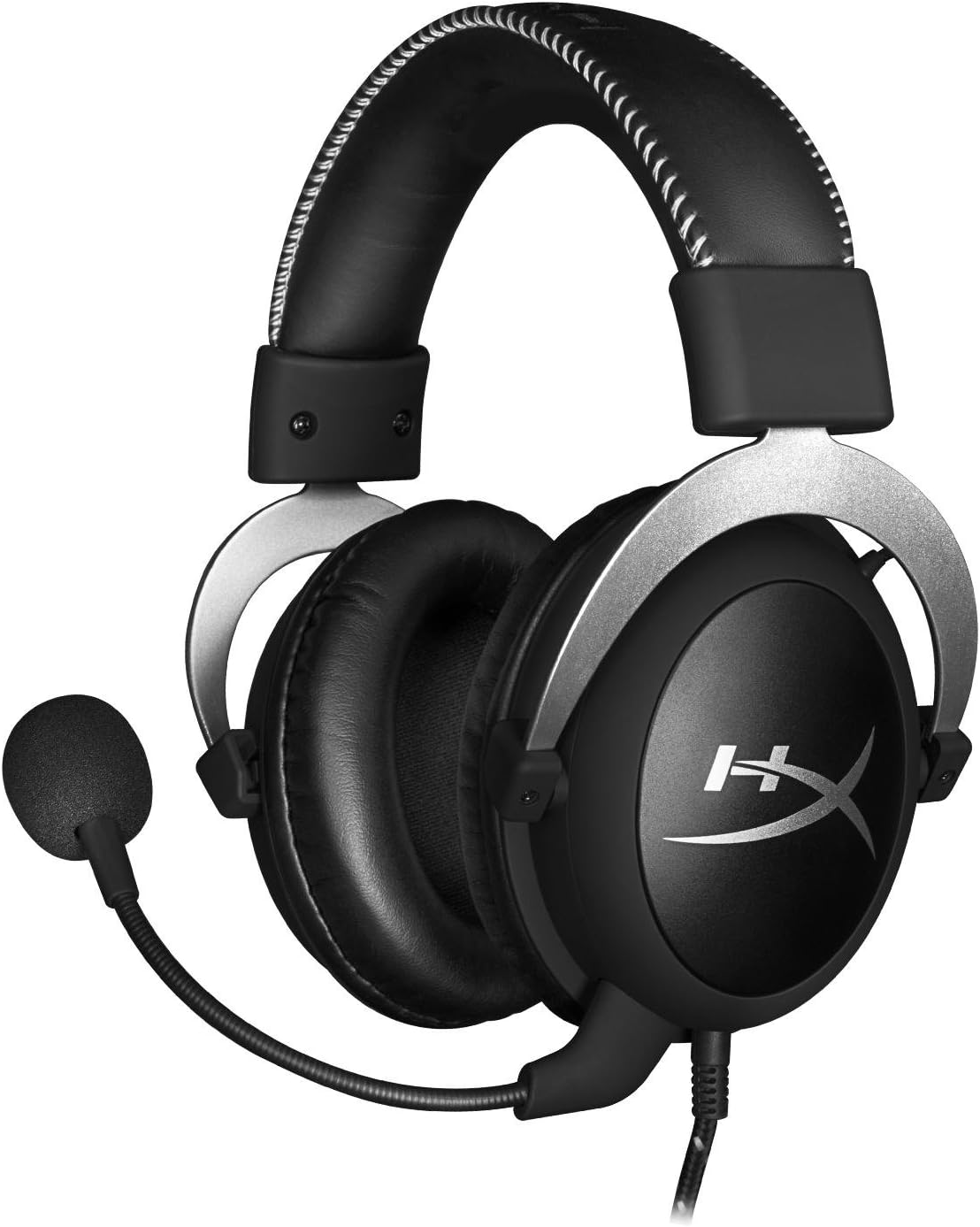
سامنے والا view of the headset with microphone.
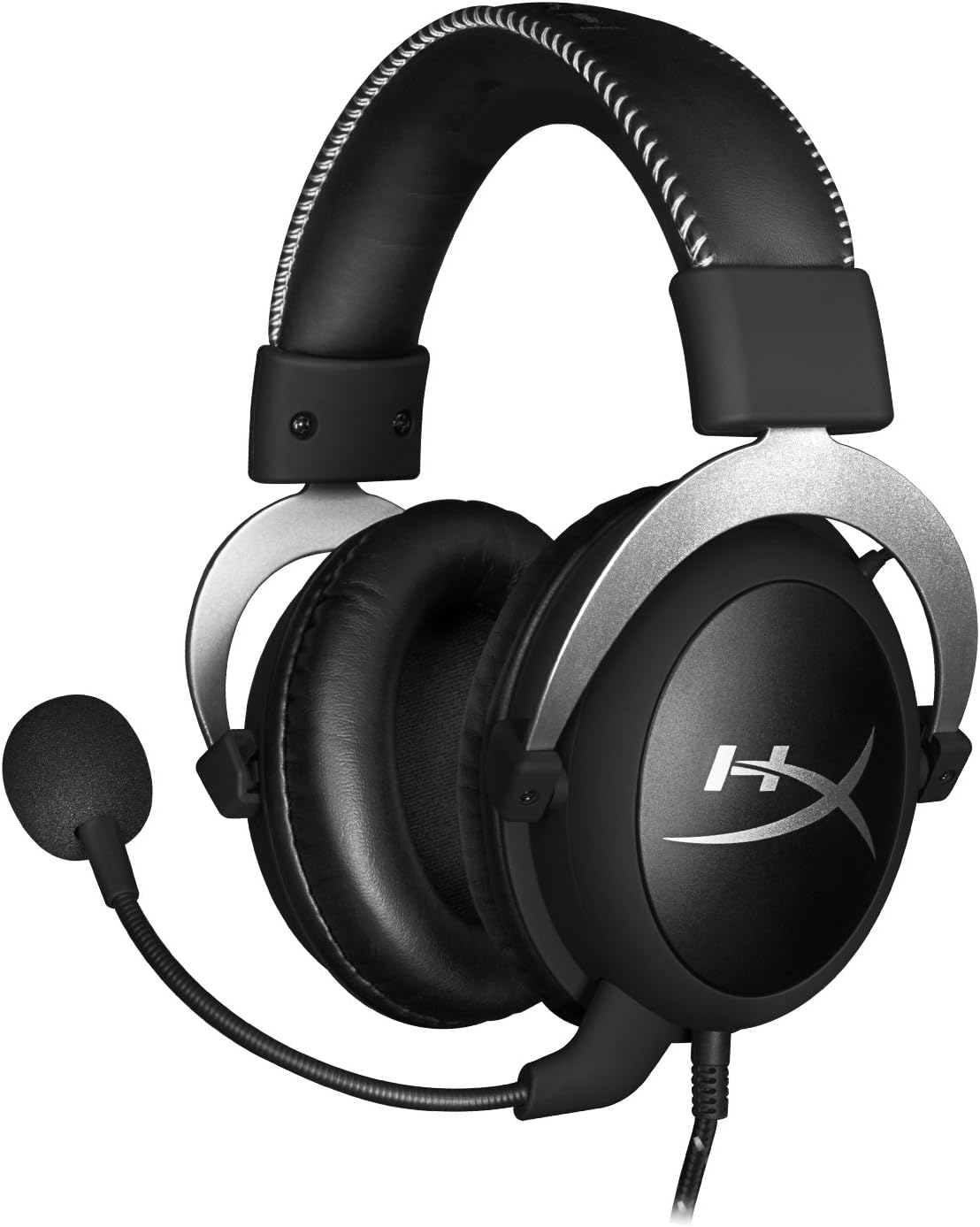
طرف view ہیڈسیٹ کا

Headset folded flat for storage.

اوپر view of the headband.
کلیدی اجزاء:
- ہیڈ بینڈ: Padded with leatherette for comfort during extended use.
- Ear Cups: Over-ear design with memory foam cushions, providing passive noise isolation.
- ڈی ٹیچ ایبل مائیکروفون: Flexible, noise-cancelling microphone for clear communication.
- In-line Audio Control: Integrated unit on the cable for volume adjustment and microphone mute.
4. سیٹ اپ اور کنکشن
4.1 پی سی کنکشن
- Connect the headset's 3.5mm plug to the in-line audio control box.
- Attach the PC extension cable to the in-line audio control box.
- Plug the green audio jack of the extension cable into your PC's audio output (headphone) port.
- Plug the pink microphone jack of the extension cable into your PC's microphone input port.
- Ensure the detachable microphone is securely inserted into the headset's microphone port.
4.2 Console Connection (PS4, Xbox One, Wii U)
- Connect the headset's 3.5mm plug directly into your console controller's 3.5mm port.
- Ensure the detachable microphone is securely inserted into the headset's microphone port.
- Adjust audio settings on your console as needed to route chat and game audio through the headset.
4.3 Mobile Device Connection
- Connect the headset's 3.5mm plug directly into your mobile device's 3.5mm audio jack.
- The microphone can be attached for calls or detached if not needed.

Image: In-line audio control unit.
5. آپریٹنگ ہدایات
5.1 والیوم کنٹرول
The in-line audio control features a rotary volume wheel. Rotate the wheel upwards to increase volume and downwards to decrease volume. This adjusts the headset's output volume independently of your device's master volume.
5.2 مائیکروفون خاموش
A switch on the in-line audio control allows you to quickly mute or unmute the microphone. Slide the switch to the 'Mute' position to disable the microphone, and slide it back to enable it. This is useful for privacy or when you do not wish your voice to be transmitted.
6. دیکھ بھال اور دیکھ بھال
- صفائی: ہیڈسیٹ کو صاف کرنے کے لیے نرم، خشک کپڑا استعمال کریں۔ کان کے کشن کے لئے، تھوڑا سا ڈیamp کپڑا استعمال کیا جا سکتا ہے، لیکن یقینی بنائیں کہ وہ استعمال سے پہلے مکمل طور پر خشک ہیں۔ سخت کیمیکلز یا کھرچنے والے کلینر سے پرہیز کریں۔
- ذخیرہ: When not in use, store the headset in the provided carrying pouch to protect it from dust and scratches. Avoid extreme temperatures and humidity.
- کیبل کی دیکھ بھال: Do not excessively bend or pull the cables. Store them neatly to prevent tangling and damage.
7 خرابیوں کا سراغ لگانا
| مسئلہ | ممکنہ وجہ | حل |
|---|---|---|
| ہیڈسیٹ سے کوئی آڈیو نہیں۔ | Incorrect connection; Volume too low; Device audio settings. | Ensure all cables are securely connected. Increase volume using the in-line control and device settings. Verify audio output settings on your PC/console. |
| مائکروفون کام نہیں کر رہا ہے۔ | Microphone muted; Incorrect connection; Device microphone settings. | Check the microphone mute switch on the in-line control. Ensure the microphone is fully inserted. Verify microphone input settings on your PC/console. |
| خراب آواز کا معیار / جامد | Loose connection; Interference; Damaged cable. | Reconnect all cables. Test on another device to rule out interference. If issues persist, the cable may be damaged. |
| ہیڈسیٹ غیر آرام دہ | غلط فٹ۔ | Adjust the headband for a comfortable fit. The memory foam ear cushions are designed for extended comfort. |
8. تکنیکی تفصیلات
- ماڈل کا نام: HyperX Cloud Pro Gaming Headset - Silver - with In-Line Audio Control
- ماڈل نمبر: HX-HSCL-SR/NA
- کنیکٹوٹی: وائرڈ (3.5 ملی میٹر جیک)
- ڈرائیورز: 53 ملی میٹر متحرک ڈرائیور
- تعدد جواب: 15 Hz - 25 kHz
- مواد: Foam, Aluminum, Leather
- آئٹم کا وزن: 0.6 کلوگرام (1.32 پاؤنڈ)
- ہم آہنگ آلات: PS5, PS4, Xbox One, Wii U, Mac, Mobile Devices, PC
- کنٹرول کی قسم: والیوم کنٹرول، مائیکروفون خاموش
- شور کنٹرول: فعال شور منسوخی (مائیکروفون)
9. وارنٹی اور سپورٹ
The HyperX Cloud Pro Gaming Headset is backed by a 2 سال کی وارنٹی. For technical support or warranty claims, please contact HyperX customer service. You can also refer to the official صارف دستی (پی ڈی ایف) اضافی معلومات کے لیے۔