
1. تعارف
خریداری کے لیے آپ کا شکریہasing the MAX LED Partybar4. This versatile RGBW light set is designed to create dynamic and colorful light shows for various events. It features four PAR spots with RGBW LEDs, multiple operating modes, and comes with a sturdy stand for easy setup. This manual provides essential information for safe operation, setup, and maintenance of your device. Please read it thoroughly before use and keep it for future reference.

Image 1.1: The MAX LED Partybar4, showcasing its four PAR spots with vibrant purple illumination.
2. حفاظتی ہدایات
- آلے کو چلانے سے پہلے تمام ہدایات کو بغور پڑھیں۔
- مستقبل کے حوالے کے لیے اس دستی کو رکھیں۔
- یقینی بنائیں کہ بجلی کی فراہمی والیوم سے ملتی ہے۔tage آلہ پر مخصوص ہے۔
- آگ یا بجلی کے جھٹکے سے بچنے کے لیے آلے کو بارش یا نمی کے سامنے نہ رکھیں۔
- Always disconnect from the mains power supply before cleaning or servicing.
- Do not open the housing; there are no user-serviceable parts inside. Refer servicing to qualified personnel.
- روشنی کے منبع سے براہ راست آنکھ کی نمائش سے گریز کریں، کیونکہ یہ آنکھ کو نقصان پہنچا سکتا ہے۔
- زیادہ گرمی سے بچنے کے لیے یونٹ کے ارد گرد مناسب وینٹیلیشن کو یقینی بنائیں۔
- Position the device on a stable surface or mount it securely using appropriate hardware.
3. پروڈکٹ ختمview
3.1 اجزاء
- LED Partybar4 unit with 4 PAR spots
- سایڈست تپائی اسٹینڈ
- وائرلیس ریموٹ کنٹرول
- پاور کیبل
- صارف دستی
3.2 کلیدی خصوصیات
- 4 PAR spots with RGBW LEDs for vibrant color mixing.
- Plug and Play design for quick setup.
- Multiple operating modes: Sound-activated, Auto, DMX, and Master/Slave.
- Pre-programmed shows for instant effects.
- Wireless remote control for convenient operation.
- Integrated control panel with LED display for easy settings adjustment.
- Sturdy, adjustable tripod stand with a maximum height of 1.8m.

Image 3.1: The MAX LED Partybar4 with its included wireless remote control, highlighting ease of color and function adjustment.
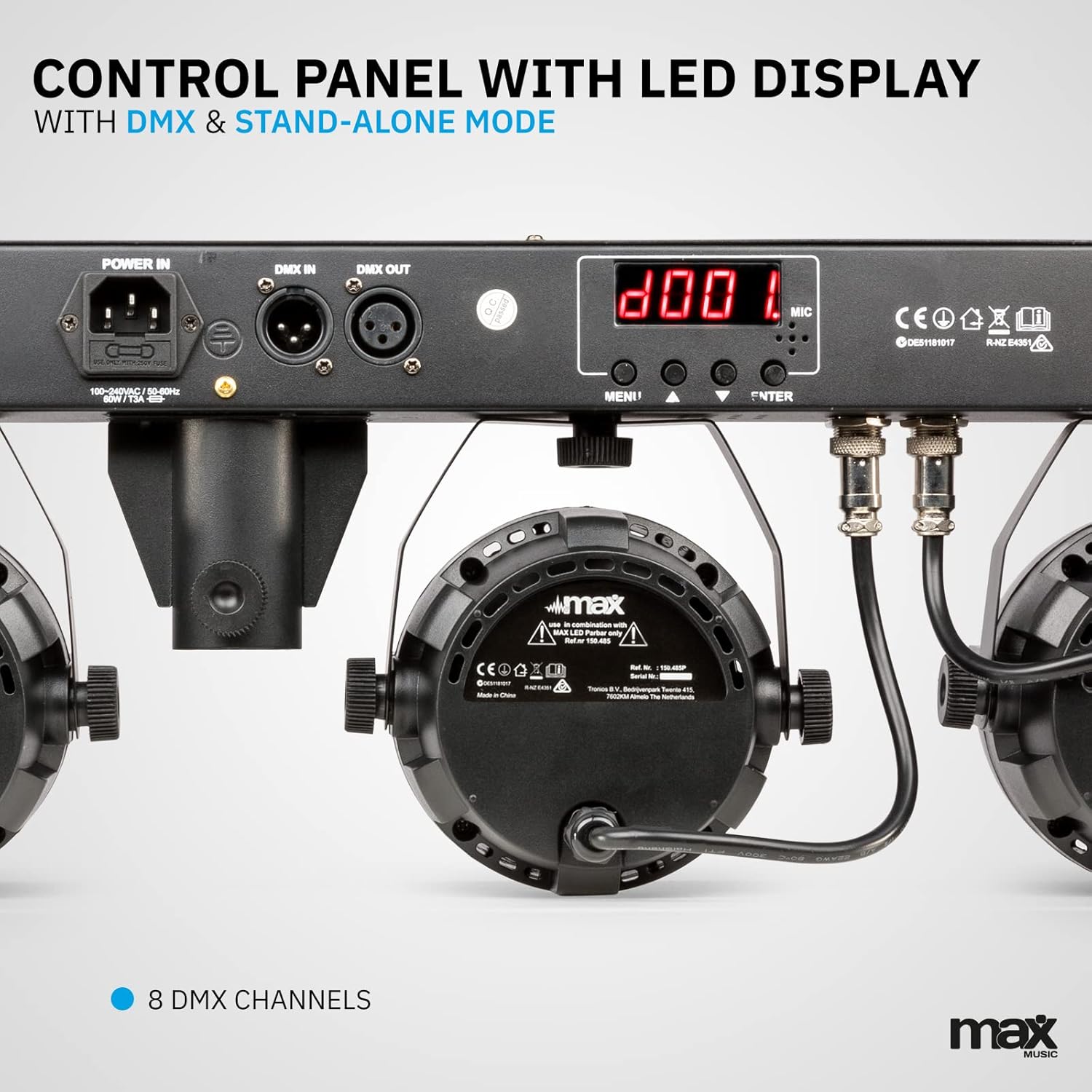
تصویر 3.2: تفصیلی view of the control panel, featuring power input, DMX connections, and the LED display for mode selection.
4. سیٹ اپ
4.1 اسٹینڈ کو جمع کرنا
- Unfold the tripod legs and ensure they are fully extended and stable.
- Loosen the height adjustment knob on the stand.
- Extend the central pole to the desired height, ensuring it is securely locked in place. The maximum height is 1.8 meters.
- اونچائی ایڈجسٹمنٹ نوب کو مضبوطی سے سخت کریں۔
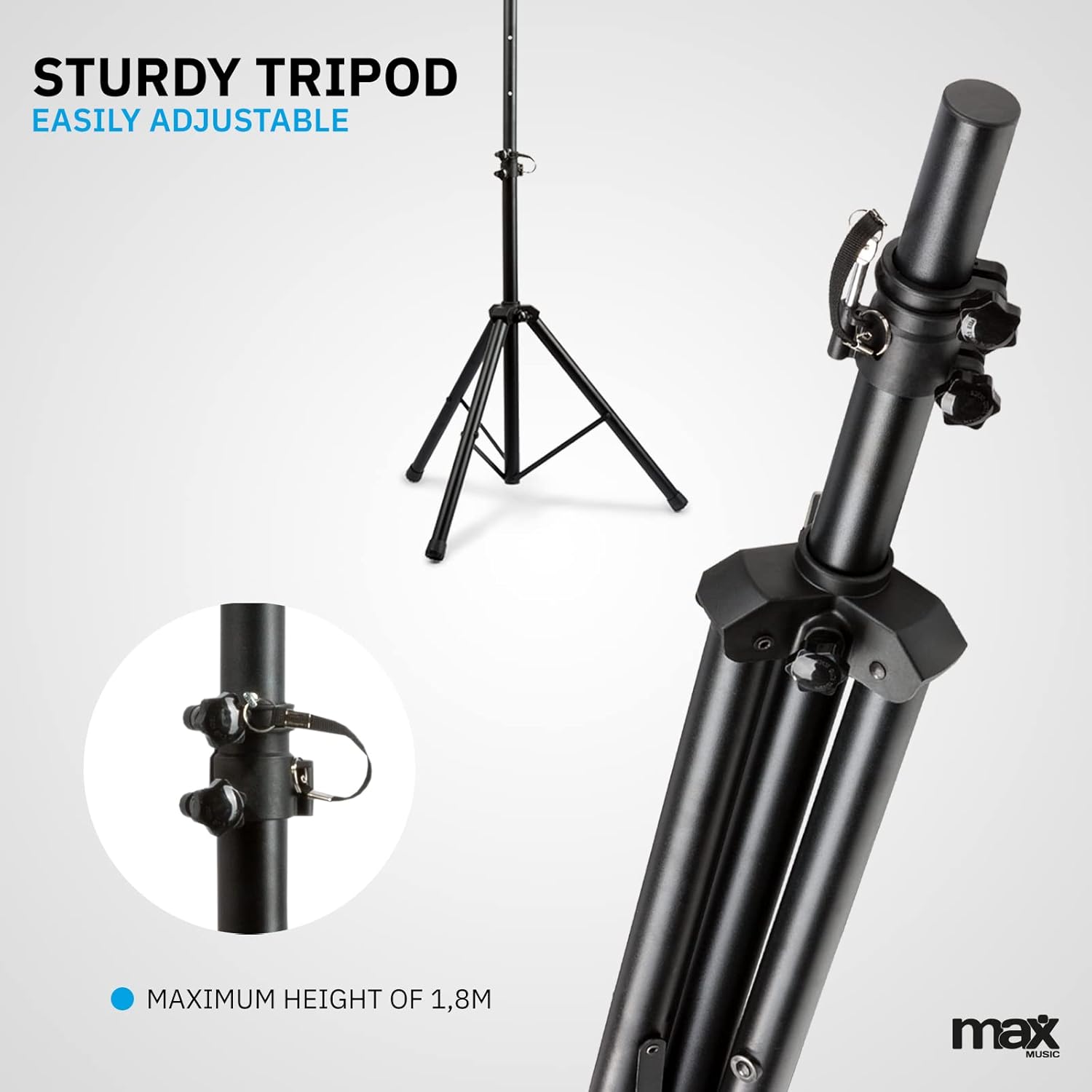
Image 4.1: The sturdy tripod stand, illustrating its adjustable height mechanism for optimal positioning.
4.2 Mounting the Partybar4 Unit
- Carefully place the Partybar4 unit onto the top of the assembled tripod stand.
- Secure the unit to the stand using the provided mounting hardware (if applicable) to prevent accidental dislodgement.
- Adjust the angle of the PAR spots as desired by loosening and tightening their side knobs.
4.3 پاور کنکشن
- Connect the power cable to the "POWER IN" socket on the Partybar4 unit.
- Plug the other end of the power cable into a suitable mains power outlet.
- Ensure the power switch on the unit is in the "OFF" position before connecting to power.
4.4 DMX کنکشن (اختیاری)
For advanced control, connect a DMX controller to the "DMX IN" port using a standard 3-pin DMX cable. If linking multiple units, connect the "DMX OUT" of the first unit to the "DMX IN" of the next unit in a daisy chain.
5۔ آپریٹنگ موڈ
The MAX LED Partybar4 offers several operating modes, which can be selected via the control panel on the unit or the wireless remote control.
5.1 کنٹرول پینل آپریشن
Use the "MENU", "UP", "DOWN", and "ENTER" buttons on the control panel to navigate through the settings and select your desired mode. The LED display will show the current mode or setting.
5.2 ریموٹ کنٹرول آپریشن
The included wireless remote control provides convenient access to various functions:
- آن/آف: پاور آن یا آف۔
- AUTO/MUTE: Activates automatic program mode.
- SOUND/SEEK: آواز سے چلنے والے موڈ کو فعال کرتا ہے۔
- ڈی ایم ایکس: Selects DMX control mode.
- PAR/FLASH: Controls PAR spot flash function.
- LED/COLOR: Adjusts LED colors or color mixing.
- MOTOR/SEN: Adjusts motor speed or sound sensitivity.
- +/-: Adjusts parameters (speed, sensitivity, DMX address).
5.3 خودکار موڈ
In Automatic mode, the Partybar4 cycles through pre-programmed light shows. You can adjust the speed of these shows using the remote control or control panel.
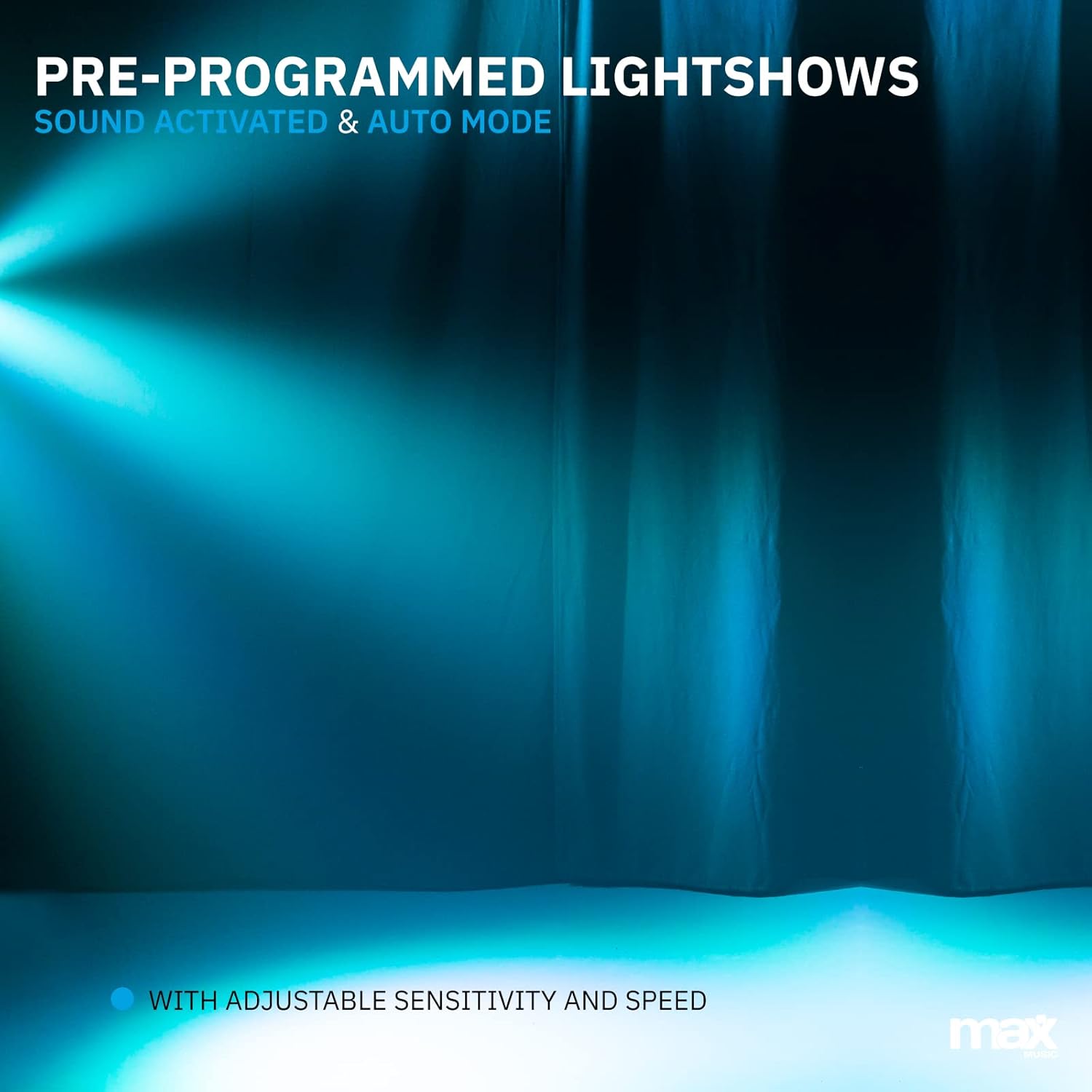
تصویر 5.1: ایک سابقہample of a pre-programmed light show, demonstrating dynamic blue and white light effects.
5.4 Sound-Activated Mode
In Sound-activated mode, the light effects react to the beat of the music detected by the built-in microphone. Adjust the sensitivity using the remote control or control panel to fine-tune its response.
5.5 DMX موڈ
For professional control, use DMX mode. Set the DMX start address via the control panel. The Partybar4 uses 8 DMX channels, allowing precise control over colors, dimming, strobe, and program selection from an external DMX controller.
5.6 رنگوں کا اختلاط
The RGBW LEDs allow for a wide spectrum of colors. In certain modes, you can mix red, green, blue, and white to create custom hues.

Image 5.2: Illustration of RGBW color mixing capabilities, producing a vibrant blue light effect.
6 دیکھ بھال
6.1 صفائی
- صفائی سے پہلے ہمیشہ آلہ کو بجلی کی فراہمی سے منقطع کریں۔
- Use a soft, lint-free cloth to wipe the exterior of the unit.
- لینز کے لیے، خروںچ سے بچنے کے لیے لینس کی صفائی کا خصوصی محلول اور نرم کپڑا استعمال کریں۔
- کھرچنے والے کلینر یا سالوینٹس کا استعمال نہ کریں۔
6.2 اسٹوریج
- Store the device in a dry, dust-free environment when not in use.
- If storing for extended periods, consider using the original packaging or a protective case.
- Ensure the tripod is collapsed and secured to prevent damage.
7 خرابیوں کا سراغ لگانا
| مسئلہ | ممکنہ وجہ | حل |
|---|---|---|
| کوئی طاقت نہیں۔ | Power cable disconnected; power outlet faulty; unit switch off. | Check power cable connection; try a different outlet; ensure power switch is ON. |
| Lights not responding to music (Sound-activated mode) | Microphone sensitivity too low; music volume too low; incorrect mode selected. | Increase microphone sensitivity; increase music volume; ensure Sound-activated mode is active. |
| ریموٹ کنٹرول کام نہیں کر رہا ہے۔ | Battery depleted; obstruction between remote and unit; remote not pointed at IR receiver. | Replace remote control battery (CR2); remove obstructions; ensure remote is pointed at the IR receiver on the unit. |
| DMX کنٹرول کے مسائل | Incorrect DMX address; faulty DMX cable; DMX controller issue; unit not in DMX mode. | Verify DMX address settings; check DMX cable connections; test with another DMX controller; ensure DMX mode is selected on the unit. |
8. وضاحتیں
| فیچر | تفصیل |
|---|---|
| ماڈل نمبر | پارٹی بار 4 |
| روشنی کا ذریعہ | آر جی بی ڈبلیو ایل ای ڈی |
| ڈی ایم ایکس چینلز | 8 |
| آپریٹنگ موڈز | Auto, Sound-activated, DMX, Master/Slave |
| طاقت کا منبع | مینز پاور کیبل |
| مصنوعات کے طول و عرض | 20 x 20 x 9 سینٹی میٹر |
| شے کا وزن | 7.3 کلوگرام |
| تپائی زیادہ سے زیادہ اونچائی | 1.8 میٹر |
| ریموٹ کنٹرول بیٹری | 1 CR2 بیٹری (شامل) |
| سرٹیفیکیشنز | CE |
9. سرکاری پروڈکٹ ویڈیو
Video 9.1: A Closer Look at the MAX LED Partybar4. This video provides a detailed visual overview of the product's features and components.
10. وارنٹی اور سپورٹ
The MAX LED Partybar4 comes with a standard manufacturer's warranty. Please refer to the warranty card included in your packaging for specific terms and conditions. For technical support, troubleshooting assistance, or warranty claims, please contact your retailer or the MAX customer service department. Keep your proof of purchase for all warranty-related inquiries.
Note: The manual provided with the item may not be available in Dutch. This document serves as a comprehensive English instruction guide.