
1. تعارف
Thank you for choosing the Xanlite TO250S LED Flashlight. This manual provides essential information for the safe and efficient use of your new flashlight. Please read it thoroughly before operation and retain it for future reference.
The Xanlite TO250S is a robust and powerful LED flashlight designed for various applications, offering 3 lighting modes and a long-range beam. Its durable aluminum construction ensures reliability in demanding conditions.
2. پروڈکٹ ختمview
The Xanlite TO250S is a compact and powerful LED flashlight. It features a durable aluminum body, a bright LED light source, and multiple lighting modes for versatility.
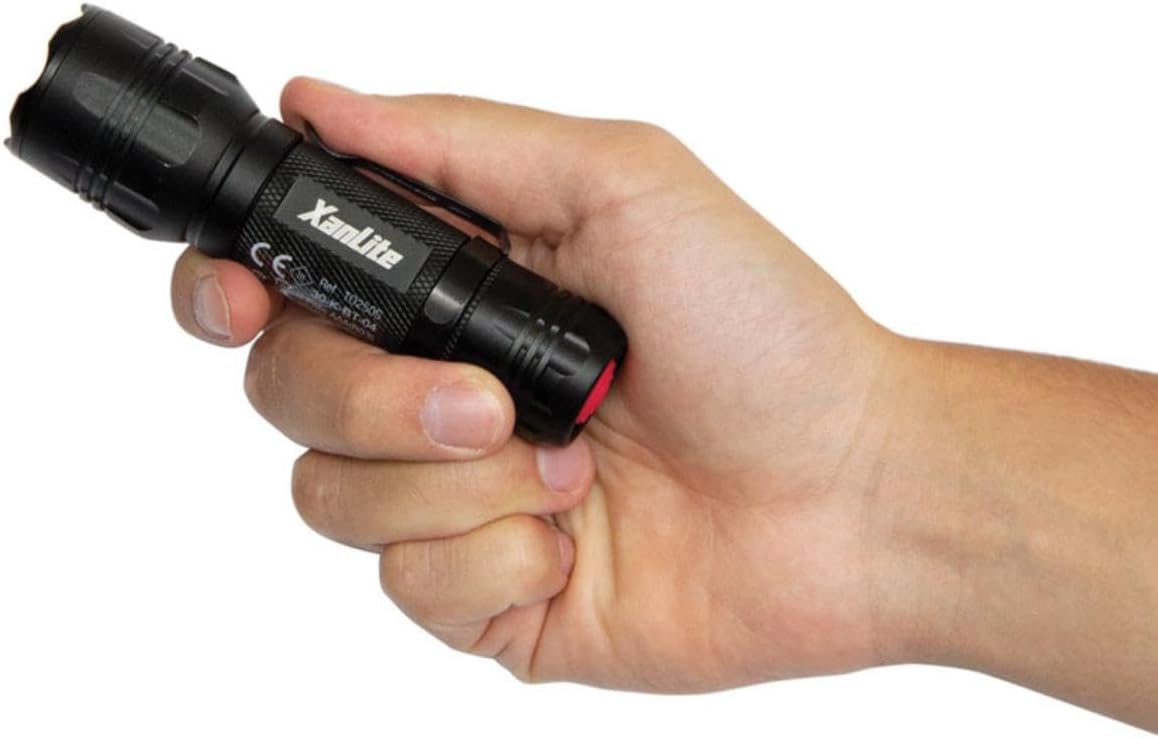
Image: A hand holding the Xanlite TO250S LED flashlight, showcasing its compact design and textured grip.

Image: A graphic highlighting key features of the Xanlite TO250S: 3 lighting modes (300 lumens, 150 lumens, flash), 10 hours of autonomy, shock-resistant aluminum body, and a long range of up to 200 meters.
3. سیٹ اپ اور بیٹری کی تنصیب
Your Xanlite TO250S flashlight requires batteries for operation. Please follow these steps to install them correctly:
- ٹارچ کی ٹیل ٹوپی کو گھڑی کی سمت موڑ کر اسکریو کریں۔
- Insert the required alkaline batteries (typically AAA, as indicated by the product specifications) into the battery compartment, ensuring correct polarity (+/-) as marked inside the flashlight.
- ٹیل ٹوپی کو گھڑی کی سمت میں اس وقت تک اسکرو کریں جب تک کہ یہ محفوظ طریقے سے سخت نہ ہوجائے۔

Image: The Xanlite TO250S flashlight with its tail cap removed, revealing the battery compartment and an inserted AAA battery.
4. آپریشن
To operate your Xanlite TO250S flashlight, use the power button located on the tail cap.
- آن/آف کرنا: Press the red power button on the tail cap once to turn the flashlight on. Press it again to turn it off.
- طریقوں کو تبدیل کرنا: While the flashlight is on, lightly press the power button (without fully clicking it) to cycle through the available lighting modes: High, Low, and Flash.

تصویر: ایک کلوز اپ ٹاپ view of the Xanlite TO250S flashlight, highlighting the red power button on the tail cap.
5. لائٹنگ موڈز۔
The Xanlite TO250S offers three distinct lighting modes to suit various needs:
- زیادہ چمک (300 Lumens): Provides maximum illumination for long-distance viewing or when a powerful light is required. Ideal for outdoor activities, searching, or working in dark environments.
- Low Brightness (Approx. 150 Lumens): Offers a softer light for close-range tasks, reading, or to conserve battery life.
- فلیش موڈ: A flashing light signal, useful for emergencies, signaling, or attracting attention.

Image: A man using the Xanlite TO250S flashlight to inspect the underside of a car, demonstrating its utility in detailed tasks.
6 دیکھ بھال
To ensure the longevity and optimal performance of your Xanlite TO250S flashlight, follow these maintenance guidelines:
- صفائی: ٹارچ کے جسم کو نرم سے صاف کریں، ڈیamp کپڑا کھرچنے والے کلینر یا سالوینٹس کا استعمال نہ کریں۔
- بیٹری کی تبدیلی: Replace batteries when the light output diminishes. Always use fresh alkaline batteries of the specified type (AAA). Do not mix old and new batteries or different battery types.
- ذخیرہ: If storing the flashlight for an extended period, remove the batteries to prevent leakage and damage. Store in a cool, dry place.
7. وضاحتیں
| ماڈل نمبر | TO250S |
| برانڈ | Xanlite |
| رنگ | سیاہ |
| مواد | ایلومینیم |
| روشنی کے منبع کی قسم | ایل ای ڈی |
| سفید چمک | 300 Lumens |
| Light Beam Distance | 200 میٹر |
| روشنی کے طریقوں | 3 (High, Low, Flash) |
| بیٹری کی قسم | Alkaline (Piles Incluses) |
| رن ٹائم | 10 گھنٹے تک |
| پانی کی مزاحمت کی سطح | واٹر پروف (اٹانچ) |
| خصوصی خصوصیت | Durable, Adjustable lighting mode, Flash mode |

Image: A diagram illustrating the dimensions of the Xanlite TO250S flashlight, showing a length of 137mm and a width of 39mm.
8 خرابیوں کا سراغ لگانا
If you encounter any issues with your Xanlite TO250S flashlight, please refer to the following common solutions:
- ٹارچ آن نہیں ہوتی:
- چیک کریں کہ آیا بیٹریاں صحیح polarity کے ساتھ صحیح طریقے سے ڈالی گئی ہیں۔
- Ensure the batteries are fresh and not depleted. Replace if necessary.
- Make sure the tail cap is fully tightened. A loose connection can prevent the flashlight from working.
- مدھم یا چمکتی ہوئی روشنی:
- Batteries may be low. Replace them with fresh ones.
- Clean the battery contacts and the flashlight's internal contacts with a clean cloth to remove any dirt or corrosion.
- Cannot change lighting modes:
- Ensure you are lightly pressing the power button to cycle modes, not fully clicking it off and on.
If the problem persists after trying these steps, please contact Xanlite customer support.
9. وارنٹی اور سپورٹ
The Xanlite TO250S LED Flashlight comes with a limited warranty. For specific details regarding warranty coverage, duration, and terms, please refer to the warranty information provided at the time of purchase or contact Xanlite customer service directly.
For technical support, replacement parts, or any other inquiries, please visit the official Xanlite website or contact their customer support team. Keep your purchase receipt as proof of purchase for warranty claims.