
AMD Ryzen 5 2400G
AMD Ryzen 5 2400G پروسیسر Radeon RX Vega 11 گرافکس صارف دستی کے ساتھ
ماڈل: YD2400C5FBBOX
تعارف
This manual provides essential information for the installation, operation, and maintenance of your AMD Ryzen 5 2400G Processor with Radeon RX Vega 11 Graphics. Please read these instructions carefully before proceeding with installation to ensure proper function and longevity of your product.
پیکیج کے مشمولات
Your AMD Ryzen 5 2400G Processor package should contain the following items:
- AMD Ryzen 5 2400G پروسیسر
- AMD Wraith اسٹیلتھ کولر

Image: The AMD Ryzen 5 2400G processor, a square chip with the AMD Ryzen logo on its metallic heat spreader.
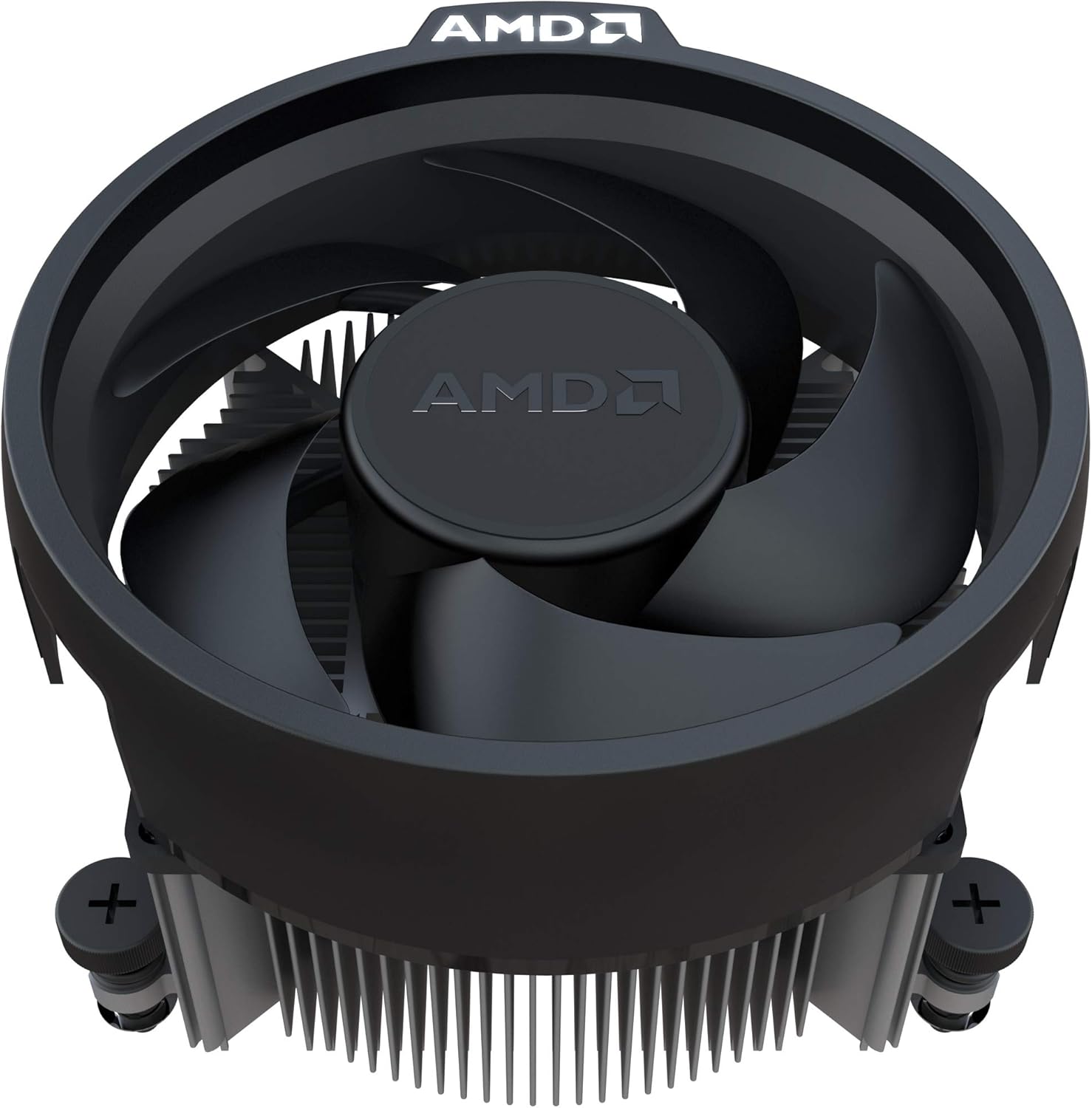
Image: The AMD Wraith Stealth cooler, a compact CPU fan and heatsink assembly with the AMD logo on the fan hub.
پروڈکٹ ختمview
The AMD Ryzen 5 2400G is a powerful desktop processor featuring 4 cores and 8 threads, designed for the AM4 socket. It integrates Radeon RX Vega 11 Graphics, providing capable visual performance without the need for a discrete graphics card. This processor is suitable for a range of computing tasks, from everyday use to gaming and content creation.
اہم خصوصیات:
- Integrated Radeon RX Vega 11 Graphics
- 4 Cores / 8 Threads (Unlocked)
- Base Frequency: 3.6 GHz, Max Boost Frequency: 3.9 GHz
- ساکٹ کی قسم: AM4
- ڈیفالٹ ٹی ڈی پی: 65W
- Includes Wraith Stealth cooler
- Supports AMD SenseMI technology, AMD Ryzen Master Utility, and Radeon FreeSync technology

تصویر: ایک زاویہ view of the AMD Ryzen 5 2400G processor, highlighting its metallic heat spreader and green PCB.
انسٹالیشن گائیڈ
Proper installation is crucial for the performance and stability of your system. Always handle the processor with care, touching only the edges to avoid damaging the pins or integrated components.
شروع کرنے سے پہلے:
- Ensure your motherboard supports the AM4 socket and is compatible with Ryzen 5 2400G processors. Check your motherboard manufacturer's website for the latest BIOS updates and CPU compatibility list.
- ضروری اوزار جمع کریں: فلپس ہیڈ سکریو ڈرایور، تھرمل پیسٹ (اگر کولر پر پہلے سے لاگو نہیں کیا گیا ہے)، اور اینٹی سٹیٹک کلائی کا پٹا۔
- اپنے کمپیوٹر سے بجلی منقطع کریں اور اجزاء کو سنبھالنے سے پہلے کوئی بھی جامد بجلی خارج کریں۔
Processor Installation Steps:
- مدر بورڈ تیار کریں: Open the CPU socket retention arm on your AM4 motherboard.
- پروسیسر کو سیدھ کریں: Carefully align the triangular arrow on the corner of the Ryzen processor with the corresponding arrow on the AM4 socket. Gently lower the processor straight down into the socket. Do not force it. If it does not seat easily, re-check alignment.
- پروسیسر کو محفوظ کریں: Once the processor is seated, close the socket retention arm to lock it in place.
- تھرمل پیسٹ لگائیں (اگر ضروری ہو): If your Wraith Stealth cooler does not have pre-applied thermal paste, apply a small pea-sized amount to the center of the CPU's heat spreader.
- کولر انسٹال کریں: Position the Wraith Stealth cooler over the CPU, aligning the mounting clips or screws with the motherboard's retention bracket or screw holes. Secure the cooler firmly, ensuring even pressure. Connect the cooler's fan cable to the CPU_FAN header on your motherboard.

تصویر: نیچے view of the AMD Ryzen 5 2400G processor, showing the array of pins (PGA) that connect to the motherboard socket.
آپریٹنگ ہدایات
After successful installation, your system is ready for operation. The AMD Ryzen 5 2400G features integrated Radeon RX Vega 11 Graphics, which will be utilized automatically by your operating system.
ڈرائیور کی تنصیب:
- For optimal performance, especially for the integrated Radeon graphics, download and install the latest chipset and graphics drivers from the official AMD webسائٹ (www.amd.com/en/support).
- یقینی بنائیں کہ آپ کا آپریٹنگ سسٹم اپ ٹو ڈیٹ ہے۔
BIOS/UEFI کنفیگریشن:
- Access your motherboard's BIOS/UEFI settings during boot-up (usually by pressing DEL or F2).
- Verify that the CPU is recognized correctly.
- Adjust RAM frequency to its rated speed using XMP/DOCP profiles for best integrated graphics performance.
- Allocate sufficient system memory (RAM) to the integrated graphics processor (iGPU) if your motherboard allows. A minimum of 2GB is recommended for general use, more for gaming.
کارکردگی کی نگرانی:
- Utilize AMD Ryzen Master Utility (downloadable from AMD's website) to monitor CPU temperatures, frequencies, and other parameters.
- Maintain good airflow within your PC case to prevent overheating.
دیکھ بھال
باقاعدگی سے دیکھ بھال آپ کے پروسیسر اور کولنگ سلوشن کی لمبی عمر اور بہترین کارکردگی کو یقینی بنانے میں مدد کرتی ہے۔
- دھول ہٹانا: Periodically clean the CPU cooler's heatsink and fan to prevent dust buildup, which can impede airflow and cooling efficiency. Use compressed air for this purpose, holding the fan blades to prevent over-spinning.
- تھرمل پیسٹ: The thermal paste between the CPU and cooler may degrade over several years. If you notice increased temperatures, consider reapplying fresh thermal paste after carefully cleaning the old paste from both surfaces.
- سافٹ ویئر اپ ڈیٹس: Keep your operating system, motherboard BIOS/UEFI, and AMD drivers updated to benefit from performance improvements and bug fixes.
خرابی کا سراغ لگانا
اگر آپ کو مسائل کا سامنا کرنا پڑتا ہے تو، مندرجہ ذیل عام ٹربل شوٹنگ کے اقدامات سے رجوع کریں:
- کوئی ڈسپلے آؤٹ پٹ نہیں:
- Ensure your monitor cable is connected to the motherboard's video output ports (HDMI, DisplayPort, DVI) if you are using the integrated graphics.
- Verify that the CPU is correctly seated in the socket and the cooler is properly installed and powered.
- Check RAM modules are correctly seated.
- Ensure your motherboard BIOS is updated to support the Ryzen 5 2400G.
- سسٹم کی عدم استحکام/کریشز:
- Monitor CPU temperatures. High temperatures can cause instability. Ensure adequate cooling and proper thermal paste application.
- Test RAM stability. Incorrect RAM settings (e.g., XMP profiles) can cause issues. Try running RAM at default speeds.
- Ensure all power connections to the motherboard and CPU are secure.
- Poor Graphics Performance:
- Install the latest AMD Radeon graphics drivers.
- Verify that sufficient system RAM is allocated to the integrated graphics in the BIOS/UEFI settings.
- Ensure your system RAM is running at its optimal speed (e.g., 3000MHz or higher with XMP/DOCP enabled).
For further assistance, consult your motherboard manual or the AMD support webسائٹ
تکنیکی وضاحتیں
| پروسیسر ماڈل | AMD Ryzen 5 2400G |
| کور کاؤنٹ | 4 |
| تھریڈ کاؤنٹ | 8 |
| بیس کلاک سپیڈ | 3.6 GHz |
| زیادہ سے زیادہ بوسٹ گھڑی کی رفتار | 3.9 GHz |
| L2 کیشے | 2 MB |
| L3 کیشے | 4 MB |
| ساکٹ کی قسم | AM4 |
| پہلے سے طے شدہ ٹی ڈی پی | 65 ڈبلیو |
| انٹیگریٹڈ گرافکس | Radeon RX Vega 11 Graphics |
| گرافکس فریکوئنسی | 1250 میگاہرٹز |
| گرافکس کور کاؤنٹ | 11 |
| کولر شامل ہے۔ | Wraith اسٹیلتھ |
| مصنوعات کے طول و عرض | 1.6 x 1.6 x 0.1 انچ |
| شے کا وزن | 1 پاؤنڈ |
وارنٹی اور سپورٹ
AMD products are manufactured to the highest quality standards. For information regarding your product's warranty, please refer to the warranty documentation included with your purchase or visit the official AMD webسائٹ
For technical support, driver downloads, and additional resources, please visit the AMD Support page:
When contacting support, please have your product model (Ryzen 5 2400G) and any relevant system information ready.
Ask a question about this manual
Ask about setup, troubleshooting, compatibility, parts, safety, or missing instructions. Manuals+ will review the question and use this page’s manual context to help answer it.