
تعارف
This manual provides detailed instructions for the DELTACO GAMING GAM-030 Wired Gaming Headset. Please read this manual carefully before using the product to ensure proper operation and to maximize your gaming and audio experience.
پیکیج کے مشمولات
تصدیق کریں کہ نیچے دی گئی تمام اشیاء آپ کے پیکیج میں شامل ہیں:
- DELTACO GAMING GAM-030 Headset
- 1x 3.5mm to 2x 3.5mm Y-adapter

Image: Retail packaging of the DELTACO GAMING GAM-030 headset.

Image: Close-up of the headset's USB connector (for LED power) and 3.5mm audio jack.

Image: The included 3.5mm Y-adapter, splitting a single 3.5mm jack into separate audio and microphone jacks.
پروڈکٹ ختمview
The DELTACO GAMING GAM-030 headset is designed for an immersive audio experience across various platforms.

تصویر: سامنے view of the DELTACO GAMING GAM-030 headset, showing the earcups and microphone.
- Circumaural Design: Over-ear design with artificial leather ear cushions for comfort and passive noise reduction.
- 57mm Speaker Drivers: Large drivers deliver clear stereo sound.
- لچکدار مائیکروفون: Omnidirectional microphone with an orange LED indicator for clear voice communication.
- Integrated Volume Control: A discreet volume control wheel is located on the rear of the left earcup.
- سایڈست ہیڈ بینڈ: Soft foam padded vegan leather headband for comfortable fit, with height adjustment.
- پائیدار فریم: Strong and lightweight aluminum frame construction.
- ایل ای ڈی لائٹنگ: Orange LED lights on earcups and microphone, powered via USB.

Image: Close-up of the headset earcup, illustrating the 57mm speaker element for immersive sound.
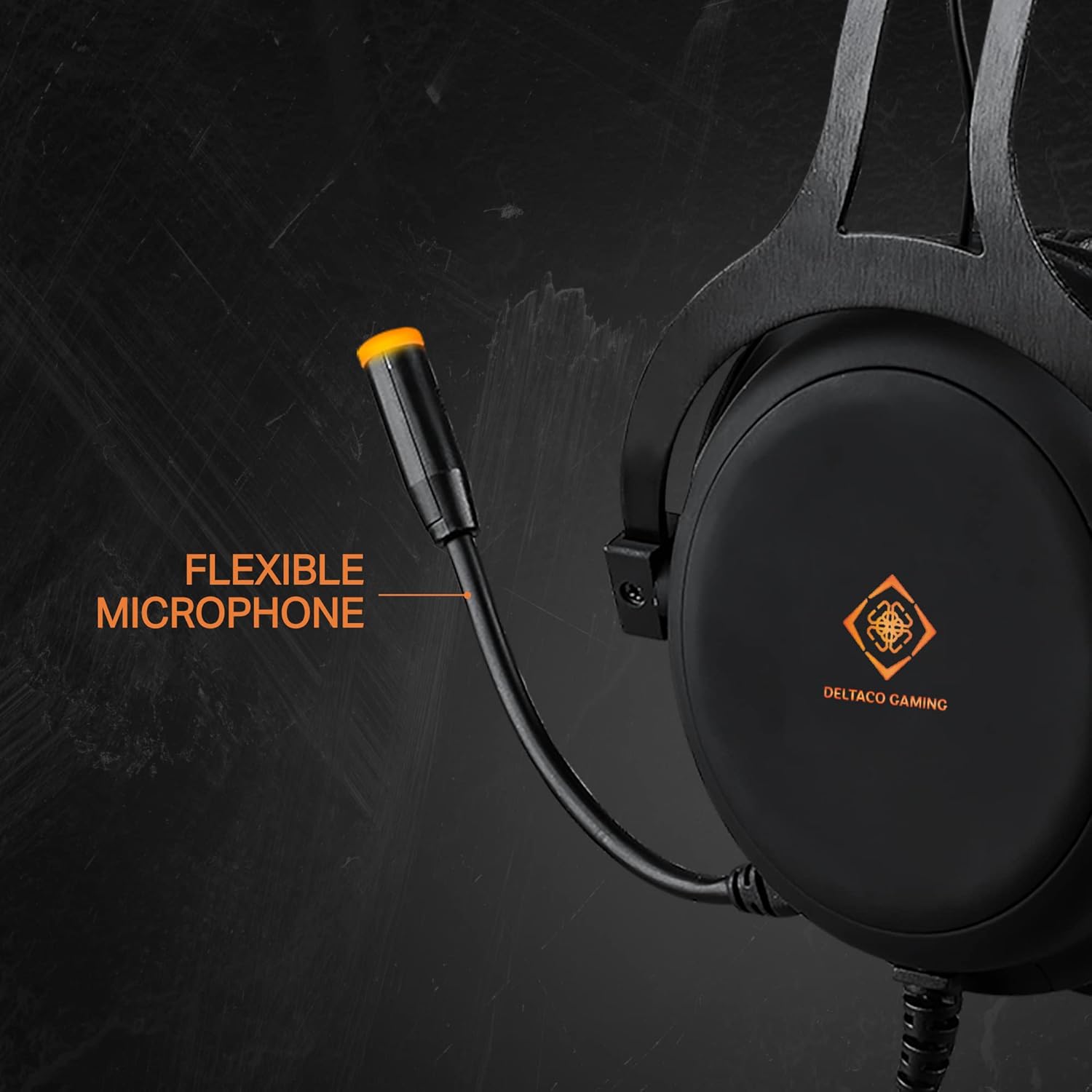
Image: The flexible microphone of the headset, designed for optimal positioning.

تصویر: سائیڈ view of the earcup, highlighting the over-ear design with soft foam padding and the easily accessible volume control.

Image: The soft foam padded vegan leather headband, illustrating its height adjustability.

Image: Detail of the headset's aluminum frame, emphasizing its strong and lightweight construction.
سیٹ اپ
1. Connecting for Audio and Microphone (3.5mm Jack)
- For devices with a single 3.5mm combo jack (e.g., PS4, Switch, Xbox One, most laptops, mobile phones): Connect the headset's 3.5mm jack directly to the device's audio port.
- For devices with separate audio and microphone 3.5mm ports (e.g., PC desktops): Use the included 1x 3.5mm to 2x 3.5mm Y-adapter. Connect the headset's 3.5mm jack to the adapter, then connect the adapter's green plug to the audio output port and the pink plug to the microphone input port on your computer.
2. Connecting for LED Lighting (USB)
Connect the headset's USB cable to any available USB port on your computer, console, or a USB power adapter. This connection is solely for powering the orange LED lights on the earcups and microphone. It does not transmit audio or microphone signals.
آپریٹنگ ہدایات
- حجم کنٹرول: Adjust the audio output level using the control wheel located on the rear of the left earcup. Rotate it upwards to increase volume and downwards to decrease volume.
- مائیکروفون کا استعمال: Position the flexible microphone close to your mouth for optimal voice pickup during communication.
- ایل ای ڈی لائٹنگ: The DELTACO GAMING logo on the earcups and the microphone tip will illuminate with an orange LED when the USB cable is connected to a power source.
دیکھ بھال
صفائی
- Wipe the headset surfaces with a soft, dry cloth.
- ضدی گندگی کے لیے، تھوڑا سا استعمال کریں۔amp ہلکے صابن کے ساتھ کپڑے، پھر فوری طور پر خشک مسح.
- سخت کیمیکلز، سالوینٹس یا کھرچنے والے کلینر استعمال نہ کریں۔
- Avoid getting moisture into the speaker grilles or microphone.
ذخیرہ
- ہیڈسیٹ کو کسی ٹھنڈی، خشک جگہ پر براہ راست سورج کی روشنی اور انتہائی درجہ حرارت سے دور رکھیں۔
- ہیڈسیٹ پر بھاری اشیاء رکھنے سے گریز کریں۔
- Do not twist or pull the cables excessively.
خرابی کا سراغ لگانا
- کوئی آواز نہیں:
- Check if the 3.5mm audio jack is fully inserted into the device.
- Ensure the volume control wheel on the headset is turned up.
- Verify the audio output settings on your device (PC, console, etc.) are configured to use the headset.
- ڈیوائس کے مخصوص مسئلے کو مسترد کرنے کے لیے ہیڈسیٹ کو کسی دوسرے آلے سے ٹیسٹ کریں۔
- مائیکروفون کام نہیں کر رہا:
- Ensure the 3.5mm microphone jack (or the Y-adapter's pink plug) is correctly connected to the microphone input port on your device.
- Check the microphone input settings on your device. Ensure the headset microphone is selected as the default input device and its volume is not muted or set too low.
- مائیکروفون کو کسی اور ایپلیکیشن یا ڈیوائس سے ٹیسٹ کریں۔
- ایل ای ڈی لائٹس کام نہیں کر رہی:
- Confirm the USB cable is securely connected to a powered USB port.
- USB کیبل کو کسی دوسرے USB پورٹ یا پاور سورس سے جوڑنے کی کوشش کریں۔
- Note that the USB connection is only for LED power and does not affect audio or microphone functionality.
وضاحتیں
| فیچر | تفصیل |
|---|---|
| ماڈل نمبر | GAM-030 |
| کنیکٹوٹی | Wired (3.5mm Jack, USB for LED) |
| ڈرائیور کا سائز | 57 ملی میٹر |
| تعدد رسپانس | 20 Hz - 20 kHz |
| رکاوٹ | 32 اوہم |
| حساسیت | 122 ڈی بی |
| مائکروفون کی قسم | Omnidirectional, Flexible |
| ائرکپس | Circumaural, Artificial Leather |
| سر پٹی۔ | Adjustable, Soft Foam Padded, Vegan Leather |
| فریم کا مواد | ایلومینیم |
| کیبل کی لمبائی | 2.10 میٹر |
| وزن | 349 گرام |
| ایل ای ڈی لائٹنگ | Orange (USB powered) |
| کنٹرول کرتا ہے۔ | والیوم کنٹرول وہیل |
| ہم آہنگ آلات | PC, Laptops, Desktop Computers, Game Consoles (PS4, Switch, Xbox One), Mobile Phones |
| شامل اجزاء | Headset, 1x 3.5mm to 2x 3.5mm Y-adapter |
| کارخانہ دار | ڈیلٹاکو |
| اصل ملک | نیدرلینڈز |
وارنٹی اور سپورٹ
This DELTACO GAMING product is covered by a 5-year warranty for spare parts availability within the EU. For technical support or warranty claims, please contact your retailer or visit the official DELTACO GAMING webمزید مدد کے لیے سائٹ۔