
تعارف
This manual provides comprehensive instructions for the setup, operation, and maintenance of your TeknoGame GC Wired Game Controller. This controller is designed for use with Nintendo Wii and Nintendo GameCube systems, offering a classic gaming experience.
مناسب فعالیت اور لمبی عمر کو یقینی بنانے کے لیے براہ کرم پروڈکٹ کو استعمال کرنے سے پہلے اس دستی کو اچھی طرح پڑھیں۔
پروڈکٹ ختمview

تصویر 1: سامنے والا view of the TeknoGame GC Wired Game Controller, showcasing its clear casing, button layout, and the GameCube-style connector cable.
The TeknoGame GC Wired Game Controller features a transparent design, allowing visibility of its internal components. It includes a standard GameCube controller layout with an analog stick, C-stick, D-pad, A/B/X/Y buttons, Start/Pause button, and L/R/Z shoulder buttons. The controller connects via a wired cable with a GameCube compatible plug.
سیٹ اپ کی ہدایات
- Identify the Controller Port: Locate the GameCube controller ports on your Nintendo Wii console (under a flap on the top side) or directly on your Nintendo GameCube console.
- کنٹرولر کو جوڑیں: Insert the controller's plug firmly into an available GameCube controller port. Ensure the plug is oriented correctly to avoid damage.
- Power On Console: Turn on your Nintendo Wii or GameCube console.
- ٹیسٹ کی فعالیت: Navigate the console's menu or start a game to confirm the controller is responsive.

تصویر 2: اپر سے نیچے view of the controller, highlighting the button layout and transparent design.
کنٹرولر کو چلانا
The TeknoGame GC Wired Game Controller functions identically to an original GameCube controller. Refer to your game's specific instructions for button assignments and control schemes.
- اینالاگ اسٹک: Used for primary character movement or menu navigation.
- C-Stick: Often used for camera control, secondary actions, or smash attacks in fighting games.
- ڈی پیڈ: Used for menu navigation or specific in-game actions.
- A, B, X, Y بٹن: Primary action buttons, functions vary by game.
- شروع/توقف بٹن: Pauses the game or accesses in-game menus.
- L/R بٹن: Analog shoulder buttons, often used for shielding, aiming, or other context-sensitive actions.
- Z بٹن: Digital shoulder button, typically used for specific actions like grabbing or targeting.
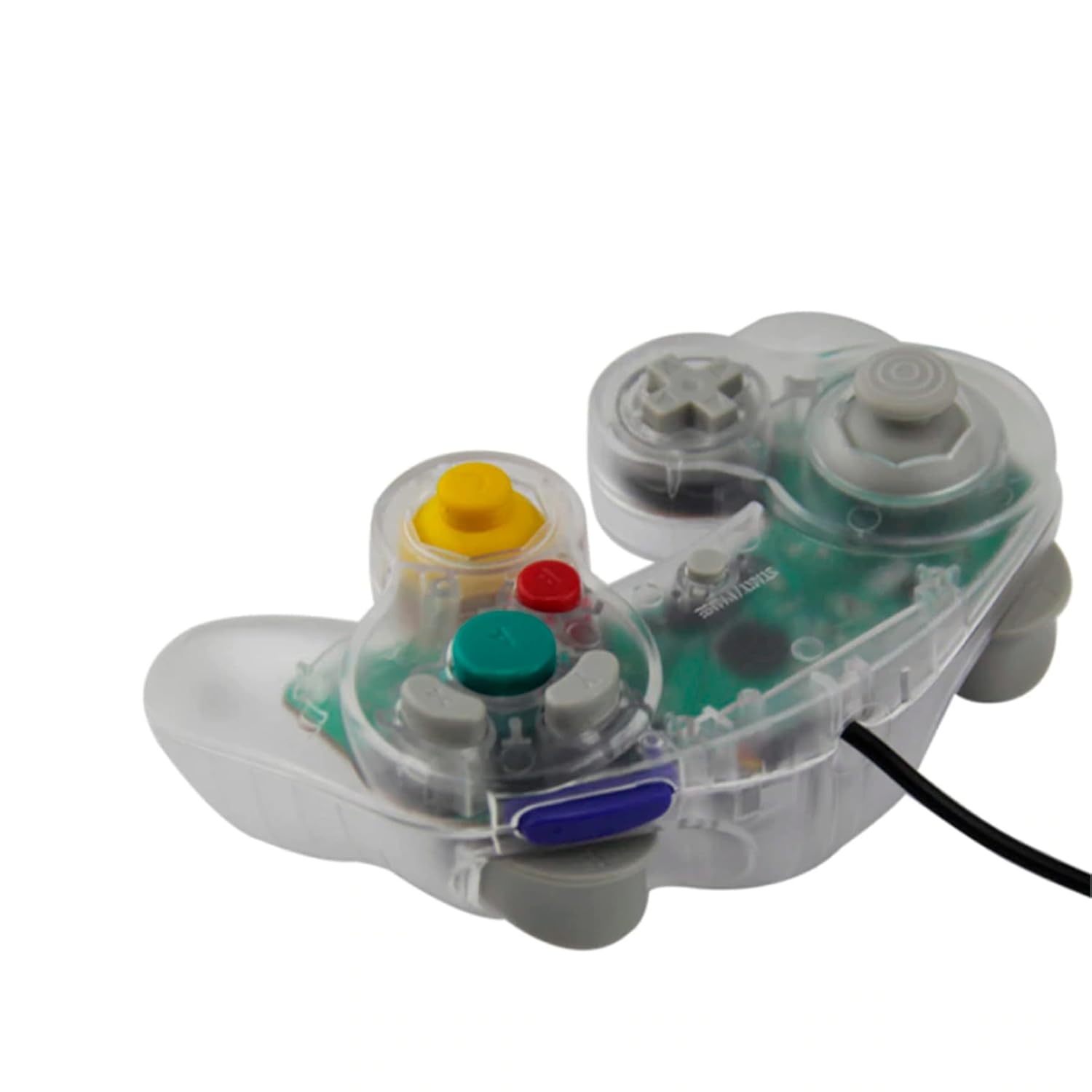
تصویر 3: طرف view of the controller, illustrating its ergonomic shape and the attached wired cable.
دیکھ بھال اور دیکھ بھال
- صفائی: کنٹرولر کی سطح کو صاف کرنے کے لیے نرم، خشک کپڑا استعمال کریں۔ ضدی گندگی کے لیے، قدرے ڈیampپانی کے ساتھ کپڑے. سخت کیمیکلز یا کھرچنے والے کلینر سے پرہیز کریں۔
- ذخیرہ: Store the controller in a cool, dry place away from direct sunlight and extreme temperatures. Avoid wrapping the cable too tightly around the controller to prevent damage.
- ہینڈلنگ: Do not drop the controller or subject it to strong impacts. Avoid pulling the cable forcefully when disconnecting from the console; always grasp the plug.
خرابی کا سراغ لگانا
| مسئلہ | ممکنہ وجہ | حل |
|---|---|---|
| کنٹرولر جواب نہیں دے رہا ہے۔ | Loose connection, incorrect port, console not powered on. |
|
| Buttons or sticks are unresponsive/stiff. | Debris under buttons, internal component issue. |
|
| Controller disconnects intermittently. | Loose cable connection, damaged cable. |
|
وضاحتیں
- ماڈل: GC Wired Game Controller
- برانڈ: Teknogame
- مطابقت: Nintendo Wii, Nintendo GameCube
- کنیکٹوٹی: Wired (GameCube port)
- طول و عرض: تقریباً 8 x 8 x 3 انچ
- وزن: تقریباً 8.8 اونس
وارنٹی اور سپورٹ
For warranty information or technical support, please refer to the contact details provided with your purchase or visit the official Teknogame webسائٹ