
تعارف
This user manual provides comprehensive instructions for the setup, operation, maintenance, and troubleshooting of your Alienware M15 Gaming Laptop. Please read this manual thoroughly to ensure optimal performance and longevity of your device. For additional support, refer to the official Alienware support resources.
پروڈکٹ ختمview
کلیدی خصوصیات
- 8th Generation Intel Core i7-8750H (6-Core, 9MB Cache, up to 4.1GHz w/ Turbo Boost)
- 15.6" FHD (1920 x 1080) 60Hz Anti-glare IPS, 300-nits 72% Color gamut, narrow-border Display
- 16GB, 2x8GB, DDR4, 2666MHz RAM
- 128GB PCIe M.2 SSD + 1TB (+8GB SSHD) Hybrid Drive
- Nvidia GeForce GTX 1060 with 6GB GDDR5 Graphics Card
- ونڈوز 10 ہوم آپریٹنگ سسٹم
جسمانی اجزاء

تصویر 1: سامنے والا view of the Alienware M15 laptop, showcasing the display with the Alienware logo.

تصویر 2: اپر سے نیچے view of the open Alienware M15 laptop, highlighting the keyboard layout and touchpad.

تصویر 3: بائیں طرف view of the Alienware M15 laptop, showing various ports such as USB 3.0.
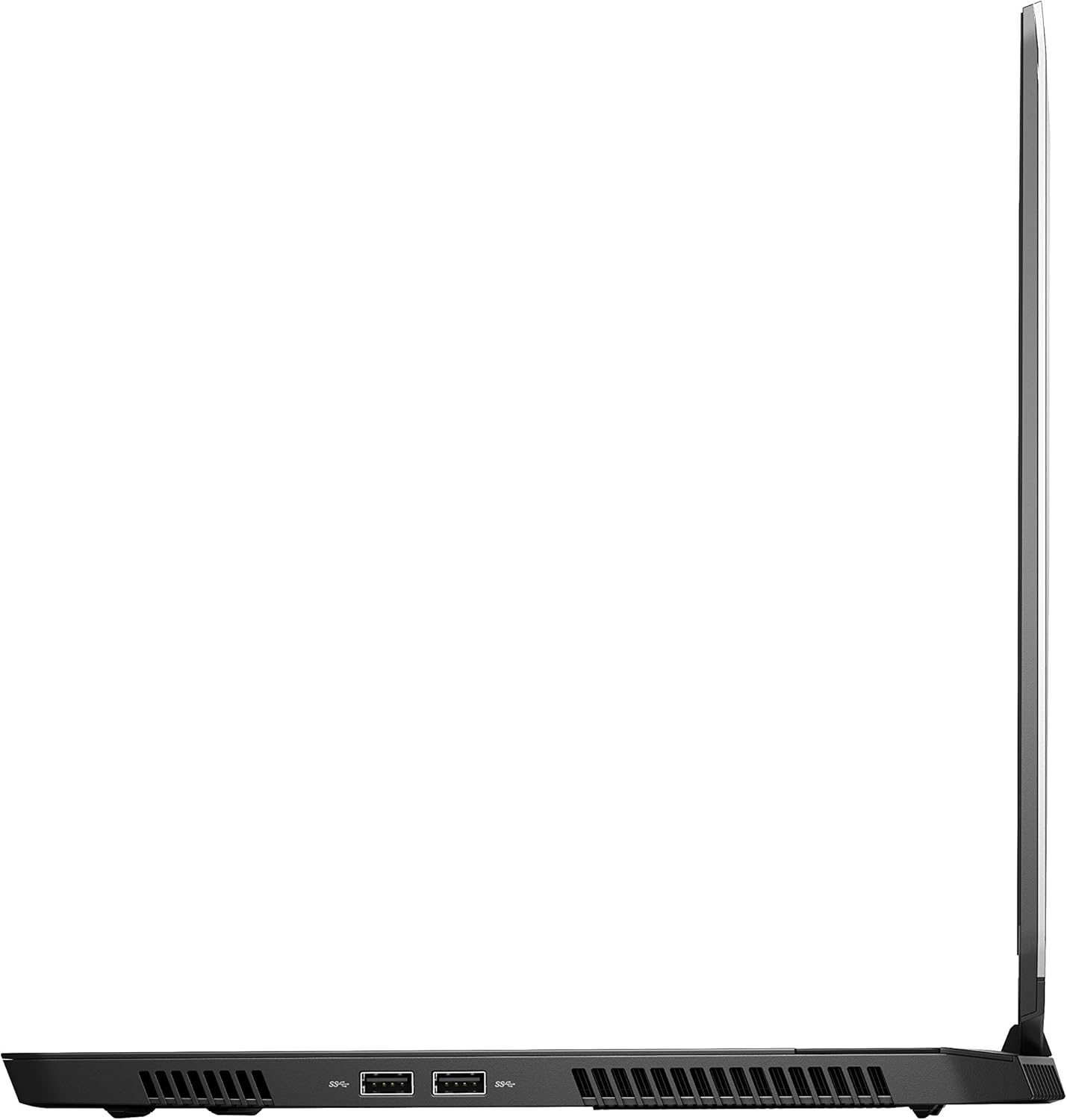
تصویر 4: دائیں طرف view of the Alienware M15 laptop, displaying additional ports and ventilation.

تصویر 5: پھٹا view illustrating the internal cooling system of the Alienware M15 laptop, including fans and heat sinks.
سیٹ اپ
پیک کھولنا
پیکیجنگ سے تمام اجزاء کو احتیاط سے ہٹا دیں۔ یقینی بنائیں کہ درج ذیل اشیاء موجود ہیں:
- Alienware M15 Gaming Laptop
- پاور کی ہڈی
- 180W پاور اڈاپٹر
ابتدائی پاور آن
- پاور اڈاپٹر کو لیپ ٹاپ کے پاور ان پٹ پورٹ سے جوڑیں۔
- پاور کورڈ کو دیوار کے آؤٹ لیٹ میں لگائیں۔
- Open the laptop lid and press the power button, typically located on the top right of the keyboard deck or a dedicated button on the chassis.
- Windows 10 ہوم سیٹ اپ کے عمل کو مکمل کرنے کے لیے آن اسکرین ہدایات پر عمل کریں، بشمول زبان کا انتخاب، نیٹ ورک کنکشن، اور صارف اکاؤنٹ بنانا۔
آپریٹنگ ہدایات
بنیادی آپریشن
Your Alienware M15 laptop runs on Windows 10 Home. Familiarize yourself with the operating system's interface. The keyboard features customizable backlighting via Alienware's software. The touchpad supports multi-touch gestures for navigation.
گیمنگ پرفارمنس
The Alienware M15 is designed for high-performance gaming. For optimal gaming experience, ensure the laptop is connected to the power adapter. This allows the system to utilize its full power capabilities for the CPU and GPU. While gaming, the laptop may generate significant heat; this is normal for high-performance hardware. Consider using a cooling pad for extended gaming sessions to enhance thermal management.
دیکھ بھال
صفائی
- سکرین: تھوڑا سا نرم، لنٹ سے پاک کپڑا استعمال کریں۔ampپانی یا اسکرین کلینر کے ساتھ ختم کریں۔ سخت کیمیکلز سے پرہیز کریں۔
- کی بورڈ اور چیسس: Use a soft brush or compressed air to remove dust from keys and vents. Wipe surfaces with a microfiber cloth.
- بندرگاہیں: Use compressed air to clear dust from USB, HDMI, and other ports.
سافٹ ویئر اپڈیٹس
Regularly update your Windows operating system, graphics drivers (NVIDIA GeForce), and Alienware software. Updates often include performance improvements, security patches, and bug fixes. Access Windows updates through Settings > Update & Security. Graphics drivers can be updated via the NVIDIA GeForce Experience application.
بیٹری کی دیکھ بھال
To maximize battery lifespan, avoid consistently discharging the battery completely. For prolonged use while plugged in, consider using battery management features (if available in Alienware Command Center) to limit charging to 80-90% capacity.
خرابی کا سراغ لگانا
This section addresses common issues you might encounter with your Alienware M15 laptop.
| مسئلہ | ممکنہ وجہ/حل |
|---|---|
| Laptop gets excessively hot during use. | High-performance components generate heat. Ensure ventilation vents are clear. Use a cooling pad. Update graphics drivers. |
| "No media present" error or SSD/HDD not detected. | This can sometimes be a temporary software glitch. Try restarting the laptop. If persistent, ensure the power cable is securely connected and try a hard reboot (unplug power, hold power button for 15 seconds, then reconnect and power on). If the issue persists, contact support. |
| Wi-Fi connection drops frequently. | Ensure Wi-Fi drivers are up to date. Check for interference from other devices. Restart your router and the laptop. If the issue persists, consider reinstalling Wi-Fi drivers or contacting support. |
| System performance is slow or lagging. | Ensure the laptop is plugged into power for full performance. Close unnecessary background applications. Check for malware. Ensure sufficient free space on the SSD/HDD. |
وضاحتیں
Detailed technical specifications for the Alienware M15 Gaming Laptop (Model: AWM15-7830SLV-PUS).
| فیچر | تفصیل |
|---|---|
| کھڑے اسکرین ڈسپلے سائز | 15.6 انچ |
| اسکرین ریزولوشن | 1920 x 1080 پکسلز |
| زیادہ سے زیادہ سکرین ریزولوشن | 1920x1080 پکسلز |
| پروسیسر | 4.1 GHz core_i7_8750h |
| رام | 16 GB DDR4 |
| میموری کی رفتار | 2666 میگاہرٹز |
| ہارڈ ڈرائیو | 1000 GB 128GB PCIe M.2 SSD + 1TB (+8GB SSHD) Hybrid Drive |
| گرافکس کا پروسیسر | NVIDIA GeForce GTX 1060 |
| چپ سیٹ برانڈ | NVIDIA |
| کارڈ کی تفصیل | سرشار |
| گرافکس کارڈ رام سائز | 6 جی بی |
| وائرلیس قسم | 802.11a/b/g/n |
| USB 3.0 پورٹس کی تعداد | 3 |
| برانڈ | ایلین ویئر |
| سلسلہ | AWm15-7830SLV-PUS |
| آئٹم ماڈل نمبر | AWM15-7830SLV-PUS |
| آپریٹنگ سسٹم | ونڈوز 10 ہوم |
| شے کا وزن | 4.8 پاؤنڈ |
| مصنوعات کے طول و عرض | 10.8 x 14.3 x 0.8 انچ |
| رنگ | سیاہ |
| پروسیسر برانڈ | انٹیل |
| پروسیسرز کی تعداد | 6 |
| کمپیوٹر میموری کی قسم | DDR4 SDRAM |
| فلیش میموری کا سائز | 16 |
| ہارڈ ڈرائیو انٹرفیس | ٹھوس ریاست |
| ہارڈ ڈرائیو گھماؤ رفتار | 5400 RPM |
| آپٹیکل ڈرائیو کی قسم | کوئی آپٹیکل ڈرائیو نہیں۔ |
| والیومtage | 240 وولٹ |
| بیٹریاں | 1 لیتھیم میٹل بیٹریاں درکار ہیں۔ (شامل) |
| پہلی تاریخ دستیاب ہے۔ | 5 جنوری 2019 |
| ماڈل کا نام | AWm15-7830SLV-PUS |
| اسکرین کا سائز | 15.6 انچ |
| ہارڈ ڈسک کا سائز | 1000 جی بی |
| سی پی یو ماڈل | کور i7 8750H |
| رام میموری انسٹال شدہ سائز | 16 جی بی |
| خصوصی خصوصیت | اینٹی چکاچوند کوٹنگ |
وارنٹی اور سپورٹ
For detailed warranty information, please refer to the documentation included with your purchase or visit the official Alienware support website. For technical assistance, driver downloads, and further resources, please visit the Alienware support portal.
ایک آفیشل یوزر مینوئل (پی ڈی ایف) بھی ڈاؤن لوڈ کے لیے دستیاب ہے: یوزر مینوئل پی ڈی ایف ڈاؤن لوڈ کریں۔