
تعارف
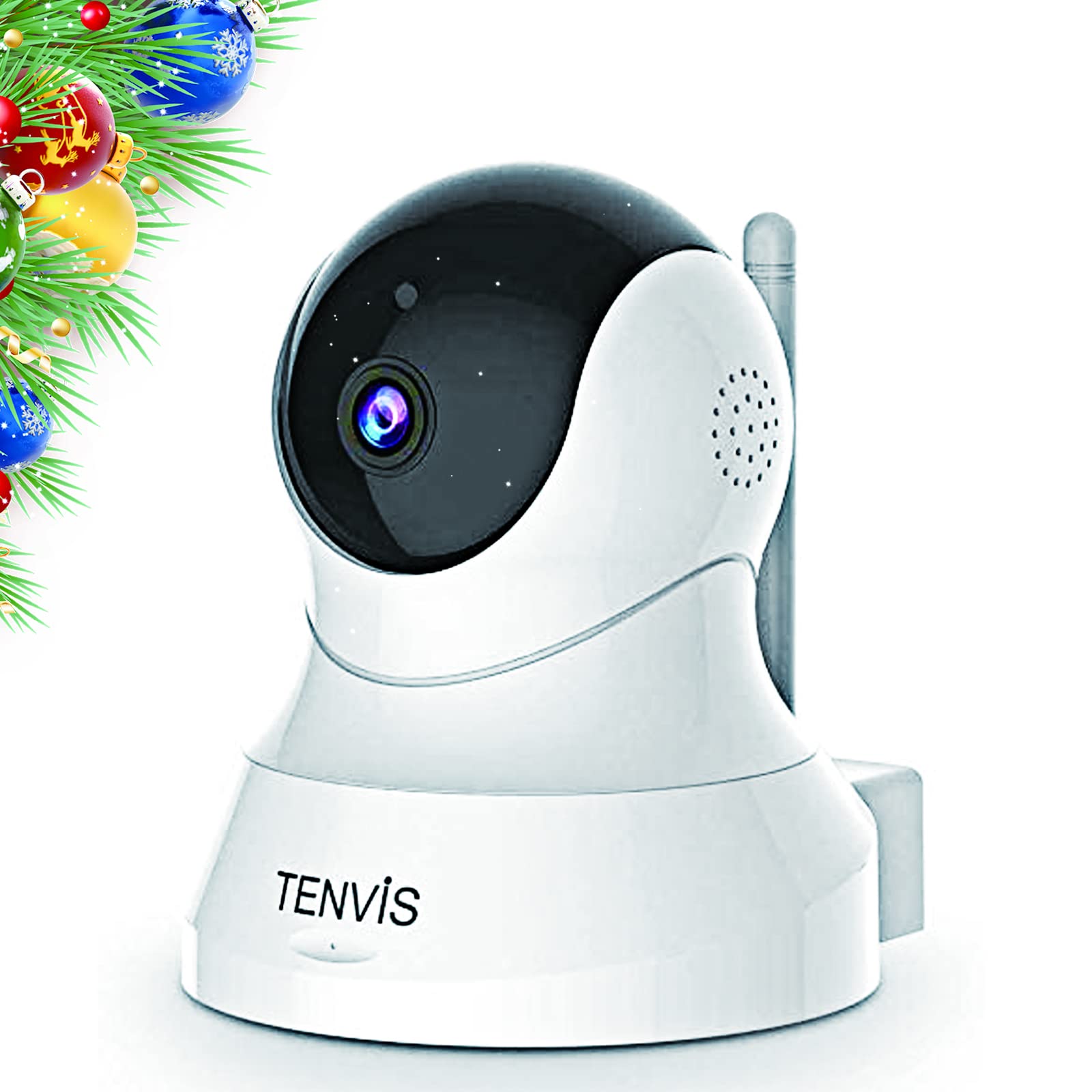
Welcome to your TENVIS 1080P Pet Camera. This manual provides detailed instructions for setting up, operating, and maintaining your device to ensure optimal performance and security. This camera is designed for indoor use, offering features like 1080P Full HD resolution, 2-way audio, motion detection, and night vision to help you monitor your pets or home environment.
پروڈکٹ ختمview
کلیدی خصوصیات
- Full Coverage 1080P FHD Resolution: This home security camera covers a full range of horizontal 355° & vertical 120°. 1920x1080 Mega Pixels delivers clear and sharp images. No dead angle coverage guarantees perfect capture of every image in the surveillance range.
- 32ft Broad Range Night Vision & Automatic Switch Mode: With the core technology ‘Smart Eyes’, TENVIS dog camera provides a clear vision through infrared light at night. This dog camera supports a night vision range up to 32FT, which could act as a deterrent against theft and burglaries.
- Two-Way Audio & One-Click Installation: Based on two-way audio, you are able to talk with your pet through this pet dog camera! This pet dog camera allows one-click Wi-Fi (2.4 GHz) configuration! You don't need to waste your time for installing due to its "Sound Wave Smart Connection"!
- 3-Second Motion Detection & Instant Phone Alarm: Smart Motion detection technology allows you to avoid taping hours of inactivity. With the help of this pet dog monitor camera, every potential risk will be identified and notifications will be sent to your phone immediately.
- Protects Your Privacy with Local Storage: This wireless pet dog monitor camera does not support cloud storage. You may save the footage into your SD card or cell phone and never worry about privacy leaks. Ideal choice for gift giving! (SD card is not included in the package.)
پیکیج کے مشمولات
- TENVIS 1080P Pet Camera Unit
- پاور اڈاپٹر
- USB پاور کیبل
- بڑھتے ہوئے ہارڈ ویئر (پیچ اور اینکرز)
- صارف دستی

سیٹ اپ
ابتدائی ڈیوائس سیٹ اپ
- پاور آن: Plug the USB power cable into the camera's power port and connect the power adapter to a wall outlet. The camera will power on and initiate its self-check.
- ایپ ڈاؤن لوڈ کریں: Download the VicoHome app from your mobile device's app store (Android or iOS).
- اکاؤنٹ رجسٹریشن: Open the VicoHome app and register for a new account or log in if you already have one.
- ڈیوائس شامل کریں: Tap the '+' icon in the app to add a new device. Select the appropriate camera type (Plug-in device).
- وائی فائی کنکشن: Follow the in-app instructions to connect your camera to your 2.4 GHz Wi-Fi network. Ensure your phone is also connected to the same 2.4 GHz network during setup. The camera will emit a sound to indicate it's ready for connection.
- Device Naming & Location: Once connected, name your camera and assign it a location within your home (e.g., Living Room, Pet Camera).
- فرم ویئر اپ ڈیٹ: The app may prompt you to update the camera's firmware. It is recommended to perform this update for optimal performance and features.
آپریٹنگ
جیو View اور کنٹرولز
Access the live feed of your camera through the VicoHome app. From the live view interface, you can control various functions:
- پین اور جھکاؤ: Use the directional controls (arrows) in the app to remotely rotate the camera horizontally (355°) and vertically (120°) to get a full view کمرے کے
- دو طرفہ آڈیو: Tap the microphone icon to speak through the camera's speaker, allowing you to communicate with pets or family members. Tap the speaker icon to listen to audio from the camera's environment.
- حرکت کا پتہ لگانے اور انتباہات: Enable motion detection in the app settings. You will receive instant notifications on your phone when motion is detected. You can adjust sensitivity settings to minimize false alarms.
- نائٹ ویژن: The camera automatically switches to night vision mode in low-light conditions, providing clear black-and-white video up to 32 feet.
- مقامی ذخیرہ: Insert a Micro SD card (not included) into the camera's slot to record footage locally. You can access and manage recorded videos directly from the app.


دیکھ بھال
ڈیوائس کیئر
- صفائی: نرم، خشک کپڑے سے کیمرے کے لینس اور جسم کو آہستہ سے صاف کریں۔ سخت کیمیکلز یا کھرچنے والے مواد کے استعمال سے پرہیز کریں۔
- جگہ کا تعین: Ensure the camera is placed in a stable location with good ventilation. Avoid direct sunlight or extreme temperatures.
- فرم ویئر اپ ڈیٹس: Regularly check for and install firmware updates through the VicoHome app to ensure your camera has the latest features and security enhancements.
خرابی کا سراغ لگانا
مشترکہ مسائل اور حل
- کیمرہ وائی فائی سے منسلک نہیں ہے: Ensure your Wi-Fi network is 2.4 GHz. Check your Wi-Fi password and signal strength. Try restarting your router and the camera.
- خراب تصویر کا معیار: Ensure the lens is clean. Check your internet connection speed. Adjust video quality settings in the app if necessary.
- Motion detection false alarms: Adjust the motion detection sensitivity in the app settings. Ensure the camera is not facing areas with constant movement (e.g., tree branches swaying outside a window).
- آڈیو مسائل: Check the volume settings in the app. Ensure there are no obstructions blocking the camera's microphone or speaker.
- کیمرہ آف لائن: Check the power connection and Wi-Fi status. Restart the camera and router.
وضاحتیں
تکنیکی تفصیلات
- ماڈل نمبر: TH661D۔
- ویڈیو کیپچر ریزولوشن: 1080ص
- کنیکٹوٹی ٹیکنالوجی: Wireless (Wi-Fi 2.4 GHz)
- خصوصی خصوصیات: موشن سینسر، نائٹ ویژن، 2 وے آڈیو
- انڈور / آؤٹ ڈور استعمال: انڈور
- نائٹ ویژن رینج: 32 فٹ
- آئٹم کے طول و عرض (L x W x H): 4.72 x 5.12 x 3.94 انچ
- آئٹم کا وزن: 8.8 اونس
- کنٹرول کا طریقہ: ایپ کنٹرول، ریموٹ کنٹرول
- ہم آہنگ آلات: Smartphone (Android & iOS)
وارنٹی اور سپورٹ
وارنٹی کی معلومات
No specific warranty information is provided in the product data. Please refer to the manufacturer's website or contact customer support for warranty details.
کسٹمر سپورٹ
For further assistance, troubleshooting, or product inquiries, please visit the TENVIS website or contact their customer support channels. You can often find FAQs and additional resources on their official webسائٹ