
تعارف
This manual provides detailed instructions for the installation, operation, and maintenance of your ASHATA MP5-SWM9601 Car Stereo. This single-DIN multimedia player features a 7-inch retractable touchscreen, Bluetooth connectivity for calls and music streaming, and supports various audio and video formats via USB, TF card, and AUX input. Please read this manual thoroughly before using the product to ensure proper function and safety.
مصنوعات کی خصوصیات
- 7-inch high-definition retractable touchscreen display.
- ہینڈز فری کالنگ اور آڈیو اسٹریمنگ کے لیے بلوٹوتھ۔
- Supports various audio formats including APE, FLAC, WAV, DIS, MP3, WMA, ACC, OGG, RA, AC3, MP2, AMR.
- Supports various video formats including AVI, MP4, FLV, PMP, RM, RMVB, MPG.
- USB 2.0 and TF card slot for media playback.
- AUX audio input for external devices.
- Supports rear view camera input for parking assistance.
- Electronic sound processing (EQ) with adjustable treble, bass, balance, and sound field.
- Memory playback function for songs.
- آسان آپریشن کے لیے ریموٹ کنٹرول شامل ہے۔
سیٹ اپ اور انسٹالیشن
Proper installation is crucial for the performance and safety of your car stereo. It is recommended to have this unit installed by a professional technician. Ensure the vehicle's battery is disconnected before starting installation.
طول و عرض
Before installation, verify that the unit's dimensions are compatible with your car's dashboard opening. The unit is a standard single-DIN size.

تصویر 1: Dimensions of the ASHATA MP5-SWM9601 car stereo. The unit measures approximately 18.4 cm (7.2 inches) in width, 6.2 cm (2.4 inches) in height, and 17.8 cm (7.0 inches) in depth.
وائرنگ ڈایاگرام
Refer to the following diagram for correct wiring connections. Incorrect wiring can cause damage to the unit or your vehicle's electrical system.
تصویر 2: پیچھے view of the ASHATA MP5-SWM9601 showing the wiring harness connector and RCA outputs for audio and video. The wiring harness typically includes connections for power (ACC, B+, Ground), speakers, antenna, and steering wheel controls (if applicable).
- بجلی کے رابطے: Connect the yellow wire to the constant 12V power supply (B+), the red wire to the accessory 12V power supply (ACC), and the black wire to ground.
- اسپیکر کنکشن: Connect the speaker wires to the corresponding positive and negative terminals for each speaker (e.g., front left +, front left -).
- اینٹینا: Connect the car's radio antenna to the antenna input.
- پیچھے View کیمرہ: Connect the video input from your rear view camera to the designated video input on the unit. Ensure the reverse trigger wire is connected to activate the camera display when reversing.
- آر سی اے آؤٹ پٹس: Use the RCA outputs for connecting external amplifiers or additional displays.
آپریٹنگ ہدایات
پاور آن/آف اور بنیادی کنٹرولز

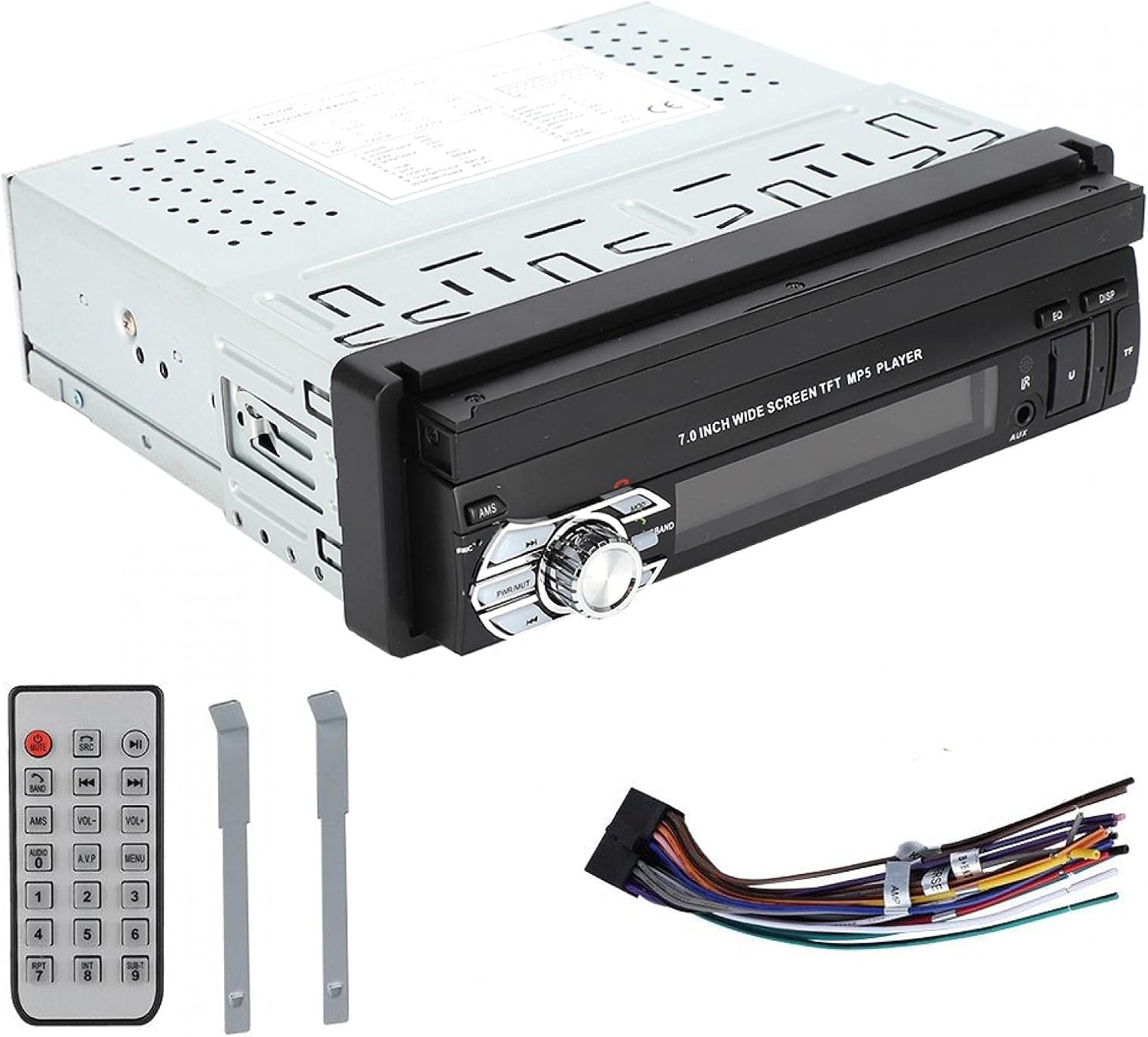
تصویر 3: Front panel of the ASHATA MP5-SWM9601 showing the main controls, including the power/volume knob, mode button, band button, and USB/AUX/TF card slots.
- پاور آن/آف: دبائیں PWR/MUT button to turn the unit on. Press and hold to turn off. A short press will mute/unmute the audio.
- حجم کنٹرول: Rotate the central knob to adjust the volume.
- موڈ کا انتخاب: دبائیں موڈ button to cycle through available sources (Radio, USB, TF, AUX, Bluetooth).
- Retract/Extend Screen: The screen can be manually or automatically retracted/extended. Refer to the on-screen menu for specific settings.
بلوٹوتھ کنیکٹیویٹی
Pair your mobile phone with the car stereo to enjoy hands-free calling and wireless audio streaming.
- Turn on the unit and select Bluetooth mode using the موڈ بٹن
- اپنے موبائل فون پر، بلوٹوتھ کو فعال کریں اور دستیاب آلات تلاش کریں۔
- Select "ASHATA" or a similar device name from the list. If prompted for a password, enter "0000" or "1234".
- Once paired, you can make/receive calls and play music through the car stereo.
میڈیا پلے بیک (USB/TF/AUX)
- USB پلے بیک: Insert a USB drive into the USB port. The unit will automatically switch to USB mode and begin playing compatible media files.
- TF کارڈ پلے بیک: Insert a TF (MicroSD) card into the TF card slot. The unit will automatically switch to TF mode and begin playing compatible media files.
- AUX ان پٹ: Connect an external audio device (e.g., MP3 player, phone) to the AUX input using a 3.5mm audio cable. Select AUX mode using the موڈ بٹن
- تعاون یافتہ فارمیٹس:
- Audio: DIS, MP3, WMA, ACC, OGG, WAV, RA, AC3, MP2, AMR, APE, FLAC.
- Video: AVI, MP4, FLV, PMP, RM, RMVB, MPG.
- Image: JPEG.
آواز کی ترتیبات
Adjust the audio output to your preference using the electronic sound processing (EQ) features.
- دبائیں EQ button to access equalizer presets or custom settings.
- Navigate through the menu to adjust electronic volume, treble, bass, left/right balance, and front/rear sound field.

تصویر 4: The display showing sound adjustment options, including electronic volume, treble, bass, left and right balance, and front and rear sound field settings.
پیچھے View کیمرہ فنکشن
جب ایک پیچھے view camera is connected and the vehicle is in reverse gear, the unit will automatically display the camera feed on the screen, providing assistance for parking and maneuvering.
دیکھ بھال
- سکرین کی صفائی: Use a soft, dry, lint-free cloth to gently wipe the touchscreen. Do not use abrasive cleaners or solvents.
- یونٹ کی صفائی: یونٹ کے بیرونی حصے کو نرم، خشک کپڑے سے صاف کریں۔ یونٹ کے اندر مائعات حاصل کرنے سے گریز کریں۔
- درجہ حرارت: لمبے عرصے تک یونٹ کو انتہائی درجہ حرارت یا براہ راست سورج کی روشنی کے سامنے آنے سے گریز کریں۔
خرابی کا سراغ لگانا
| مسئلہ | ممکنہ وجہ | حل |
|---|---|---|
| کوئی طاقت نہیں۔ | غلط وائرنگ؛ اڑا ہوا فیوز؛ گاڑی کی بیٹری کم ہے۔ | Check power connections (B+, ACC, Ground). Inspect and replace fuse if necessary. Check vehicle battery. |
| کوئی آواز نہیں۔ | Volume too low; Mute function active; Incorrect speaker wiring; Faulty speakers. | Increase volume. Press PWR/MUT to unmute. Check speaker connections. Test with different speakers if possible. |
| بلوٹوتھ کنیکٹ نہیں ہو رہا ہے۔ | Bluetooth not enabled on phone/unit; Incorrect pairing procedure; Device out of range. | Ensure Bluetooth is active on both devices. Repeat pairing steps. Move phone closer to the unit. |
| USB/TF کارڈ نہیں چل رہا ہے۔ | غیر مطابقت پذیر file format; Corrupted media; Card/drive not inserted correctly. | یقینی بنائیں files are in supported formats. Try a different USB drive/TF card. Reinsert the media. |
| Screen not retracting/extending | Mechanical obstruction; Software glitch. | Check for any physical obstructions. Try resetting the unit (if a reset button is available, or disconnect power briefly). |
اگر ان حلوں کو آزمانے کے بعد بھی مسئلہ برقرار رہتا ہے، تو براہ کرم کسٹمر سپورٹ سے رابطہ کریں۔
وضاحتیں
| فیچر | تفصیل |
|---|---|
| برانڈ | آشاٹا |
| ماڈل نمبر | MP5-SWM9601 (9601G) |
| کنیکٹوٹی ٹیکنالوجی | بلوٹوتھ |
| کنٹرولر کی قسم | ریموٹ کنٹرول |
| خصوصی خصوصیت | ملٹی میڈیا پلیئر |
| ہم آہنگ آلات | MP3 Player, Mobile Phone |
| کنیکٹر کی قسم | یو ایس بی |
| آڈیو آؤٹ پٹ وضع | سٹیریو |
| سراؤنڈ ساؤنڈ چینل کنفیگریشن | 2.0 |
| چینلز کی تعداد | 2 |
| کنٹرول کا طریقہ | ریموٹ کنٹرول |
| آڈیو آؤٹ پٹ کی قسم | AUX, Speaker, USB |
| اسمارٹ ہوم مطابقت | Not Smart Home Compatible |
| ڈیجیٹل میڈیا فارمیٹ | AVI, WAV, WMA (also supports DIS, MP3, ACC, OGG, RA, AC3, MP2, AMR, APE, FLAC, MP4, FLV, PMP, RM, RMVB, MPG, JPEG) |
| یو پی سی | 783335388899 |
| اصل ملک | چین |
وارنٹی اور سپورٹ
For warranty information or technical support, please refer to the documentation provided with your purchase or contact the retailer/manufacturer directly. Keep your proof of purchase for any warranty claims.