
1. تعارف
This manual provides detailed instructions for the installation, operation, and maintenance of your COOAU 4MP Wireless Security Camera, Model 827S-400. Designed for indoor use, this camera offers advanced features such as 4MP Ultra HD video, Pan/Tilt/Zoom (PTZ) functionality, two-way audio, and intelligent detection capabilities to enhance your home monitoring experience.
2. پروڈکٹ ختمview
The COOAU 4MP Wireless Security Camera is a versatile indoor monitoring device. Familiarize yourself with its components and key features:
2.1 اجزاء
- COOAU 4MP Wireless Security Camera Unit
- پاور اڈاپٹر
- USB پاور کیبل
- بڑھتے ہوئے لوازمات (پیچ، دیوار اینکر)
- صارف دستی (یہ دستاویز)
2.2 کلیدی خصوصیات
- 4MP Ultra HD Video: واضح اور تفصیلی foo کیپچر کرتا ہے۔tage.
- پین/جھکاؤ/زوم (PTZ): Offers 360° horizontal and 120° vertical rotation for comprehensive coverage.
- دو طرفہ آڈیو: مواصلات کے لیے بلٹ ان مائکروفون اور اسپیکر۔
- ذہین کھوج: Features sound detection, motion detection, and motion tracking with alerts.
- بہتر نائٹ ویژن: Provides clear monitoring in low-light conditions.
- لچکدار ذخیرہ: Supports local storage via Micro SD card (up to 128GB, not included) and cloud storage options.
- الیکسا مطابقت: Integrates with Amazon Alexa for voice control.

Image: The COOAU 4MP Wireless Security Camera, highlighting its compact design and key functionalities like 360-degree coverage and 4MP HD view.
3. سیٹ اپ
Follow these steps to set up your COOAU Wireless Security Camera:
3.1 اے پی پی کی تنصیب
- Scan the QR code provided in the camera's packaging or search for "MIPC" in your device's app store (Apple App Store for iOS or Google Play Store for Android).
- MIPC ایپ ڈاؤن لوڈ اور انسٹال کریں۔
- ایپ کھولیں اور ایک نیا صارف اکاؤنٹ بنائیں یا اگر آپ کے پاس پہلے سے موجود ہے تو لاگ ان کریں۔
3.2 پاور کنکشن
- USB پاور کیبل کو کیمرے کے پاور پورٹ سے جوڑیں۔
- پاور اڈاپٹر کو معیاری الیکٹریکل آؤٹ لیٹ میں لگائیں۔
- The camera will power on and initiate its startup sequence. Wait for a voice prompt indicating it's ready for connection.
3.3 Network Configuration (Wi-Fi)
- In the MIPC app, tap the '+' icon to add a new device.
- Select the camera type (e.g., "Wireless IP Camera").
- Choose "Wi-Fi connection" as the network connection method.
- Follow the on-screen instructions to enter your Wi-Fi network details (SSID and password).
- The app may instruct you to scan a QR code displayed on your phone with the camera, or to place your phone near the camera for sound pairing.
- Once connected, you will hear a confirmation sound from the camera, and the app will indicate successful addition.
- Set a new password for the camera for security purposes.
Video: Demonstrates the indoor camera connection steps, including app installation, power connection, and Wi-Fi setup.
3.4 کیمرہ لگانا
The camera can be placed on a flat surface or mounted to a ceiling. Use the provided mounting accessories for ceiling installation. Ensure the camera is positioned to cover the desired monitoring area.
4. آپریٹنگ ہدایات
Learn how to utilize the various features of your COOAU camera:
4.1 لائیو View اور PTZ کنٹرول
- Open the MIPC app and select your camera from the device list to access the live video feed.
- Use the on-screen controls to pan (rotate horizontally up to 355°), tilt (move vertically up to 120°), and digitally zoom the camera view.
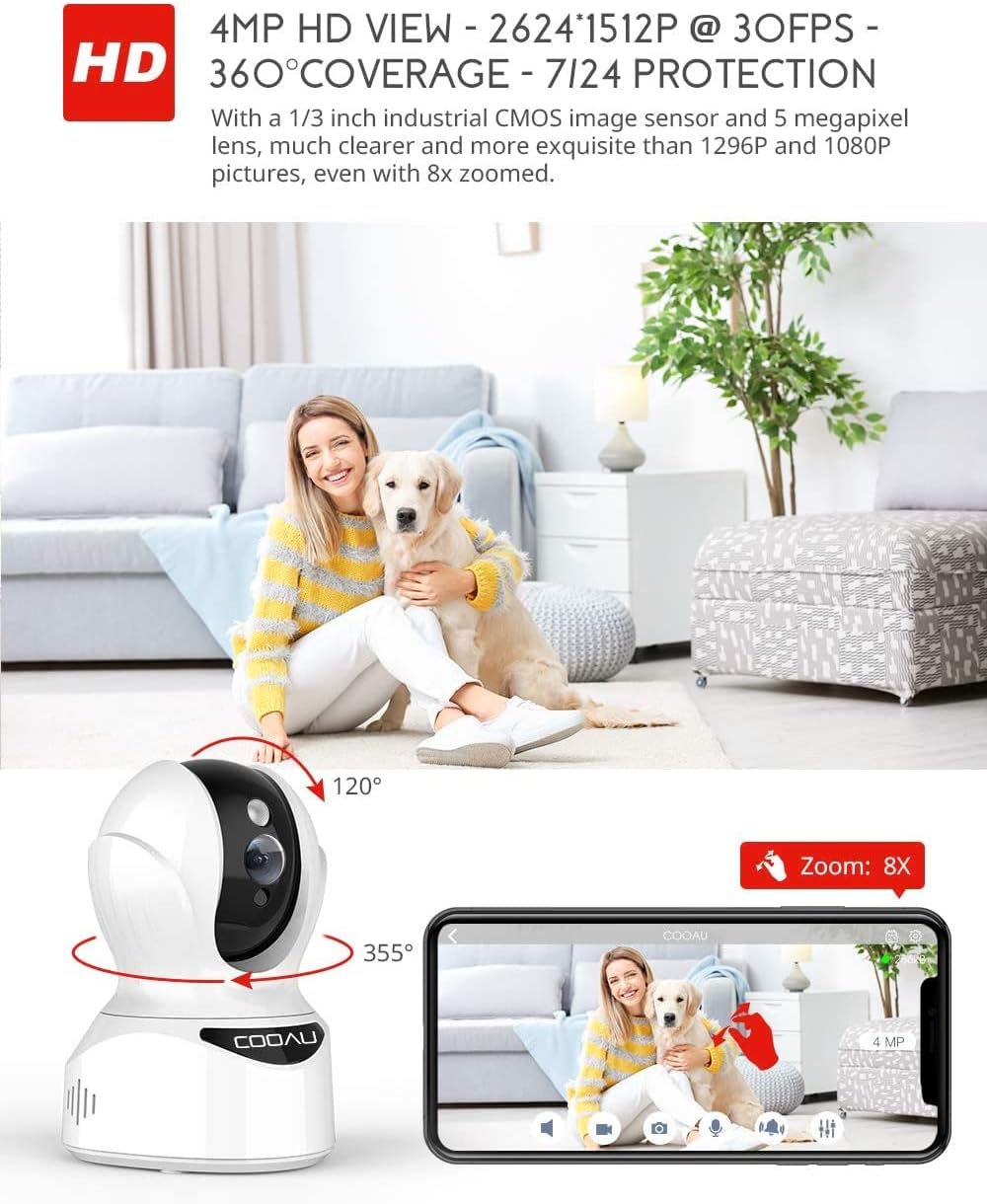
Image: Illustrates the camera's Pan/Tilt capabilities, offering 355° horizontal and 120° vertical rotation for comprehensive room coverage.
4.2 دو طرفہ آڈیو
- لائیو میں رہتے ہوئے ۔ view, tap the microphone icon in the app to speak through the camera's speaker.
- کیمرے کا بلٹ ان مائکروفون آپ کو کیمرے کے مقام سے آڈیو سننے کی اجازت دیتا ہے۔

Image: Depicts the two-way audio feature, enabling clear communication through the camera's built-in anti-noise and echo cancellation microphone and speaker.
4.3 Intelligent Detection and Alerts
- Access the camera settings in the MIPC app to configure motion detection, sound detection, and motion tracking.
- Enable push notifications to receive alerts on your smartphone when activity is detected.
- Motion tracking allows the camera to automatically follow moving objects within its field of view.
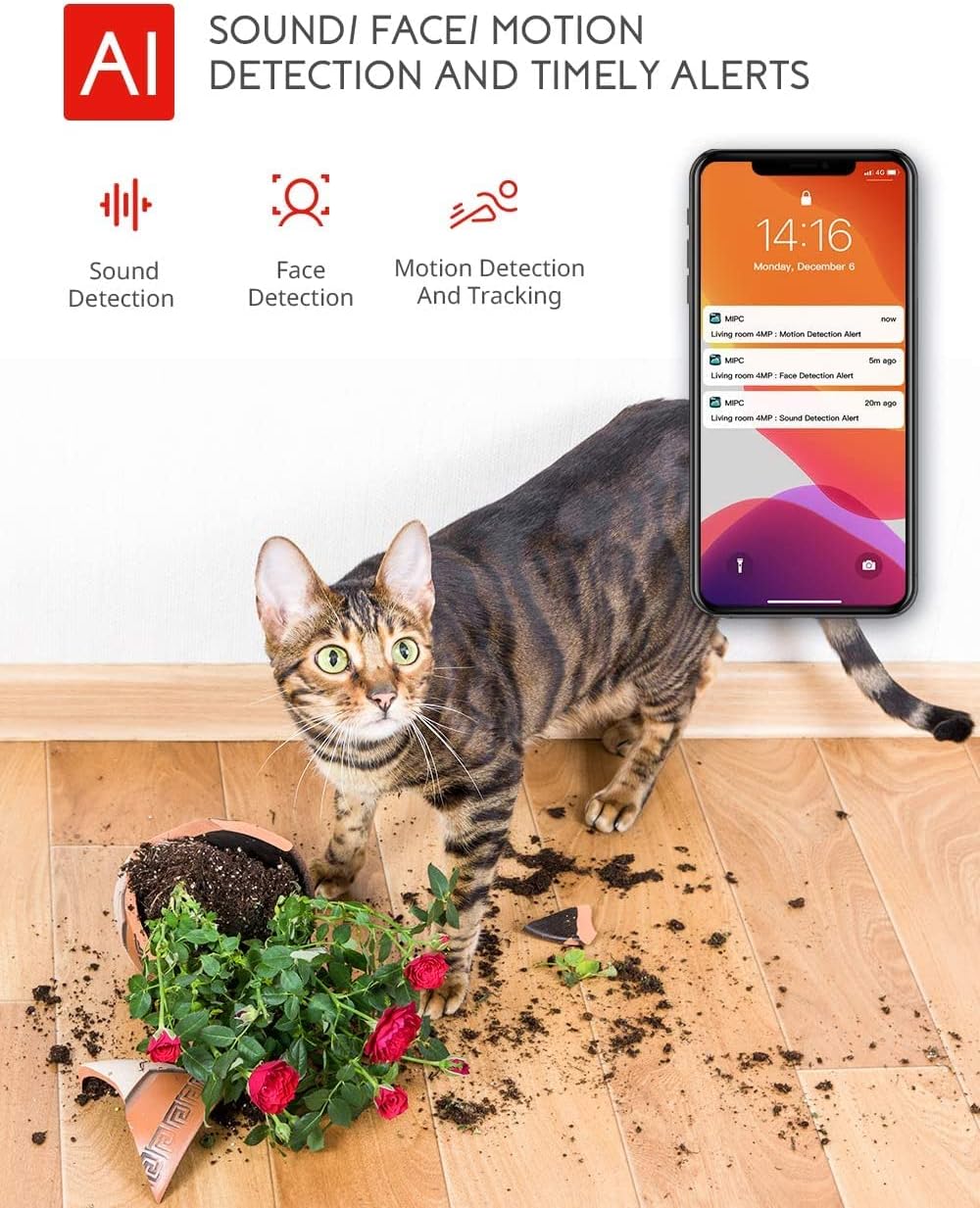
Image: Highlights the AI-powered sound, face, and motion detection features, with timely alerts sent to your smartphone.
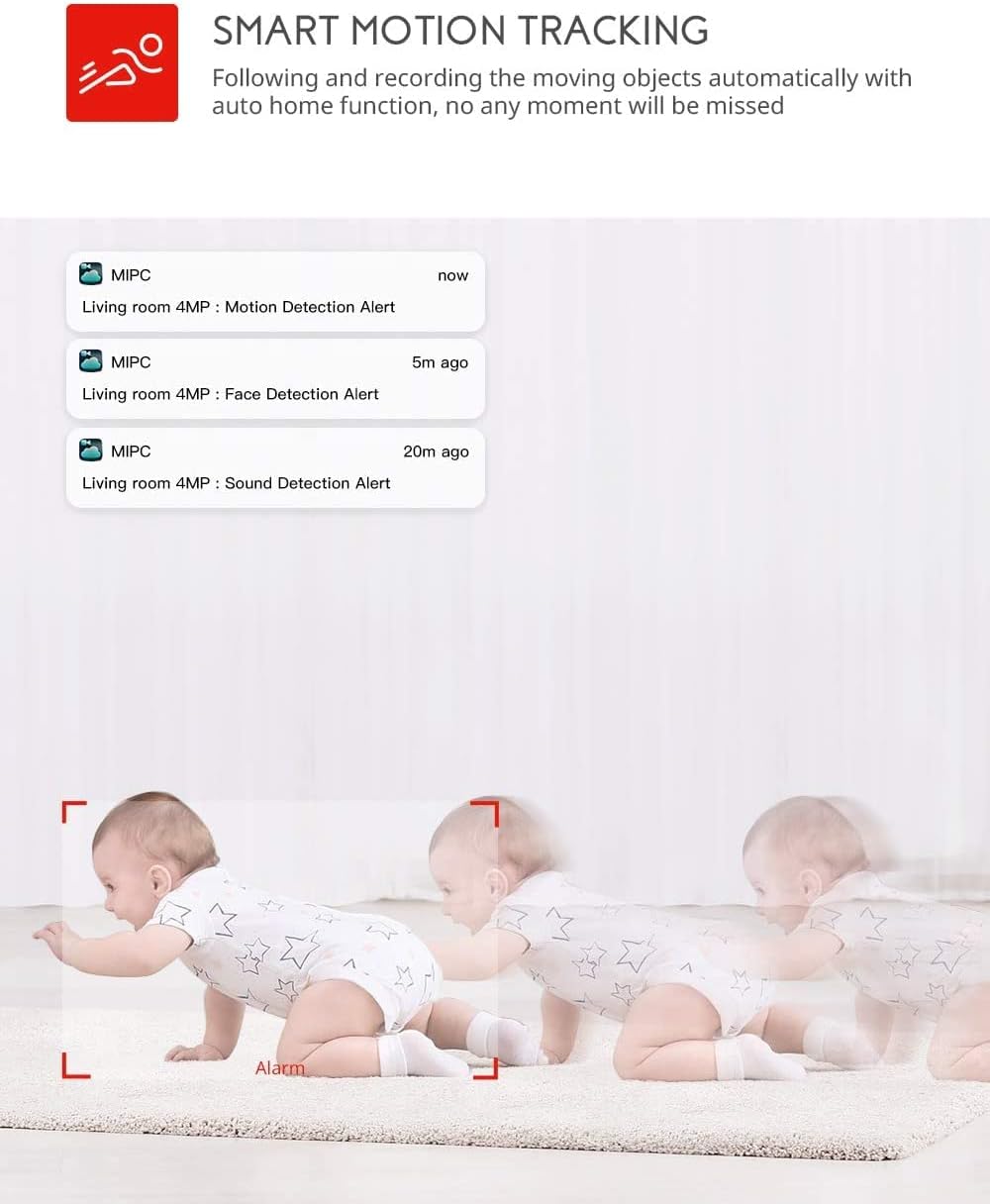
Image: Illustrates the smart motion tracking feature, where the camera automatically follows and records moving objects.
4.4 نائٹ ویژن
- کم روشنی والے حالات میں کیمرہ خود بخود نائٹ ویژن موڈ میں بدل جاتا ہے۔
- This feature provides clear black and white video footage without additional light sources.
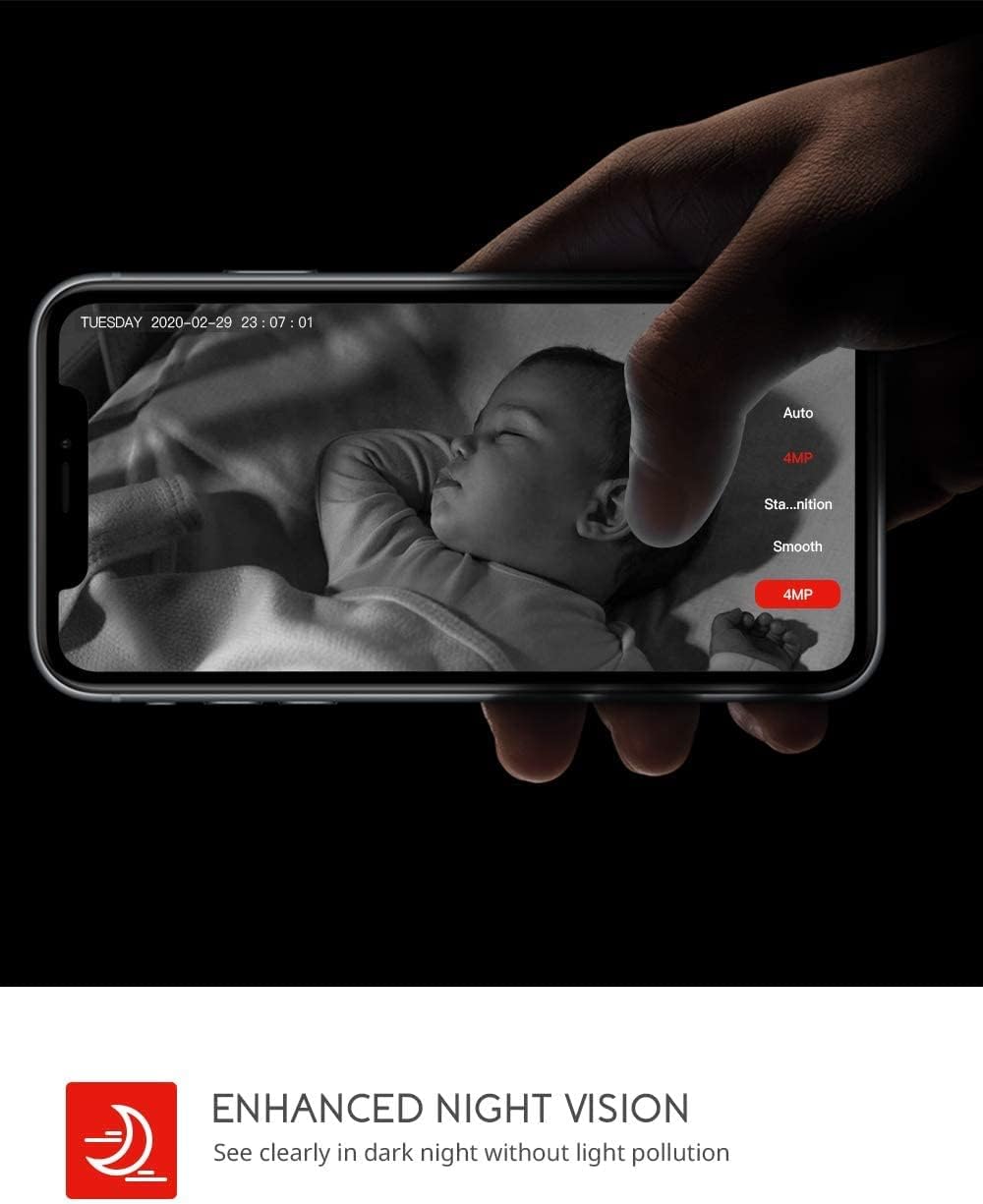
Image: Demonstrates the enhanced night vision capability, providing clear visibility in dark environments.
4.5 اسٹوریج کے اختیارات
- مائیکرو ایسڈی کارڈ: Insert a Micro SD card (up to 128GB, Class 10 or higher recommended) into the designated slot for local video recording.
- کلاؤڈ اسٹوریج: The MIPC app offers optional cloud storage services for secure off-site backup of your recordings.
4.6 ملٹی یوزر سپورٹ
- Share camera access with family members or trusted individuals through the MIPC app.
- This allows multiple users to view the live feed and receive alerts simultaneously.

Image: Illustrates the camera's support for multiple devices and users, allowing footage sharing across various platforms.
5 دیکھ بھال
مناسب دیکھ بھال آپ کے کیمرے کی لمبی عمر اور بہترین کارکردگی کو یقینی بناتی ہے:
- صفائی: کیمرے کے لینس اور جسم کو صاف کرنے کے لیے نرم، خشک کپڑا استعمال کریں۔ کھرچنے والے کلینر یا سالوینٹس سے پرہیز کریں۔
- جگہ کا تعین: یقینی بنائیں کہ کیمرہ ایک مستحکم جگہ پر رکھا گیا ہے، براہ راست سورج کی روشنی، گرمی کے ذرائع اور ضرورت سے زیادہ نمی سے دور۔
- سافٹ ویئر اپ ڈیٹس: Regularly check the MIPC app for firmware updates to ensure your camera has the latest features and security enhancements.
- بجلی کی فراہمی: صرف کیمرے کے ساتھ فراہم کردہ اصل پاور اڈاپٹر استعمال کریں۔
6 خرابیوں کا سراغ لگانا
اگر آپ کو اپنے کیمرے کے ساتھ مسائل کا سامنا کرنا پڑتا ہے، تو درج ذیل عام مسائل اور حل دیکھیں:
| مسئلہ | حل |
|---|---|
| کیمرہ Wi-Fi سے منسلک ہونے میں ناکام ہے۔ | Ensure your Wi-Fi password is correct. Check if the camera is within range of your Wi-Fi router. Reset the camera by pressing the reset button for 1 second and try connecting again. Ensure your router is 2.4GHz compatible. |
| ناقص ویڈیو کا معیار۔ | Check your internet connection speed. Ensure the camera lens is clean. Adjust the video resolution settings in the MIPC app. |
| حرکت کا پتہ لگانا کام نہیں کر رہا ہے۔ | Verify that motion detection is enabled in the app settings. Adjust the sensitivity level. Ensure there are no obstructions blocking the camera's view. |
| Two-way audio is unclear. | Ensure your phone's volume is up. Check for any interference or background noise near the camera or your phone. |
| کیمرا آف لائن ہے۔ | Check the power connection to the camera. Verify your Wi-Fi network is active and stable. Restart the camera and your router. |
7. وضاحتیں
Detailed technical specifications for the COOAU 4MP Wireless Security Camera (Model 827S-400):
| فیچر | تفصیلات |
|---|---|
| ماڈل نمبر | 827S-400 |
| موثر پھر بھی قرارداد | 4 MP |
| مؤثر ویڈیو ریزولوشن | 4 MP |
| کنیکٹوٹی ٹیکنالوجی | وائرلیس (وائی فائی) |
| انڈور / آؤٹ ڈور استعمال | انڈور |
| خصوصی خصوصیات | Motion Sensor, Sound Detection, Motion Tracking, 2-Way Audio, Night Vision |
| کنٹرولر کی قسم | ایمیزون الیکسا |
| ماؤنٹ کی قسم | چھت کا پہاڑ |
| اسٹوریج کے اختیارات | Cloud/SD Storage (up to 128GB) |
| فریم ریٹ | 30 ایف پی ایس |
| آئٹم کے طول و عرض | 3.35 x 3.35 x 4.72 انچ |
| طاقت کا منبع | AC/DC |
| GTIN / UPC | 889328768553 |
8. وارنٹی اور سپورٹ
For warranty information or technical support, please contact COOAU customer service. You can reach us via:
- سرکاری میل باکس: info@cooau.net
- آفیشل فیس بک: COOAU Official