
1. تعارف
This manual provides comprehensive instructions for the Microsoft Surface Laptop 3, Model VGY-00001. Designed for productivity and portability, this device features a 13.5-inch touchscreen, Intel Core i5 processor, 8GB RAM, and a 128GB Solid State Drive. Please read this manual thoroughly to ensure proper setup, operation, and maintenance of your device.
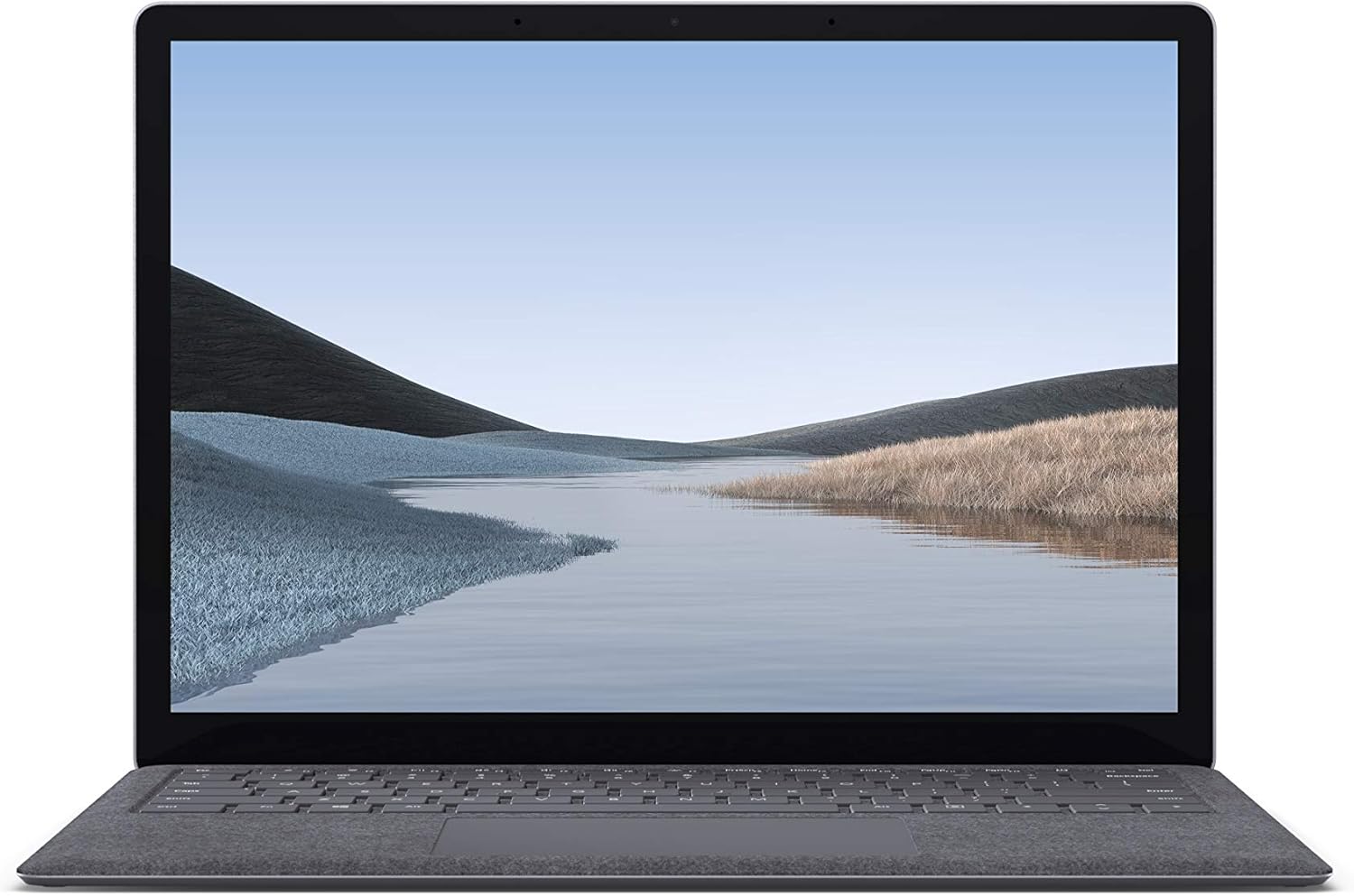
تصویر 1.1: سامنے view of the Microsoft Surface Laptop 3 with its display active.
The Surface Laptop 3 offers a clean, elegant design, weighing approximately 2.79 pounds, making it easy to carry. It features improved speed and performance with its 10th Gen Intel Core processors, offering up to two times faster performance than previous models. Connectivity options include USB-C and USB-A ports for connecting to displays, docking stations, and accessories. The device provides up to 11.5 hours of battery life and supports fast charging, reaching up to 80% in about one hour.
2. باکس میں کیا ہے۔
Upon unboxing your Microsoft Surface Laptop 3, verify that all the following items are present:
- Microsoft Surface Laptop 3 (Model VGY-00001)
- فوری آغاز گائیڈ (QSG)
- پاور سپلائی (AC اڈاپٹر)
3. سیٹ اپ
3.1 ابتدائی پاور آن
- پاور سے رابطہ کریں: Plug the power supply into a wall outlet and connect the magnetic Surface Connect port to your laptop. The LED indicator on the connector will light up when properly connected.
- پاور آن: Open the laptop lid or press the power button located on the keyboard.
- ونڈوز سیٹ اپ: Follow the on-screen instructions to complete the Windows 10 Home setup. This includes selecting your region, connecting to a Wi-Fi network, and creating a user account.
- ونڈوز ہیلو: Configure Windows Hello for secure and fast login using facial recognition.
3.2 کنیکٹنگ پیری فیرلز
آپ کے سرفیس لیپ ٹاپ 3 میں بیرونی آلات کو جوڑنے کے لیے مختلف پورٹس شامل ہیں:
- USB-C پورٹ: For data transfer, video output, and charging compatible devices.
- USB-A پورٹ: For connecting traditional USB devices like mice, keyboards, and external storage.
- 3.5 ملی میٹر ہیڈ فون جیک: ہیڈ فون یا بیرونی اسپیکر پر آڈیو آؤٹ پٹ کے لیے۔
- سرفیس کنیکٹ پورٹ: For the power supply and compatible Surface docking stations.

تصویر 3.1: سائیڈ view illustrating the available ports on the Surface Laptop 3.
4. اپنے سطحی لیپ ٹاپ کو چلانا 3
4.1 ڈسپلے اور ٹچ اسکرین
The 13.5-inch PixelSense touchscreen display offers a resolution of 2256 x 1504 pixels. It supports multi-touch gestures and is compatible with the Surface Pen (sold separately) for writing and drawing directly on the screen.
4.2 کی بورڈ اور ٹچ پیڈ
The full-size ergonomic keyboard features backlighting for comfortable typing in various lighting conditions. The large precision touchpad supports multi-finger gestures for navigation and control.
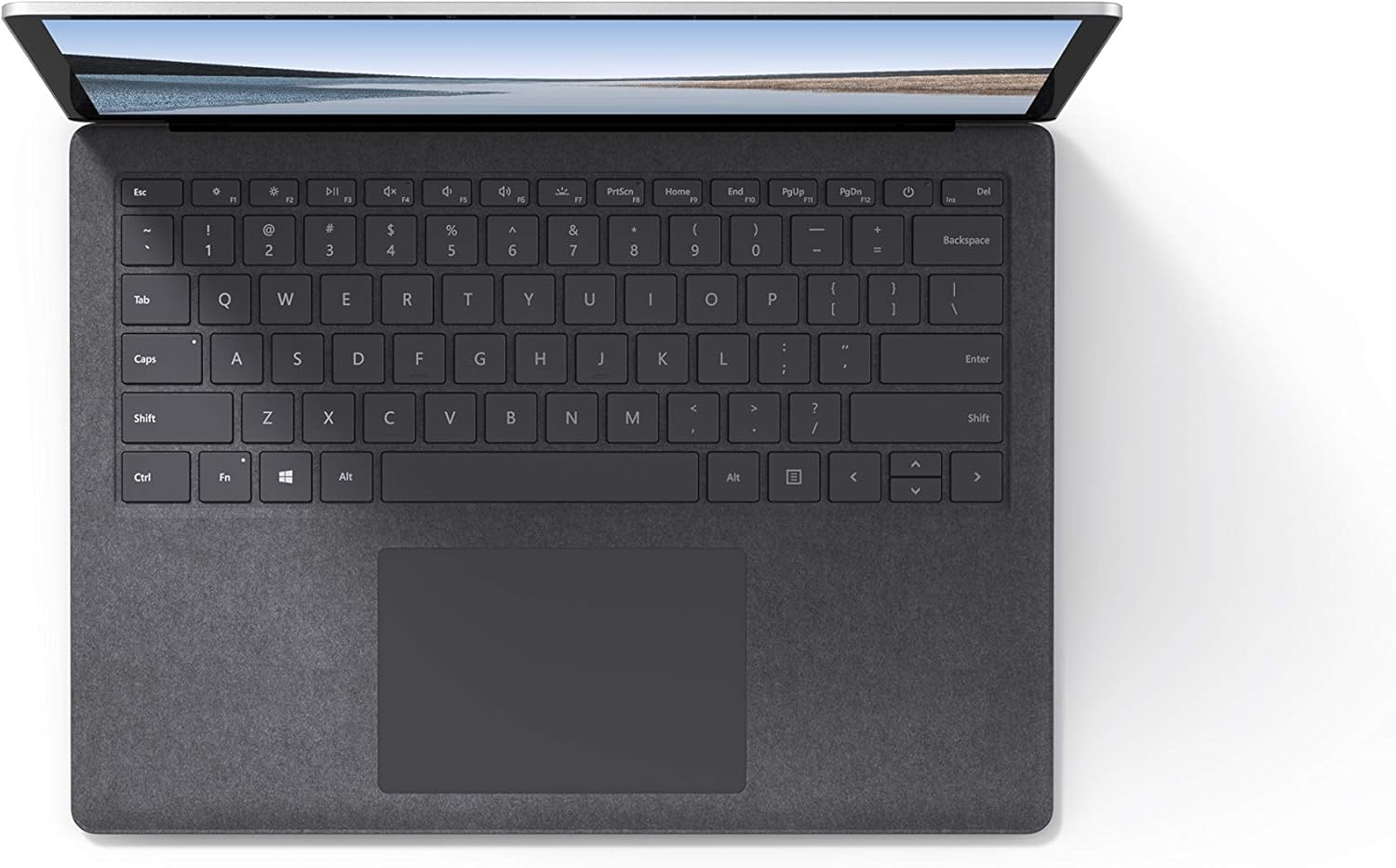
تصویر 4.1: اوپر سے نیچے view کی بورڈ اور ٹچ پیڈ کے علاقے کا۔
4.3 آڈیو اور کیمرہ
The laptop is equipped with Omnisonic Speakers with Dolby Audio Premium for clear sound. Dual far-field Studio Mics enhance voice clarity for calls and recordings. A front-facing 720p HD camera supports video conferencing and Windows Hello facial authentication.
4.4 وائرلیس کنیکٹیویٹی
The Surface Laptop 3 supports Wi-Fi 6 (802.11ax) for fast and reliable internet access, and Bluetooth 5.0 for connecting wireless accessories.
Video 4.1: Official Microsoft video showcasing the Surface Laptop 3's features and design.
5 دیکھ بھال
5.1 اپنے آلے کو صاف کرنا
- نرم، لنٹ سے پاک کپڑا استعمال کریں۔ampened with water or an approved screen cleaner to clean the display.
- کی بورڈ اور چیسس کے لیے نرم، خشک کپڑا استعمال کریں۔ سخت کیمیکلز یا کھرچنے والے مواد سے پرہیز کریں۔
- بندرگاہوں کو دھول اور ملبے سے پاک رکھیں۔
5.2 سافٹ ویئر اپ ڈیٹس
زیادہ سے زیادہ کارکردگی، سیکورٹی، اور تازہ ترین خصوصیات تک رسائی کو یقینی بنانے کے لیے باقاعدگی سے ونڈوز اپ ڈیٹس کو چیک کریں اور انسٹال کریں۔ پر جائیں۔ ترتیبات> اپ ڈیٹ اور سیکیورٹی> ونڈوز اپ ڈیٹ.
5.3 بیٹری کی دیکھ بھال
- انتہائی درجہ حرارت سے پرہیز کریں۔
- For optimal battery longevity, avoid consistently discharging the battery to 0% or keeping it at 100% for extended periods.
- صرف فراہم کردہ بجلی کی فراہمی کا استعمال کریں۔
6 خرابیوں کا سراغ لگانا
6.1 پاور کے مسائل
- ڈیوائس آن نہیں ہو رہی ہے: Ensure the power supply is securely connected and the outlet is functional. Try a forced shutdown by holding the power button for 30 seconds, then release and press again briefly to restart.
- بیٹری چارج نہیں ہو رہی ہے: Verify the Surface Connect cable is properly attached. Check for any damage to the cable or port.
6.2 کارکردگی کے مسائل
- سست کارکردگی: Close unnecessary applications. Check Task Manager for resource-intensive processes. Ensure Windows is up to date.
- زیادہ گرم ہونا: Ensure ventilation vents are not blocked. Avoid using the laptop on soft surfaces that can obstruct airflow.
6.3 کنیکٹیویٹی کے مسائل
- Wi-Fi منسلک نہیں ہو رہا ہے: Restart your router and the laptop. Check Wi-Fi settings and ensure the correct network is selected and password entered.
- بلوٹوتھ ڈیوائس جوڑا نہیں بن رہا ہے: یقینی بنائیں کہ بلوٹوتھ ڈیوائس پیئرنگ موڈ میں ہے اور حد کے اندر ہے۔ اپنے لیپ ٹاپ پر بلوٹوتھ کی ترتیبات چیک کریں۔
7. وضاحتیں
| فیچر | تفصیل |
|---|---|
| برانڈ | مائیکروسافٹ |
| ماڈل کا نام | سطح کا لیپ ٹاپ 3 |
| ماڈل نمبر | VGY-00001 |
| اسکرین کا سائز | 13.5 انچ |
| قرارداد | 2256 x 1504 پکسلز |
| سی پی یو ماڈل | Intel Core i5 (10th Generation) |
| پروسیسر کی رفتار | 1.2 GHz (ٹربو بوسٹ کے ساتھ 3.7 GHz تک) |
| RAM میموری انسٹال شدہ سائز | 8 جی بی ایل پی ڈی ڈی آر 4 |
| ہارڈ ڈسک کا سائز | 128 جی بی ایس ایس ڈی |
| آپریٹنگ سسٹم | Windows 10 Home (Free Upgrade to Windows 11 when available) |
| گرافکس کا پروسیسر | Intel Iris Plus |
| کنیکٹوٹی ٹیکنالوجی | 1 x USB-C, 1 x USB-A, 3.5 mm headphone jack, 1 x Surface Connect port |
| وائرلیس ٹیکنالوجی | Wi-Fi 6 (802.11ax)، بلوٹوتھ 5.0 |
| بیٹری کی زندگی | 11.5 گھنٹے تک |
| شے کا وزن | 2.79 پاؤنڈز |
| Dimensions (L x W x Thickness) | 8.8"L x 12.1"W x 0.57"th |
| کیمرہ | Front-facing 720p HD camera with Windows Hello face authentication |
| آڈیو | Omnisonic Speakers with Dolby Audio Premium, Dual far-field Studio Mics |
8. وارنٹی اور سپورٹ
8.1 پروڈکٹ وارنٹی
The Microsoft Surface Laptop 3 (Model VGY-00001) comes with a 1 سالہ صنعت کار کی محدود وارنٹی. یہ وارنٹی عام استعمال کے تحت مواد اور کاریگری میں نقائص کا احاطہ کرتی ہے۔ مخصوص شرائط و ضوابط کے لیے، براہ کرم اپنے پروڈکٹ کے ساتھ شامل وارنٹی دستاویزات سے رجوع کریں یا مائیکروسافٹ کی آفیشل سپورٹ پر جائیں۔ webسائٹ
8.2 کسٹمر سپورٹ
For technical assistance, troubleshooting, or warranty claims, please contact Microsoft Support. You can find contact information and additional resources on the official Microsoft Surface support website. Keep your proof of purchase and product serial number readily available when contacting support.
آن لائن مدد: وزٹ کریں۔ support.microsoft.com/surface for FAQs, drivers, and software downloads.