
HyperGear 15127
HyperGear Active True Wireless Bluetooth Earbuds User Manual
Model: 15127 | Brand: HyperGear
تعارف
This manual provides comprehensive instructions for the HyperGear Active True Wireless Bluetooth Earbuds, Model 15127. These earbuds are designed for an active lifestyle, featuring a secure-fit, sweat-proof design, and a portable pocket-sized charging case. They offer quick-pair technology, HD stereo sound, and built-in touch controls for music and calls.
باکس میں کیا ہے۔
Upon opening your HyperGear Active True Wireless Earbuds package, you should find the following items:
- HyperGear Active True Wireless Earbuds (Left and Right)
- پورٹ ایبل چارجنگ کیس
- USB چارجنگ کیبل
- صارف دستی (یہ دستاویز)
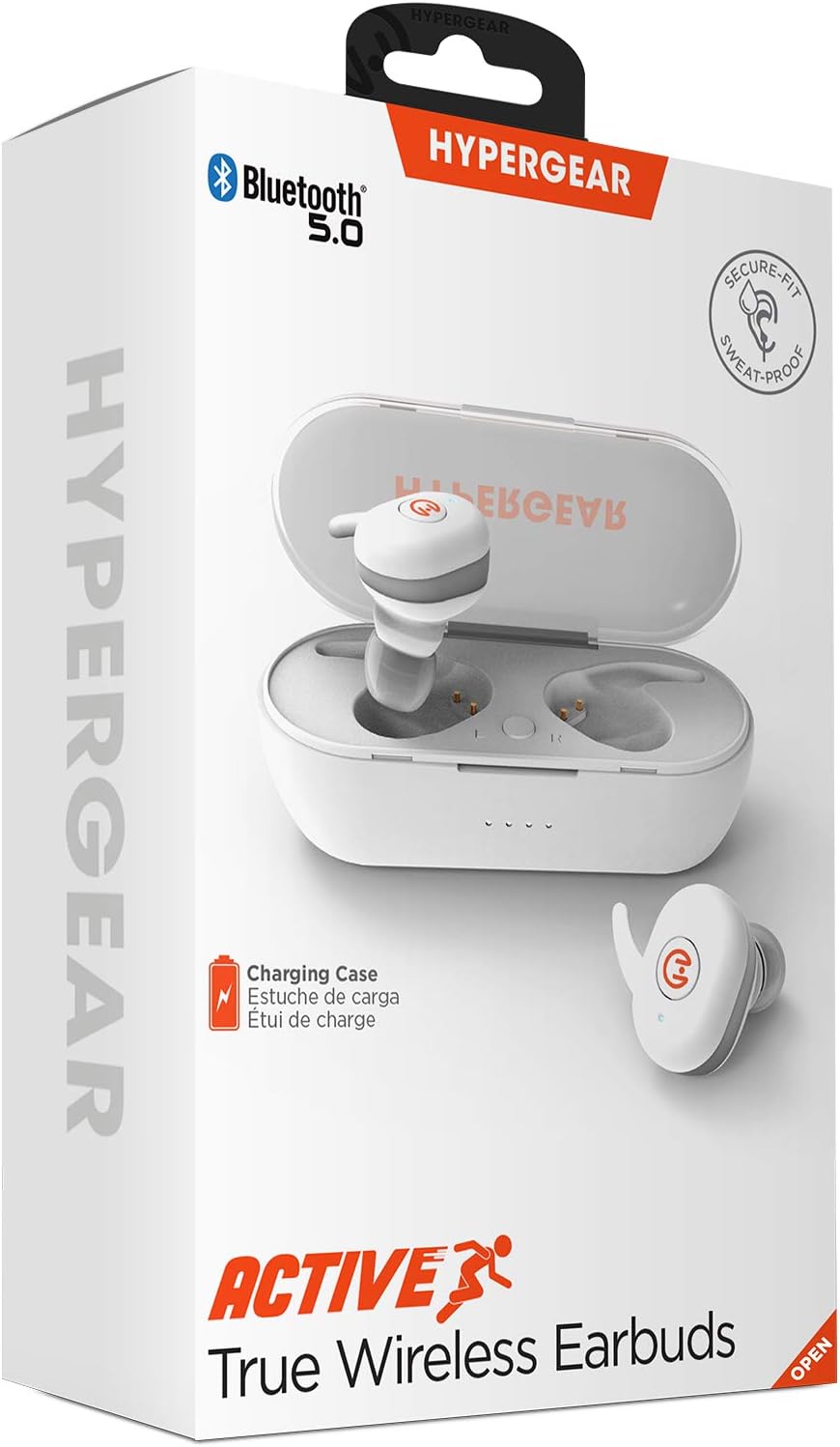
پروڈکٹ ختمview
Familiarize yourself with the components of your HyperGear Active True Wireless Earbuds and their charging case.

The earbuds feature a compact design with touch control surfaces. The charging case is designed to be pocket-sized for easy portability and provides additional battery life.
سیٹ اپ
ایئربڈز اور کیس کو چارج کرنا
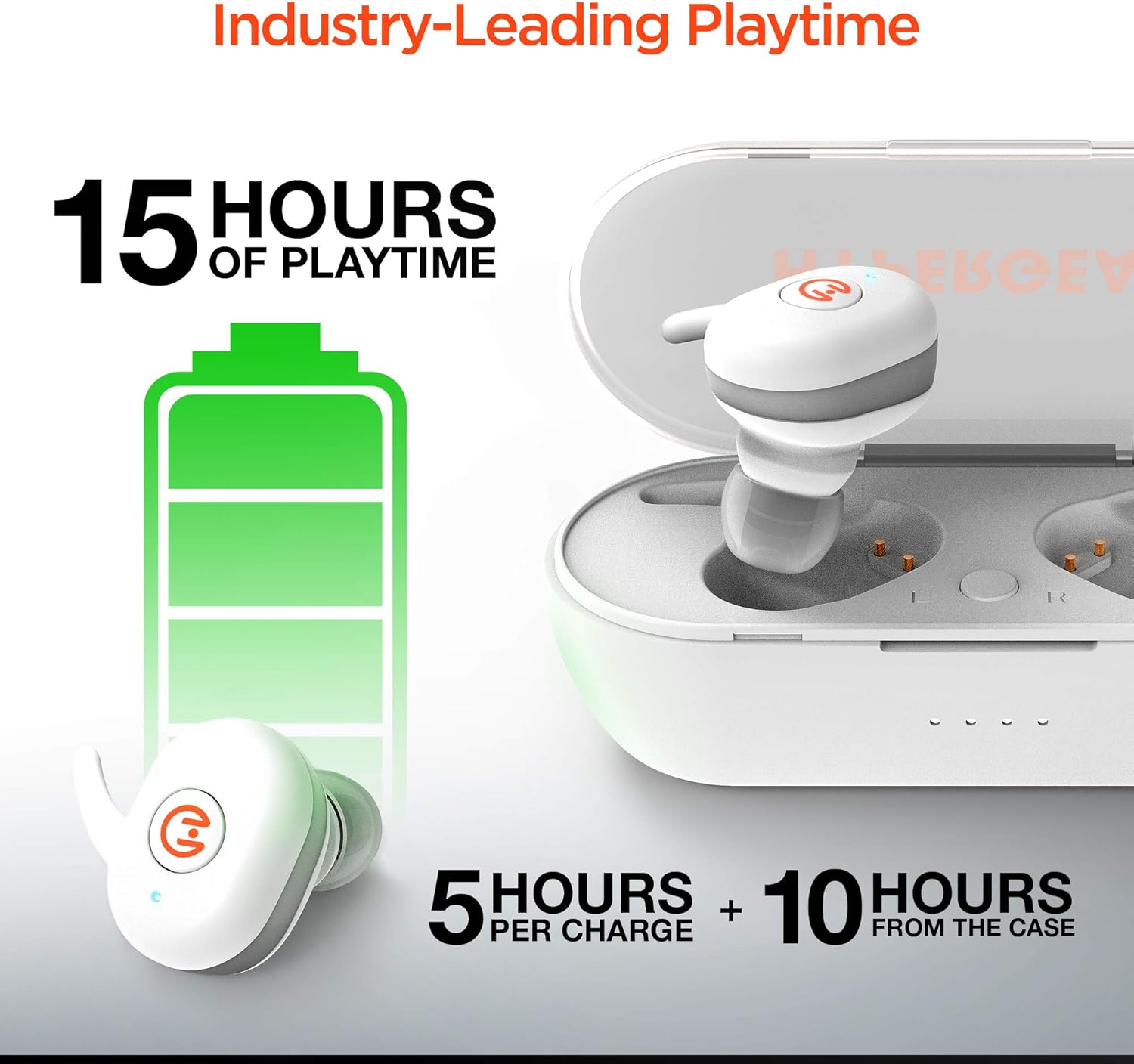
Before first use, ensure both the earbuds and the charging case are fully charged. The earbuds provide up to 5 hours of playtime on a single charge, with the charging case offering an additional 10 hours of battery life, totaling up to 15 hours of use.
- Place the earbuds into the charging case. Ensure they are properly seated in their respective slots (L for left, R for right).
- فراہم کردہ USB چارجنگ کیبل کا استعمال کرتے ہوئے چارجنگ کیس کو پاور سورس سے جوڑیں۔
- Indicator lights on the case will show charging status. Refer to the specific light patterns in your product's quick start guide for detailed information.
آپ کے آلے کے ساتھ جوڑا بنا رہا ہے
The HyperGear Active Earbuds feature quick-pair technology for seamless connection.
- اس بات کو یقینی بنائیں کہ ایئربڈز چارج کیے گئے ہیں اور چارجنگ کیس کے اندر رکھے گئے ہیں۔
- چارجنگ کیس کھولیں۔ ایئربڈز خود بخود پیئرنگ موڈ میں داخل ہو جائیں گے۔
- اپنے آلے پر (اسمارٹ فون، ٹیبلیٹ وغیرہ)، بلوٹوتھ کو فعال کریں۔
- تلاش کریں۔ "HyperGear Active" in the list of available Bluetooth devices.
- Select "HyperGear Active" to connect. A voice prompt or indicator light will confirm successful pairing.

Thanks to Bluetooth 5.0, the connection is designed to be rock solid, delivering clear, skip-free calls and music.

آپریٹنگ ہدایات
ایئربڈز پہننا
The earbuds are designed for a secure-fit. Gently insert each earbud into your ear canal and twist slightly to ensure a snug and comfortable fit. This helps optimize sound quality and noise cancellation.
ٹچ کنٹرولز
The HyperGear Active Earbuds feature built-in touch controls for easy management of your audio and calls.

| ایکشن | فنکشن |
|---|---|
| سنگل ٹیپ | میوزک چلائیں/روکیں، کال کا جواب دیں/ختم کریں۔ |
| دو بار تھپتھپائیں (بائیں ایئربڈ) | پچھلا ٹریک |
| دو بار تھپتھپائیں (دائیں ایئربڈ) | اگلا ٹریک |
| لانگ پریس (2 سیکنڈ) | وائس اسسٹنٹ کو فعال کریں (سری، گوگل اسسٹنٹ) |
| لانگ پریس (3 سیکنڈ) | کال کو مسترد کریں۔ |
The earbuds deliver HD Stereo Sound, amplifying your day with full, balanced audio.

دیکھ بھال
To ensure the longevity and optimal performance of your HyperGear Active Earbuds, follow these maintenance guidelines:
- صفائی: ائیر بڈز اور چارجنگ کیس کو نرم، خشک، لنٹ سے پاک کپڑے سے باقاعدگی سے صاف کریں۔ کھرچنے والے مواد یا سخت کیمیکل استعمال کرنے سے گریز کریں۔
- پانی کی مزاحمت: The earbuds are IPX5 waterproof, meaning they are resistant to sweat and light splashes. Do not submerge them in water or expose them to heavy rain. Dry them thoroughly before placing them back in the charging case.
- ذخیرہ: استعمال میں نہ ہونے پر، ایئربڈز کو ان کے چارجنگ کیس میں محفوظ کریں تاکہ انہیں دھول اور نقصان سے بچایا جا سکے۔ براہ راست سورج کی روشنی اور انتہائی درجہ حرارت سے دور ٹھنڈی، خشک جگہ پر اسٹور کریں۔
- چارجنگ رابطے: Periodically check and gently clean the charging contacts on both the earbuds and inside the case to ensure a good connection.
خرابی کا سراغ لگانا
If you encounter issues with your HyperGear Active Earbuds, try the following common troubleshooting steps:
- ایئربڈس جوڑا نہیں بن رہے ہیں:
- یقینی بنائیں کہ دونوں ایئربڈز چارج ہیں۔
- Place them back in the case, close the lid, wait a few seconds, then open the lid again to re-enter pairing mode.
- Forget "HyperGear Active" from your device's Bluetooth settings and attempt to pair again.
- ایک ایئربڈ سے کوئی آواز نہیں:
- چیک کریں کہ آیا دونوں ایئربڈز چارج ہیں۔
- Ensure they are properly seated in the charging case to make contact with the charging pins.
- Try resetting the earbuds (refer to the product's quick start guide for specific reset instructions, if available).
- چارجنگ کیس چارج نہیں ہو رہا ہے:
- تصدیق کریں کہ USB کیبل کیس اور پاور سورس دونوں سے محفوظ طریقے سے منسلک ہے۔
- ایک مختلف USB کیبل یا پاور اڈاپٹر آزمائیں۔
- خراب آواز کا معیار یا منقطع:
- یقینی بنائیں کہ ایئربڈس پوری طرح سے چارج ہیں۔
- مداخلت کو کم کرنے کے لیے اپنے منسلک آلے کے قریب جائیں۔
- ائربڈز اور اپنے آلے کے درمیان رکاوٹوں کو چیک کریں۔
- ایئربڈ اسپیکرز سے کوئی بھی ملبہ صاف کریں۔
If problems persist, please contact HyperGear customer support.
وضاحتیں
| فیچر | تفصیل |
|---|---|
| ماڈل نمبر | 15127 |
| کنیکٹوٹی ٹیکنالوجی | وائرلیس (بلوٹوتھ 5.0) |
| فارم فیکٹر | کان میں |
| شور کنٹرول | صوتی تنہائی |
| رنگ | سفید |
| مواد | Silicone (ear tips), Hard Plastic (case) |
| شے کا وزن | 6 Grams (earbuds), 0.212 ounces (total product weight) |
| مصنوعات کے طول و عرض | 2.36 x 2.36 x 2.36 انچ |
| پانی کی مزاحمت کی سطح | IPX5 (واٹر پروف) |
| تعدد کی حد | 20 Hz - 20,000 Hz |
| بیٹری لائف (ایئر بڈز) | 5 گھنٹے تک |
| کیس کے ساتھ کل پلے ٹائم | 15 گھنٹے تک |
| کنٹرول کی قسم | ٹچ کنٹرول |
| کارخانہ دار | ہائپر گیئر |
| یو پی سی | 633755151279 |
حفاظتی معلومات
اپنے آلے کو پہنچنے والے نقصان یا اپنے آپ کو چوٹ سے بچانے کے لیے براہ کرم ان حفاظتی رہنما خطوط کو پڑھیں اور ان پر عمل کریں:
- مصنوعات کو جدا، مرمت یا ترمیم نہ کریں۔
- مصنوعات کو انتہائی درجہ حرارت، براہ راست سورج کی روشنی اور زیادہ نمی سے دور رکھیں۔
- Avoid exposing the product to fire or placing it near heat sources.
- Do not use the product in environments where it could interfere with medical devices.
- مقامی قواعد و ضوابط کے مطابق ذمہ داری کے ساتھ مصنوعات کو ضائع کریں۔
- This product complies with RoHS, FCC, and CE standards.
- تجویز 65 وارننگ: اس پروڈکٹ میں ایسے کیمیکل ہو سکتے ہیں جو ریاست کیلیفورنیا کو معلوم ہوتے ہیں جو کینسر اور پیدائشی نقائص یا دیگر تولیدی نقصان کا باعث بنتے ہیں۔
وارنٹی اور سپورٹ
For warranty information, product support, or to register your product, please visit the official HyperGear webسائٹ پر myhypergear.com. آپ کو وہاں اکثر پوچھے گئے سوالات اور اضافی وسائل بھی مل سکتے ہیں۔
For customer service inquiries, please refer to the contact information provided on the HyperGear webسائٹ یا آپ کی مصنوعات کی پیکیجنگ۔
Ask a question about this manual
Ask about setup, troubleshooting, compatibility, parts, safety, or missing instructions. Manuals+ will review the question and use this page’s manual context to help answer it.