
پروڈکٹ ختمview
The HyperGear ChargePad is a 5W universal wireless charging pad designed for convenient and efficient charging of Qi-enabled devices. Its compact and lightweight design makes it suitable for various environments, from bedside tables to office desks. The ChargePad features a smart LED indicator to show charging status and incorporates advanced safety protections against short circuits and overcharging.

Image: HyperGear ChargePad in its packaging, alongside the black charging pad with a smartphone actively charging on it, displaying a battery icon.
کیا شامل ہے۔
The HyperGear ChargePad package includes the following components:
- HyperGear ChargePad (Black)
- 3 فٹ مائیکرو USB کیبل

Image: The HyperGear ChargePad and its accompanying 3ft Micro USB cable, laid out to show the included accessories.
سیٹ اپ کی ہدایات
- پاور کیبل کو جوڑیں: Insert the Micro USB end of the included 3ft Micro USB cable into the Micro USB port on the HyperGear ChargePad.
- پاور ماخذ سے رابطہ کریں: Plug the USB-A end of the cable into a compatible USB wall adapter (not included) or a USB port on a computer. For optimal charging performance, a 5V/2A power adapter is recommended.
- جگہ کا تعین: Place the ChargePad on a flat, stable surface, away from direct sunlight, heat sources, and liquids.

Image: An illustration demonstrating the connection of the HyperGear ChargePad to a wall adapter, with a smartphone placed on the pad for charging. Note: Wall adapter sold separately.
آپریٹنگ ہدایات
- چارجنگ شروع کریں: Once the ChargePad is connected to a power source, place your Qi-enabled device (e.g., smartphone, AirPods case) directly onto the center of the charging pad.
- چارجنگ انڈیکیٹر: The built-in LED power indicator on the ChargePad will illuminate to confirm that your device is charging. The specific behavior of the LED (e.g., solid light, blinking) indicates the charging status. Refer to the device's screen for exact battery percentage.
- بہترین جگہ کا تعین: Ensure your device is centered on the pad for efficient charging. Misalignment may result in slower charging or no charge.
- کیس کی مطابقت: The ChargePad is compatible with most phone cases up to 3mm thick. Thicker cases or cases containing metal or magnets may interfere with wireless charging and should be removed.
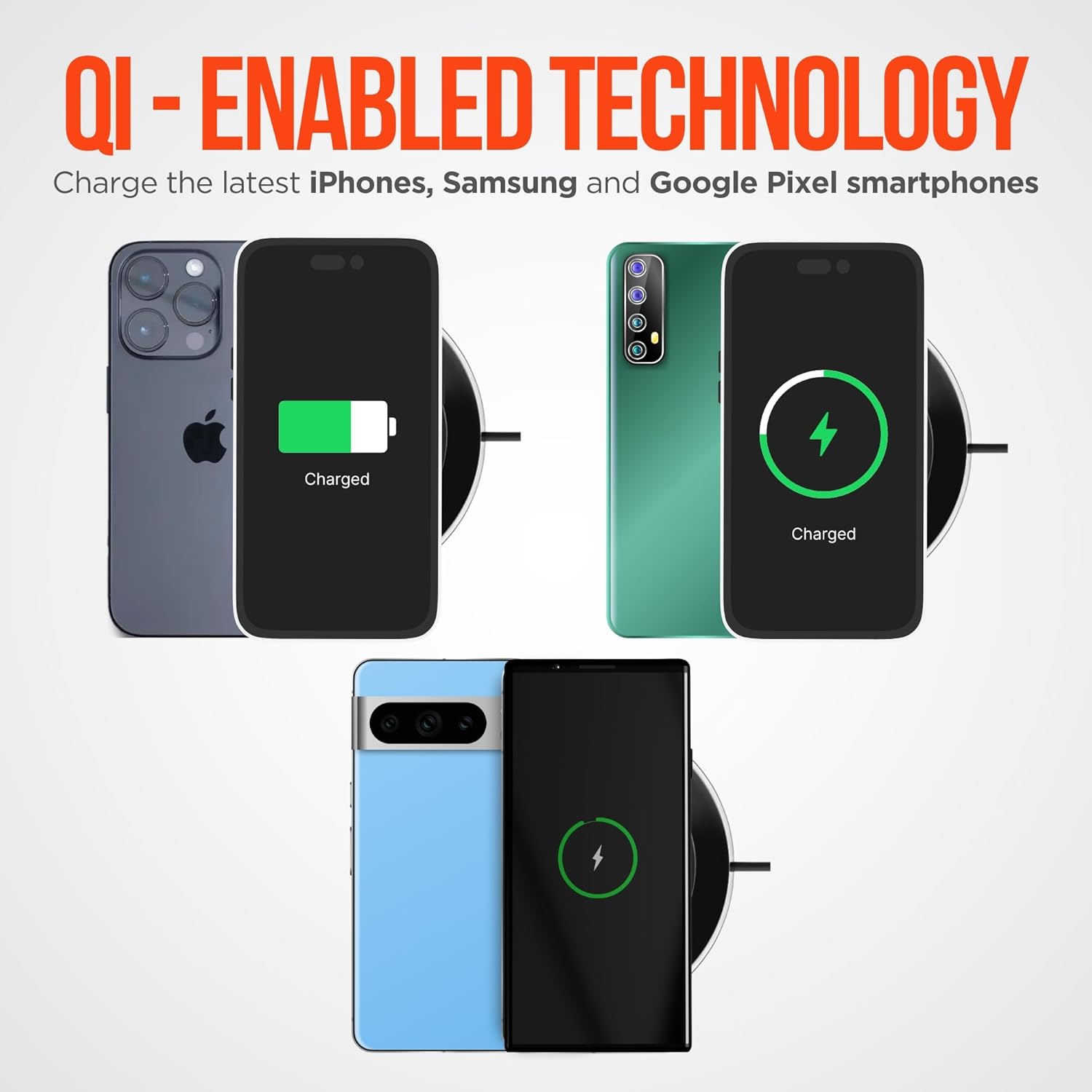
Image: Multiple smartphones, including iPhone, Samsung, and Google Pixel models, shown charging wirelessly on the HyperGear ChargePad, illustrating its Qi-enabled technology.

Image: A visual representation of the HyperGear 5W ChargePad's key features, such as quiet operation, plug-and-play setup, heat-efficient design, compatibility with Qi-enabled devices, and a travel-friendly design.
دیکھ بھال اور حفاظت
To ensure the longevity and safe operation of your HyperGear ChargePad, please follow these guidelines:
- صفائی: Disconnect the ChargePad from the power source before cleaning. Use a soft, dry cloth to wipe the surface. Do not use harsh chemicals or abrasive cleaners.
- ذخیرہ: Store the ChargePad in a cool, dry place when not in use.
- ماحولیاتی حالات: Avoid exposing the ChargePad to extreme temperatures, humidity, or direct sunlight.
- تحفظ کی خصوصیات: The ChargePad is equipped with advanced protection against short circuits and overcharging. These features help safeguard your devices during charging.
- خاموش آپریشن: The design ensures quiet operation, making it suitable for use in bedrooms or quiet environments without producing whirring noises.

Image: The HyperGear ChargePad highlighting its protective features: overcharge protection, soft touch rubber grips for stability, short circuit protection, and an LED power indicator for status updates.
خرابی کا سراغ لگانا
| مسئلہ | ممکنہ وجہ | حل |
|---|---|---|
| ڈیوائس چارج نہیں ہو رہی ہے۔ |
|
|
| سست چارجنگ۔ |
|
|
| ایل ای ڈی اشارے روشن نہیں ہو رہا ہے۔ |
|
|
وضاحتیں
| فیچر | تفصیل |
|---|---|
| ماڈل نمبر | 14264 |
| مصنوعات کے طول و عرض | 3.9 x 3.9 x 0.5 انچ |
| وزن | 1.5 اونس |
| ان پٹ جلدtage | 5 وولٹ |
| ان پٹ Ampایجری | 2 Amps |
| آؤٹ پٹ پاور | 5W |
| کل USB پورٹس | 1 (Micro USB for power input) |
| رنگ | سیاہ |
| خصوصی خصوصیات | LED Charging Indicator, Qi Wireless Charging, Overcharge Protection, Short Circuit Protection, Quiet Operation |
| ہم آہنگ آلات | All Qi-enabled devices, including iPhone, Android smartphones, Apple Watch, and AirPods. |

Image: A graphic detailing the HyperGear ChargePad's input (5V/2A) and output (5V/1A) power specifications, alongside images of various devices like smartphones, AirPods, and smartwatches, indicating broad compatibility.
وارنٹی اور سپورٹ
For warranty information and customer support, please refer to the official HyperGear website or contact their customer service directly. Specific warranty terms and conditions may vary.
You can visit the HyperGear store on Amazon for more information: HyperGear Amazon Store
اہم حفاظتی معلومات
- ڈیوائس کو الگ نہ کریں، اس میں ترمیم نہ کریں یا اس کی مرمت نہ کریں۔
- Do not expose to water or excessive moisture.
- آلے کو گرانے یا اسے سخت اثرات کے تابع کرنے سے گریز کریں۔
- بچوں کی پہنچ سے دور رکھیں۔
- Use only with compatible power adapters and cables.
- اس پروڈکٹ میں کینسر اور پیدائشی نقائص یا دیگر تولیدی نقصان پہنچانے کے لیے ریاست کیلیفورنیا کے نام سے جانا جاتا کیمیکلز شامل ہیں۔