
1. تعارف
This manual provides essential information for the setup, operation, and maintenance of your Elo 10-inch I-Series for Android (Model E461790). The I-Series 3.0 for Android is a commercial-grade touchscreen solution designed for various interactive applications, integrating Google Play Services.
It is built for continuous public use in environments such as retail, hospitality, self-service kiosks, and corporate offices. Please read this manual thoroughly before using the device to ensure proper functionality and longevity.
2. پروڈکٹ ختمview
The Elo 10-inch I-Series for Android is a compact, high-performance touchscreen display. It features a 10.1-inch LCD with 1280 x 800 resolution, powered by a 2 GHz Cortex A53 processor, 3GB RAM, and 32GB storage. The device operates on the Android platform and supports Google Play Services.
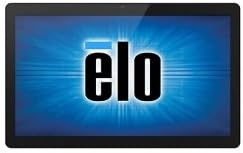
تصویر: سامنے view of the Elo 10-inch I-Series for Android touchscreen display, showing the Elo logo on the screen.
This unit is designed to support various peripherals and offers robust performance for demanding applications requiring continuous operation.
3. باکس میں کیا ہے۔
ان باکس کرنے پر، براہ کرم تصدیق کریں کہ درج ذیل تمام اجزاء موجود ہیں:
- Elo 10-inch I-Series for Android Device (Model E461790)
- پاور اڈاپٹر
- Quick Start Guide (if included, not specified in input)
- Safety and Regulatory Information (if included, not specified in input)
If any items are missing or damaged, please contact Elo customer support immediately.
4. سیٹ اپ
- پیک کھولنا: Carefully remove the device and all accessories from the packaging. Retain the packaging for future transport or storage.
- جگہ کا تعین: Place the device on a stable, flat surface. Ensure adequate ventilation around the unit to prevent overheating. Avoid placing it near heat sources or in direct sunlight.
- کنیکٹنگ پاور:
- Connect the power adapter cable to the power input port on the back of the device.
- پاور اڈاپٹر کو کسی مناسب الیکٹریکل آؤٹ لیٹ میں لگائیں۔
- ابتدائی پاور آن: Press the power button, usually located on the side or back of the unit. The device will boot up and display the Elo logo, followed by the Android operating system interface.
- نیٹ ورک کنکشن:
- For Wi-Fi: Navigate to Android Settings > Network & Internet > Wi-Fi. Select your network and enter the password.
- For Wired Ethernet: Connect an Ethernet cable from your network router/switch to the Ethernet port on the device (if available on your specific model).
- Google Play Services Setup: Follow the on-screen prompts to set up your Google account and access Google Play Services, if required for your application.
5. آپریٹنگ ہدایات
5.1 ٹچ اسکرین آپریشن
The device features a multi-touch display. Use standard touch gestures such as tap, double-tap, pinch-to-zoom, and swipe to navigate the Android interface and interact with applications.
5.2 Android Interface Navigation
- ہوم اسکرین: مرکزی اسکرین جہاں ایپ کے آئیکنز اور ویجٹ ڈسپلے ہوتے ہیں۔
- ایپ ڈراور: تمام انسٹال کردہ ایپلیکیشنز تک رسائی حاصل کریں۔
- اطلاعاتی پینل: اسکرین کے اوپر سے نیچے تک سوائپ کریں۔ view اطلاعات اور فوری ترتیبات۔
- ترتیبات: Access system settings to configure Wi-Fi, display, sound, and other device options.
5.3 ایپلی کیشنز انسٹال کرنا۔
Applications can be installed via the Google Play Store (requires a Google account) or by sideloading APK files, depending on your deployment strategy and security policies.
5.4 پاور مینجمنٹ
- نیند موڈ: Briefly press the power button to put the device into sleep mode. Press again to wake it up.
- Restart/Power Off: Press and hold the power button until a menu appears, then select "Restart" or "Power Off".
6 دیکھ بھال
6.1 ڈسپلے کی صفائی
To clean the touchscreen, power off the device and gently wipe the screen with a soft, lint-free cloth. For stubborn marks, slightly dampen the cloth with water or a non-abrasive, ammonia-free glass cleaner. Do not spray cleaner directly onto the screen.
6.2 عمومی نگہداشت
- ڈیوائس کو انتہائی درجہ حرارت، نمی، یا براہ راست سورج کی روشنی کے سامنے لانے سے گریز کریں۔
- وینٹیلیشن کے آغاز کو روکیں نہ۔
- Do not attempt to disassemble the device. Refer all servicing to qualified personnel.
7 خرابیوں کا سراغ لگانا
| مسئلہ | ممکنہ وجہ | حل |
|---|---|---|
| ڈیوائس آن نہیں ہوتی ہے۔ | No power, faulty power adapter. | Ensure power adapter is securely connected to device and outlet. Try a different outlet. |
| ٹچ اسکرین غیر جوابدہ۔ | سافٹ ویئر کی خرابی، جسمانی نقصان۔ | Restart the device. Ensure screen is clean and free of obstructions. If problem persists, contact support. |
| کوئی Wi-Fi کنکشن نہیں ہے۔ | Incorrect password, out of range, router issue. | Verify Wi-Fi password. Move closer to the router. Restart router and device. |
| Applications crashing. | App incompatibility, low memory. | Clear app cache/data. Update the app. Ensure sufficient storage space. |
For issues not listed here, or if solutions do not resolve the problem, please contact Elo customer support.
8. وضاحتیں
| فیچر | تفصیل |
|---|---|
| ماڈل کا نام | E461790 |
| اسکرین کا سائز | 10 انچ |
| ڈسپلے ریزولوشن | 1280 x 800 پکسلز |
| پروسیسر | 2 GHz (Cortex A53) |
| گرافکس کا پروسیسر | ARM Mali T604 |
| آپریٹنگ سسٹم | اینڈرائیڈ |
| رام | 3 جی بی (DDR3 SDRAM) |
| ذخیرہ کرنے کی صلاحیت | 32 جی بی (فلیش میموری) |
| وائرلیس قسم | 802.11n |
| شے کا وزن | 1.94 پاؤنڈ |
| پروڈکٹ کے طول و عرض (LxWxH) | 9.45 x 13.39 x 5.91 انچ |
| پیچھے Webکیمرے کی قرارداد | 5 MP |
نوٹ: وضاحتیں بغیر اطلاع کے تبدیل کی جاسکتی ہیں۔
9. وارنٹی اور سپورٹ
Elo products are designed for reliability and come with a standard manufacturer's warranty. For specific warranty terms and conditions applicable to your region and purchase, please refer to the warranty card included with your product or visit the official Elo webسائٹ
For technical support, service, or to inquire about replacement parts, please contact Elo customer support. You can find contact information and additional resources on the official Elo webسائٹ:
(This link directs to the Elo brand store on Amazon, which may contain links to official support resources.)