
تعارف
The August Audar Smart Band KERi is a versatile health and fitness tracker designed to monitor various aspects of your well-being. This manual provides detailed instructions for setting up, operating, maintaining, and troubleshooting your device to ensure optimal performance and a seamless user experience. Please read this manual thoroughly before using your Smart Band.
سیٹ اپ
1. اسمارٹ بینڈ کو چارج کرنا
Before initial use, fully charge your Audar Smart Band KERi. The device features a convenient integrated USB charger. Simply remove the strap from one end of the tracker to reveal the USB connector.

Image: The Audar Smart Band KERi being plugged into a USB port for charging. The image highlights the integrated USB connector on the device.

تصویر: ایک تفصیلی view of the Audar Smart Band KERi's integrated USB charging port, showing how it connects to a power source.
- Connect the USB connector to any standard USB charging port (e.g., computer, USB wall adapter).
- اسکرین پر بیٹری کا اشارہ چارجنگ کی پیشرفت دکھائے گا۔
- A full charge can provide up to 30 days of battery life.
2. Installing the Audar App
To unlock the full potential of your Smart Band and view your health data, download the official Audar app on your smartphone.
- Scan the QR code provided in the product packaging or search for "Audar" in your device's app store.
- The app is compatible with both Android and iPhone devices.

Image: Screenshot of the Audar app interface, displaying health data and showing icons for Google Play and Apple App Store downloads.
3. اپنے اسمارٹ فون کے ساتھ جوڑا بنانا
- یقینی بنائیں کہ آپ کے اسمارٹ فون پر بلوٹوتھ فعال ہے۔
- Open the Audar app and follow the on-screen instructions to search for and connect to your KERi Smart Band.
- Confirm the pairing request on both your phone and the Smart Band if prompted.
4. ابتدائی ترتیب
- Once paired, the app will guide you through setting up your personal profile, including age, height, weight, and gender, for accurate data tracking.
- Synchronize the time and date with your phone.
آپریٹنگ ہدایات
1. بنیادی نیویگیشن
The Audar Smart Band KERi features a color touchscreen display for easy navigation.
- تھپتھپائیں: To select an option or wake the screen.
- سوائپ: To scroll through different menus and data screens.
2. سرگرمی سے باخبر رہنا
The Smart Band automatically tracks your daily activity.

Image: A person running outdoors with the Audar Smart Band KERi on their wrist, showing the display with steps, distance, and calorie data.
- مراحل: پورے دن میں اٹھائے گئے اقدامات کی تعداد شمار کرتا ہے۔
- فاصلہ: Estimates the distance covered based on your steps and profile ڈیٹا
- کیلوریز: Calculates calories burned during activity.
- GPS سے باخبر رہنا: When connected to your smartphone, the app can use your phone's GPS to map your route during outdoor activities.
3. صحت کی نگرانی
The KERi Smart Band provides continuous and on-demand health monitoring.
- دل کی شرح مانیٹر: Measures your heart rate in real-time. Access this feature from the band's menu or through the app.
- بلڈ پریشر مانیٹر: Provides an estimate of your blood pressure. For accurate medical readings, consult a healthcare professional.
- بلڈ آکسیجن مانیٹر: آپ کے خون کی آکسیجن سنترپتی کی سطح کی پیمائش کرتا ہے۔
- نیند مانیٹر: گہری نیند، ہلکی نیند اور جاگنے کے اوقات سمیت آپ کی نیند کے پیٹرن کو خودکار طور پر ٹریک کرتا ہے۔ View detailed analysis in the Audar app.
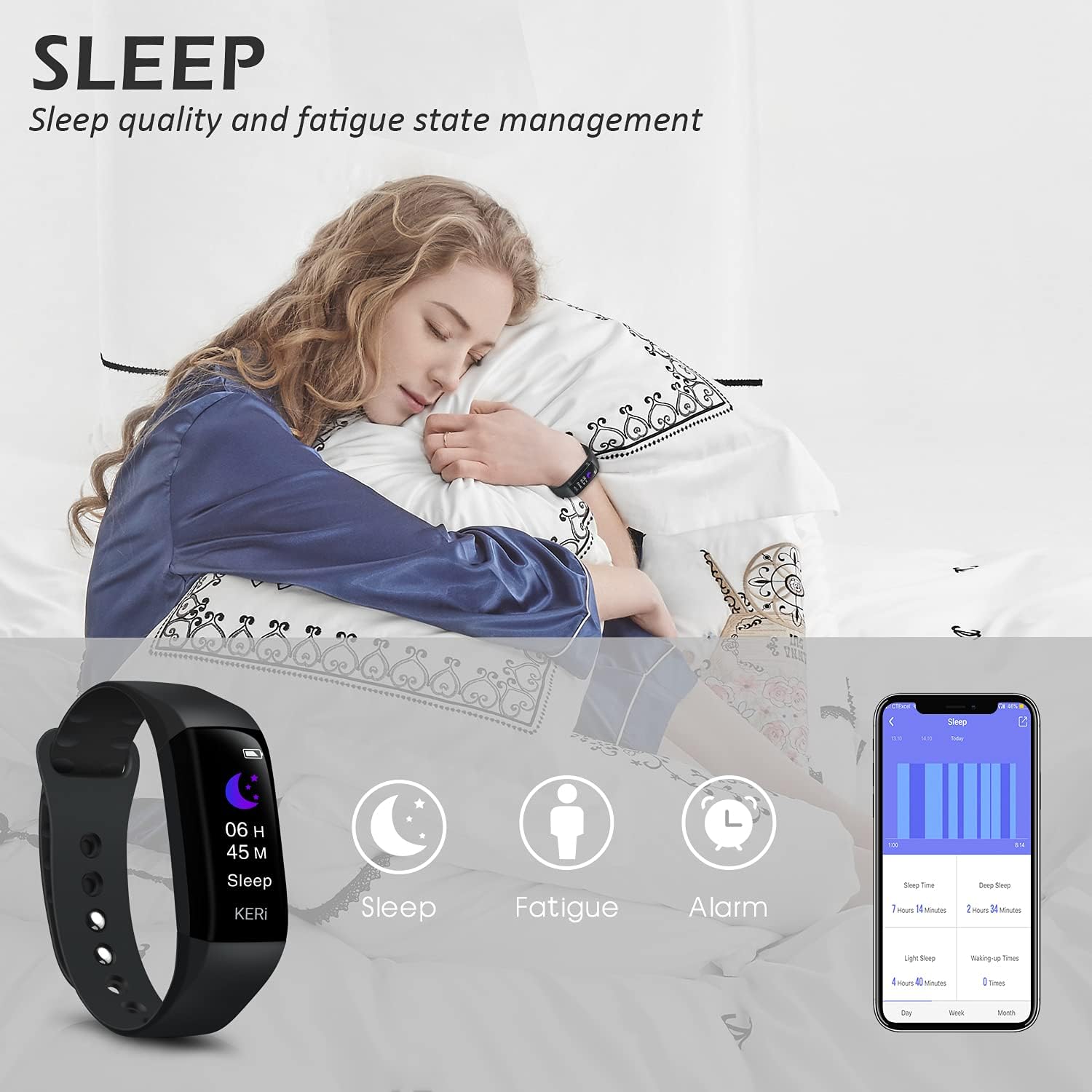
Image: A person sleeping with the Audar Smart Band KERi on their wrist, showing the band's display indicating sleep duration and an accompanying smartphone app displaying sleep analysis.
4. اطلاعات
Receive alerts directly on your wrist when connected to your smartphone.

Image: A close-up of a wrist wearing the Audar Smart Band KERi, with the screen showing an incoming call notification.
- کال الرٹس: Displays incoming call notifications.
- پیغام الرٹس: Shows notifications for SMS, WhatsApp, Messenger, and other selected apps.
- Configure which app notifications you wish to receive through the Audar app settings.
5 اضافی خصوصیات
- Remote Camera Control (Shake Shooting): Use the band to remotely trigger your smartphone's camera by shaking your wrist.
- میرا فون تلاش کریں: Activate this feature from the band to make your paired phone ring, helping you locate it.
- الارم گھڑی: ایپ کے ذریعے خاموش ہلنے والے الارم سیٹ کریں۔
- CareMate Function: Share your health data with family members through the app, allowing them to monitor your well-being remotely.

Image: Screenshots of the Audar app demonstrating the CareMate function, showing how users can subscribe to and view family members' health data.
دیکھ بھال
1. صفائی
- Regularly clean your Smart Band and strap to prevent skin irritation and maintain device hygiene.
- آلے کو نرم سے صاف کریں، ڈیamp کپڑا سخت کیمیکلز یا کھرچنے والے کلینر کے استعمال سے پرہیز کریں۔
- یقینی بنائیں کہ چارج کرنے سے پہلے چارجنگ رابطے صاف اور خشک ہیں۔
2. پانی کی مزاحمت
The Audar Smart Band KERi is IP67 waterproof.

Image: The Audar Smart Band KERi being splashed with water, illustrating its IP67 waterproof capability. Icons for heart rate, calories, steps, distance, SMS alerts, and blood oxygen are also visible.
- It is resistant to rain, sweat, and can be submerged up to 1 meter underwater for a limited time.
- It is suitable for showering and swimming in shallow water.
- Avoid prolonged exposure to hot water, steam, or high-velocity water.
3. ذخیرہ
- استعمال میں نہ ہونے پر آلہ کو ٹھنڈی، خشک جگہ پر اسٹور کریں۔
- انتہائی درجہ حرارت سے پرہیز کریں۔
خرابی کا سراغ لگانا
If you encounter issues with your Audar Smart Band KERi, refer to the following common solutions:
| مسئلہ | ممکنہ وجہ | حل |
|---|---|---|
| Device does not turn on or respond | کم بیٹری | ڈیوائس کو کم از کم 30 منٹ تک چارج کریں۔ |
| اسمارٹ فون کے ساتھ جوڑا نہیں بنایا جا سکتا | Bluetooth off, app issue, device out of range | Ensure Bluetooth is on. Restart phone and band. Reinstall app. Move band closer to phone. |
| صحت کی غلط ریڈنگ | Improper fit, movement during measurement, sensor obstruction | Ensure band is snug but comfortable. Remain still during measurements. Clean sensor on back of band. |
| No data synchronization to app | Bluetooth connection lost, app not running in background | Check Bluetooth connection. Ensure app has necessary permissions and is running. Manually sync from app. |
| مختصر بیٹری کی زندگی | Frequent notifications, continuous monitoring, old battery | Reduce notification frequency. Disable continuous monitoring for certain features. Ensure full charge. |
اگر مسئلہ برقرار رہتا ہے، تو براہ کرم مزید مدد کے لیے سپورٹ سیکشن سے رجوع کریں۔
وضاحتیں

Image: A diagram illustrating the dimensions of the Audar Smart Band KERi, including screen size and band length.
| فیچر | تفصیل |
|---|---|
| ماڈل کا نام | KERi |
| برانڈ | اگست |
| اسکرین کا سائز | 0.96 انچ |
| ڈسپلے کی قسم | LCD |
| قرارداد | 240 x 240 |
| کنیکٹوٹی ٹیکنالوجی | بلوٹوتھ، یو ایس بی |
| وائرلیس مواصلات کا معیار | بلوٹوتھ |
| آپریٹنگ سسٹم | Android (Compatible with Android & iPhone) |
| پیمائش شدہ میٹرکس | Heart Rate, Blood Pressure, Sleep Duration, Blood Oxygen |
| خصوصی خصوصیات | Alarm Clock, Calorie Tracker, Notifications, GPS (via phone), Remote Camera Control |
| پانی کی مزاحمت کی سطح | IP67 (Waterproof up to 1 meter) |
| بیٹری سیل کی قسم | لتیم پولیمر |
| بیٹری کی اوسط زندگی | 30 دن تک |
| بینڈ مواد کی قسم | Rubber or Silicone |
| کیس کے مواد کی قسم | سرامک |
| شے کا وزن | 29 گرام |
| آئٹم کے طول و عرض | 25.8 x 2.2 x 1.3 سینٹی میٹر |
| بینڈ کی لمبائی | 130 - 190 Millimetres |
| رنگ | سیاہ |
وارنٹی کی معلومات
For detailed warranty information regarding your August Audar Smart Band KERi, please refer to the warranty card included in your product packaging or visit the official August webسائٹ وارنٹی کی شرائط و ضوابط خطے اور خوردہ فروش کے لحاظ سے مختلف ہو سکتے ہیں۔

Image: The contents of the Audar Smart Band KERi product box, showing the smart band, charging cable, and instruction manuals.
کسٹمر سپورٹ
If you require further assistance or have questions not covered in this manual, please contact August customer support through one of the following channels:
- آن لائن مدد: Visit the official August webاکثر پوچھے گئے سوالات، معاون مضامین، اور رابطہ فارم کے لیے سائٹ۔
- ای میل سپورٹ: Refer to your product packaging or the August webکسٹمر سروس ای میل ایڈریس کے لئے سائٹ.
- برانڈ اسٹور: آپ بھی ملاحظہ کر سکتے ہیں۔ August Brand Store مزید مصنوعات کی معلومات اور معاون وسائل کے لیے۔