
1. پروڈکٹ ختمview
The BoomPods BOOMBUDS XR are wireless in-ear earphones designed for active lifestyles. They feature Bluetooth 5.0 connectivity for stable audio transmission and an IPX7 waterproof rating, making them suitable for various environments including workouts and outdoor activities. The earbuds are engineered for a secure and comfortable fit, and offer customizable sound profiles.

تصویر 1.1: BoomPods BOOMBUDS XR Earbuds and Charging Case. The image displays the black earbuds and their compact charging case, highlighting their sleek design.
2. باکس میں کیا ہے۔
Upon unboxing your BoomPods BOOMBUDS XR, verify that all the following components are included:
- BoomPods BOOMBUDS XR in-ear earphones (Left and Right)
- چارجنگ کیس
- مائیکرو USB چارجنگ کیبل
- Spare ear cups (multiple sizes for optimal fit)
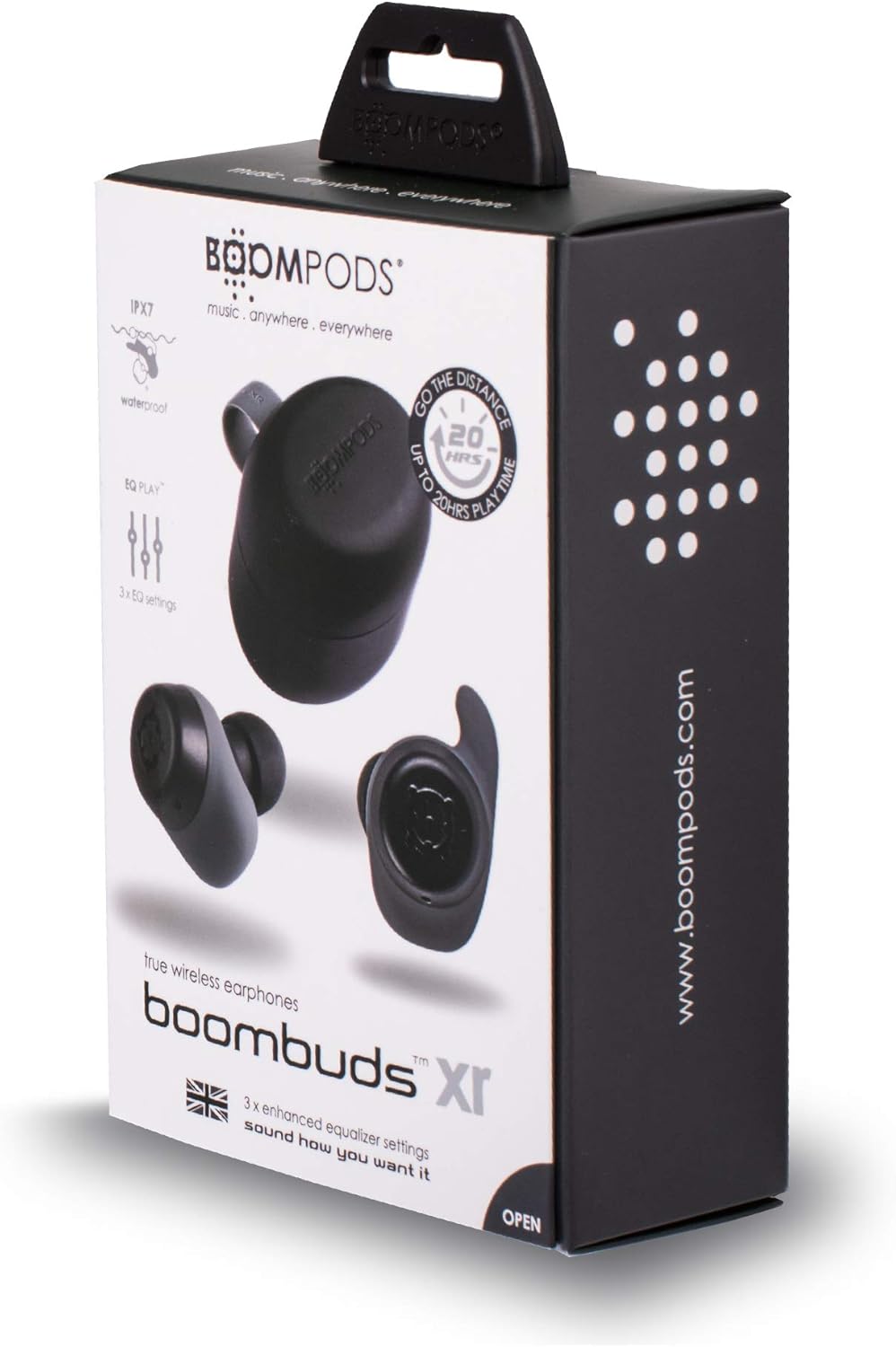
تصویر 2.1: BoomPods BOOMBUDS XR Retail Packaging. The image shows the product box, indicating the contents and key features like IPX7 waterproof rating and EQ settings.
3. سیٹ اپ گائیڈ
3.1. ایئربڈز اور کیس کو چارج کرنا
Before first use, fully charge the earbuds and the charging case. The charging case provides approximately 20 hours of additional playback time, while the earbuds offer up to 4.5 hours on a single charge. A full charge takes approximately 1.5 hours.
- Place the earbuds into their respective slots in the charging case. Ensure they are seated correctly for the charging contacts to align.
- Connect the Micro USB charging cable to the charging port on the case and plug the other end into a USB power source (e.g., wall adapter, computer USB port).
- Indicator lights on the case will show the charging status. Refer to the product's specific LED indicators for detailed information (not provided in source).
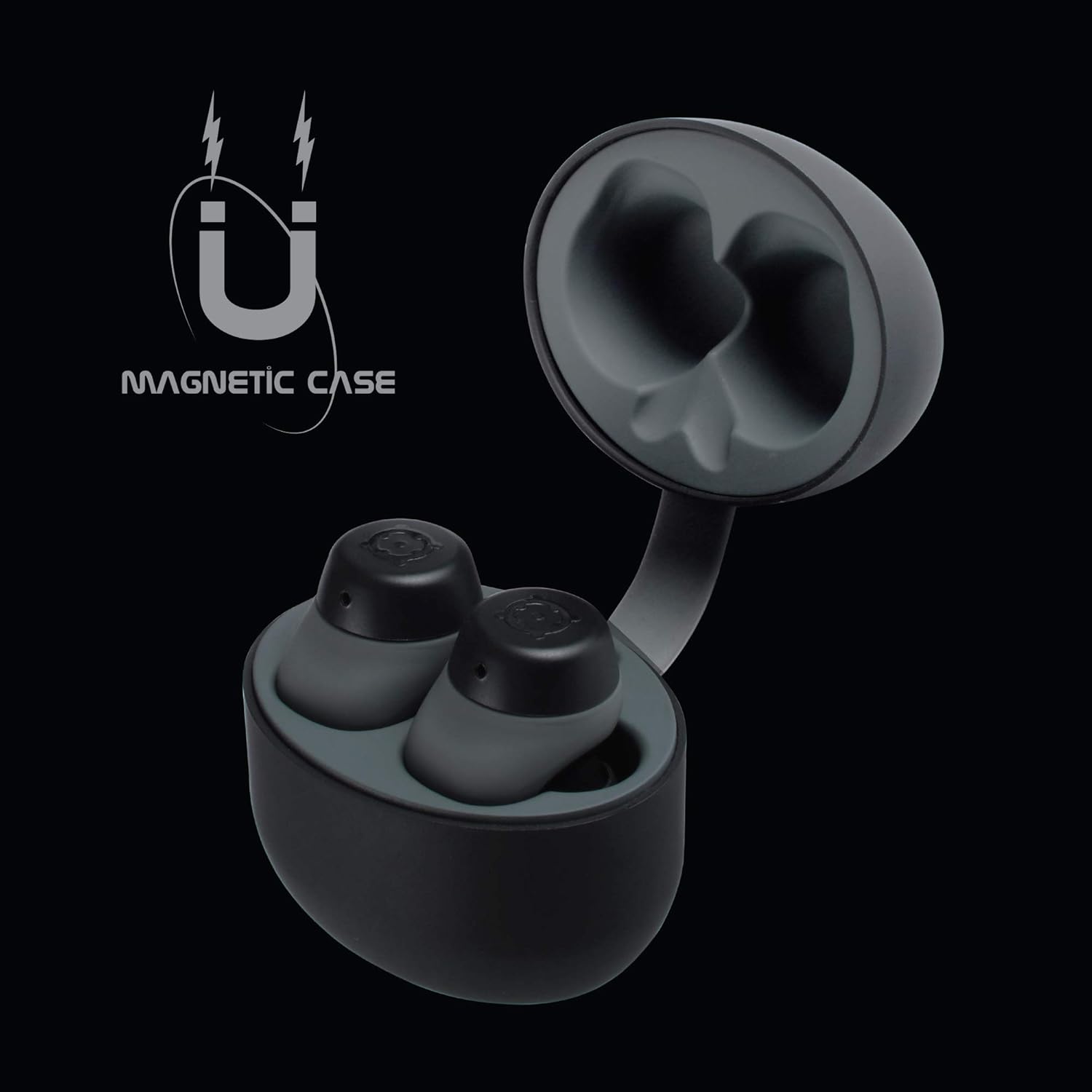
تصویر 3.1: Charging Case with Earbuds. The image shows the open charging case with the earbuds placed inside, ready for charging.

تصویر 3.2: Magnetic Case. This graphic illustrates the magnetic feature of the charging case, ensuring earbuds are securely held in place during charging and transport.
3.2. آلے کے ساتھ جوڑا بنانا
The BOOMBUDS XR utilize Bluetooth 5.0 for a quick and stable connection.
- اس بات کو یقینی بنائیں کہ ایئربڈز چارج ہو چکے ہیں اور چارجنگ کیس سے ہٹا دیے گئے ہیں۔ انہیں خود بخود جوڑا بنانے کے موڈ میں داخل ہونا چاہیے۔
- اپنے اسمارٹ فون یا بلوٹوتھ سے چلنے والے آلے پر، بلوٹوتھ سیٹنگز پر جائیں۔
- تلاش کریں۔ available devices and select "BOOMBUDS XR" from the list.
- Once connected, the earbuds will indicate successful pairing (e.g., an audio prompt or LED change).

تصویر 3.3: Bluetooth 5.0 Connectivity. This graphic highlights the instant and secure connection provided by Bluetooth 5.0 technology.
3.3. Achieving the Perfect Fit
A proper fit is crucial for both comfort and optimal sound quality, especially for bass response and noise isolation. The BOOMBUDS XR come with multiple sizes of ear cups to ensure a secure fit for various ear shapes.
- Experiment with the different sizes of ear cups provided.
- Gently insert the earbud into your ear canal and twist slightly to secure it. The ergonomic design (Ergofit) helps keep them in place during activity.
- Test the fit by moving your head and performing light activities. If the earbuds feel loose or the sound quality is poor, try a different size ear cup.
تصویر 3.4: Ergofit Design. This graphic illustrates the ergonomic design of the earbuds, engineered for a secure and comfortable fit within the ear.
4. آپریٹنگ ہدایات
4.1. Music and Call Controls
The BOOMBUDS XR feature integrated controls on the earbuds for managing audio playback and calls. These controls include volume adjustment, play/pause, and track skipping.
| ایکشن | کنٹرول |
|---|---|
| چلائیں/روکیں۔ | Double-click the earbud button. |
| اگلا ٹریک | (Specific control not detailed in source, typically triple-click or long press) |
| پچھلا ٹریک | (Specific control not detailed in source) |
| والیوم اپ | (Specific control not detailed in source, but volume control is present) |
| والیوم کم | (Specific control not detailed in source, but volume control is present) |
| جواب / کال ختم کریں۔ | (Specific control not detailed in source) |
| وائس اسسٹنٹ کو فعال کریں (Siri/Google اسسٹنٹ) | (Specific control not detailed in source) |
| پاور آف | Hold button for five seconds. |
Note: For detailed control gestures, refer to the full user manual provided with your product.
4.2. EQ Play Settings
The BOOMBUDS XR allow you to customize your listening experience with three distinct equalizer (EQ) settings:
- باس بوسٹ: Enhances low-frequency sounds for a more powerful bass.
- آواز کو فروغ دینا: Optimizes mid-range frequencies to make vocals clearer and more prominent.
- BoomPods Studio: ایک متوازن آواز فراہم کرتا ہے۔file, designed for general listening.
To switch between EQ settings, use the designated control on the earbuds (specific control not detailed in source).

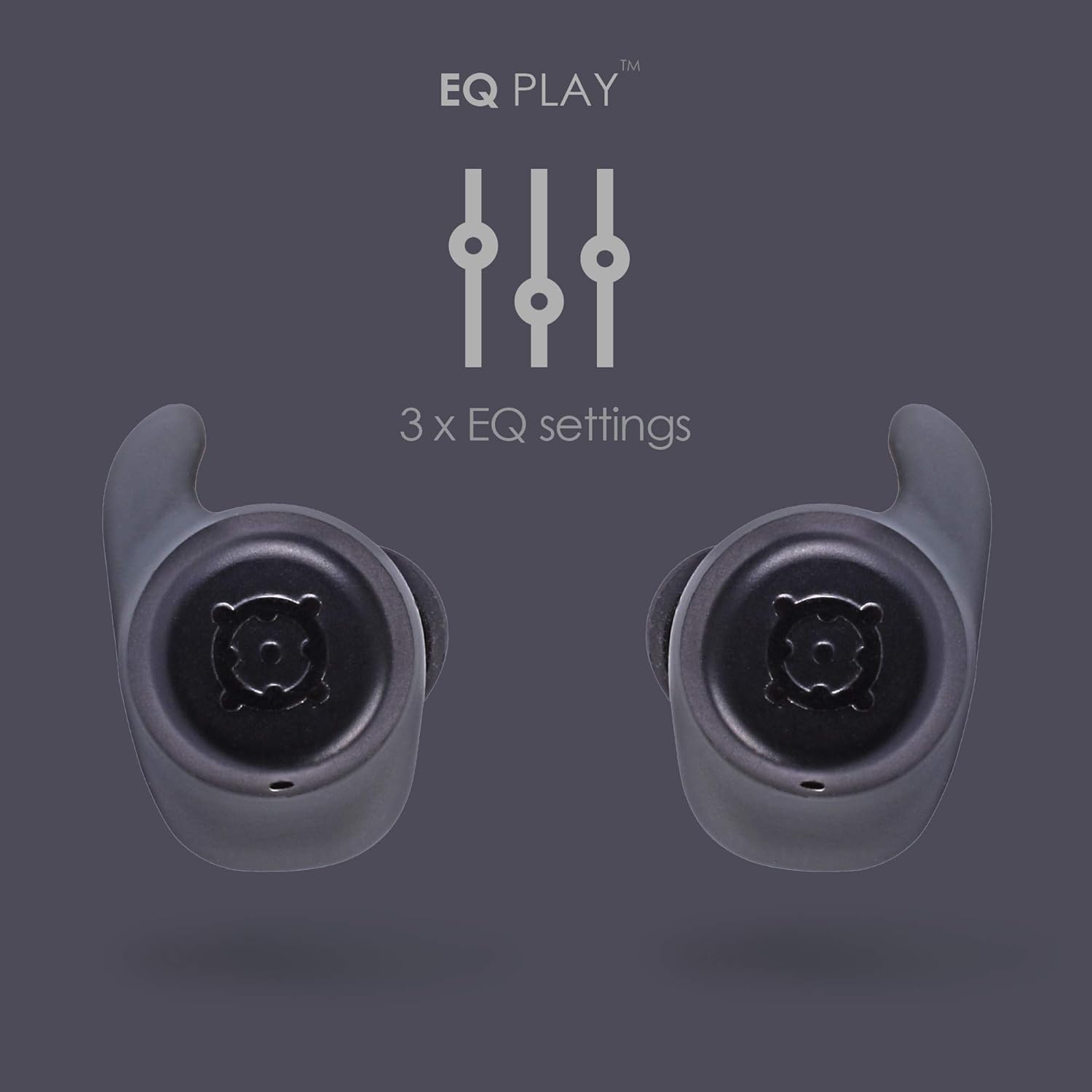
تصویر 4.1: EQ Play Settings. This graphic illustrates the three available equalizer settings for customized audio output.
5. دیکھ بھال اور دیکھ بھال
5.1. Waterproofing (IPX7 Rating)
The BOOMBUDS XR are rated IPX7 waterproof, meaning they can withstand immersion in water up to 1 meter for 30 minutes. This makes them resistant to sweat, rain, and splashes, and suitable for use in showers or by the pool.
اہم نوٹ: While the earbuds are waterproof, Bluetooth technology has limitations when transmitting through water. Therefore, continuous audio streaming underwater is not recommended as the connection may be interrupted.

تصویر 5.1: IPX7 Waterproofing in Use. The image shows a person showering while wearing the earbuds, demonstrating their water-resistant capabilities.
5.2. صفائی ستھرائی اور ذخیرہ
- ائیر بڈز اور چارجنگ کیس کو نرم، خشک، لنٹ سے پاک کپڑے سے باقاعدگی سے صاف کریں۔
- Remove the ear cups and clean them separately with mild soap and water if necessary. Ensure they are completely dry before reattaching.
- کھرچنے والے کلینر، سالوینٹس یا ایروسول سپرے استعمال کرنے سے گریز کریں۔
- ایئربڈز کو ان کے چارجنگ کیس میں محفوظ کریں جب ان کی حفاظت اور چارج رکھنے کے لیے استعمال میں نہ ہوں۔
- Keep the charging contacts on both the earbuds and the case clean and free of debris to ensure proper charging.
6 خرابیوں کا سراغ لگانا
If you encounter issues with your BoomPods BOOMBUDS XR, refer to the following common troubleshooting steps:
| مسئلہ | ممکنہ وجہ/حل |
|---|---|
| ایئربڈز چارج نہیں ہو رہے ہیں۔ |
|
| Earbuds not pairing / connecting |
|
| Poor sound quality / Low volume |
|
| Microphone issues / Call quality poor |
|
| ایئربڈز باہر گر رہے ہیں۔ |
|
7. تکنیکی تفصیلات
| فیچر | تفصیل |
|---|---|
| ماڈل کا نام | BXRBLK |
| کنیکٹوٹی ٹیکنالوجی | بلوٹوتھ 5، وائرلیس |
| وائرلیس کمیونیکیشن ٹیکنالوجی | بلوٹوتھ |
| مواد | سلیکون |
| مصنوعات کے لیے مخصوص استعمال | Sports and Exercise, Studio |
| چارج کرنے کا وقت | 1.5 گھنٹے |
| ہم آہنگ آلات | اسمارٹ فونز |
| کنٹرول کی قسم | Volume Control, Remote with Mic |
| شے کا وزن | 48 گرام (1.69 اونس) |
| پانی کی مزاحمت کی سطح | IPX7 (پانی مزاحم) |
| تعدد کی حد | 50Hz-15kHz |
| بیٹری لائف (ایئر بڈز) | 4.5 گھنٹے |
| بیٹری کی زندگی (چارجنگ کیس کے ساتھ) | Up to 20 Hours additional playback |
| بلوٹوتھ ورژن | 5.0 |
| خصوصی خصوصیات | Microphone Included, Sweatproof, USB connectivity, Volume Control, Ergonomic Design, EQ Play (3 settings) |
| مصنوعات کے طول و عرض | 0.2 x 3.11 x 1.34 انچ |
| کارخانہ دار | بومپڈز |
| رنگ | سیاہ |
| کان کی جگہ کا تعین | کان میں |
| فارم فیکٹر | کان میں |
8. وارنٹی اور سپورٹ
8.1. محدود وارنٹی
The BoomPods BOOMBUDS XR are covered by a 2 سال کی محدود وارنٹی خریداری کی تاریخ سے. یہ وارنٹی عام استعمال کے تحت مینوفیکچرنگ نقائص اور کاریگری کا احاطہ کرتی ہے۔ یہ غلط استعمال، حادثات، غیر مجاز ترمیم، یا عام ٹوٹ پھوٹ سے ہونے والے نقصان کو پورا نہیں کرتا ہے۔
For specific terms and conditions of the warranty, please refer to the warranty card included with your product or visit the official BoomPods webسائٹ
8.2. کسٹمر سپورٹ
For further assistance, technical support, or warranty claims, please contact BoomPods customer service through their official channels. You can typically find contact information on the product packaging, the official BoomPods website, or the brand store on Amazon.
اہلکار کا دورہ کریں۔ BoomPods Store on Amazon مزید مصنوعات کی معلومات اور معاون وسائل کے لیے۔