
NETVUE Vigil
NETVUE Vigil Outdoor Security Camera User Manual
Model: Vigil | Brand: NETVUE
1. تعارف
The NETVUE Vigil Outdoor Security Camera is designed to provide reliable surveillance for your property. Featuring 1080p Full HD video, advanced night vision, two-way audio communication, and smart motion detection, this camera ensures comprehensive monitoring day and night. Its robust, weather-resistant design allows for outdoor installation in various conditions.

Image: The NETVUE Vigil camera provides clear 1080p video both during the day and at night, as illustrated by the comparison of a driveway scene.
2. پیکیج کے مشمولات
براہ کرم تصدیق کریں کہ تمام اشیاء آپ کے پیکیج میں موجود ہیں:
- NETVUE Vigil Outdoor Security Camera
- پاور اڈاپٹر
- بڑھتے ہوئے پیچ اور وال اینکرز
- بڑھتے ہوئے سانچہ
- صارف دستی (یہ دستاویز)
3. سیٹ اپ اور انسٹالیشن
3.1 انسٹال کرنے سے پہلے
- Ensure your Wi-Fi network operates on the 2.4GHz band. The camera does not support 5GHz Wi-Fi.
- Position the camera within range of your Wi-Fi router for a stable connection. The camera features an enhanced 5dBi antenna for improved signal strength.
- Prepare a power outlet near the intended installation location.
3.2 جسمانی تنصیب
The NETVUE Vigil camera can be mounted on a wall or ceiling/roof. Choose a location that provides the desired viewing angle and is within reach of a power source.
- Use the provided mounting template to mark drill holes on the desired surface.
- Drill holes and insert wall anchors if mounting on masonry.
- Secure the camera's mounting base using the screws.
- ضرورت کے مطابق کیمرے کے زاویے کو ایڈجسٹ کریں۔
- پاور اڈاپٹر کو کیمرے سے جوڑیں اور اسے پاور آؤٹ لیٹ میں لگائیں۔

Image: The NETVUE Vigil camera offers flexible installation options for both wall and roof mounting.

Image: The camera features a 5dBi antenna designed for a more stable Wi-Fi connection.
3.3 ایپ سیٹ اپ
- Download the 'Netvue' app from your mobile device's app store (iOS or Android).
- ایک نیا اکاؤنٹ بنائیں یا لاگ ان کریں اگر آپ کے پاس پہلے سے ہے۔
- Follow the in-app instructions to add your new NETVUE Vigil camera. This typically involves scanning a QR code on the camera or manually entering its details.
- ایپ کے اشارے کے مطابق کیمرے کو اپنے 2.4GHz Wi-Fi نیٹ ورک سے مربوط کریں۔
4. کیمرہ چلانا
4.1 لائیو View اور ریموٹ رسائی
Access your camera's live feed anytime, anywhere through the Netvue app on your smartphone or tablet. You can also integrate the camera with Amazon Alexa for voice control and viewہم آہنگ آلات پر ing.
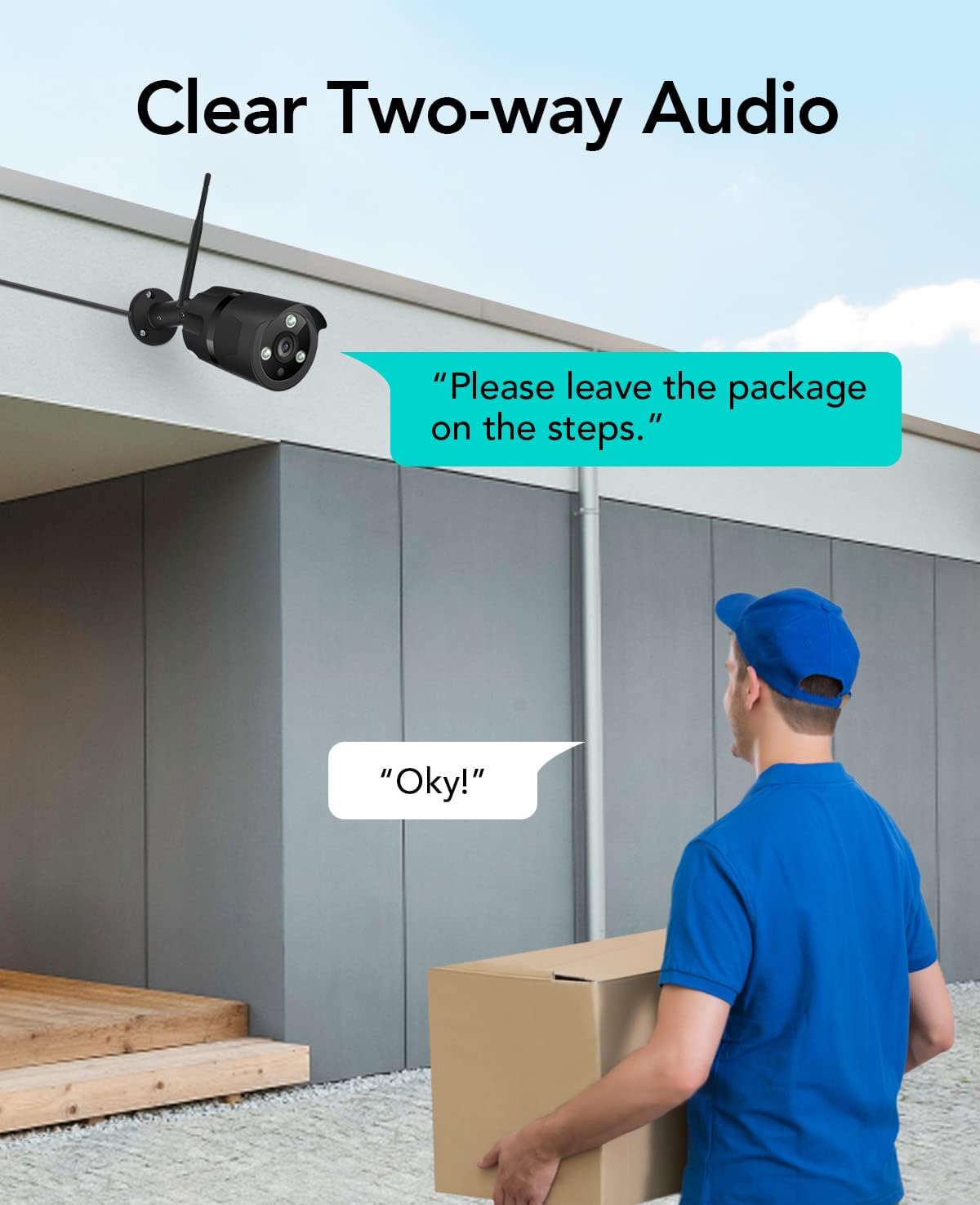
Image: The NETVUE Vigil camera is compatible with Amazon Alexa, allowing you to view the live feed on devices like the Echo Show.
4.2 دو طرفہ آڈیو
The built-in microphone and speaker allow for two-way communication. Use this feature to speak with visitors or deter unwanted guests directly through the Netvue app.

Image: Engage in clear two-way audio communication with individuals near your camera, such as a delivery person.
4.3 حرکت کا پتہ لگانا اور الرٹس
The camera features smart motion detection. When motion is detected, you will receive instant notifications on your mobile phone. You can customize motion detection zones, sensitivity levels, and alert schedules within the Netvue app to focus on areas of importance.

Image: The camera sends smart motion alerts to your phone when activity is detected, as shown with a person at a door.
4.4 نائٹ ویژن
Equipped with infrared LEDs and IR-Cut technology, the camera automatically switches to night vision mode in low-light conditions, providing clear video up to 19.8 meters (65 feet) in complete darkness.
4.5 ویڈیو اسٹوریج
The NETVUE Vigil camera supports two storage options:
- مقامی ذخیرہ: Insert a microSD card (up to 128GB, not included) into the camera for continuous recording or event-triggered recordings. You can view playback directly from the Netvue app.
- کلاؤڈ اسٹوریج: Optional cloud storage plans are available through the Netvue app for secure, off-site video backup and advanced AI features like person/vehicle detection. Subscription fees apply for cloud services.

Image: The camera supports both local storage via an SD card and optional cloud storage for video recordings.
5 دیکھ بھال
- صفائی: صاف تصویر کے معیار کو یقینی بنانے کے لیے وقتاً فوقتاً کیمرے کے لینس کو نرم، خشک کپڑے سے صاف کریں۔ سخت کیمیکل استعمال نہ کریں۔
- فرم ویئر اپ ڈیٹس: Keep your camera's firmware updated through the Netvue app to ensure optimal performance and access to new features.
- کنکشن چیک: Regularly verify the camera's Wi-Fi connection status in the app to ensure continuous operation.
6 خرابیوں کا سراغ لگانا
6.1 کیمرہ Wi-Fi سے منسلک نہیں ہے۔
- یقینی بنائیں کہ آپ کا Wi-Fi نیٹ ورک 2.4GHz ہے۔
- Check if the camera is within range of your router.
- تصدیق کریں کہ ایپ میں درج وائی فائی پاس ورڈ درست ہے۔
- اپنا راؤٹر اور کیمرہ دوبارہ شروع کریں۔
6.2 خراب تصویری معیار
- کیمرے کے لینس کو صاف کریں۔
- Ensure sufficient lighting for optimal day vision.
- اپنے انٹرنیٹ کنکشن کی رفتار چیک کریں۔
6.3 No Motion Alerts
- Verify motion detection is enabled in the Netvue app.
- Check motion detection zone settings and sensitivity.
- یقینی بنائیں کہ آپ کے فون پر ایپ کی اطلاعات فعال ہیں۔
For further assistance, please refer to the support section or contact NETVUE customer service.
7. وضاحتیں
| فیچر | تفصیلات |
|---|---|
| ماڈل نمبر | چوکسی |
| ویڈیو ریزولوشن | 1080p (1920 x 1080 پکسلز) |
| تصویر سینسر کی قرارداد | 2 MP |
| نائٹ ویژن رینج۔ | 19.8 میٹر (65 فٹ) تک |
| کنیکٹوٹی | Wireless (2.4GHz Wi-Fi), Ethernet |
| موسم کی مزاحمت | IP66 (واٹر پروف) |
| آپریٹنگ درجہ حرارت | -15.6 °C to 50.0 °C (-20 °C to 50 °C) |
| طاقت کا منبع | AC |
| ہم آہنگ آلات | اسمارٹ فون (iOS/Android)، Amazon Alexa |
| اسٹوریج کے اختیارات | مائیکرو ایس ڈی کارڈ (128 جی بی تک)، کلاؤڈ اسٹوریج (سبسکرپشن درکار ہے) |
| طول و عرض | 20.1 x 12.4 x 8.1 سینٹی میٹر |
8. وارنٹی اور سپورٹ
NETVUE products come with a limited warranty. Please refer to the warranty card included in your package or visit the official NETVUE webتفصیلی وارنٹی شرائط و ضوابط کے لیے سائٹ۔
For technical support, product inquiries, or warranty claims, please contact NETVUE customer service through their official website or the contact information provided in the Netvue app. Our support team is available to assist you with any questions or issues you may encounter.
آن لائن وسائل:
- Official NETVUE Webسائٹ: www.netvue.com
- Netvue App: Available on Apple App Store and Google Play Store
Ask a question about this manual
Ask about setup, troubleshooting, compatibility, parts, safety, or missing instructions. Manuals+ will review the question and use this page’s manual context to help answer it.