
1. پروڈکٹ ختمview
The RICOO TS4011 Monitor Stand is designed to provide an ergonomic and space-saving solution for your display. This stand offers a wide range of adjustments including rotation, swivel, tilt, and height, ensuring optimal viewing comfort for monitors between 17 and 32 inches and up to 7 kg in weight.
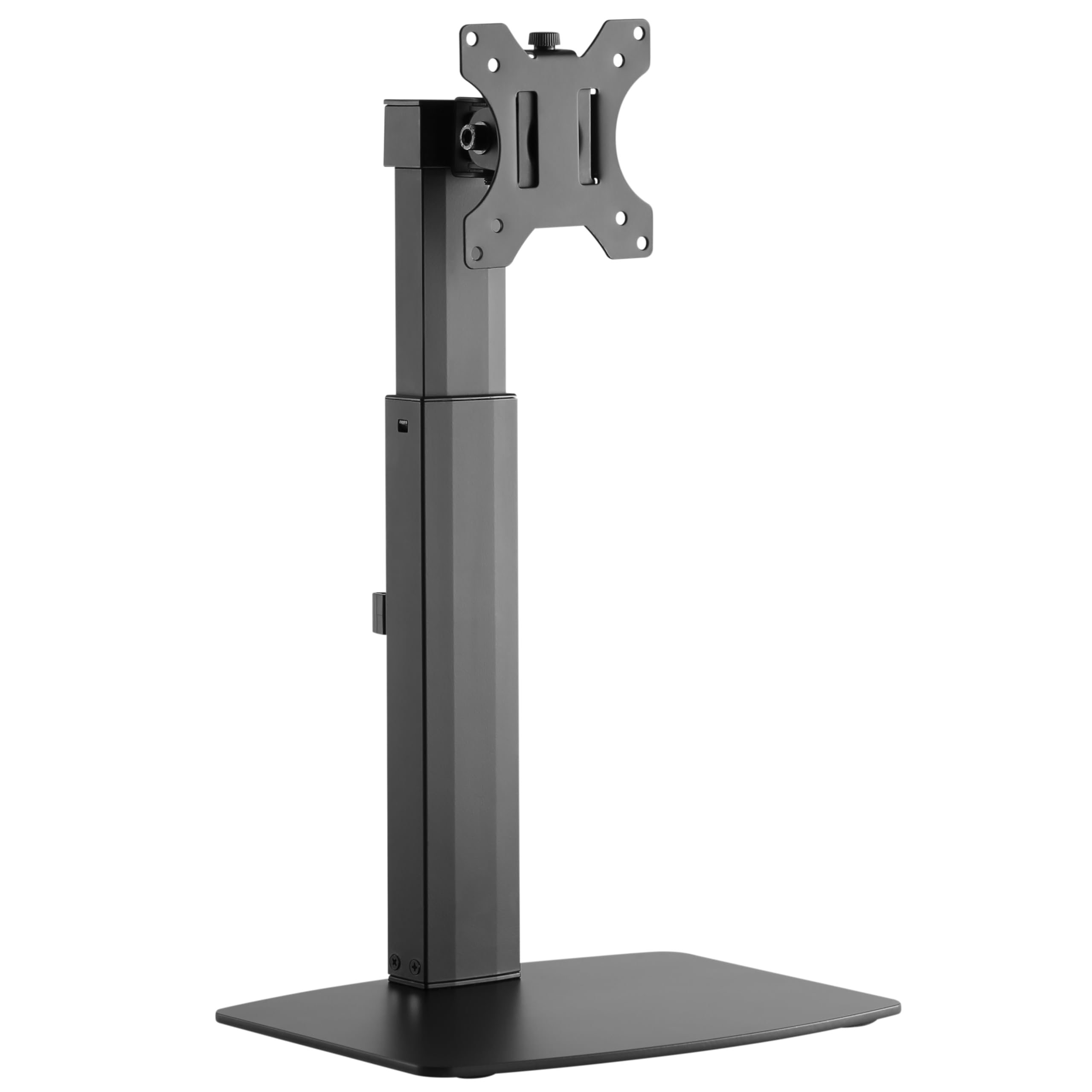
Image: The RICOO TS4011 Monitor Stand, black, supporting a monitor on a light wooden desk.
2. حفاظتی معلومات
Please read all instructions carefully before assembly and use. Keep this manual for future reference. Failure to follow these instructions may result in property damage, serious injury, or death.
- اس بات کو یقینی بنائیں کہ اسمبلی سے پہلے تمام اجزاء موجود ہیں اور بغیر کسی نقصان کے ہیں۔ خراب حصوں کا استعمال نہ کریں.
- زیادہ سے زیادہ وزن کی گنجائش 7 کلوگرام (15.4 پونڈ) سے زیادہ نہ ہو۔
- Ensure your monitor's VESA mounting pattern (75x75mm or 100x100mm) is compatible with this stand.
- یہ پروڈکٹ صرف انڈور استعمال کے لیے ہے۔
- اسمبلی کے دوران بچوں اور پالتو جانوروں کو دور رکھیں۔ چھوٹے حصے دم گھٹنے کا خطرہ ہو سکتے ہیں۔
- Always use appropriate tools and follow the assembly steps in order.
- If you have any doubts about the installation, consult a qualified professional.
3. پیکیج کے مشمولات
تصدیق کریں کہ نیچے دی گئی تمام اشیاء آپ کے پیکیج میں شامل ہیں:
- Monitor Desk Stand (Main Unit)
- Mounting Kit (various screws, washers, spacers, Allen keys)
- ہدایت نامہ
4. سیٹ اپ ہدایات
Follow these steps to assemble and install your RICOO TS4011 Monitor Stand.
4.1. بیس کو جمع کریں۔
Attach the main support pole to the base plate using the provided screws and tools. Ensure all connections are secure.

Image: Diagram illustrating the base dimensions and attachment points for the stand pole.
4.2 VESA پلیٹ کو مانیٹر سے منسلک کریں۔
Carefully place your monitor face down on a soft, clean surface. Align the VESA mounting plate from the stand with the mounting holes on the back of your monitor. Use the appropriate screws, washers, and spacers from the mounting kit. Tighten securely, but do not overtighten.

Image: Diagram indicating VESA mounting hole measurements (A and B) on the back of a monitor.

Image: Illustration showing the VESA mounting plate securely attached to the back of a monitor.
4.3 کھڑے ہونے کے لیے ماؤنٹ مانیٹر
With the VESA plate attached to your monitor, carefully lift the monitor and slide the VESA plate onto the mounting head of the stand. Ensure it clicks into place or is secured with any locking mechanisms. Double-check that the monitor is firmly attached before releasinجی یہ

تصویر: پیچھے view of a monitor securely mounted on the RICOO TS4011 stand, showcasing the VESA attachment.
4.4. کیبل کا انتظام
Utilize the integrated cable management clips on the stand pole to route your monitor cables neatly. This helps to maintain a tidy workspace and prevents cables from snagging during adjustments.

تصویر: ایک قریبی اپ view of the cable management clips on the stand pole, with cables routed through them for an organized setup.
5. آپریٹنگ ہدایات اور ایڈجسٹمنٹ
The RICOO TS4011 Monitor Stand offers various adjustment options to customize your viewتجربہ ہے.

Image: Visual representation of the stand's adjustable features: 45-degree swivel, 360-degree rotation, 20-degree tilt, and 110mm height adjustment range.
5.1۔ اونچائی کی ایڈجسٹمنٹ
To adjust the monitor height, gently push the monitor upwards to its maximum height. This will release the locking mechanism, allowing you to then lower it to your desired position. To raise the monitor, simply lift it. The stand features a gas spring mechanism for smooth height transitions within its 110mm range.
5.2. جھکاؤ ایڈجسٹمنٹ
The monitor can be tilted +/-20 degrees vertically. Loosen the tilt screw (if applicable, refer to diagram) on the VESA plate, adjust the monitor to your preferred angle, and then retighten the screw to secure it.
5.3 کنڈا ایڈجسٹمنٹ
The monitor can be swiveled +/-45 degrees horizontally. Gently rotate the monitor to the left or right to achieve your desired viewING زاویہ
5.4 گردش کی ایڈجسٹمنٹ
The VESA plate allows for a full 360-degree rotation, enabling you to switch between landscape and portrait orientations. Simply rotate the monitor to the desired orientation.
6 دیکھ بھال
To ensure the longevity and proper function of your monitor stand, follow these maintenance guidelines:
- صفائی: اسٹینڈ کو نرم سے صاف کریں، ڈیamp کپڑا کھرچنے والے کلینر یا سالوینٹس سے پرہیز کریں جو ختم کو نقصان پہنچا سکتے ہیں۔
- متواتر جانچ پڑتال: Regularly check all screws and connections to ensure they remain tight and secure. Retighten if necessary.
- چکنا: The gas spring mechanism is maintenance-free. Do not attempt to lubricate internal components.
7 خرابیوں کا سراغ لگانا
اگر آپ کو اپنے مانیٹر اسٹینڈ کے ساتھ مسائل کا سامنا کرنا پڑتا ہے، تو درج ذیل عام مسائل اور حل دیکھیں:
| مسئلہ | ممکنہ وجہ | حل |
|---|---|---|
| مانیٹر sags یا پوزیشن پر فائز نہیں ہے. | Screws are loose; monitor weight exceeds capacity; tilt mechanism not tightened. | Check and tighten all mounting screws. Ensure monitor weight is within the 7kg limit. Tighten the tilt adjustment screw. |
| اونچائی کو ایڈجسٹ کرنے میں دشواری۔ | Gas spring mechanism needs to be reset or is stiff. | To lower the monitor, first push it up to its maximum height to release the mechanism, then gently push down to the desired position. Ensure the monitor is within the specified weight range for optimal gas spring function. |
| مانیٹر سطح نہیں ہے۔ | Uneven installation or VESA plate not perfectly aligned. | Check the VESA plate attachment to the monitor and the stand. Adjust the monitor's rotation slightly if possible to correct the level. |
| اسٹینڈ غیر مستحکم محسوس ہوتا ہے۔ | Base not fully tightened; stand placed on an uneven surface. | Ensure the base screws are fully tightened. Place the stand on a flat, stable surface. |
8. مصنوعات کی تفصیلات
Detailed specifications for the RICOO TS4011 Monitor Stand:
- ماڈل: TS4011
- ہم آہنگ سکرین کے سائز: 17 - 32 انچ (43 - 81 سینٹی میٹر)
- زیادہ سے زیادہ بوجھ کی اہلیت: 7 کلوگرام (15.4 پونڈ)
- VESA مطابقت: 75x75 ملی میٹر، 100x100 ملی میٹر
- مواد: مصر دات اسٹیل، ایلومینیم، آئرن، میٹل، پلاسٹک
- رنگ: سیاہ
- تحریک کی قسم: Articulating, Swiveling, Tilting, Rotating, Height Adjustable
- جھکاؤ زاویہ: +/- 20 ڈگری
- کنڈا زاویہ: +/- 45 ڈگری
- گردش: 360 degrees (for VESA plate)
- اونچائی ایڈجسٹمنٹ کی حد: Approximately 110 mm (from 352mm to 462mm, based on diagram)
- آئٹم کا وزن: 3.6 کلوگرام (7.9 پونڈ)
- چڑھنے کی قسم: Table Mount (Freestanding Base)

Image: Visual summary of key specifications: Max 7kg load, 13"-32" screen size compatibility, and VESA 75x75 / 100x100 standards.

Image: Detailed technical diagram of the TS4011 stand, showing all dimensions in millimeters, including height range, VESA plate size, and base measurements.
9. وارنٹی اور سپورٹ
وارنٹی: This product comes with a legal warranty of 24 months for new products, as per European Union regulations.
سپورٹ: For any further questions regarding our products, please do not hesitate to contact us. Our support team will be happy to assist you.
ای میل: support@ricoo.de
RICOO is a registered trademark in Germany, certified by the European Union Intellectual Property Office, ensuring proven quality and reliability.