
ایلو E931896
EloPOS 15" Point of Sale System User Manual
ماڈل: E931896
1. پروڈکٹ ختمview
The EloPOS System is a versatile point-of-sale solution designed for commercial environments. It features a 15-inch 4:3 touchscreen display, an Intel 8th generation i3 processor, and an integrated expansion hub for connecting various peripherals. This system is built for durability and continuous public use, making it suitable for traditional POS and self-service applications.
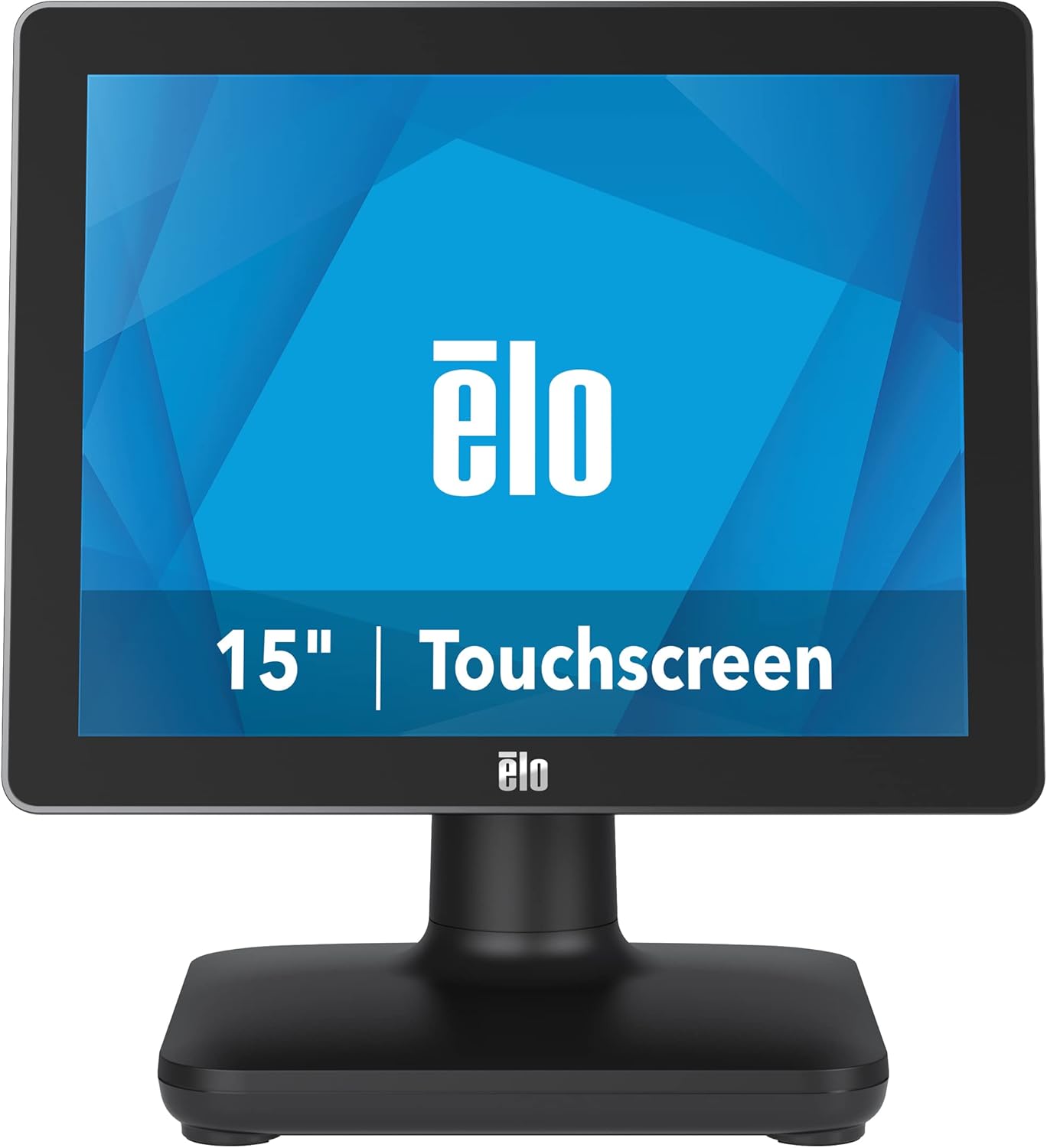
شکل 1: سامنے view of the EloPOS System.
The system's robust design ensures reliability in demanding retail environments, providing a stable platform for your business operations.
2. پیکیج کے مشمولات
Verify that all items listed below are included in your EloPOS system package:
- EloPOS System Unit
- NA Power Cord
- یورپی یونین کی طاقت کی ہڈی
- پاور اڈاپٹر - 180W
- Cable RJ-45 to DB-9
- Cable Cover Locking Screw
- فوری انسٹالیشن گائیڈ (QIG)
3. کلیدی خصوصیات
The EloPOS System is equipped with several features designed to enhance its functionality and durability:
- Integrated Expansion Hub: The included stand features an integrated expansion hub, allowing connection of various POS peripherals such as cash drawers, printers, barcode scanners, and payment devices.
- Windows 10 Operating System: Utilizes the reliable performance and security of Intel 8th Generation processors, integrated Trusted Platform Modules, Intel vPro, and the Windows 10 operating system.
- کمرشل گریڈ پائیداری: Features a splash-proof housing and a rugged retail-hardened design, built to withstand adverse conditions common in commercial environments.
- USB-C کنیکٹیویٹی: Enables easy connection of a 1302L customer-facing display, providing touch, data, and power through a single cable (second display sold separately).
- Elo Edge Connect: Allows seamless attachment of up to four peripherals (sold separately) to the edge of the touchscreen, including fingerprint scanners, EMV readers, barcode scanners, or MSRs.
4. سیٹ اپ گائیڈ
4.1. پیک کھولنا اور جگہ کا تعین کرنا
Carefully remove the EloPOS system and all components from the packaging. Place the unit on a stable, flat surface, ensuring adequate ventilation around the device.
4.2. کنیکٹنگ پاور
- Connect the 180W power adapter to the power input port on the back of the EloPOS system.
- Connect the appropriate power cord (NA or EU) to the power adapter.
- پاور کورڈ کو گراؤنڈڈ برقی آؤٹ لیٹ میں لگائیں۔
4.3. پیری فیرلز کو جوڑنا
The EloPOS system features an integrated expansion hub for connecting various peripherals. Refer to the image below for port locations.

شکل 2: پیچھے view with connection hub.
- USB پورٹس: Connect USB devices such as keyboards, mice, barcode scanners, or payment terminals to the available USB 2.0 or USB 3.0 ports.
- ایتھرنیٹ پورٹ: نیٹ ورک کنیکٹیویٹی کے لیے ایتھرنیٹ کیبل کو جوڑیں۔
- سیریل پورٹس: Use the RJ-45 to DB-9 cable for connecting serial devices if required.
- USB-C پورٹ: For connecting compatible USB-C devices, including the Elo 1302L customer-facing display.
5. آپریشن
5.1. پر / آف پاور
To power on the system, press the power button, typically located on the side or back of the display unit. To power off, use the standard Windows shutdown procedure or press and hold the power button for a few seconds.
5.2. ٹچ اسکرین کا استعمال
The EloPOS system features a responsive touchscreen display. Use your finger or a compatible stylus for navigation and input. Ensure the screen is clean for optimal touch performance.
6 دیکھ بھال
Regular maintenance helps ensure the longevity and optimal performance of your EloPOS system:
- سکرین کی صفائی: ہلکے سے نرم، لنٹ سے پاک کپڑا استعمال کریں۔ampایک غیر کھرچنے والے، امونیا سے پاک گلاس کلینر کے ساتھ ختم کیا گیا ہے۔ کلینر کو براہ راست اسکرین پر نہ چھڑکیں۔
- سی کی صفائیasing: باہر کا صفایا کریں casinجی ایک نرم کے ساتھ، ڈیamp کپڑا سخت کیمیکلز یا کھرچنے والے مواد سے پرہیز کریں۔
- وینٹیلیشن: Ensure that the ventilation openings on the system are not blocked to prevent overheating.
- سافٹ ویئر اپ ڈیٹس: Regularly check for and install operating system and driver updates to maintain system security and performance.
7 خرابیوں کا سراغ لگانا
This section provides solutions to common issues you might encounter with your EloPOS system.
| مسئلہ | ممکنہ وجہ | حل |
|---|---|---|
| سسٹم آن نہیں ہے۔ | Power cord not connected, power adapter faulty, power outlet issue. | Check power cord connections. Ensure power adapter is securely plugged in. Test the power outlet with another device. |
| ٹچ اسکرین غیر جوابدہ ہے۔ | Screen dirty, drivers not installed/corrupted, system frozen. | Clean the screen. Restart the system. Check device manager for touchscreen driver status. |
| Peripheral (e.g., printer) not detected. | Incorrect port, driver issue, peripheral not powered on. | Ensure peripheral is powered on and connected to the correct port. Install or update peripheral drivers. |
| سسٹم آہستہ چلتا ہے۔ | Too many applications running, insufficient RAM, overheating. | Close unnecessary applications. Check system resources. Ensure proper ventilation. |
8. تکنیکی تفصیلات
| فیچر | تفصیلات |
|---|---|
| کھڑے اسکرین ڈسپلے سائز | 15 انچ |
| اسکرین ریزولوشن | 1024x768 |
| زیادہ سے زیادہ سکرین ریزولوشن | 1366x768 |
| پروسیسر | 3.1 GHz core_i3 (Intel 8th Generation) |
| رام | 4 GB DDR4 |
| ہارڈ ڈرائیو | 128 جی بی ایس ایس ڈی |
| گرافکس کا پروسیسر | انٹیل ایچ ڈی گرافکس 520 |
| آپریٹنگ سسٹم | ونڈوز 10 |
| USB 2.0 پورٹس کی تعداد | 2 |
| USB 3.0 پورٹس کی تعداد | 3 |
| آئٹم ماڈل نمبر | E931896 |
| شے کا وزن | 11.6 پاؤنڈ |
| پروڈکٹ کے طول و عرض (LxWxH) | 8.71 x 14.16 x 13.37 انچ |
| رنگ | سیاہ |
| طاقت کا منبع | AC |
| والیومtage | 240 وولٹ |
9. وارنٹی کی معلومات
The EloPOS System is backed by Elo's standard 3-year warranty. This warranty covers defects in materials and workmanship under normal use. For detailed terms and conditions, please refer to the official Elo warranty policy document or contact Elo customer support.
10. سپورٹ اور رابطہ
For further assistance, technical support, or service inquiries, please visit the official Elo webسائٹ یا ان کے کسٹمر سپورٹ سے رابطہ کریں۔ آپ پر مزید معلومات اور وسائل حاصل کر سکتے ہیں۔ ایمیزون پر ایلو اسٹور.
Ask a question about this manual
Ask about setup, troubleshooting, compatibility, parts, safety, or missing instructions. Manuals+ will review the question and use this page’s manual context to help answer it.