
1. تعارف
This manual provides detailed instructions for the installation, operation, and maintenance of your JOOAN 3MP Wireless Security Camera System, Model 703. This system is designed to provide reliable surveillance with features such as 3MP resolution, AI human detection, audio recording, and remote access.

تصویر 1.1: ختمview of the JOOAN Wireless Security Camera System components.
2. سسٹم کے اجزاء
The JOOAN 3MP Wireless Security Camera System typically includes the following components:
- NVR (Network Video Recorder) with pre-installed 1TB HDD
- Wireless IP Cameras (4 units)
- Power Adapters for NVR and cameras
- USB ماؤس
- ایتھرنیٹ کیبل
- بڑھتے ہوئے پیچ اور اینکرز
- صارف دستی (یہ دستاویز)

Image 2.1: The 1TB Hard Disk Drive included with the NVR for video storage.
3. سیٹ اپ گائیڈ
3.1 Initial Power-Up and Connection
- HDMI یا VGA کیبل کا استعمال کرتے ہوئے NVR کو مانیٹر سے جوڑیں۔
- Connect the USB mouse to the NVR.
- Connect the NVR to power using its adapter.
- Connect each camera to its respective power adapter.
- The cameras will automatically pair with the NVR upon power-up.

Image 3.1: Illustration of the 'Auto Pair, Plug N Play' setup process for the camera system.
The system is designed for 'Plug N Play' functionality, meaning cameras should automatically connect to the NVR once powered. For optimal wireless signal, consider the NVR's built-in router capabilities.

Image 3.2: The NVR features a built-in router, providing up to 200ft range with one wall obstruction and up to 1640ft in open spaces.
3.2 Remote Access Setup (Eseecloud App)
کو view your cameras remotely on mobile devices or PC, download the Eseecloud application.
- Download the Eseecloud app from your mobile app store (iOS/Android) or the Eseecloud software for PC.
- ایک اکاؤنٹ رجسٹر کریں اور لاگ ان کریں۔
- On the NVR interface, navigate to Network Setup to find the Cloud ID (QR code).
- In the Eseecloud app, scan the Cloud ID QR code or manually enter the ID to add your device.
- Ensure your NVR is connected to the internet for remote viewing

تصویر 3.3: ریموٹ viewing setup showing the Eseecloud app on mobile and PC for multi-device access.
Video 3.1: Demonstrates how to get a local image within one minute, showcasing the quick setup process.
ویڈیو 3.2: ایک اوورview of the Jooan 3MP Super HD Wireless System, highlighting its features and ease of use.
4. آپریٹنگ ہدایات
4.1 لائیو View اور پلے بیک
ایک بار جب نظام قائم ہو جائے تو، آپ کر سکتے ہیں۔ view لائیو فوtage on your connected monitor or through the Eseecloud app. Recorded footage can be accessed via the NVR interface or the app for playback.
4.2 حرکت کا پتہ لگانا اور الرٹس
The system features advanced AI Human Detection to minimize false alarms. When motion or a human shape is detected, the system can trigger various alerts:
- NVR Buzzer
- ای میل الرٹ
- APP Notification (Push Alert)

Image 4.1: Demonstrates motion detection and the corresponding app push alerts and email notifications.
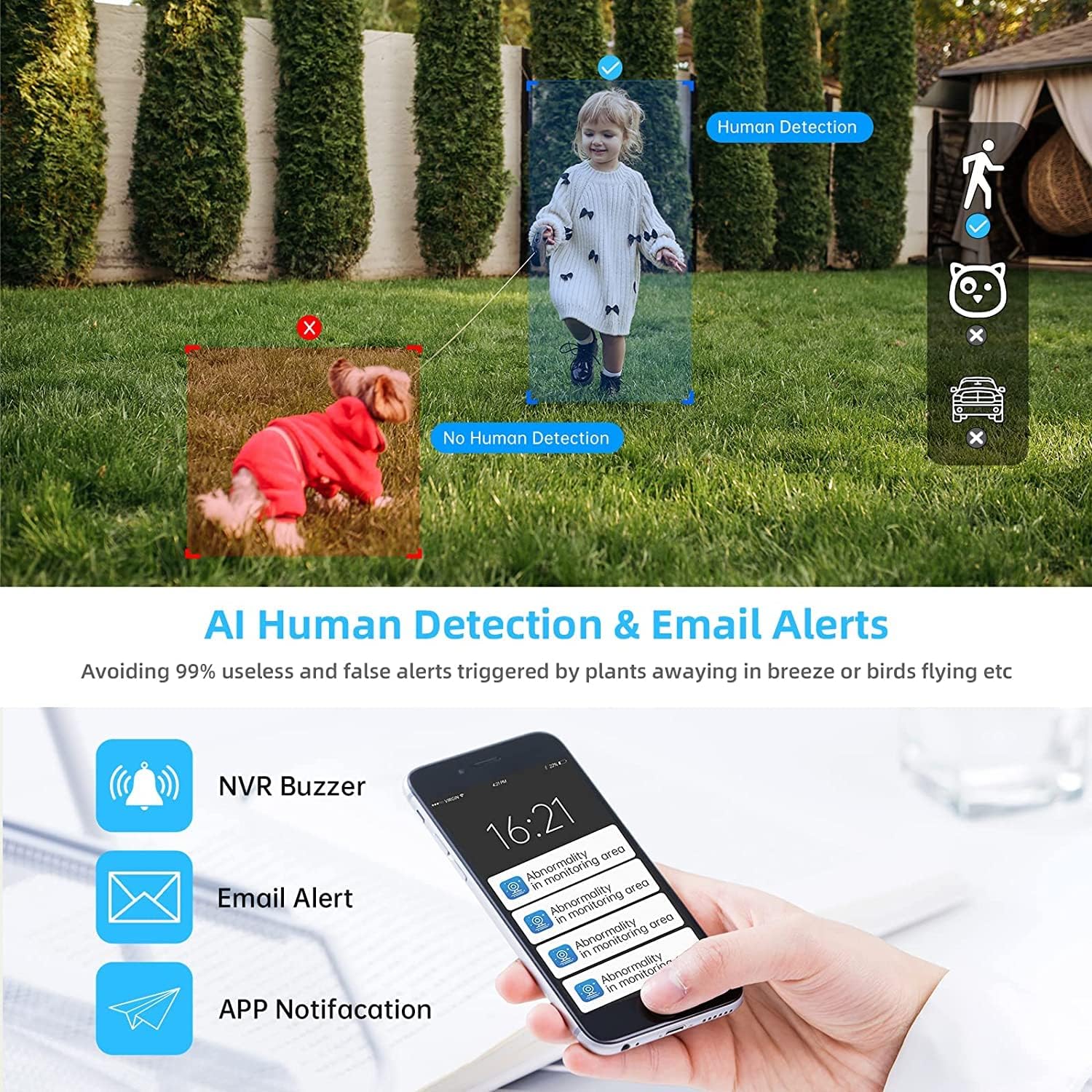
Image 4.2: AI Human Detection feature, distinguishing human shapes from other movements to reduce false alarms.
4.3 Audio Recording (One-Way Audio)
Each camera is equipped with a microphone, allowing for one-way audio recording. You can hear the sound from the monitoring scene during live viewing اور پلے بیک.
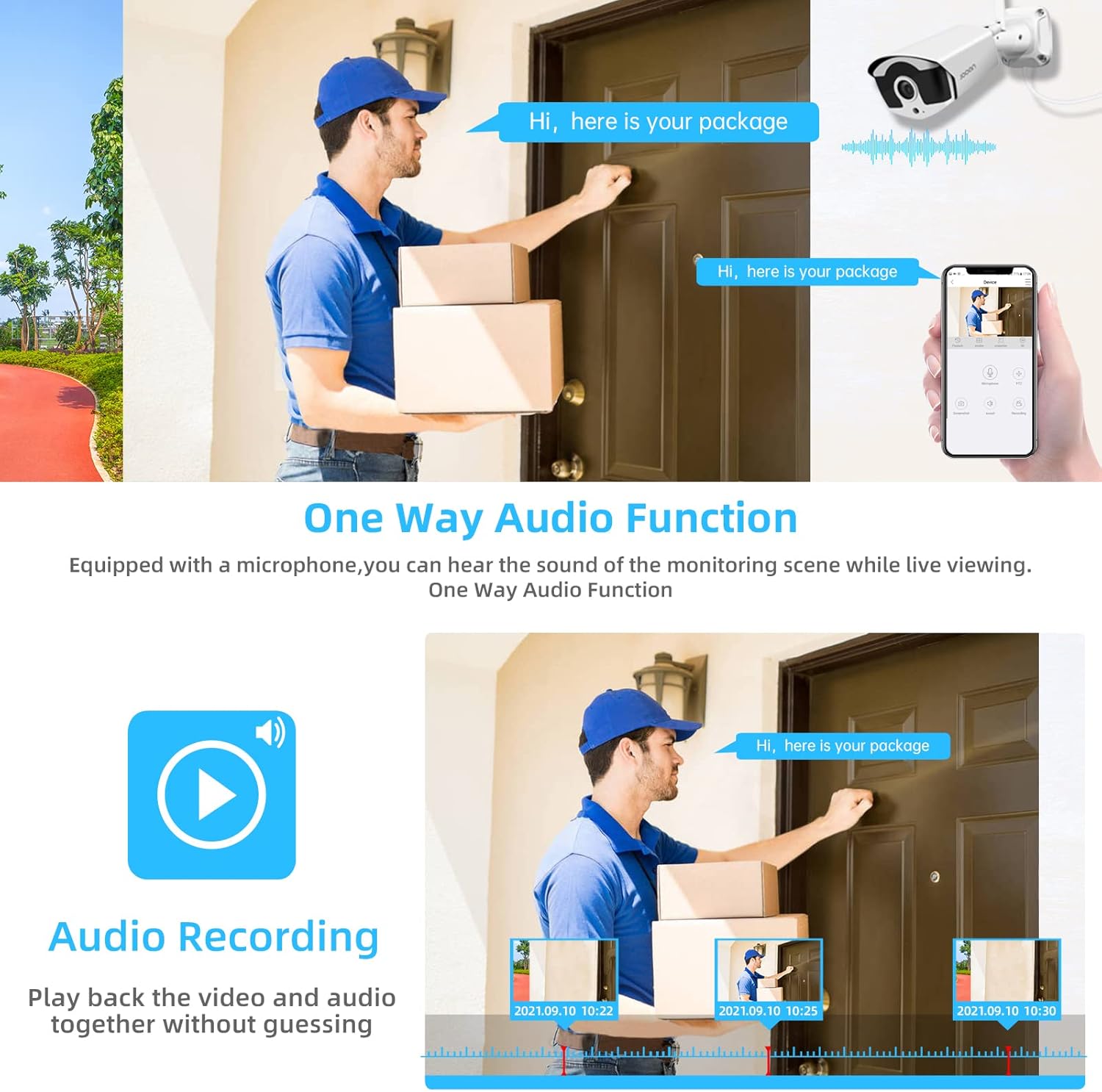
Image 4.3: Illustration of the one-way audio function, showing a delivery person speaking and the audio being recorded.
4.4 نائٹ ویژن
The cameras provide clear night vision, ensuring continuous surveillance even in low-light conditions.

Image 4.4: Depiction of the camera's night vision feature, providing clear images in darkness.
Video 4.1: A short clip demonstrating the night time monitoring capabilities of the camera system.
4.5 H.265+ ویڈیو کمپریشن
The system utilizes advanced H.265+ video compression technology, which significantly reduces storage space requirements while maintaining high video quality. This allows for longer recording times on the 1TB HDD.

Image 4.5: Comparison showing how H.265+ compression saves storage space compared to H.264 and H.265.
5 دیکھ بھال
باقاعدگی سے دیکھ بھال آپ کے حفاظتی نظام کی لمبی عمر اور بہترین کارکردگی کو یقینی بناتی ہے۔
- کیمرے کے لینس کی صفائی: وقتاً فوقتاً کیمرہ لینز کو نرم سے صاف کریں، ڈیamp دھول اور دھبوں کو دور کرنے کے لیے کپڑا۔ کھرچنے والے کلینر سے پرہیز کریں۔
- کیبل مینجمنٹ: یقینی بنائیں کہ تمام کیبلز محفوظ طریقے سے منسلک ہیں اور ماحولیاتی نقصان سے محفوظ ہیں۔
- سافٹ ویئر اپ ڈیٹس: مینوفیکچررز کو چیک کریں۔ website or the Eseecloud app for firmware updates for the NVR and cameras to ensure the latest features and security patches.
- ماحولیاتی تحفظ: While cameras are IP67 waterproof, extreme weather conditions can still affect performance. Ensure cameras are mounted securely and protected where possible.

Image 5.1: The IP67 waterproof rating ensures the camera's durability against various weather conditions, including rain, snow, and dust.
6 خرابیوں کا سراغ لگانا
If you encounter issues with your JOOAN Security Camera System, refer to the following common troubleshooting steps:
6.1 کوئی ویڈیو ڈسپلے نہیں۔
- پاور چیک کریں: Ensure the NVR and all cameras are properly powered on.
- مانیٹر کنکشن: Verify the HDMI/VGA cable connection between the NVR and the monitor.
- کیمرہ جوڑنا: If a specific camera has no video, check its power and ensure it's within range of the NVR for wireless connection. Re-pair if necessary (refer to NVR manual for specific re-pairing steps).
6.2 ریموٹ رسائی کے مسائل
- انٹرنیٹ کنکشن: Ensure the NVR is connected to the internet via an Ethernet cable.
- ایپ لاگ ان: Verify your Eseecloud app login credentials.
- کلاؤڈ ID: Double-check that the correct Cloud ID is entered in the app.
- نیٹ ورک کی ترتیبات: Ensure your router settings are not blocking the NVR's internet access.
6.3 ریکارڈنگ کے مسائل
- HDD حیثیت: Check the NVR's settings to ensure the 1TB HDD is detected and functioning correctly.
- ریکارڈنگ کا شیڈول: Verify that the recording schedule is properly configured.
- حرکت کا پتہ لگانے کی ترتیبات: If using motion-triggered recording, ensure motion detection is enabled and sensitivity is adjusted appropriately.
7. وضاحتیں
| فیچر | تفصیلات |
|---|---|
| برانڈ | جون |
| ماڈل نمبر | 703 |
| ویڈیو کیپچر ریزولوشن | 3MP (Clearer than 1080p) |
| چینلز کی تعداد | 8 |
| نائٹ ویژن | Night color (up to 100ft) |
| ریکارڈنگ موڈ | Continuous, Motion Detection, Event |
| ہارڈ ویئر انٹرفیس | 802.11 ac/b/g/n (Wireless) |
| ویڈیو ان پٹ | وی جی اے، ایچ ڈی ایم آئی |
| آپٹیکل سینسر ٹیکنالوجی | CMOS |
| واٹر پروف ریٹنگ | آئی پی 67 |
| HDD Included | 1 ٹی بی |
8. وارنٹی اور سپورٹ
For warranty information and technical support, please refer to the official JOOAN webسائٹ یا ان کی کسٹمر سروس سے براہ راست رابطہ کریں۔ وارنٹی دعووں کے لیے خریداری کے ثبوت کے طور پر اپنی خریداری کی رسید رکھیں۔
آپ پر اضافی وسائل اور اکثر پوچھے گئے سوالات بھی تلاش کر سکتے ہیں۔ JOOAN Store on Amazon.