
1. تعارف
Thank you for choosing the Tribit FlyBuds C1 True Wireless Earbuds (Model BTH91). This manual provides essential information for setting up, operating, and maintaining your new earbuds. Please read it thoroughly to ensure optimal performance and longevity of your device.

Image: Tribit FlyBuds C1 Wireless Earbuds and Charging Case.
2. حفاظتی معلومات
اپنے ایئربڈز کو پہنچنے والے نقصان یا اپنے آپ کو چوٹ سے بچانے کے لیے، براہ کرم درج ذیل حفاظتی احتیاطی تدابیر پر عمل کریں:
- ایئربڈز یا چارجنگ کیس کو جدا یا تبدیل نہ کریں۔
- ڈیوائس کو انتہائی درجہ حرارت، براہ راست سورج کی روشنی اور کھلی آگ سے دور رکھیں۔
- Avoid exposing the earbuds to water for prolonged periods, despite their IPX8 rating. Ensure the charging port cover is securely closed before exposure to liquids.
- Do not use abrasive cleaners or harsh chemicals to clean the device.
- سماعت کو پہنچنے والے نقصان کو روکنے کے لیے اعتدال کے حجم کی سطح پر سنیں۔
- بچوں اور پالتو جانوروں کی پہنچ سے دور رکھیں۔
3. پیکیج کے مشمولات
The Tribit FlyBuds C1 package includes:
- Tribit FlyBuds C1 Earbuds (Model BTH91)
- چارجنگ کیس
- USB-C چارجنگ کیبل
- لانیارڈ
- 6 Pairs of Silicone Ear Tips (various sizes)
- صارف دستی
- 18 ماہ کا وارنٹی کارڈ
Image: All items included in the Tribit FlyBuds C1 retail package.
4. سیٹ اپ
4.1. ایئربڈز اور کیس کو چارج کرنا
پہلے استعمال سے پہلے، ایئربڈز اور چارجنگ کیس کو پوری طرح سے چارج کریں۔
- ایئربڈز کو چارجنگ کیس میں رکھیں۔ یقینی بنائیں کہ وہ اپنے متعلقہ سلاٹ میں صحیح طریقے سے بیٹھے ہیں۔
- Connect the USB-C charging cable to the charging port on the case and to a power source. The LED indicators on the case will show charging status. A full charge takes approximately 1.5 hours.
- The charging case also supports wireless charging. Simply place the case on a compatible wireless charging pad.
The earbuds provide up to 5 hours of playback on a single charge, and the charging case extends total playtime to up to 100 hours.
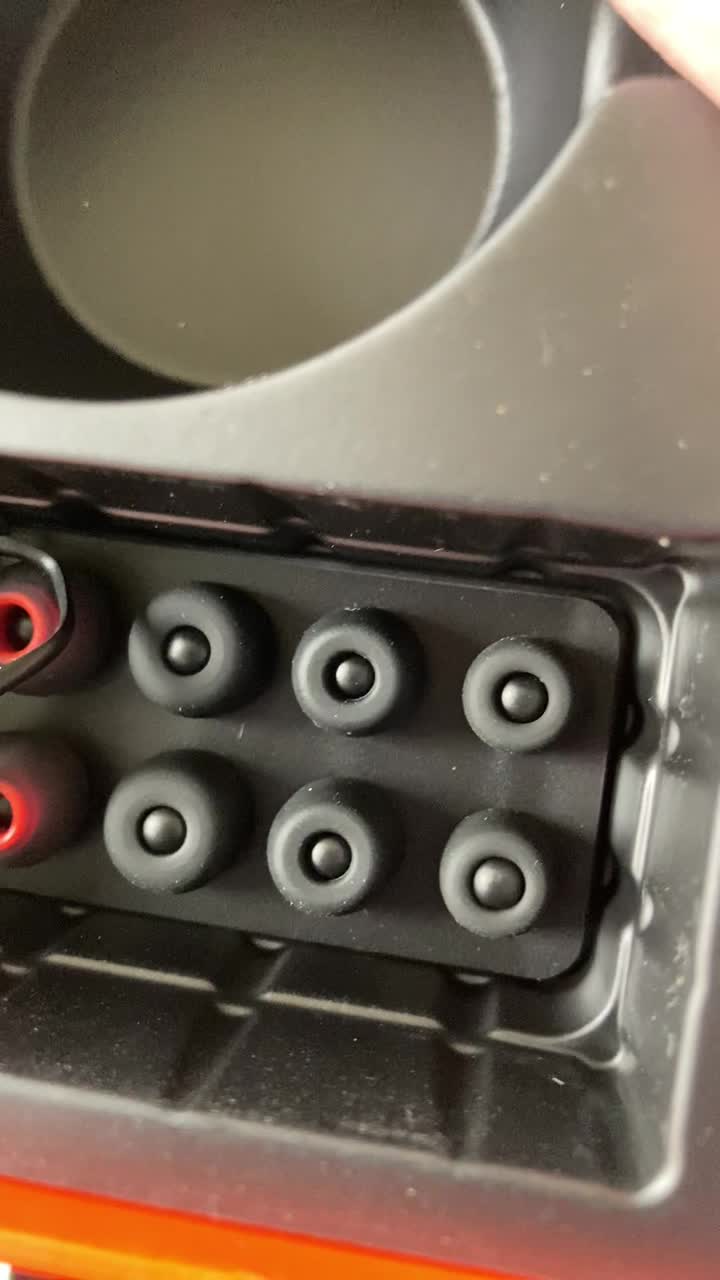
Image: Tribit FlyBuds C1 earbuds charging inside their case, with battery indicator lights visible.
4.2. اپنے آلے کے ساتھ جوڑا بنانا
The Tribit FlyBuds C1 feature one-step pairing for convenience.
- چارجنگ کیس کھولیں۔ ایئربڈز خود بخود پیئرنگ موڈ میں داخل ہو جائیں گے۔
- اپنے آلے پر (اسمارٹ فون، ٹیبلیٹ، لیپ ٹاپ)، بلوٹوتھ کو فعال کریں اور دستیاب آلات تلاش کریں۔
- Select "Tribit FlyBuds C1" from the list of devices. Once connected, a voice prompt will confirm successful pairing.
- The earbuds will automatically connect to the last paired device when the case is opened. To unpair, press and hold the button on the charging case.
4.3. ایئربڈز کو فٹ کرنا
For optimal sound quality and comfort, choose the correct size ear tips.
- Experiment with the 6 included pairs of silicone ear tips to find the best fit for your ears. A snug fit ensures better bass response and noise isolation.
- ائربڈز کو آہستہ سے اپنے کان کی نالی میں داخل کریں اور انہیں محفوظ کرنے کے لیے تھوڑا سا مڑیں۔
Image: Selection of silicone ear tips for personalized fit.
5. آپریٹنگ ہدایات
5.1. پاور آن/آف
- پاور آن: چارجنگ کیس کھولیں، اور ایئربڈز خود بخود آن ہو جائیں گے۔
- بجلی بند: ایئربڈز کو چارجنگ کیس میں واپس رکھیں اور ڈھکن بند کریں۔ وہ خود بخود پاور آف ہو جائیں گے اور چارج کرنا شروع کر دیں گے۔
5.2. میوزک پلے بیک۔
The Tribit FlyBuds C1 feature physical buttons for control:
- چلائیں/روکیں: دونوں ایئربڈ پر ایک بار بٹن دبائیں۔
- اگلا ٹریک: دائیں ایئربڈ پر بٹن کو دو بار دبائیں
- پچھلا ٹریک: بائیں ایئربڈ پر بٹن کو دو بار دبائیں
Note: Volume control is not directly available on the earbuds. Please adjust volume via your connected device.
5.3. کال مینجمنٹ۔
- جواب / کال ختم کریں: دونوں ایئربڈ پر ایک بار بٹن دبائیں۔
- کال مسترد کریں: Press and hold the button on either earbud for 2 seconds.
- Activate Voice Assistant (Siri, Google Assistant): Triple-press the button on either earbud.
The earbuds feature 4 microphones with CVC 8.0 Call Noise Reduction for clear calls.
5.4. Single Earbud Mode
Either earbud can be used independently. Simply take one earbud out of the case, and it will automatically connect to your device. The other earbud can remain in the case or be used later.
5.5 IPX8 واٹر پروفنگ
The Tribit FlyBuds C1 are IPX8 rated, offering protection against sweat, splashes, and submersion in water up to 1 meter for 30 minutes. This makes them suitable for sports and exercise in various weather conditions.
- Ensure the USB-C charging port cover is securely closed before exposing the earbuds to water.
- Do not charge the earbuds if they are wet. Dry them thoroughly before placing them back in the charging case.
6 دیکھ بھال
Proper maintenance ensures the longevity and performance of your Tribit FlyBuds C1.
- صفائی: Regularly clean the earbuds and charging case with a soft, dry, lint-free cloth. For ear tips, remove them and wash with mild soap and water, then dry completely before reattaching.
- ذخیرہ: استعمال میں نہ ہونے پر، ایئربڈز کو ان کے چارجنگ کیس میں محفوظ کریں تاکہ ان کی حفاظت ہو اور انہیں چارج کیا جا سکے۔ انتہائی درجہ حرارت سے دور ٹھنڈی، خشک جگہ پر اسٹور کریں۔
- نقصان سے بچیں: Do not drop, puncture, or expose the device to strong impacts.
7 خرابیوں کا سراغ لگانا
If you encounter issues with your Tribit FlyBuds C1, try the following solutions:
| مسئلہ | حل |
|---|---|
| ایئربڈز جوڑ نہیں رہے ہیں۔ |
|
| کوئی آواز یا کم حجم نہیں |
|
| ایئربڈز چارج نہیں ہو رہے ہیں۔ |
|
| وقفے وقفے سے رابطہ |
|
8. وضاحتیں
| فیچر | تفصیل |
|---|---|
| ماڈل کا نام | BTH91 (FlyBuds C1) |
| کنیکٹوٹی ٹیکنالوجی | وائرلیس (بلوٹوتھ) |
| بلوٹوتھ ورژن | 5.2 |
| بلوٹوتھ رینج | 10 میٹر |
| بیٹری لائف (ایئر بڈز) | فی چارج 5 گھنٹے تک۔ |
| کل پلے ٹائم (چارجنگ کیس کے ساتھ) | 100 گھنٹے تک |
| چارج کرنے کا وقت | تقریبا 1.5 گھنٹے (کیس) |
| پانی کی مزاحمت کی سطح | IPX8 (واٹر پروف) |
| شور کنٹرول کی خصوصیات | CVC 8.0 Call Noise Reduction, Sound Isolation |
| کنٹرول کا طریقہ | جسمانی بٹن |
| چارجنگ پورٹ | USB-C, Wireless Charging (Qi-compatible) |
| شے کا وزن | 2.4 اونس |
| مصنوعات کے طول و عرض | 2.4 x 2.4 x 1.2 انچ |
9. وارنٹی اور سپورٹ
Tribit provides an 18-month warranty for the FlyBuds C1 (Model BTH91) from the date of purchase. This warranty covers manufacturing defects and ensures your product is free from material and workmanship flaws under normal use.
For warranty claims, technical support, or any questions regarding your product, please contact Tribit customer service:
- ای میل: support@tribitaudio.com۔
- سپورٹ ٹکٹ: وزٹ کریں۔ tribitaudio.com/support
- فون: 1-888-232-3138 (Mon-Fri, 9:00-6:00 PST [US])
Please have your purchase receipt and product model number (BTH91) ready when contacting support.