
1. تعارف
The i-Star Portable DAB/DAB+/FM Radio offers a versatile listening experience with clear digital and analog radio reception. Designed for portability, it features a built-in rechargeable battery and a compact design, making it suitable for use at home or on the go. This manual provides essential information for setting up, operating, and maintaining your radio.

تصویر 1: سامنے والا view of the i-Star Portable DAB/DAB+/FM Radio, highlighting its compact design and user interface.
2. سیٹ اپ
2.1 پیک کھولنا اور ابتدائی چارج
- Carefully remove the radio and all accessories from the packaging.
- Connect the supplied USB charging cable to the radio's Micro USB port and to a compatible USB power adapter (not included) or a computer's USB port.
- Allow the radio to charge fully before first use. The charging indicator will typically change or turn off when charging is complete. A full charge provides up to 4 hours of playback.
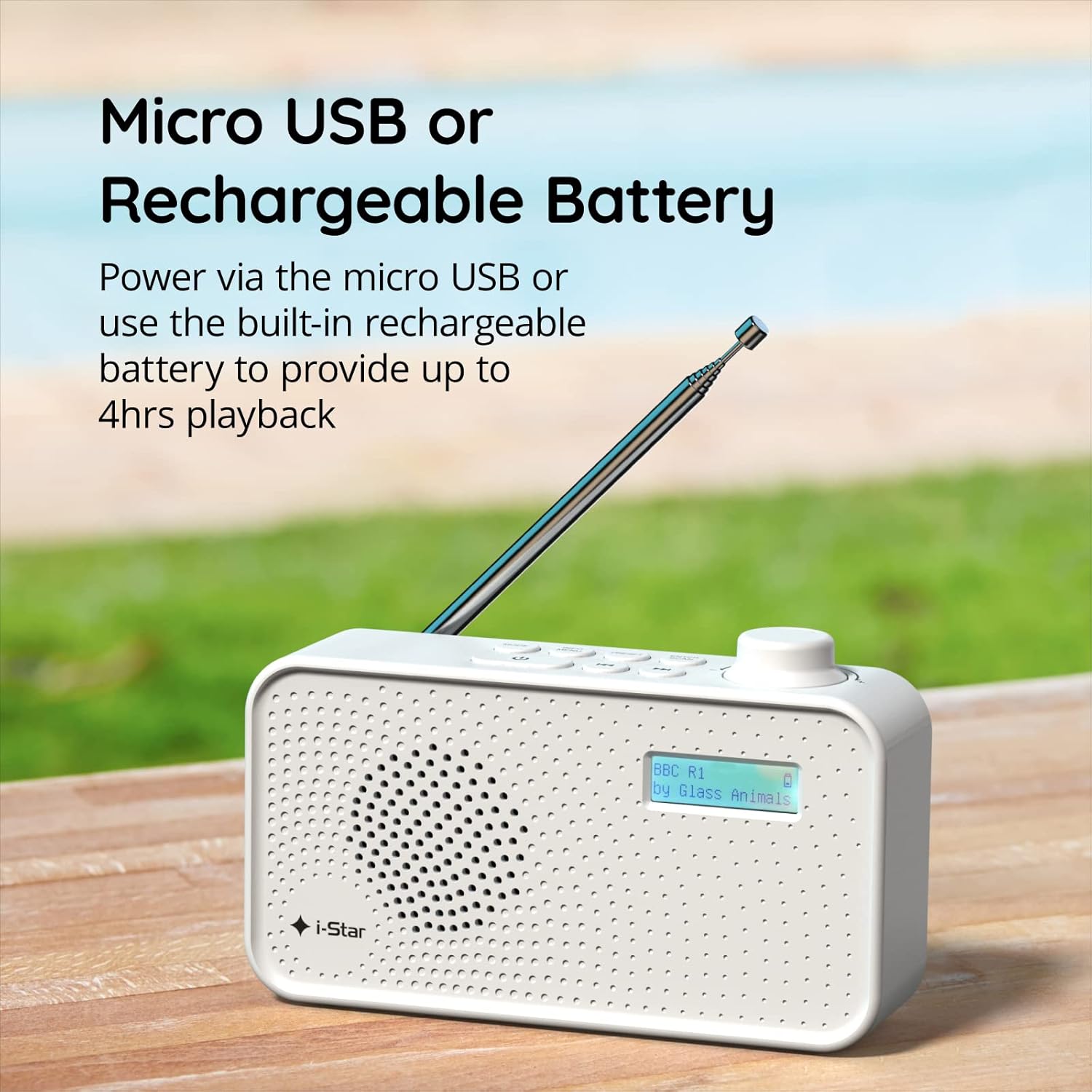
تصویر 2: The radio powered via Micro USB or its built-in rechargeable battery.
2.2 First Power On and Automatic Scan
- زیادہ سے زیادہ استقبال کے لیے ٹیلیسکوپک اینٹینا کو مکمل طور پر بڑھائیں۔
- دبائیں اور تھامیں۔ تیار ریڈیو آن کرنے کے لیے بٹن۔
- Upon first power-on, the radio will automatically perform a scan for available DAB/DAB+ stations. This process may take a few minutes.
- اسکین مکمل ہونے کے بعد، ریڈیو پہلے دستیاب اسٹیشن پر ٹیون کرے گا۔
3. آپریٹنگ ہدایات
3.1 Switching Between DAB/DAB+ and FM Modes
- دبائیں موڈ button repeatedly to switch between DAB/DAB+ and FM radio modes. The current mode will be displayed on the LCD screen.

تصویر 3: The radio supports DAB, DAB+, and FM for a wide range of listening options.
3.2 ٹیوننگ اسٹیشنز
- DAB/DAB+ موڈ: استعمال کریں۔ پری سیٹ or ٹیون buttons (left/right arrows) to navigate through the list of available stations. Press ENTER/SCAN کریں۔ اسٹیشن منتخب کرنے کے ل.
- ایف ایم موڈ: دبائیں ENTER/SCAN کریں۔ button to automatically scan for the next available FM station. Alternatively, use the ٹیون buttons for manual fine-tuning.
3.3 Saving and Recalling Presets
- اپنے مطلوبہ اسٹیشن پر ٹیون کریں۔
- دبائیں اور تھامیں۔ پری سیٹ button until 'Preset Store' appears on the display.
- استعمال کریں۔ ٹیون ایک پیش سیٹ نمبر (1-60) کو منتخب کرنے کے لیے بٹن۔
- دبائیں ENTER/SCAN کریں۔ اسٹیشن کی تصدیق اور محفوظ کرنے کے لیے۔
- محفوظ کردہ اسٹیشن کو یاد کرنے کے لیے، مختصراً دبائیں۔ پری سیٹ بٹن ، پھر استعمال کریں ٹیون buttons to select the desired preset number, and press ENTER/SCAN کریں۔.
3.4 والیوم کنٹرول
- گھمائیں۔ حجم knob (located on the right side) clockwise to increase volume and counter-clockwise to decrease volume.
3.5 سلیپ ٹائمر فنکشن
- To activate the sleep timer, press the INFO / MENU button repeatedly until 'Sleep' appears.
- استعمال کریں۔ ٹیون buttons to select the desired sleep duration (e.g., 15, 30, 45, 60, 90 minutes).
- دبائیں ENTER/SCAN کریں۔ to confirm. The radio will automatically turn off after the set time.

تصویر 4: The sleep timer feature allows the radio to automatically switch off after a set period.
3.6 ہیڈ فون سننا
- Connect standard 3.5mm headphones (not included) to the headphone jack located on the side of the radio for private listening. The internal speaker will be muted automatically.

تصویر 5: Connect headphones for personal listening without disturbing others.
4 دیکھ بھال
4.1 عمومی نگہداشت
- Keep the radio away from direct sunlight, heat sources, and moisture.
- ریڈیو کو چھوڑنے یا اسے شدید اثرات کا نشانہ بنانے سے گریز کریں۔
- Do not attempt to disassemble the radio; this will void the warranty.
4.2 صفائی
- ریڈیو کے بیرونی حصے کو نرم، خشک کپڑے سے صاف کریں۔
- کھرچنے والے کلینر، موم یا سالوینٹس کا استعمال نہ کریں کیونکہ وہ ختم کو نقصان پہنچا سکتے ہیں۔
5 خرابیوں کا سراغ لگانا
- کوئی طاقت نہیں: Ensure the radio is charged or connected to a power source via the USB cable. Check if the STANDBY button has been pressed.
- کوئی آواز نہیں: Check the volume level. Ensure headphones are not connected if you intend to use the speaker.
- Poor Reception (DAB/DAB+ or FM): Fully extend the telescopic antenna. Try repositioning the radio. Perform a full scan for DAB/DAB+ stations. In FM mode, try manual tuning.
- Radio Freezes/Unresponsive: Turn the radio off and on again. If the issue persists, allow the battery to fully discharge and then recharge it.
6. وضاحتیں
| فیچر | تفصیلات |
|---|---|
| برانڈ | آئی اسٹار |
| ماڈل نمبر | 90059PI |
| رنگ | سفید |
| ریڈیو بینڈ سپورٹڈ | DAB، DAB+، FM |
| ٹیوننگ ٹیکنالوجی | Digital (DAB/DAB+), Analog (FM) |
| کنیکٹوٹی | USB (for charging), 3.5mm Headphone Jack |
| طاقت کا منبع | Rechargeable Lithium-ion Battery (1200 mAh), USB Power |
| بیٹری کی زندگی | 4 گھنٹے تک (ایک چارج پر) |
| خصوصی خصوصیات | Portable, Sleep Timer, 60 Station Presets |
| شامل اجزاء | USB Charging Cable, User Manual |
| شے کا وزن | 440 گرام |
7. وارنٹی اور سپورٹ
This product is covered by a standard manufacturer's warranty. Please refer to the warranty card included in your packaging for specific terms and conditions. For technical support, troubleshooting assistance, or warranty claims, please contact your retailer or the i-Star customer service department. Contact details can typically be found on the product packaging or the official i-Star webسائٹ