
تعارف
This manual provides detailed instructions for the installation, operation, and maintenance of your BINIZE Double Din Car Stereo. Please read this manual thoroughly before using the product to ensure proper functionality and to prevent damage. Keep this manual for future reference.
پروڈکٹ ختمview
The BINIZE Double Din Car Stereo is a 10.1-inch multimedia player running on an Android 13 system. It offers a range of features designed to enhance your in-car entertainment and navigation experience.
اہم خصوصیات:
- 10.1-inch capacitive touch screen with 1024x600 resolution.
- Android 13 Operating System with Quad-core Coretex-A7 processor (up to 1.3GHz).
- 2 جی بی ریم + 32 جی بی انٹرنل اسٹوریج۔
- Wireless CarPlay and Android Auto support.
- Wired MirrorLink for Android and iOS devices.
- Built-in Bluetooth for hands-free calling and audio streaming.
- Integrated GPS receiver for online and offline navigation.
- FM Radio tuner.
- Support for AUX, front, and rear camera inputs.
- Steering Wheel Control compatibility (manual learning required).
- Built-in Wi-Fi receiver and support for 4G communication (via external dongle, not included).
- Expandable options for OBD and tire pressure monitoring (accessories sold separately).

Figure 1: BINIZE Double Din Car Stereo Front View نمایاں خصوصیات کے ساتھ۔
سیٹ اپ اور انسٹالیشن
Proper installation is crucial for the optimal performance of your car stereo. If you are unfamiliar with car audio wiring and installation, professional assistance is recommended.
جسمانی طول و عرض:
The unit measures approximately 251mm (width) x 146mm (height) x 56mm (depth). Ensure your vehicle's dashboard opening is compatible with these dimensions.
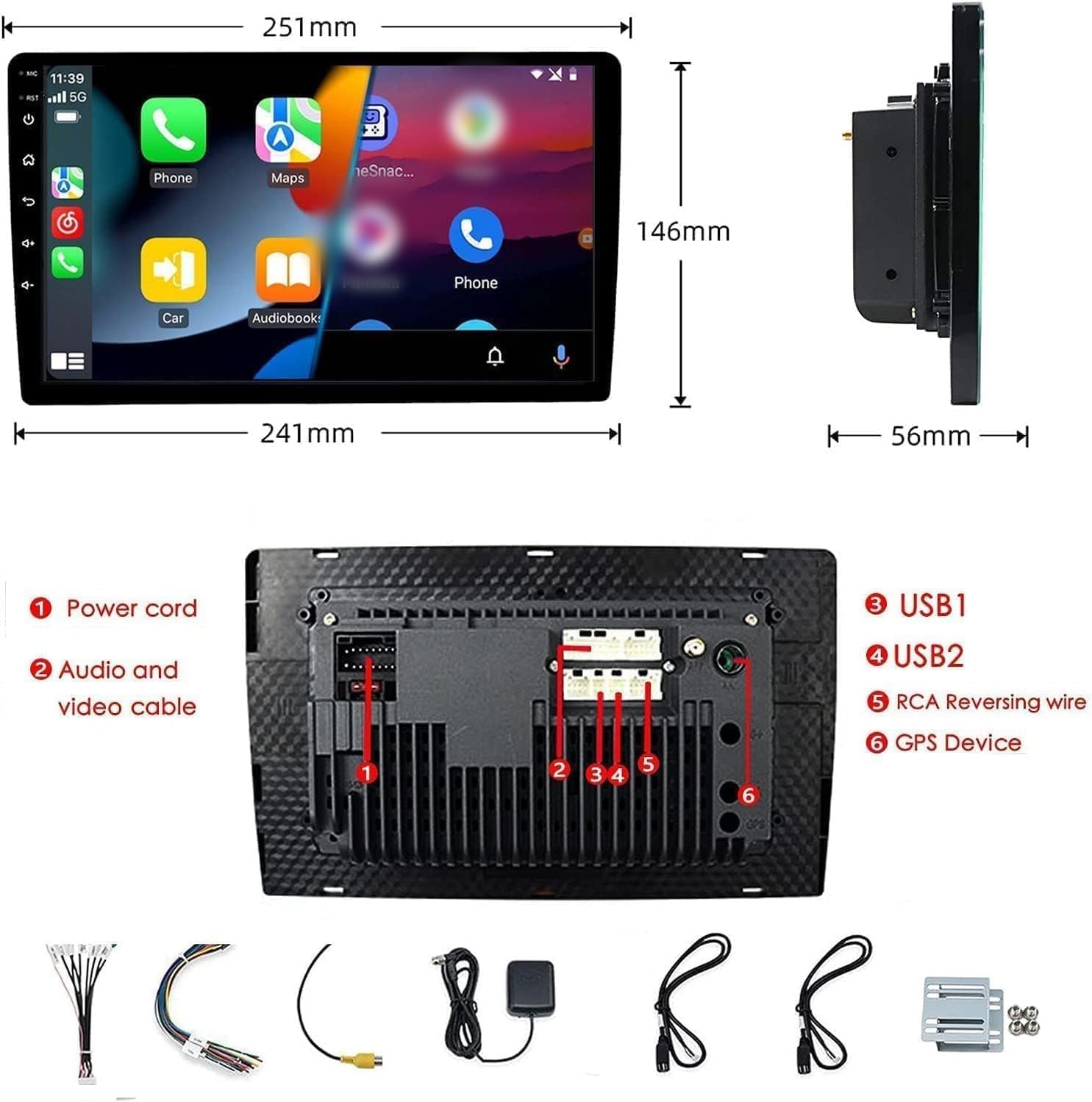
Figure 2: Unit dimensions and rear panel connection points.
وائرنگ کنکشن:
Refer to the included wiring diagram for specific connections. Key connections include:
- پاور کی ہڈی: Connect to vehicle's power supply (constant 12V, accessory 12V, ground).
- Audio and Video Cable: For external audio/video devices.
- USB Ports (USB1, USB2): For media playback, phone charging, and wired CarPlay/Android Auto.
- RCA Reversing Wire: Connect to the backup camera trigger wire.
- GPS Device: Connect the external GPS antenna for navigation functionality.
- Steering Wheel Control Wires (Key/SW): For integrating with vehicle's steering wheel controls.
یقینی بنائیں کہ شارٹ سرکٹ کو روکنے کے لیے تمام کنکشن محفوظ اور مناسب طریقے سے موصل ہیں۔
آپریٹنگ ہدایات
پاور آن/آف:
The unit will power on automatically when the vehicle's ignition is turned on. To manually power off or restart, use the power button on the front panel.
ٹچ اسکرین آپریشن:
Navigate the interface by tapping, swiping, and pinching on the 10.1-inch capacitive touch screen, similar to a smartphone or tablet.
ایف ایم ریڈیو:
Access the FM Radio application from the main menu. You can scan for stations, save presets, and adjust volume. The unit supports standard FM frequencies.

شکل 3: ایف ایم ریڈیو انٹرفیس۔
بلوٹوت جوڑی بنانا:
- یقینی بنائیں کہ آپ کے موبائل فون پر بلوٹوتھ فعال ہے۔
- On the car stereo, open the Bluetooth application.
- تلاش کریں۔ available devices on your phone and select "BINIZE" or a similar device name.
- اگر اشارہ کیا جائے تو دونوں آلات پر پیئرنگ کوڈ کی تصدیق کریں۔
- جوڑا بننے کے بعد، آپ ہینڈز فری کالز کر سکتے ہیں اور آڈیو سٹریم کر سکتے ہیں۔
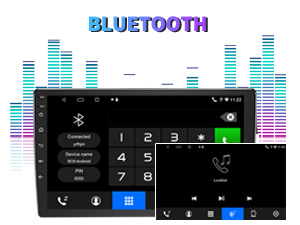
Figure 4: Bluetooth pairing screen.
اسٹیئرنگ وہیل کنٹرول:
To use your vehicle's steering wheel controls, manual learning is required. Access the Steering Wheel Control settings in the system menu and follow the on-screen instructions to map your vehicle's buttons to the stereo functions.
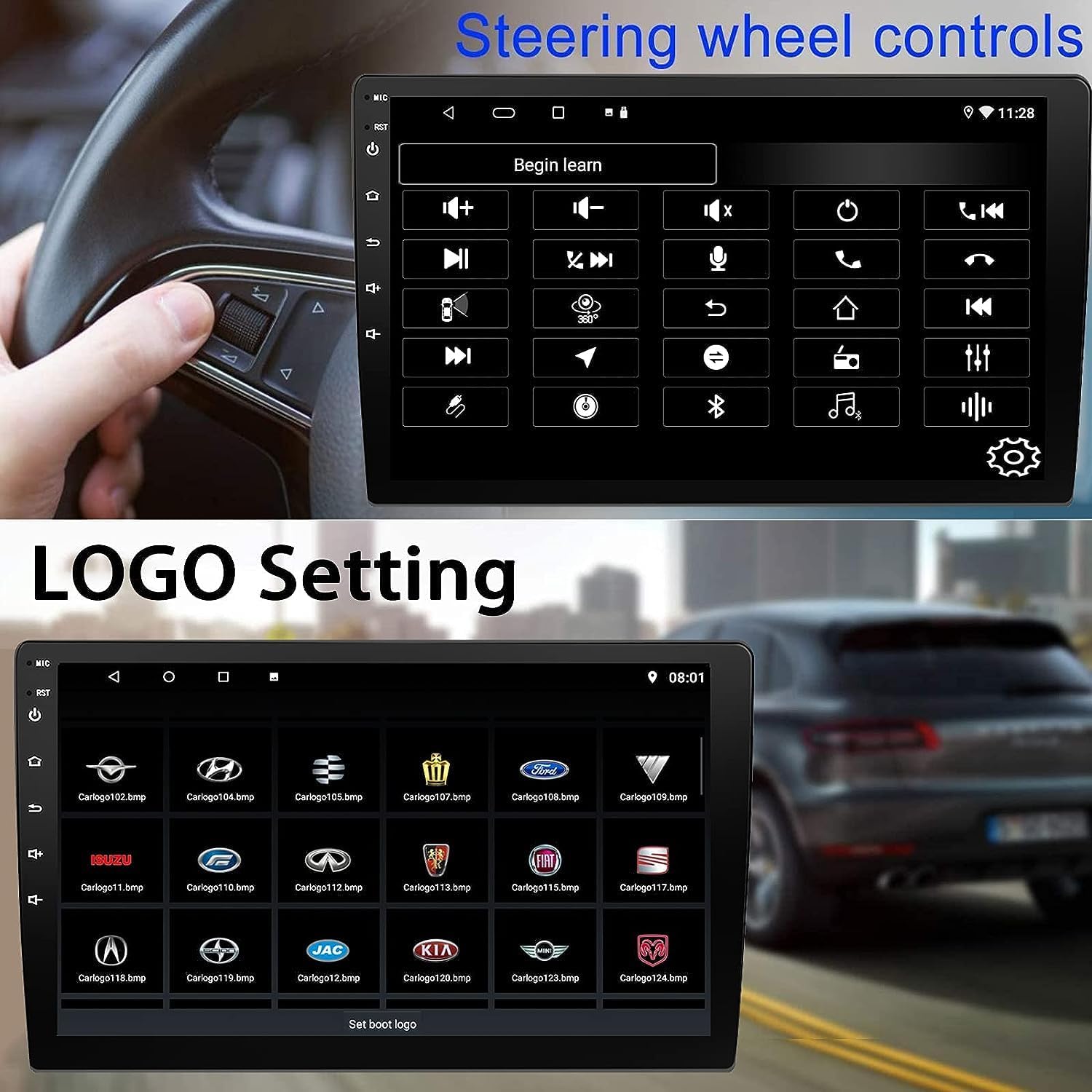
Figure 5: Steering Wheel Control setup screen.
Connectivity: CarPlay, Android Auto, and MirrorLink
وائرلیس کار پلے:
Connect your iPhone wirelessly to access CarPlay features such as navigation, music, messages, and calls directly on the stereo display. Ensure Wi-Fi and Bluetooth are enabled on your iPhone.
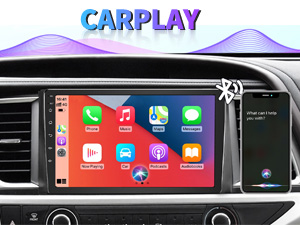
Figure 6: Wireless CarPlay interface.
وائرلیس اینڈرائیڈ آٹو:
Connect your Android phone wirelessly to use Android Auto for navigation, communication, and entertainment apps. Ensure Wi-Fi and Bluetooth are enabled on your Android device.

Figure 7: Wireless Android Auto interface.
MirrorLink:
MirrorLink allows you to display your smartphone's screen directly onto the car stereo. This feature works with both Android and iOS devices via a wired connection. Note that CarPlay/Android Auto and MirrorLink cannot be used simultaneously.

Figure 8: MirrorLink feature displaying a phone screen on the stereo.
نیویگیشن
The car stereo features an integrated GPS receiver, supporting both online and offline navigation. Connect to Wi-Fi or a mobile hotspot to use online navigation apps. For offline navigation, you may need to download map data.

Figure 9: GPS navigation map display.
کیمرہ ان پٹ
بیک اپ کیمرہ:
The unit supports backup camera input. When properly connected, the display will automatically switch to the rear view when the vehicle is put into reverse, providing parking assistance with guidelines.
سامنے والا View کیمرہ:
The stereo also supports front view camera input, allowing for enhanced visibility when maneuvering in tight spaces.

Figure 10: Backup camera and front view camera displays.
دیکھ بھال
To ensure the longevity and optimal performance of your BINIZE car stereo, follow these maintenance guidelines:
- سکرین کی صفائی: ٹچ اسکرین کو آہستہ سے صاف کرنے کے لیے نرم، لنٹ سے پاک کپڑا استعمال کریں۔ ضدی smudges کے لئے، تھوڑا سا dampur کپڑے میں پانی یا سکرین سے محفوظ کلینر۔ سخت کیمیکلز یا کھرچنے والے مواد سے پرہیز کریں۔
- عمومی صفائی: Keep the unit and surrounding areas free from dust and debris. Use a soft brush or compressed air to clean vents and button areas.
- سافٹ ویئر اپ ڈیٹس: Periodically check for available software updates through the system settings to ensure you have the latest features and performance improvements.
- انتہائی درجہ حرارت سے بچیں: یونٹ کو لمبے عرصے تک شدید گرمی یا سردی کے سامنے نہ رکھیں، کیونکہ یہ اس کے الیکٹرانک اجزاء کو متاثر کر سکتا ہے۔
خرابی کا سراغ لگانا
اگر آپ کو اپنی کار سٹیریو کے ساتھ مسائل کا سامنا ہے، تو درج ذیل عام مسائل اور حل دیکھیں:
| مسئلہ | ممکنہ وجہ | حل |
|---|---|---|
| یونٹ آن نہیں ہوتا۔ | غلط وائرنگ؛ اڑا ہوا فیوز؛ گاڑیوں کی بجلی کا مسئلہ۔ | Check power connections and vehicle fuses. Ensure constant 12V and accessory 12V are correctly wired. |
| کوئی آواز نہیں۔ | حجم بہت کم؛ خاموش کر دیا گیا اسپیکر وائرنگ کا مسئلہ۔ | Increase volume. Check if mute is active. Verify speaker connections. |
| CarPlay/Android Auto وائرلیس طور پر منسلک نہیں ہو رہا ہے۔ | Bluetooth/Wi-Fi off on phone; Pairing issue; Software glitch. | Ensure phone's Bluetooth and Wi-Fi are on. Try re-pairing the device. Restart both phone and stereo. Some users reported needing to open phone's Bluetooth settings each time. |
| Screen too bright/dim at night. | ڈسپلے کی ترتیبات آپٹمائز نہیں ہیں۔ | Adjust brightness settings in the display menu. Consider using a screen dimming app if available. |
| بیک اپ کیمرا ڈسپلے نہیں ہو رہا ہے۔ | Camera not connected; RCA reversing wire not connected or faulty. | Check camera and RCA reversing wire connections. Ensure the camera is powered. |
وضاحتیں
| فیچر | تفصیل |
|---|---|
| برانڈ | BINIZE |
| ماڈل نمبر | بائنائز |
| آپریٹنگ سسٹم | اینڈرائیڈ 13 |
| اسکرین کا سائز | 10.1 انچ (26 سینٹی میٹر دکھائی دینے والا اخترن) |
| قرارداد | 1024x600 |
| پروسیسر | Quad-core Coretex-A7, 1.3GHz |
| میموری (RAM) | 2 جی بی |
| ذخیرہ (ROM) | 32 جی بی |
| کنیکٹوٹی | Bluetooth, Wi-Fi, USB, Auxiliary |
| خصوصی خصوصیات | Wireless CarPlay, Wireless Android Auto, MirrorLink, GPS Navigation, Touchscreen, Built-In Bluetooth |
| آڈیو آؤٹ پٹ وضع | سٹیریو (2.0 سراؤنڈ ساؤنڈ چینل کنفیگریشن) |
| شے کا وزن | 2.94 پاؤنڈ |
| رنگ | سیاہ |
وارنٹی اور سپورٹ
وارنٹی کی معلومات:
The BINIZE Double Din Car Stereo comes with a 1 سال کی مفت وارنٹی خریداری کی تاریخ سے. یہ وارنٹی عام استعمال کے تحت مینوفیکچرنگ کے نقائص اور خرابیوں کا احاطہ کرتی ہے۔ وارنٹی کے دعووں کے لیے براہ کرم اپنی خریداری کا ثبوت اپنے پاس رکھیں۔
تکنیکی معاونت:
For any technical assistance, questions, or issues not covered in this manual, please contact our professional technical support team. You can reach us via Amazon email for 24/7 online technical support. Our team is available to assist with system upgrades and parts replacement.
We are committed to providing enthusiastic customer service and ensuring your satisfaction with the BINIZE product.