
تعارف
This manual provides essential information for the safe installation, operation, and maintenance of your Link2Home EM-WR1600B Motion Activated Outdoor LED Flood Light. Please read these instructions thoroughly before installation and retain them for future reference.
The Link2Home EM-WR1600B is a hardwired, motion-sensing LED floodlight designed for outdoor use. It provides 1600 lumens of 6500K cool white light, offering security and illumination for areas such as driveways, garages, and backyards. Its motion sensor detects activity up to 30 feet away within a 180-degree range, activating the light for a user-defined duration.
حفاظتی معلومات
WARNING: Risk of electric shock. Disconnect power at the fuse or circuit breaker before installation or servicing.
- Installation must be performed by a qualified electrician or a person with electrical experience.
- فراہمی والیوم کو یقینی بنائیںtage 120V AC، 60Hz ہے۔
- Do not connect to a dimmer switch. This product is designed for use with a non-dimmable wall light switch.
- Mount the fixture securely to a wall or solid surface.
- Do not attempt to modify the product. Any modifications may void the warranty and create safety hazards.
- بچوں کو تنصیب کے علاقے سے دور رکھیں۔
پیکیج کے مشمولات
تنصیب شروع کرنے سے پہلے تصدیق کریں کہ تمام اجزاء موجود ہیں:
- Link2Home EM-WR1600B Motion Activated Outdoor LED Flood Light
- بڑھتے ہوئے ہارڈ ویئر
- ریموٹ کنٹرول
مصنوعات کی خصوصیات
- سپر برائٹ الیومینیشن: 1600 Lumen output for effective outdoor lighting.
- موشن سینسنگ: Detects movement up to 30 feet away with a 180-degree coverage area.
- سایڈست ترتیبات: Customize illumination time (3 seconds to 7 minutes), light sensitivity (LUX), and motion detection zone (SENS).
- موسم مزاحم: Constructed with durable, waterproof materials for outdoor use in various weather conditions.
- آسان تنصیب: Features an easy-mount quick connect system for wall mounting.
- سایڈست لائٹ ہیڈ: Multi-position head can be adjusted to direct light as needed.

Image: The Link2Home EM-WR1600B flood light highlighting its key features: 180-degree motion sensor with a maximum range of 30 feet, 1600 lumens brightness, water resistance, adjustable run time from 3 seconds to 7 minutes, and a LUX setting of 2.
سیٹ اپ اور انسٹالیشن
Follow these steps for safe and proper installation of your flood light. Ensure power is disconnected at the circuit breaker before proceeding.
- بڑھتے ہوئے سطح کو تیار کریں: Choose a suitable wall or solid surface for mounting. Ensure the location allows for optimal motion detection and light coverage.
- فکسچر کو ماؤنٹ کریں: Use the provided mounting hardware to securely attach the flood light to the chosen surface. The quick connect system simplifies this process. Refer to the diagram below for typical mounting orientation.
- وائر دی فکسچر: Connect the flood light's wiring to your home's electrical system. This is a hardwired unit and should be connected to a non-dimmable wall light switch. Follow local electrical codes and safety guidelines. Typically, connect the black wire from the fixture to the black (live) wire from the supply, the white wire from the fixture to the white (neutral) wire from the supply, and the green/bare copper wire from the fixture to the green/bare copper (ground) wire from the supply.
- محفوظ کنکشن: یقینی بنائیں کہ تار کے تمام کنکشن محفوظ اور مناسب طریقے سے موصل ہیں۔
- لائٹ ہیڈ کو ایڈجسٹ کریں: Once mounted, adjust the multi-position light head to direct the illumination to your desired area.
- بجلی کی بحالی: After installation is complete and all connections are secure, restore power at the circuit breaker.
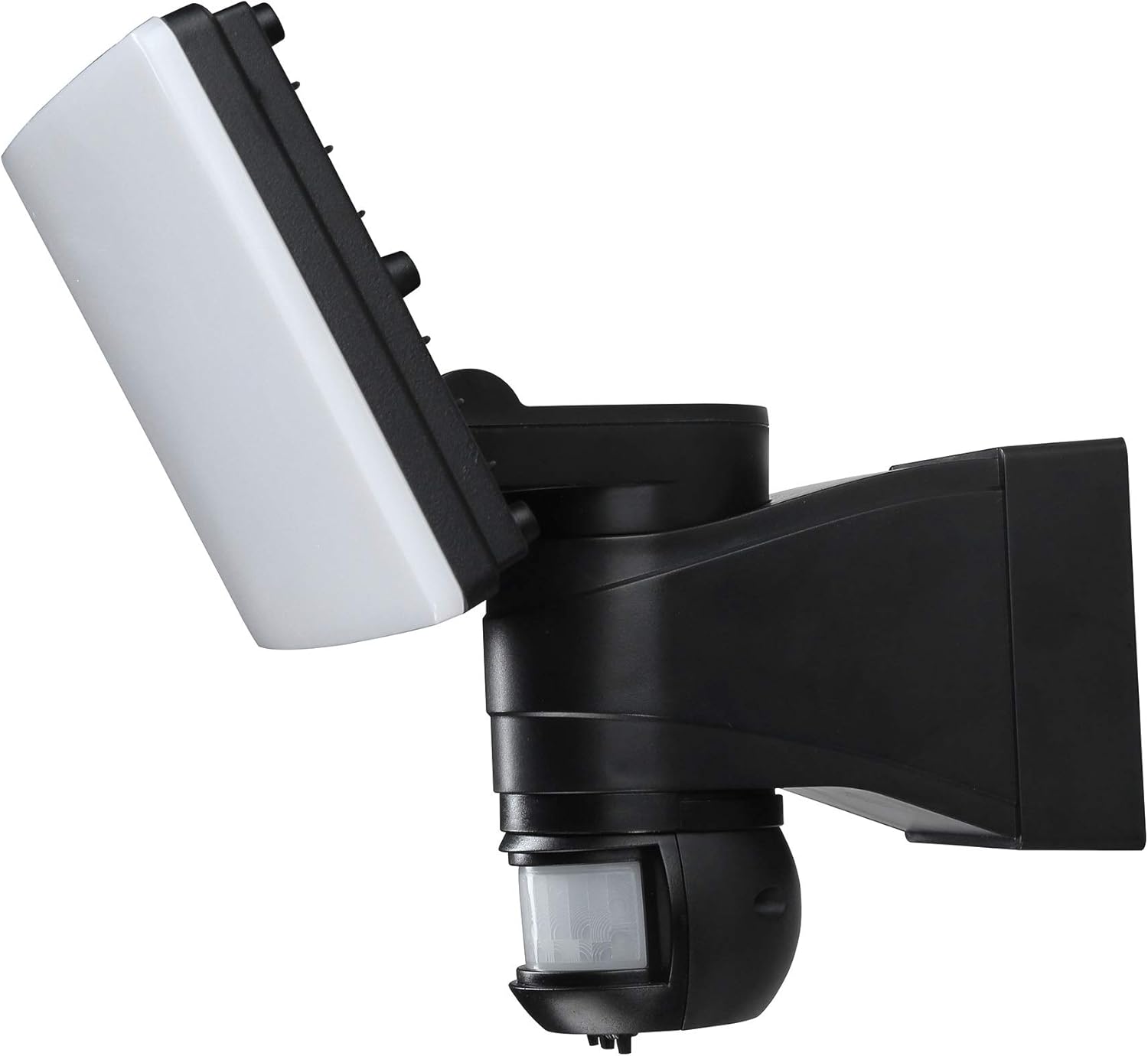
تصویر: ایک طرف view of the Link2Home EM-WR1600B flood light, illustrating its adjustable light head and motion sensor for flexible positioning during installation.

Image: The Link2Home EM-WR1600B flood light securely installed on a brick wall during daylight hours, demonstrating its compact and integrated design.
آپریٹنگ ہدایات
The Link2Home EM-WR1600B features adjustable settings for optimal performance. These settings are typically located on the motion sensor unit.
- وقت کی ترتیب: This dial controls how long the light remains on after motion is detected and stops. You can adjust the illumination time from approximately 3 seconds to 7 minutes. Turn the dial clockwise to increase the duration and counter-clockwise to decrease it.
- SENS Setting: This dial adjusts the sensitivity of the motion sensor, controlling the detection range. Maximize the setting for a wider detection zone (up to 30 feet) or minimize it for a smaller area.
- LUX ترتیب: This dial determines the ambient light level at which the motion sensor will activate the light. Set it to a lower LUX value (e.g., 2 Lux) for the light to only turn on in darker conditions, or to a higher value for activation in brighter conditions.
Experiment with these settings to find the ideal configuration for your specific outdoor environment.

Image: The Link2Home EM-WR1600B flood light actively illuminating a pathway and surrounding outdoor area at night, demonstrating its effective light output and coverage.
دیکھ بھال
باقاعدگی سے دیکھ بھال آپ کی فلڈ لائٹ کی بہترین کارکردگی اور لمبی عمر کو یقینی بناتی ہے۔
- صفائی: وقتاً فوقتاً لائٹ فکسچر اور موشن سینسر لینس کو نرم، ڈی سے صاف کریں۔amp cloth. Do not use abrasive cleaners or solvents, as these can damage the finish or sensor.
- معائنہ: Annually inspect the wiring and mounting hardware for any signs of wear, damage, or loosening. Tighten any loose screws and replace damaged components if necessary.
- موسم کی مزاحمت: The fixture is designed to be weather resistant. Ensure all seals and covers are intact to maintain its waterproof integrity.
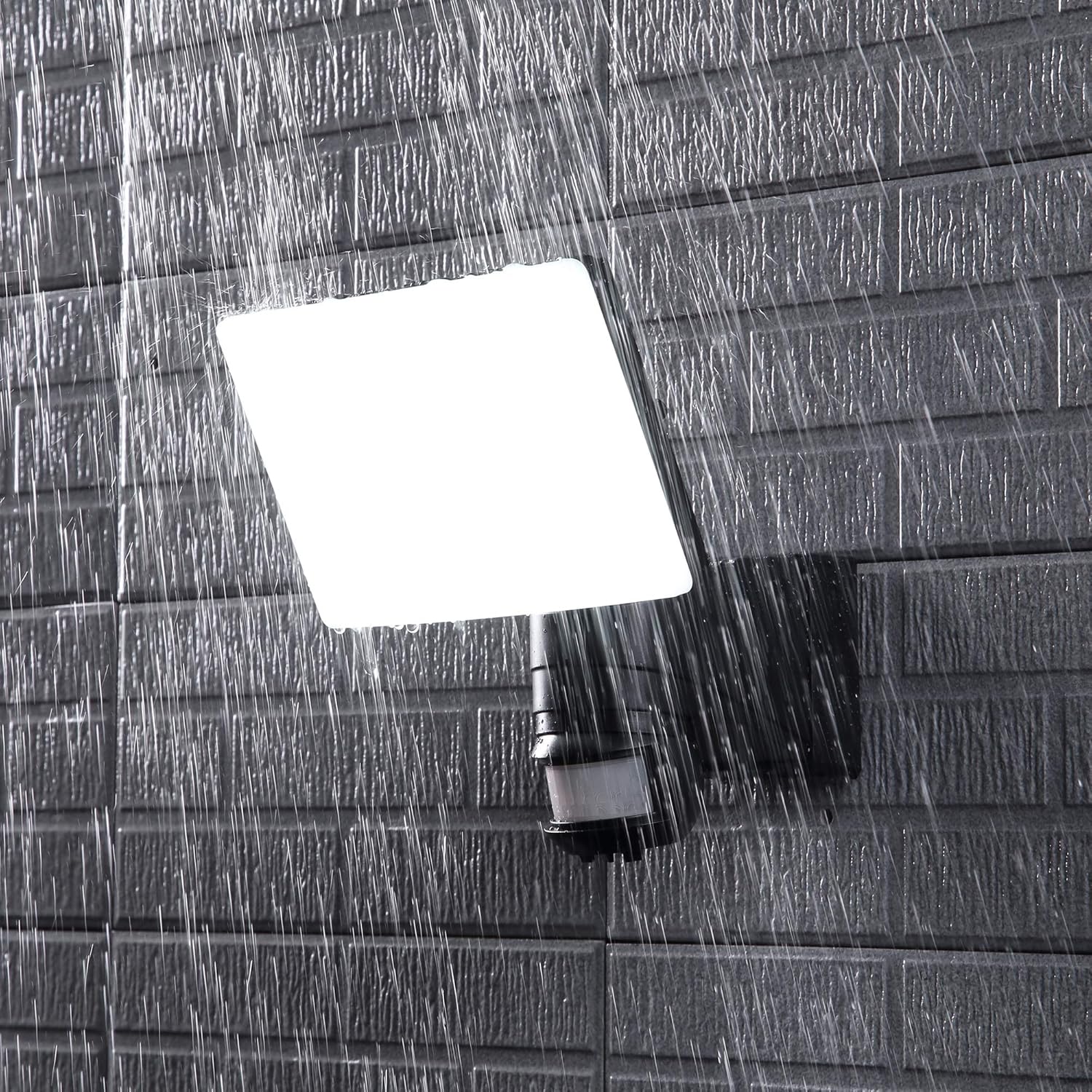
Image: The Link2Home EM-WR1600B flood light enduring rainfall, illustrating its weather-resistant construction suitable for outdoor environments.
خرابی کا سراغ لگانا
If your flood light is not functioning as expected, refer to the following common issues and solutions:
- لائٹ آن نہیں ہوتی:
- چیک کریں کہ آیا پاور سپلائی منسلک ہے اور سرکٹ بریکر آن ہے۔
- Verify the LUX setting. If it's set too high, the light may not activate in dim conditions.
- Ensure the motion sensor is not obstructed.
- Test the light during different times of day to rule out ambient light interference.
- روشنی مسلسل رہتی ہے:
- Check the TIME setting. If set to maximum, it will stay on longer.
- Ensure there is no continuous motion within the sensor's detection range (e.g., moving branches, traffic).
- Verify the SENS setting. Reduce sensitivity if the light is being triggered by distant or minor movements.
- Motion sensor range is too short or too long:
- Adjust the SENS dial to increase or decrease the detection range.
- Ensure the sensor is not obstructed and is positioned correctly for the desired coverage area.
اگر ٹربل شوٹنگ کے بعد بھی مسائل برقرار رہتے ہیں تو کسٹمر سپورٹ سے رابطہ کریں۔
وضاحتیں
| فیچر | تفصیلات |
|---|---|
| ماڈل نمبر | EM-WR1600B |
| برانڈ | لنک 2 ہوم |
| روشنی کا ذریعہ | انٹیگریٹڈ ایل ای ڈی |
| چمک | 1600 Lumens |
| رنگین درجہ حرارت | 6500 کیلون (ٹھنڈا سفید) |
| طاقت کا منبع | AC Hardwired |
| والیومtage | 120 وولٹ |
| واٹtage | 100 واٹ |
| موشن سینسر کی حد | 30 فٹ تک |
| موشن سینسر زاویہ | 180 ڈگری |
| Adjustable Run Time | 3 سیکنڈ سے 7 منٹ |
| انڈور / آؤٹ ڈور استعمال | آؤٹ ڈور |
| مواد | پلاسٹک |
| پانی کی مزاحمت کی سطح | واٹر پروف |
| شے کا وزن | 2.3 پاؤنڈز |
وارنٹی اور سپورٹ
This Link2Home product is covered by a 12 ماہ کی وارنٹی خریداری کی تاریخ سے. یہ وارنٹی عام استعمال کے تحت مواد اور کاریگری میں نقائص کا احاطہ کرتی ہے۔
For warranty claims, technical support, or any questions regarding your product, please contact Link2Home customer service. Keep your purchase receipt as proof of purchase.
رابطہ کی معلومات:
Please refer to the Link2Home official website or your purchase documentation for the most current customer support contact details.