
1. تعارف
Thank you for choosing the Symcode 2-in-1 Wireless CCD Barcode Scanner. This device offers both 2.4GHz wireless and USB wired connectivity, providing flexibility for various applications. It is designed for efficient and accurate scanning of 1D barcodes from both printed materials and digital screens. This manual provides detailed instructions on setting up, operating, maintaining, and troubleshooting your barcode scanner.
2. پروڈکٹ ختمview
2.1 پیکیج کے مشمولات
پیک کھولنے پر، براہ کرم تصدیق کریں کہ نیچے دی گئی تمام اشیاء موجود ہیں اور اچھی حالت میں ہیں:
- 1 x Symcode CCD Barcode Scanner
- 1 ایکس USB کیبل
- 1 x 2.4GHz وائرلیس ڈونگل
- 1 ایکس انگریزی صارف دستی

Figure 2.1: Package Contents of the Symcode Barcode Scanner.
2.2 سکینر کے اجزاء
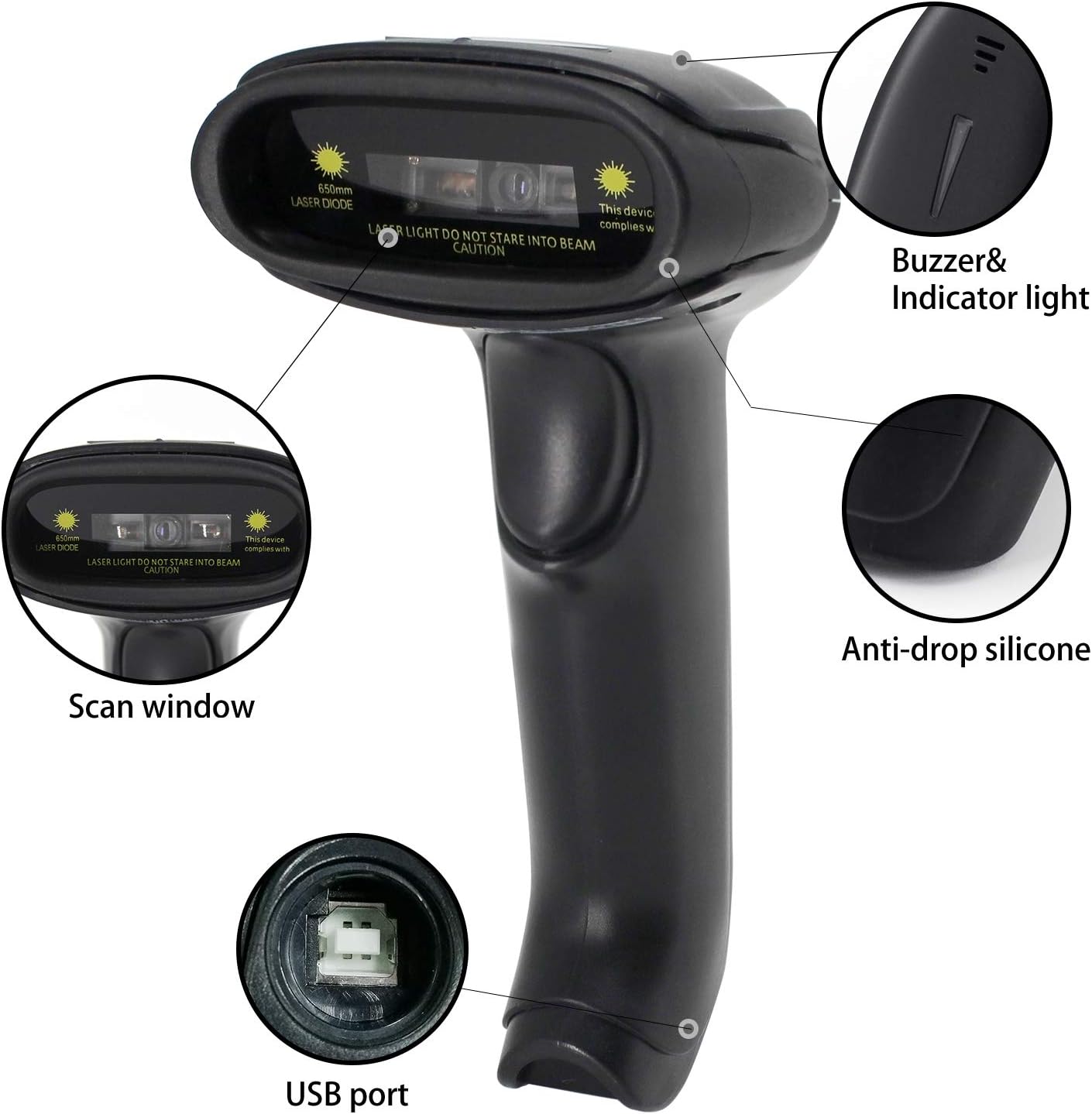
Figure 2.2: Key Components of the Symcode Barcode Scanner.
- اسکین ونڈو: Area through which the barcode is read.
- Buzzer & Indicator Light: Provides audio and visual feedback for successful scans and status.
- USB پورٹ: وائرڈ کنکشن اور چارجنگ کے لیے۔
- Anti-drop Silicone: Provides protection against accidental drops.
2.3 پروڈکٹ کے طول و عرض
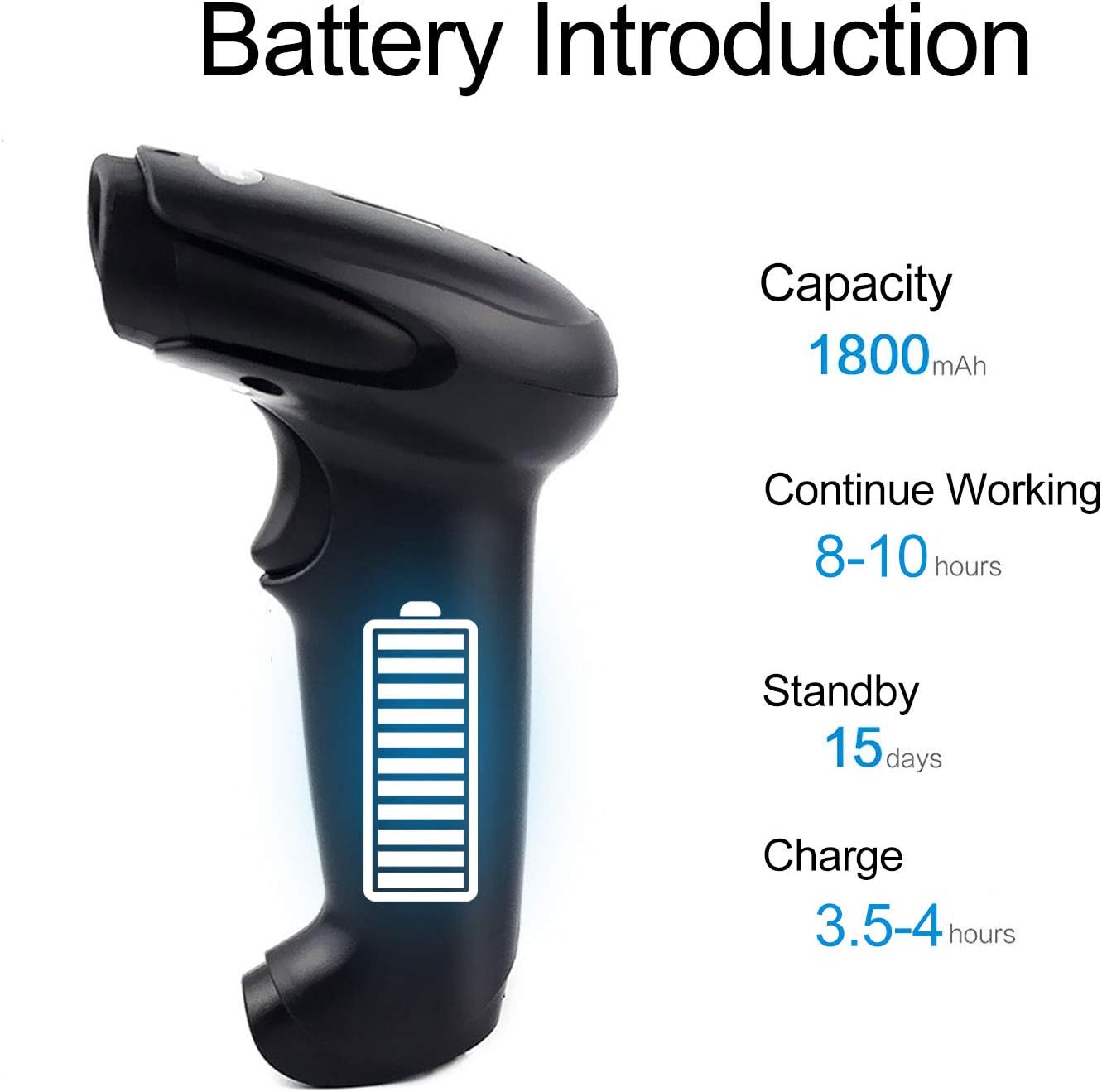
Figure 2.3: Dimensions of the Symcode Barcode Scanner.
3. سیٹ اپ
3.1 وائرڈ کنکشن (USB)
- Connect the USB cable to the scanner's USB port.
- Plug the other end of the USB cable into an available USB port on your computer, laptop, or POS machine.
- The scanner is plug-and-play; no additional drivers are required. It will be recognized automatically by Windows, Mac, Android, and Linux systems.
3.2 Wireless Connection (2.4GHz Dongle)
- Insert the 2.4GHz wireless dongle into an available USB port on your computer, laptop, or POS machine.
- Turn on the barcode scanner. It will automatically pair with the dongle.
- The scanner is plug-and-play; no additional drivers are required. It will be recognized automatically by Windows, Mac, Android, and Linux systems.
4. آپریٹنگ ہدایات
4.1 بنیادی سکیننگ کا طریقہ کار
- Ensure the scanner is powered on and connected (wired or wireless).
- اسکین ونڈو کو بارکوڈ کی طرف اشارہ کریں جسے آپ اسکین کرنا چاہتے ہیں۔
- Press the trigger button (if in trigger mode) or position the scanner over the barcode (if in auto-sense or continuous mode).
- A successful scan will be indicated by a beep and a flash of the indicator light. The barcode data will be transmitted to your connected device.
4.2 اسکیننگ موڈز
سکینر تین سکیننگ طریقوں کی حمایت کرتا ہے:
- ٹرگر اسکین: Press the trigger button to activate the scan beam.
- Auto-sense Scan: اسکینر خود بخود اپنے فیلڈ میں بار کوڈ کا پتہ لگاتا ہے۔ view and activates the scan beam.
- مسلسل اسکین: The scan beam remains continuously active, allowing for rapid scanning without pressing the trigger.
Refer to the included user manual (physical copy) for instructions on how to switch between these scanning modes. If you encounter difficulties, please contact Symcode customer support.
4.3 تعاون یافتہ بارکوڈ کی اقسام
This CCD barcode scanner is designed to read 1D بارکوڈ, whether printed on paper or displayed on digital screens. It does not support 2D barcodes (e.g., QR codes).
Supported 1D barcode symbologies include: EAN-8, EAN-13, Codabar, CODE11, CODE 39, CODE 93, CODE128, China Post, GS1-128, GS1 Limited, GS1 Omnidirectional, UPC-A, UPC-E, ISBN/ISSN, ISBT, Interleaved 2 of 5, Matrix 2 of 5, Industrial 2 of 5, 2 of 5, MSI, Plessey, ITF14.

Figure 4.1: Scanning a barcode from a digital screen.
5. بیٹری کی معلومات
The Symcode barcode scanner is equipped with a high-capacity rechargeable battery for extended operation.

Figure 5.1: Battery Specifications.
- صلاحیت: 1800 ایم اے ایچ
- مسلسل کام کرنے کا وقت: 8 سے 10 گھنٹے
- اسٹینڈ بائی ٹائم: 15 دن
- چارج کرنے کا وقت: 3.5 سے 4 گھنٹے
To charge the scanner, connect it to a USB power source using the provided USB cable. The indicator light will show charging status.
6. وائرلیس کنیکٹیویٹی
The 2.4GHz wireless connection provides reliable data transmission over a significant range.
- Transmission Distance (Indoor): 15-30 meters (in crowded indoor environments)
- Transmission Distance (Outdoor): 30-100 meters (in open outdoor environments)

Figure 6.1: Wireless Transmission Range.
6.1 آپریٹنگ موڈز
The scanner supports two primary operating modes for data handling:
- نارمل موڈ: Data is transferred immediately after each scan.
- اسٹوریج وضع: Barcode data is stored internally in the scanner's 16MB memory (capable of storing over 50,000 barcode entries). Data can then be uploaded to the connected device by scanning a specific setting code. This mode is useful for inventory taking or when out of wireless range.
7 بارکوڈ پروگرامنگ
The Symcode barcode scanner is programmable, allowing customization of its output and behavior. These settings are typically configured by scanning specific programming barcodes found in the full user manual.
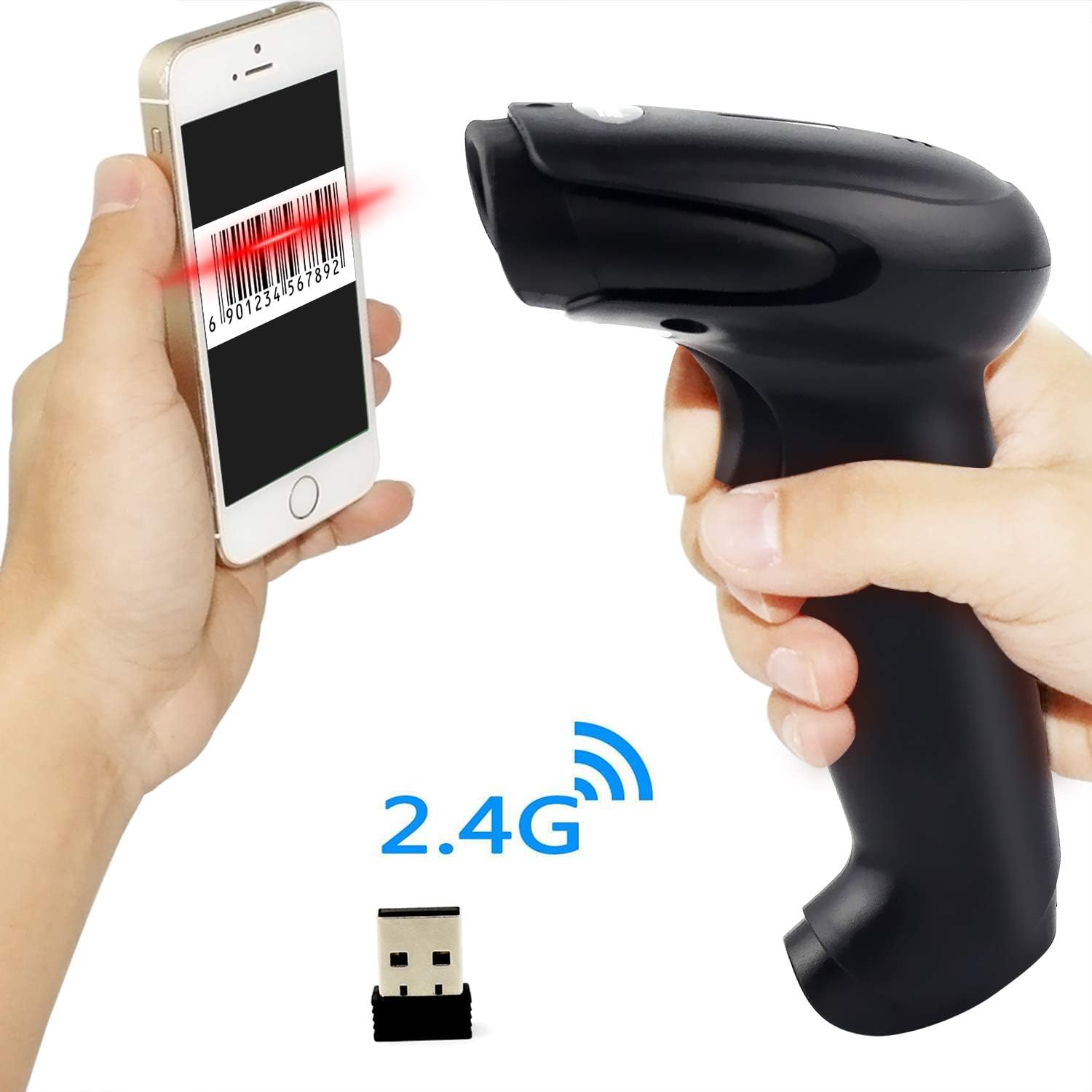
Figure 7.1: Barcode Programming Capabilities.
Programmable features include:
- کیس کی تبدیلی: Adjusting output to uppercase or lowercase.
- والیوم ایڈجسٹمنٹ: Changing the sound level of the buzzer.
- Terminator Setting: Adding a specific character (e.g., Enter, Tab) after each scanned barcode.
- Prefix or Suffix Setting: Adding custom characters before or after the scanned data.
- Character Manipulation: Adding or masking specific characters within the barcode data.
For detailed programming instructions, please refer to the comprehensive programming guide included with your scanner or contact Symcode support.
8 دیکھ بھال
مناسب دیکھ بھال آپ کے سکینر کی لمبی عمر اور بہترین کارکردگی کو یقینی بناتی ہے۔
- صفائی: Use a soft, dry cloth to clean the scanner's exterior. For the scan window, use a lint-free cloth lightly dampایک غیر کھرچنے والے کلینر کے ساتھ ختم ہوا۔ سخت کیمیکلز یا کھرچنے والے مواد سے پرہیز کریں۔
- ذخیرہ: سکینر کو ٹھنڈی، خشک جگہ پر، براہ راست سورج کی روشنی اور انتہائی درجہ حرارت سے دور رکھیں۔
- بیٹری کی دیکھ بھال: Avoid fully discharging the battery frequently. If storing for a long period, charge the battery to about 50% and recharge every few months.
9 خرابیوں کا سراغ لگانا
If you encounter issues with your scanner, please refer to the following common problems and solutions:
| مسئلہ | ممکنہ وجہ/حل |
|---|---|
| سکینر آن نہیں ہوتا ہے۔ | Battery is low or depleted. Charge the scanner for 3.5-4 hours. |
| Scanner does not scan barcodes. |
|
| No data transmitted to computer. |
|
| Scanner beeps continuously or behaves erratically. | The scanner might be in an incorrect setting mode. Refer to the full user manual for factory reset instructions or contact support. |
If the problem persists after trying these solutions, please contact Symcode customer support for further assistance.
10. وضاحتیں
| پیرامیٹر | قدر |
|---|---|
| روشنی کا ذریعہ | 632nm Visible LED Light |
| اسکین موڈ | Trigger / Auto-sense / Continuous |
| قرارداد | ≥ 4 mil / 0.1mm @ PCS90% |
| پروسیسر | ARM32-bit |
| اسکین کی رفتار | 200 اسکینز/سیکنڈ |
| فیلڈ کی گہرائی | 40-500 ملی میٹر |
| اشارے | ایل ای ڈی اور بزر |
| پرنٹ کنٹراسٹ | ≥ 30% |
| آپریٹنگ والیومtage | DC 3.3V-5V |
| بیٹری کی صلاحیت | 1800 ایم اے ایچ |
| مسلسل آپریشن | 8-10 گھنٹے |
| اسٹینڈ بائی ٹائم | 15 دن |
| چارج ٹائم | 3.5-4 گھنٹے |
| Wireless Transmission (Indoor) | 15-30 میٹر |
| Wireless Transmission (Outdoor) | 30-100 میٹر |
| ذخیرہ کرنے کی صلاحیت | 16MB (over 50,000 barcode entries) |
| آپریٹنگ درجہ حرارت | -20 ℃ to 50 ℃ (-4 ℉ to 122 ℉) |
| اسٹوریج کا درجہ حرارت | -40 ℃ to 70 ℃ (-40 ℉ to 158 ℉) |
| نمی | 5% سے 95% (غیر گاڑھا) |
| محیطی چمک | زیادہ سے زیادہ 100,000 لکس |
| تعاون یافتہ OS | Windows, Mac, Android, Linux |
11. وارنٹی اور سپورٹ
The Symcode barcode scanner comes with a 180 دن کی وارنٹی خریداری کی تاریخ سے، مینوفیکچرنگ کے نقائص اور خرابیوں کو عام استعمال کے تحت کور کرنا۔ وارنٹی کے دعووں کے لیے براہ کرم اپنی خریداری کا ثبوت اپنے پاس رکھیں۔
For technical support, warranty service, or any questions regarding your product, please contact Symcode customer service through the platform where you purchased the product or refer to the contact information provided in the physical user manual.