
Zeegma Robo Next
ZEEGMA Zonder Robo Next Robot Vacuum Cleaner User Manual
Model: Robo Next | Brand: Zeegma
1. تعارف
Thank you for choosing the ZEEGMA Zonder Robo Next Robot Vacuum Cleaner. This manual provides essential information for the safe and efficient operation, maintenance, and troubleshooting of your device. Please read this manual thoroughly before using the product and retain it for future reference.
The Zonder Robo Next is an advanced robotic cleaning device designed for various floor types, offering multiple cleaning modes and powerful suction. Its intelligent features ensure thorough cleaning while navigating your home safely.
2. حفاظتی معلومات
چوٹ یا نقصان کے خطرے کو کم کرنے کے لیے، درج ذیل حفاظتی احتیاطی تدابیر پر عمل کریں:
- پاور اڈاپٹر والیوم کو یقینی بنائیںtage is compatible with your local power supply.
- روبوٹ کو گیلے ماحول یا پانی کے قریب نہ چلائیں۔
- روبوٹ کو کھلی آگ، گرمی کے ذرائع اور آتش گیر مواد سے دور رکھیں۔
- بچوں یا پالتو جانوروں کو روبوٹ کے ساتھ کھیلنے کی اجازت نہ دیں۔
- Before operation, remove loose cables, small objects, and fragile items from the cleaning area.
- بڑا ملبہ، تیز دھار اشیاء، یا مائعات کو اٹھانے کے لیے روبوٹ کا استعمال نہ کریں۔
- Only use manufacturer-approved accessories and replacement parts.
- If the robot is damaged, do not attempt to repair it yourself. Contact customer support.
3. پیکیج کے مشمولات
تصدیق کریں کہ تمام اشیاء پیکیج میں موجود ہیں:
- روبوٹ ویکیوم کلینر
- Docking Station with Power Supply
- مین برش
- 4 ایکس سائیڈ برش
- Microfiber Mop
- ریموٹ کنٹرول
- HEPA فلٹر
- صارف دستی (یہ دستاویز)
4. سیٹ اپ
4.1 چارجنگ اسٹیشن کی جگہ کا تعین
Place the docking station against a wall in an open area, ensuring there are no obstacles within 1 meter (3 feet) to the sides and 2 meters (6 feet) in front of it. Connect the power supply to the docking station and plug it into a wall outlet. Ensure the station is always powered on.

Image: The robot vacuum automatically returns to its charging station. This image also highlights its smart device capabilities.
4.2 ابتدائی چارجنگ
Place the robot vacuum onto the charging station. Ensure the charging contacts on the robot align with those on the station. For first-time use, charge the robot for at least 6 hours to ensure the battery is fully conditioned. The battery indicator light will show charging status.

Image: The robot vacuum on a patterned rug, illustrating its 2600 mAh battery and strong suction power up to 2150 Pa.
4.3 سائیڈ برش انسٹال کرنا
Turn the robot over. Align the side brushes with the corresponding slots on the bottom of the robot and press them down until they click into place. Ensure they are securely attached.
4.4 Connecting to the Smartphone App
Download the dedicated ZEEGMA app from your smartphone's app store. Follow the in-app instructions to connect your robot vacuum to your home Wi-Fi network. This will enable advanced control, scheduling, and monitoring features.

Image: The robot vacuum operating on a tiled floor, highlighting its low noise mode and dedicated app control.
5. آپریشن
5.1 پاور آن/آف۔
Press and hold the power button on the robot or use the remote control/app to turn the robot on or off.
5.2 صفائی کے طریقے
The Zonder Robo Next offers 6 distinct operating modes to suit various cleaning needs:
- خودکار صفائی: روبوٹ ذہانت سے پورے قابل رسائی علاقے کو نیویگیٹ اور صاف کرتا ہے۔
- اسپاٹ کی صفائی: ایک مخصوص گندے علاقے پر توجہ مرکوز کرتا ہے، ایک سرپل پیٹرن میں صفائی.
- کنارے کی صفائی: دیواروں اور فرنیچر کے کناروں کے ساتھ صاف کرتا ہے۔
- گیلے موپنگ: Attaches the microfiber mop for wet cleaning.
- Dry Sweeping: Uses brushes to sweep debris.
- ویکیومنگ: Engages the vacuum motor for dust and debris collection.

Image: The robot vacuum on a tiled floor, indicating its mop function capability.
5.3 سکشن پاور ایڈجسٹمنٹ
Choose from 3 suction power levels (1500 Pa, 1800 Pa, 2150 Pa) via the app or remote control to match the cleaning intensity required for different surfaces and dirt levels.
5.4 شیڈولنگ
Use the smartphone app to set cleaning schedules for specific times and days. The robot will automatically start cleaning according to your programmed schedule.

Image: The robot vacuum operating near a virtual wall strip, illustrating its scheduling function.
5.5 اسمارٹ ہوم انٹیگریشن
The Zonder Robo Next is compatible with Amazon Alexa and Google Home. Follow the instructions in the respective smart home apps to connect your robot for voice control.
5.6 نیویگیشن اور رکاوٹ سے بچنا
Equipped with 15 anti-collision sensors, the robot navigates freely and safely, avoiding obstacles and drops. Its low profile (7.6 cm height) allows it to clean under most furniture.

Image: The robot vacuum cleaning under a sofa, demonstrating its compact height of 7.6 cm and its 15 anti-collision sensors.
6 دیکھ بھال
باقاعدگی سے دیکھ بھال بہترین کارکردگی کو یقینی بناتی ہے اور آپ کے روبوٹ ویکیوم کی عمر میں توسیع کرتی ہے۔
6.1 ڈسٹ کنٹینر کو خالی کرنا
The robot features an 800 ml dust container. Empty it after each cleaning cycle or when the indicator light signals it is full. Open the top cover, remove the dust container, and dispose of the collected debris.
6.2 HEPA فلٹر کی صفائی
The washable HEPA filter captures up to 99.97% of allergens and fine particles. Remove the filter from the dust container and rinse it under running water. Allow it to air dry completely before reinserting. Replace the HEPA filter every 3-6 months, depending on usage.
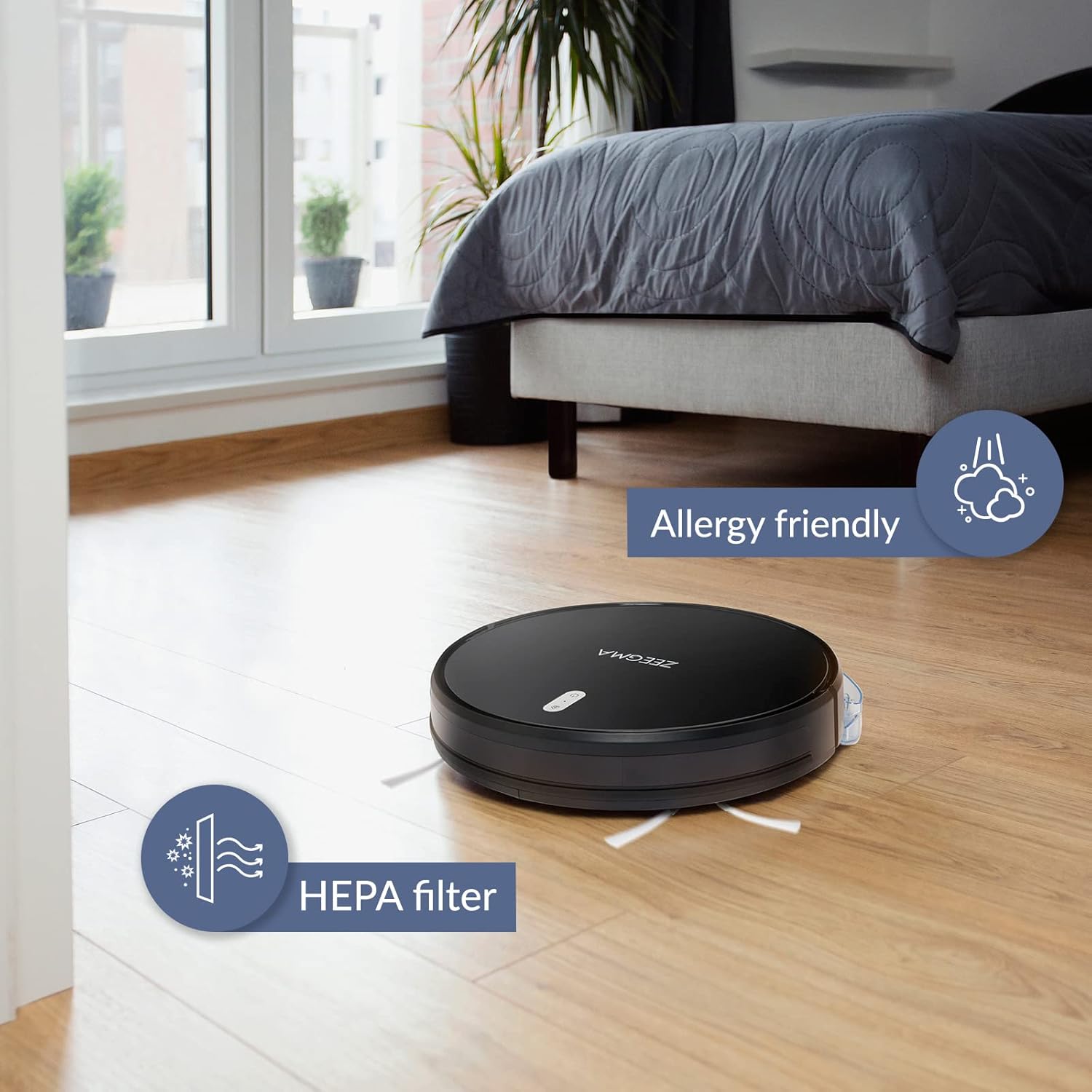
Image: The robot vacuum on a wooden floor, emphasizing its allergy-friendly design and HEPA filter system.
6.3 کلیننگ برش
- سائیڈ برش: Regularly check side brushes for tangled hair or debris. Remove and clean them. Replace if worn or damaged.
- مین برش: Remove the main brush cover and lift out the brush. Use the cleaning tool (if provided) to remove hair and debris.
6.4 سینسرز اور چارجنگ رابطوں کی صفائی
Wipe the anti-collision sensors and charging contacts on both the robot and the docking station with a dry, soft cloth to ensure proper function.
6.5 ایم او پی پیڈ کی دیکھ بھال
After wet mopping, remove the microfiber mop pad and wash it. Allow it to air dry completely before storing or reusing.
7 خرابیوں کا سراغ لگانا
If you encounter issues with your ZEEGMA Zonder Robo Next, refer to the following common problems and solutions:
| مسئلہ | ممکنہ وجہ | حل |
|---|---|---|
| روبوٹ پاور آن نہیں کرتا ہے۔ | کم بیٹری؛ پاور بٹن درست طریقے سے نہیں دبایا گیا۔ | Charge the robot; press and hold the power button. |
| روبوٹ چارج نہیں کرتا۔ | Charging contacts are dirty; docking station not powered. | Clean charging contacts; ensure docking station is plugged in. |
| روبوٹ اکثر پھنس جاتا ہے۔ | بہت زیادہ رکاوٹیں؛ سینسر گندے ہیں. | Clear the cleaning area; clean the sensors. |
| ناقص صفائی کی کارکردگی۔ | Dust container full; brushes tangled; filter clogged. | Empty dust container; clean brushes; clean/replace filter. |
| ایپ کنکشن کے مسائل۔ | Incorrect Wi-Fi password; robot out of Wi-Fi range. | Verify Wi-Fi credentials; move robot closer to router; restart robot and router. |
If the problem persists, please contact Zeegma customer support.
8. وضاحتیں
| فیچر | تفصیل |
|---|---|
| برانڈ | زیگما |
| ماڈل کا نام | Robo Next |
| پروڈکٹ کے طول و عرض (L x W x H) | 32L x 32W x 7.6H سینٹی میٹر |
| شے کا وزن | 2.5 کلوگرام |
| بیٹری کی صلاحیت | 2600 ایم اے ایچ |
| بیٹری کی زندگی | 120 منٹ تک |
| Cleaning Area per Charge | 180 m² تک |
| سکشن پاور | 1500 to 2150 Pa (3 modes) |
| شور کی سطح | 50 dB (quiet operation) / 55 dB (general) |
| دھول کنٹینر کی صلاحیت | 800 ملی لیٹر |
| فلٹر کی قسم | دھونے کے قابل HEPA فلٹر |
| نیویگیشن | 15 anti-collision sensors |
| کنٹرول کی قسم | Wi-Fi, App (iOS), Voice (Amazon Alexa, Google Home), Remote Control |
| خصوصی خصوصیات | 6 operating modes (wet/dry wiping, sweeping, vacuuming), Automatic return to base, Scheduling function, Virtual wall compatibility (implied by image) |
9. کسٹمر سپورٹ
For further assistance, technical support, or warranty information, please contact Zeegma customer service through their official webآپ کی خریداری کے دستاویزات کے ساتھ فراہم کردہ سائٹ یا رابطے کی تفصیلات۔
Ask a question about this manual
Ask about setup, troubleshooting, compatibility, parts, safety, or missing instructions. Manuals+ will review the question and use this page’s manual context to help answer it.