
تعارف
This manual provides detailed instructions for the installation, operation, and maintenance of your EKEN V7 HD 1080P Smart WiFi Video Doorbell. Please read this manual thoroughly before using the product to ensure proper functionality and safety. Keep this manual for future reference.
پیکیج کے مشمولات
تصدیق کریں کہ نیچے دی گئی تمام اشیاء آپ کے پیکج میں شامل ہیں۔ اگر کوئی اشیاء غائب یا خراب ہیں، تو براہ کرم کسٹمر سپورٹ سے رابطہ کریں۔

Image: The EKEN V7 Video Doorbell, two blue rechargeable batteries, and a dual-slot battery charger. These are the primary components included in the package.
- EKEN V7 HD 1080P Smart WiFi Video Doorbell
- Rechargeable Batteries (2 pcs)
- بیٹری چارجر
- بڑھتے ہوئے بریکٹ
- بڑھتے ہوئے پیچ اور وال اینکرز
- صارف دستی (یہ دستاویز)
پروڈکٹ ختمview
The EKEN V7 Video Doorbell is a smart security device designed to provide real-time video monitoring and two-way audio communication with visitors at your door. It features 1080P Full HD resolution, night vision, and a wide-angle lens for comprehensive coverage.

تصویر: سامنے view of the EKEN V7 Video Doorbell, showing the camera lens, motion sensor, and illuminated doorbell button.
اہم خصوصیات:
- 1080P مکمل ایچ ڈی ویڈیو: ویڈیو سٹریمنگ اور ریکارڈنگ کو صاف کریں۔
- 166° Wide-angle Lens: کا وسیع میدان view to cover your entryway.
- نائٹ ویژن: Infrared LEDs for clear visibility in low-light conditions.
- دو طرفہ آڈیو: Speak and listen to visitors remotely via the mobile app.
- پیر تحریک کا پتہ لگانے: Alerts you to movement at your door.
- موسم مزاحم: مختلف موسمی حالات کا مقابلہ کرنے کے لیے ڈیزائن کیا گیا ہے۔
- 2.4G وائی فائی کنیکٹیویٹی: Connects to your home network for remote access.
- لمبی بیٹری کی زندگی: Efficient power consumption for extended use.
- کلاؤڈ اسٹوریج: Optional cloud service for video recording storage.

Image: An infographic highlighting the key features of the EKEN V7 Video Doorbell, such as 1080P Full HD, PIR Motion Detection, Night Vision, 166° Wide-angle Camera Lens, Long Battery Life, and 7 Days Free Cloud Service.

Image: A visual representation comparing the doorbell's view during the day (color) and at night (monochrome infrared), demonstrating the 166-degree wide-angle lens.
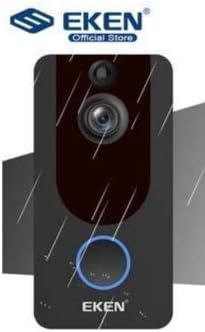
Image: The EKEN V7 Video Doorbell depicted with rain effects, illustrating its weather-resistant design suitable for outdoor installation.
سیٹ اپ
1. بیٹریاں چارج کرنا۔
- Insert the two rechargeable batteries into the provided battery charger.
- چارجر کو پاور سورس سے جوڑیں۔
- Allow the batteries to charge fully before first use. The indicator light on the charger will change when charging is complete.
2. Installing the Doorbell
- اپنے دروازے کے قریب ایک مناسب جگہ کا انتخاب کریں، صاف صاف یقینی بنائیں view اور اچھا وائی فائی سگنل۔
- Use the mounting bracket as a template to mark drill holes on the wall.
- اگر ضروری ہو تو سوراخ کریں اور دیوار کے اینکرز ڈالیں۔
- فراہم کردہ پیچ کا استعمال کرتے ہوئے دیوار پر بڑھتے ہوئے بریکٹ کو محفوظ کریں۔
- Insert the charged batteries into the doorbell unit.
- Attach the doorbell unit to the mounting bracket, ensuring it clicks securely into place.
3. وائی فائی اور ایپ سیٹ اپ سے جڑنا
- Download the official EKEN doorbell app from your smartphone's app store (iOS or Android).
- ایپ کھولیں اور ایک اکاؤنٹ بنائیں یا لاگ ان کریں۔
- Follow the in-app instructions to add your new doorbell device. This typically involves scanning a QR code on the doorbell or manually entering its ID.
- Connect the doorbell to your 2.4GHz Wi-Fi network. Ensure your phone is also connected to the same 2.4GHz network during setup.
- ایک بار منسلک ہونے کے بعد، آپ قابل ہو جائیں گے۔ view live video, receive notifications, and adjust settings through the app.
آپریٹنگ ہدایات
جیو View اور دو طرفہ آڈیو
- Open the EKEN app on your smartphone.
- Select your doorbell from the device list to access the live video feed.
- To speak to a visitor, tap the microphone icon in the app. To listen, ensure the speaker icon is enabled.

Image: A user communicating with a delivery person at their door using the EKEN V7 Video Doorbell's two-way audio feature through the mobile application.
موشن ڈیٹیکشن الرٹس
- When motion is detected, the doorbell will send a push notification to your smartphone.
- نوٹیفکیشن کو تھپتھپائیں۔ view the live feed or recorded event.
- Adjust motion sensitivity settings within the app to minimize false alerts.
ویڈیو ریکارڈنگ اور پلے بیک
- The doorbell automatically records video when motion is detected or the doorbell button is pressed.
- Recorded videos are stored in the cloud (subscription may be required after initial free period) or on a local SD card (if supported and installed).
- Access and playback recorded events through the app's history or event log.

Image: The EKEN V7 Video Doorbell shown next to a smartphone displaying a live 1080P Full HD video feed, illustrating remote monitoring capabilities.
دیکھ بھال
- صفائی: Gently wipe the camera lens and doorbell surface with a soft, damp کپڑا کھرچنے والے کلینر یا سالوینٹس سے پرہیز کریں۔
- بیٹری مینجمنٹ: Recharge batteries when the app indicates low power. For optimal performance, consider having a spare set of charged batteries.
- فرم ویئر اپ ڈیٹس: Regularly check the app for available firmware updates for your doorbell. Updates can improve performance and add new features.
- وائی فائی کنکشن: Ensure your Wi-Fi router is functioning correctly and the doorbell has a strong signal for uninterrupted operation.
خرابی کا سراغ لگانا
- دروازے کی گھنٹی وائی فائی سے منسلک نہیں ہے:
- Ensure your Wi-Fi network is 2.4GHz. The doorbell does not support 5GHz networks. Check Wi-Fi password and signal strength. Try resetting the doorbell and your router.
- کوئی حرکت کا پتہ لگانے کے انتباہات نہیں:
- Verify that motion detection is enabled in the app settings. Adjust sensitivity levels. Ensure the doorbell's view رکاوٹ نہیں ہے.
- Poor video quality or lag:
- Check your Wi-Fi signal strength at the doorbell's location. Move the router closer or consider a Wi-Fi extender. Ensure your internet connection is stable.
- دو طرفہ آڈیو کام نہیں کر رہا ہے:
- Check microphone and speaker permissions for the app on your smartphone. Ensure the doorbell's microphone and speaker are not obstructed.
- Doorbell not powering on:
- Ensure batteries are fully charged and correctly inserted. If using wired power, check connections.
وضاحتیں
| فیچر | تفصیل |
|---|---|
| برانڈ | EKEN |
| ماڈل | V7 |
| ویڈیو ریکارڈنگ ریزولوشن | 1080p فل ایچ ڈی |
| فوٹو سینسر ٹیکنالوجی | CMOS |
| کنیکٹوٹی ٹیکنالوجی | Wi-Fi (صرف 2.4GHz) |
| خصوصی خصوصیات | Night Vision, Two-Way Audio, PIR Motion Detection, Weather Resistant |
| تصویری استحکام | نہیں |
| صنعت کار حوالہ | Ia-112 |
| ASIN | B08PMXWFF3 |
| پہلی دستیاب تاریخ | 17 دسمبر 2020 |
وارنٹی اور سپورٹ
For warranty information and technical support, please refer to the official EKEN website or contact their customer service directly. Details regarding specific warranty periods and support channels are typically provided with your purchase documentation or on the manufacturer's webسائٹ
Guaranteed software updates until: Unknown.